Linked Lines#
Overview#
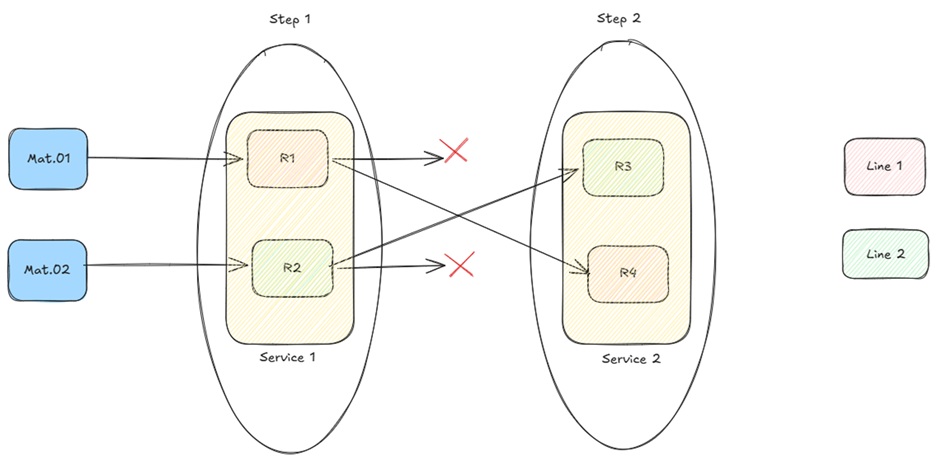
The Linked Lines feature provides a logical mechanism to associate resources that belong to the same production line and to enforce line continuity during Material processing.
Once a Material begins processing on a line, subsequent dispatch operations are validated against that line. This prevents a Material from being dispatched to a Resource on a different line that shares the same service, ensuring that materials follow a defined line throughout the process.
Concept#
The feature tracks line assignments using the following attributes:
- MedDevResourceLine – defined on a Resource, identifies the line it belongs to.
- MedDevCurrentLine – defined on the Material, stores the line the Material was last processed on.
- MedDevOriginalLine – defined on the Material, temporarily holds the current line when the Material enters a Rework or Off-Flow. Cleared when the Material returns.
- MedDevReturnToOriginalLineOnReworkExit – defined on a Flow, it will determine if the value of the Material's MedDevCurrentLine attribute is saved in its MedDevOriginalLine once it enters the Flow in the context of a Rework or Off-Flow action.
- MedDevClearCurrentLineOnReworkEnter – defined on a Flow, it will determine if the Material's MedDevCurrentLine attribute is cleared once it enters the Flow in the context of a Rework or Off-Flow action.
All line values reference the MedDevProcessLines Lookup table.
Assumptions#
- Resources belonging to the same physical line share the same
MedDevResourceLinevalue. - Resources that are shared across lines, or not part of any line, have
MedDevResourceLineleft empty. - A Material with an empty
MedDevCurrentLineis not subject to line validation at dispatch.
Configuration#
Feature Security#
| Feature | Description |
|---|---|
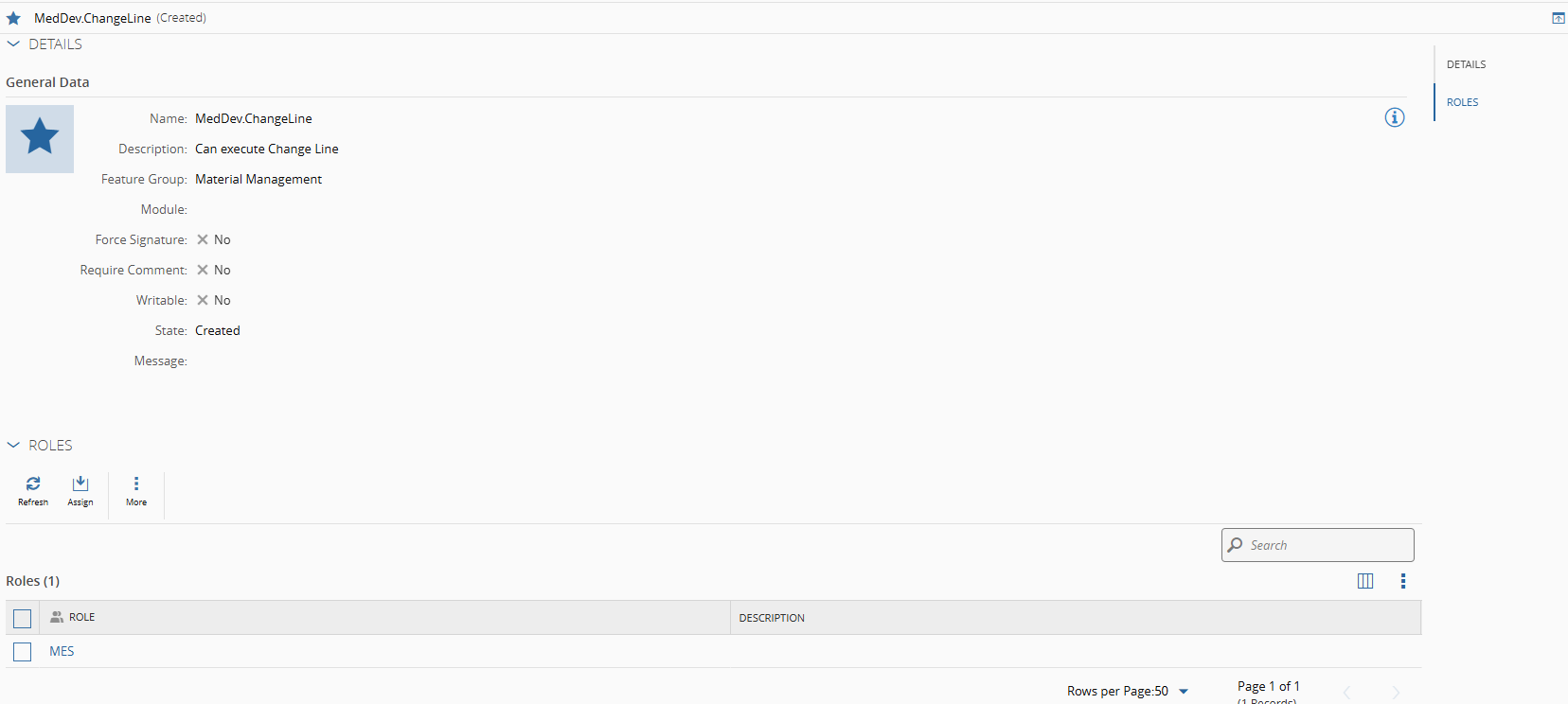
MedDev.ChangeLine | Grants access to the Change Line button on Material/Step/Resource views |
Note
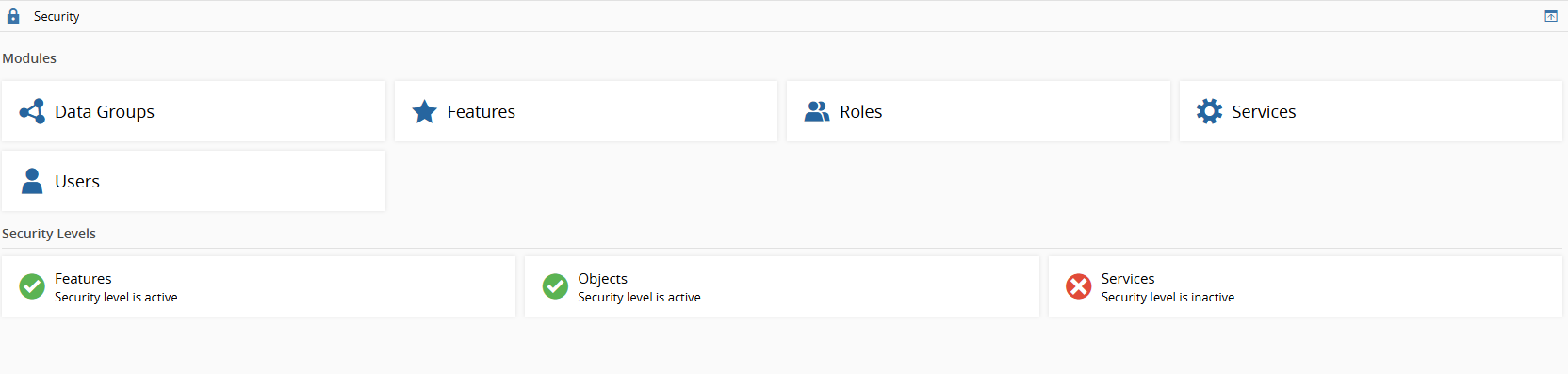
Feature level security level also must be enable for the Change Material Line functionality (described below)
Lookup Table#
Populate the MedDevProcessLines Lookup table with the line names that will be used.
Note
MedDevResourceLine, MedDevCurrentLine, and MedDevOriginalLine attributes will reference this table.
Resource Attribute#
Set MedDevResourceLine on each Resource with the appropriate line value from MedDevProcessLines.
Leave the attribute empty for resources that are not assigned to a specific line.
Flow Attributes#
For Rework and Off-Flow flows, configure the following attributes as required:
| Attribute | Type | Description |
|---|---|---|
MedDevClearCurrentLineOnReworkEnter | Bool | When true, clears MedDevCurrentLine when the Material enters the Flow |
MedDevReturnToOriginalLineOnReworkExit | Bool | When true, saves MedDevCurrentLine into MedDevOriginalLine before clearing |
Note
MedDevOriginalLine is always captured before MedDevCurrentLine is cleared. If both attributes are true, the original line is stored first, then the current line is cleared.
Dispatch Validation#
Dispatch and Dispatch & Track-In operations include a pre-validation check that compares the Material's current line against the target Resource's line.
Logic#
If MedDevCurrentLine is empty OR MedDevResourceLine is empty:
    - No validation error. Process continues normally.

If both have values AND they match:
    - No validation error. Process continues normally.

If both have values AND they differ:
    - Error raised. Operation blocked.
Track-Out Behavior#
Track-Out applies the following logic (post-processing):
| Condition | Result |
|---|---|
MedDevResourceLine is not empty | MedDevCurrentLine will be replaced with MedDevResourceLine value |
MedDevResourceLine is empty and MedDevCurrentLine is not empty | MedDevCurrentLine is cleared |
| Both are empty | No change |
Materials created via Partial Track-Out follow the same logic. The newly created Material's MedDevCurrentLine is set or cleared based on the same Resource line rules.
Rework and Off-Flow Handling#
On Entry#
When a Material is sent to a Rework or Off-Flow:
- If
MedDevReturnToOriginalLineOnReworkExit=true:MedDevOriginalLinewill be replaced with current value ofMedDevCurrentLine
- If
MedDevClearCurrentLineOnReworkEnter=true:MedDevCurrentLineis cleared
On Return#
When a Material returns from a Rework or Off-Flow:
| Condition | Result |
|---|---|
MedDevOriginalLine is not empty | MedDevCurrentLine will be replaced with MedDevOriginalLine, then MedDevOriginalLine is cleared |
MedDevOriginalLine is empty | MedDevCurrentLine is cleared |
GUI Resource Filtering#
The Resource selection list in Dispatch and Dispatch & Track-In is filtered based on the Material's current line.
| Material MedDevCurrentLine | Resource list shown |
|---|---|
| Empty | All eligible resources (standard behavior) |
| Has a value | Only resources whose MedDevResourceLine matches, or has no line assigned at all |
This filtering is implemented via the MedDevDispatchLinkedLineResourceFilter DEE.
Change Material Line#
Operators can manually update a Material's MedDevCurrentLine directly from the interface using the Change Line action.
Access#
The Change Line button is available in the following views:
- Material Details
- Step View (with selected Material)
- Resource View (with selected Material)
The button is only displayed to users who have been granted the MedDev.ChangeLine feature permission. Users without this permission will not see the button.
Wizard#
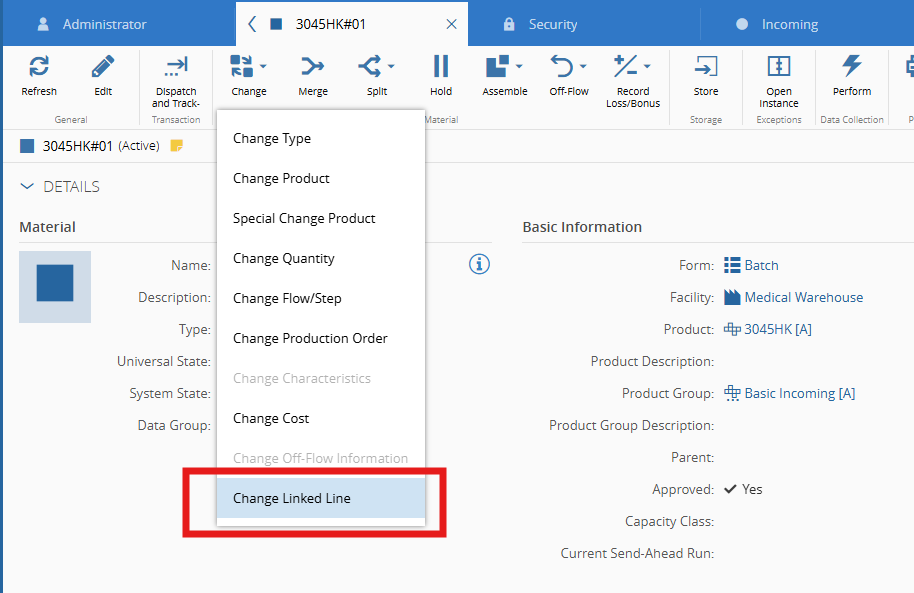
When the Change Line button is clicked, a single-step wizard titled Change Line is displayed containing:
- The Material's current line, shown as read-only (display empty value if the current line is empty).
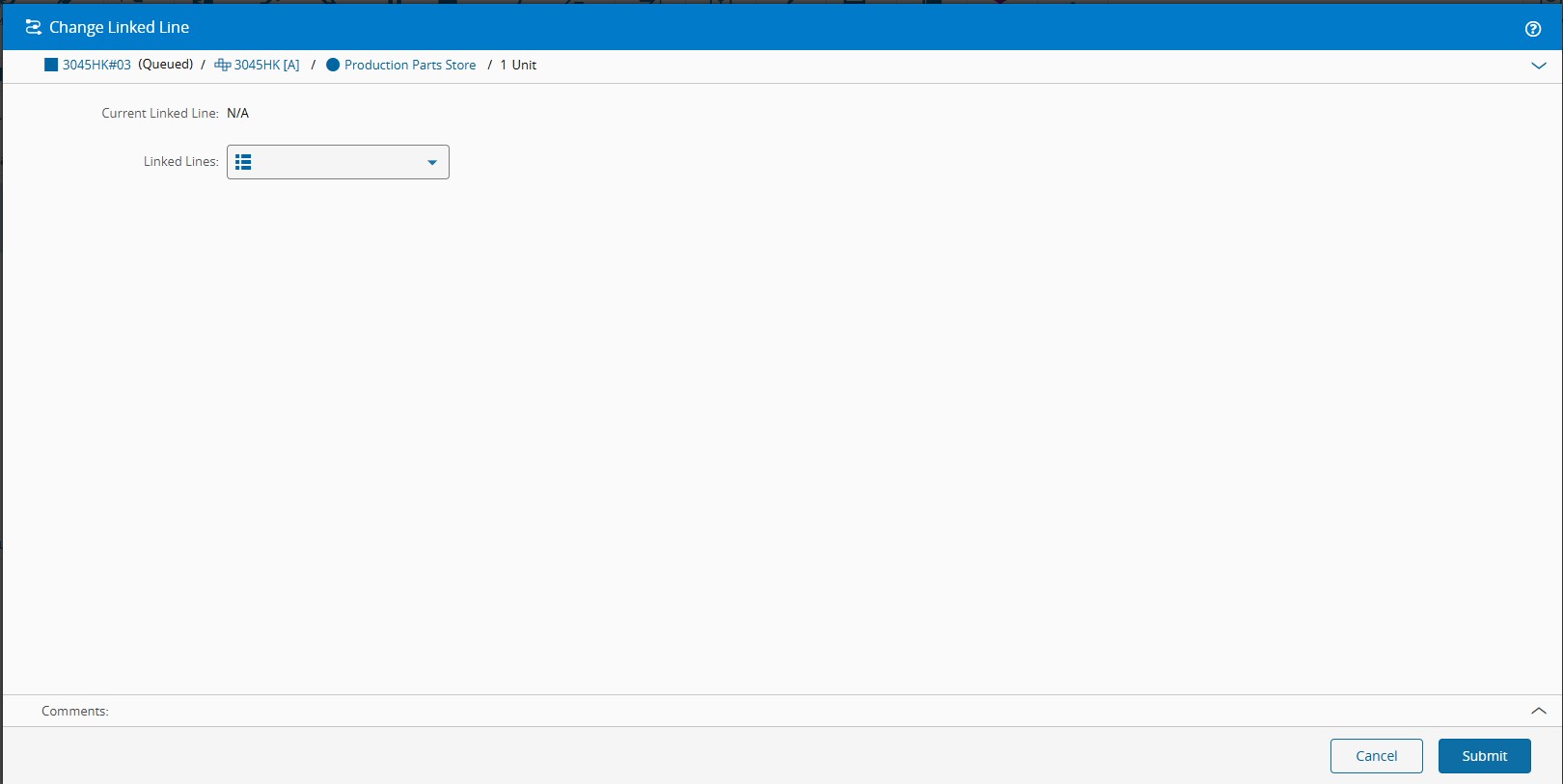
- A drop-down populated from the
MedDevProcessLinesLookup table to select the new line.
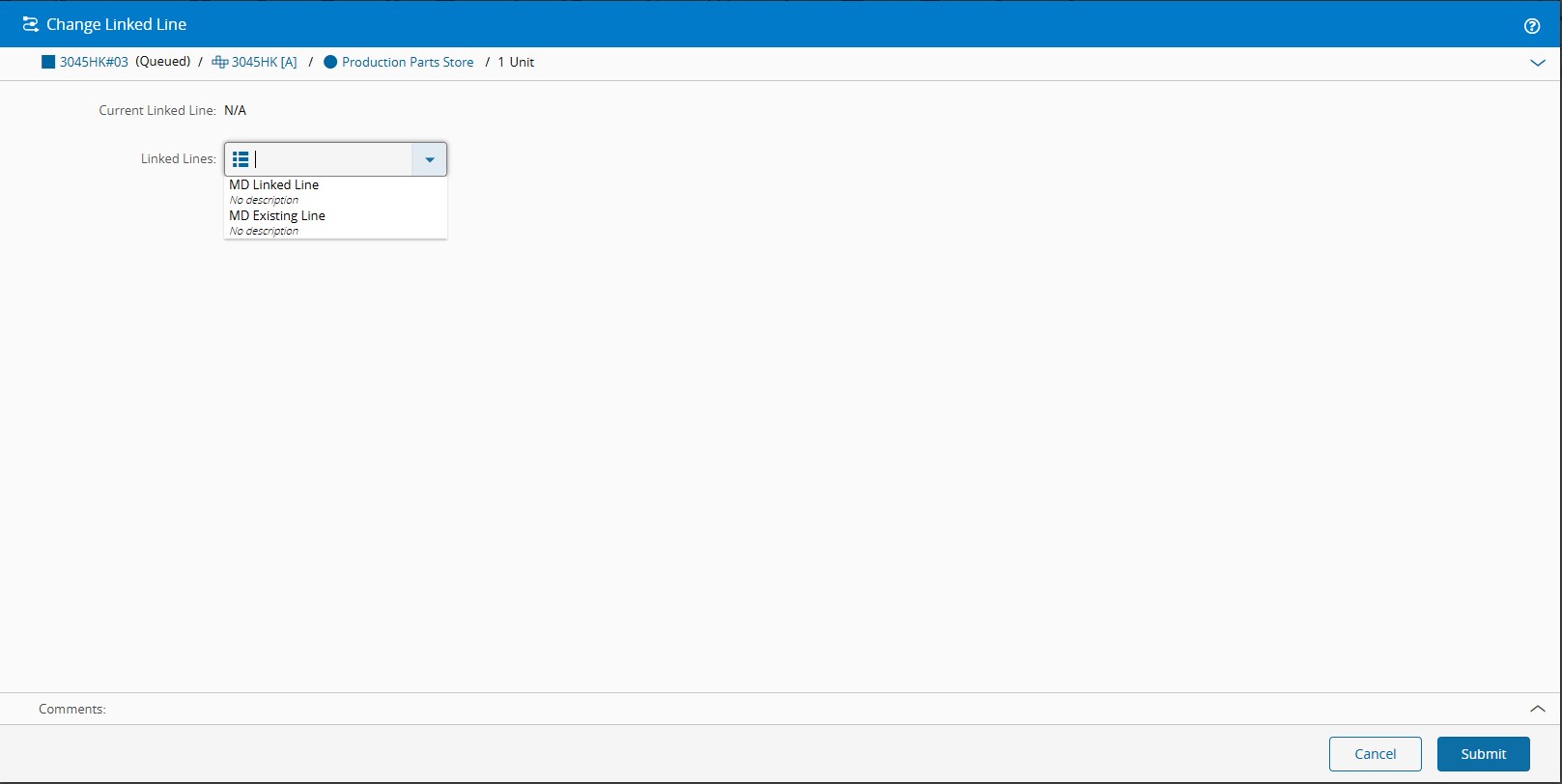
On confirmation:
- The Material's
MedDevCurrentLineis updated to the selected value. - The wizard closes.
Note
Confirming the wizard without selecting a new line is not permitted. The system will display a validation message and prevent the operation from completing until a valid line is selected.
Attribute Reference#
| Attribute | Entity | Type | Visibility | Purpose |
|---|---|---|---|---|
MedDevResourceLine | Resource | String | Visible | Identifies the line the Resource belongs to |
MedDevCurrentLine | Material | String | Visible | Stores the line the Material was last processed on |
MedDevOriginalLine | Material | String | Visible | Temporarily holds the line during Rework / Off-Flow |
MedDevClearCurrentLineOnReworkEnter | Flow | Bool | Visible | Controls whether the current line is cleared on rework entry |
MedDevReturnToOriginalLineOnReworkExit | Flow | Bool | Visible | Controls whether the original line is stored on rework entry |
For a complete description of the Lookup table, see the Tables artifact reference.