Master Data Export#
 Administration.MasterDataExport
Master Data Export is used to export one or more objects into a Critical Manufacturing MES environment through the use of an Excel file that complies with the Master Data file structure. This feature also allows any authorized user to perform mass updates into the system.
The Master Data Export page is available in the Administration page group.
Info
For more specific features, formats and configurations of the packages that can be used in this section, see Master Data Packages.
Export Data to File#
You can export these Entity Types:
- Area
- Automation Manager
- Bin Converter
- Business Partner
- Calendar
- Certification
- Change Set
- Chart
- Container
- DEE Action
- Employee
- Enterprise Page
- Event Rules
- Facility
- IoT Event Definition
- KPI
- Map
- Map Definition
- Material
- ML Model
- Notification
- Parameter
- Plan
- Printing Integration
- Production Order
- Qualification
- Reason
- Resource
- Rule
- Sampling Pattern
- Sampling Plan
- Schedule
- Send-Ahead Run
- Service
- Setup Matrix
- Shift Definition
- Shift Plan
- Site
- Sort Rule Set
- Step
- Substrate Map
- Substrate Map Mask
- Task
- Team
- Timer
To export data, follow the steps below.
Step 1: Types#
Note
When you open the wizard from a single DEE Action, the wizard jumps straight to the File Information step and skips the Types and Items steps, because the action is already selected. For more information, see DEE Actions.
-
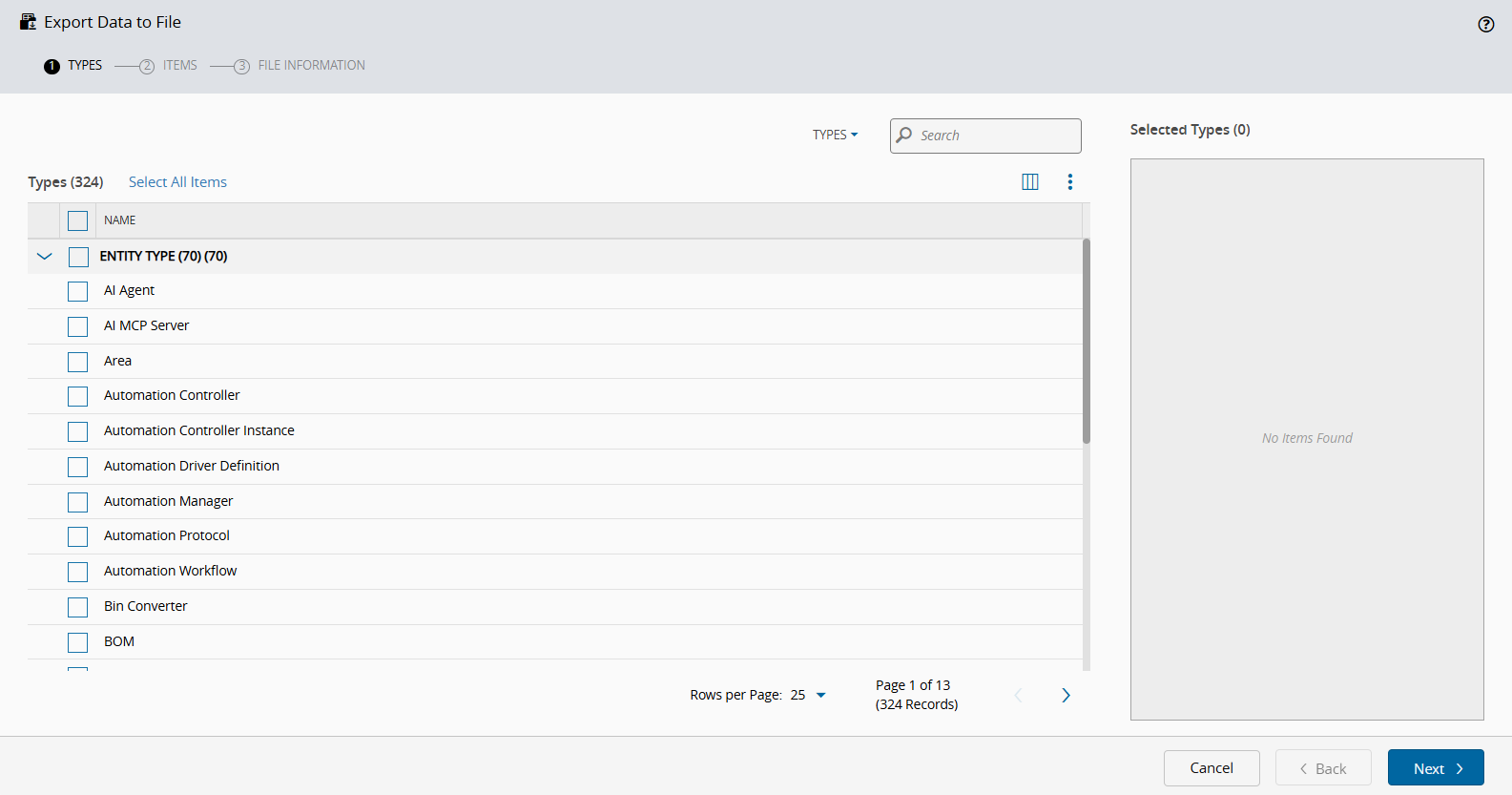
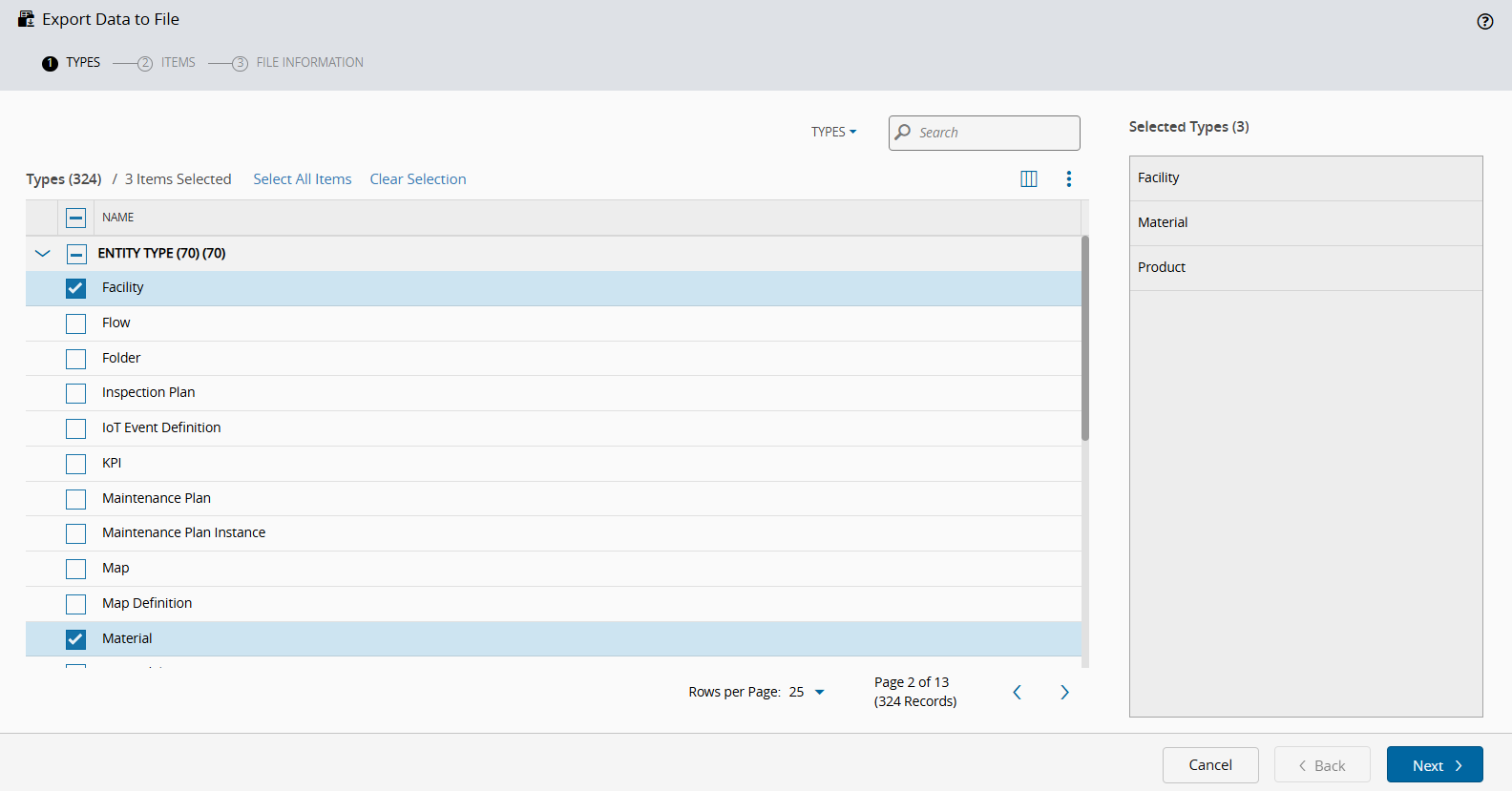
Open Master Data Export and select the object types that you want to export. You can Select All Items, which will include items that are not currently visible on the screen, or only the ones you need:
-
Select Next to continue.
Step 2: Items#
-
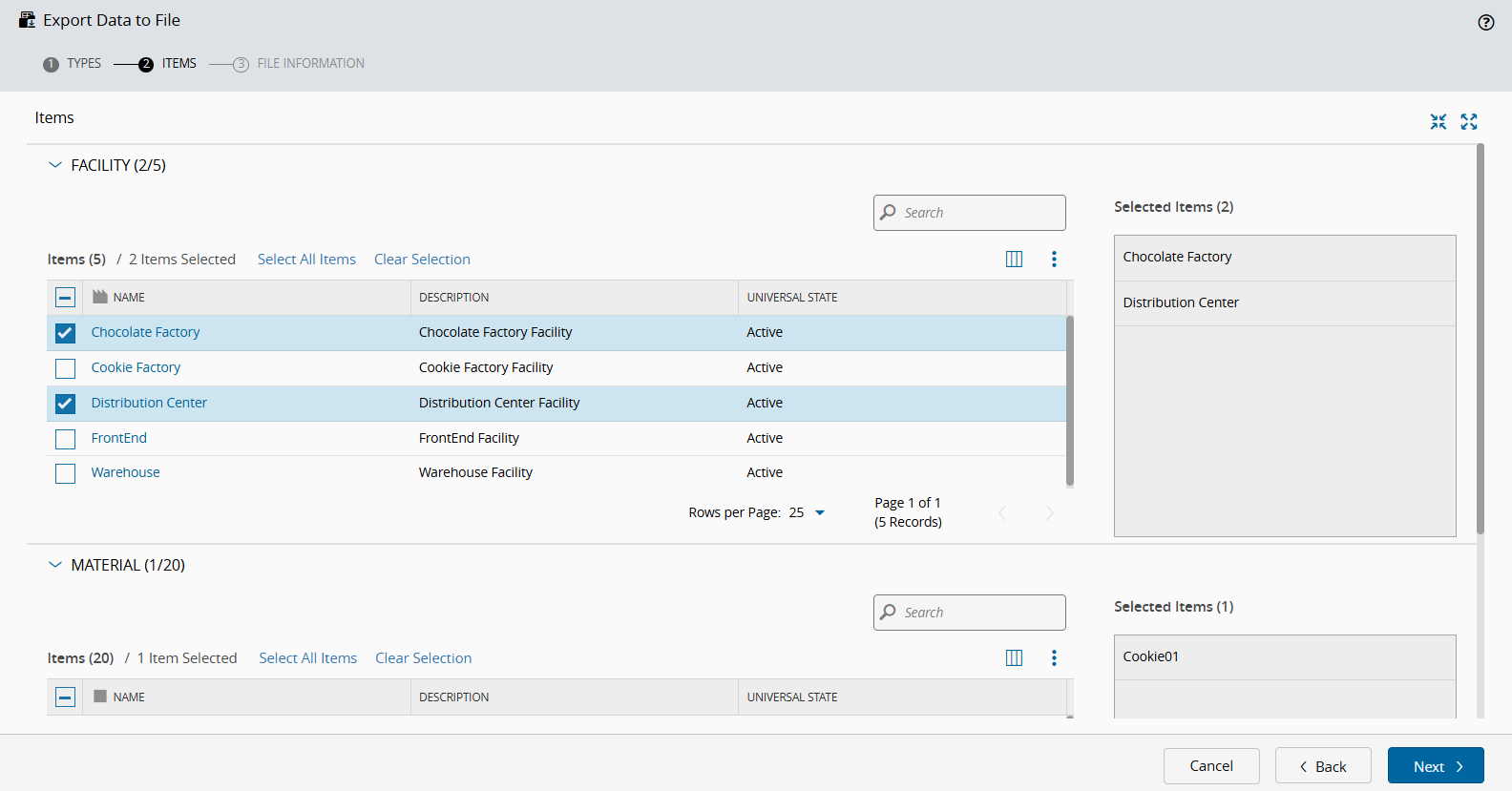
Use the Expand all to see the rows of the Instance(s) of your selected types. You can Select All Items, which will include items that are not currently visible on the screen, or only the ones you need:
-
Select Next to continue.
Step 3: File Information#
-
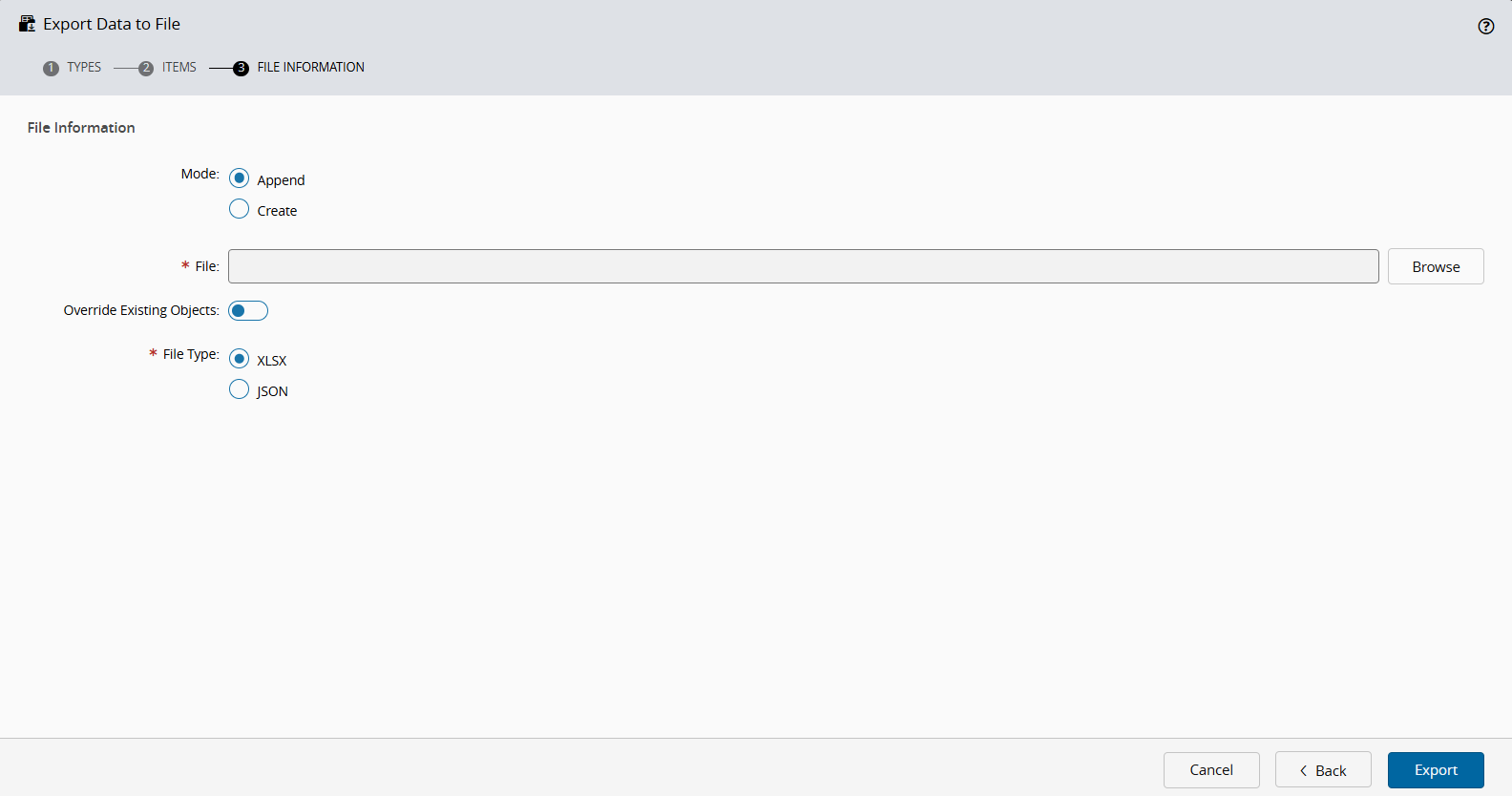
You can choose to Append to an existing file or Create a new one:
-
You can also Override Existing Objects as needed.
-
Select Export and then open your file:



Info
When you export a Resource, the generated file includes its associated Personnel Requirements. For more information on managing these requirements, see Manage Personnel.
The Master Data Loader enables you to import files for various Entity Types that support external properties. For more information, see Importing Files using the Master Data Loader.
For some entities, such as Material or Production Order, the exported Flow Path column uses Position notation instead of the CorrelationId values. For more information on Flow Path, see Flow.
When an exported value exceeds the Excel cell limit of 32,767 characters, such as an Automation Controller workflow, the value is written to a separate file and the cell keeps an mdfile:// reference to it. In this case, the download is a .zip archive that contains the master data file together with the referenced files, and it can be imported back without any manual editing. For more information, see Master Data External File Links.
Export Process For Individual Entities#
You can also export data for individual entities. For more information, see Export and Import.