Adjust State#
This task is used to change the state of an entity in the MES System. The entity must have a state model associated to it.

Details#
| Fields | Details |
|---|---|
| Scope | Connect IoT Data Platform Enterprise Integration Factory Automation |
| Workflow | Data flow Control flow |
IsProtocol flag |
Inputs#
| Name | Data Type | Description |
|---|---|---|
| entity | EntityType | Entity whose state you wish to change |
| toState | String | State name to which you want to change |
| Activate | any | Activate the adjust state |
Outputs#
| Name | Data Type | Description |
|---|---|---|
| Success | Boolean | If there was no problem emits a true |
| Error | Error | Error that occurred during the processing of this task |
Settings#
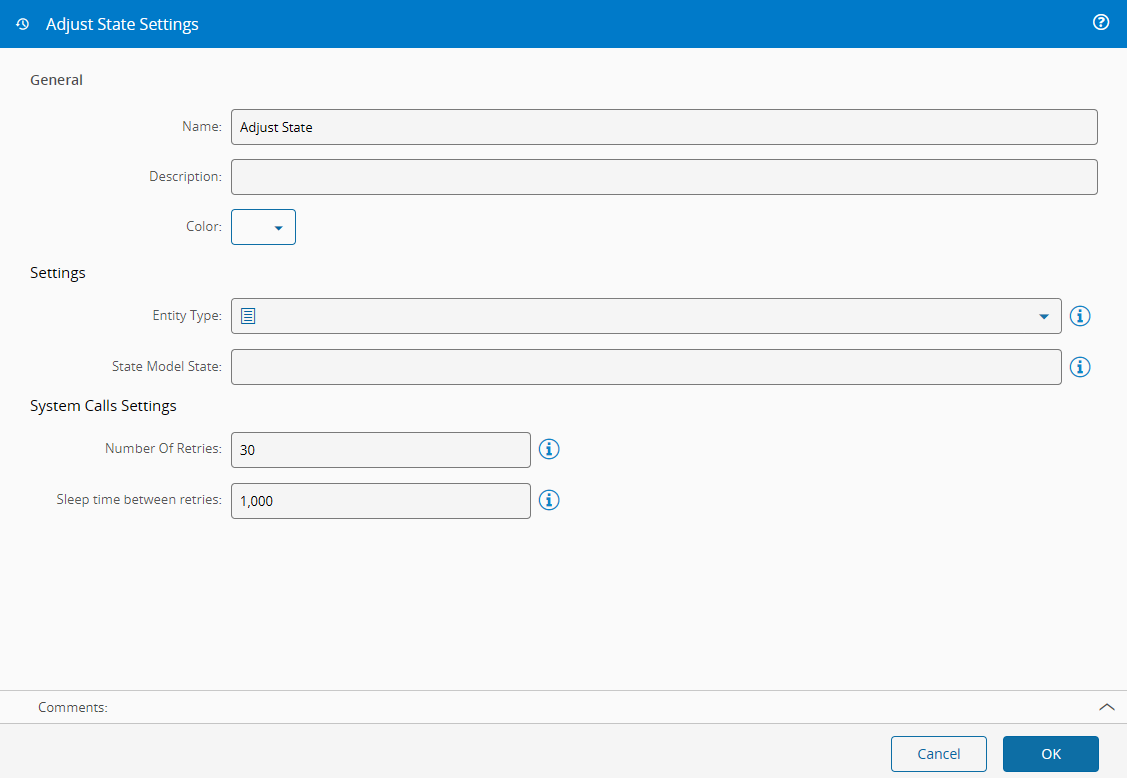
On the General Tab, there are the following settings:
| Name | Data Type | Default | Description |
|---|---|---|---|
| Entity | Resource | Resource | Entity type that is going to change state (only the entities defined to be usable by Connect IoT will appear) |
| Instance | EntityInstance | Instance that is going to change state | |
| State model State | String | Default state to which it will change when activated. Default states are dependent upon MES modelling |
And the following retries settings:
| Setting | Data Type | Default | Description |
|---|---|---|---|
| Number of Retries | integer | 30 | The maximum number of attempts the IoT process (client) makes to call the MES backend. Only the transient failures listed in Retry Mechanism are retried; any other failure is reported without a further attempt. |
| Sleep Time between retries (ms) | integer | 1000 | Number of milliseconds to wait after each attempt that ends in a transient failure, including the last attempt, before the task reports the error. |
| Number of System Retries | integer | 10 | The maximum number of attempts the MES backend makes to call the target service if the execution fails. |
Multiplicative Retry Effect
Retry limits are cumulative. In the event of a persistent target service failure, the total number of requests generated will be the product of the Client Retries (N) and the Backend Retries (M). For example, if both are set to 10, a single IoT request could result in up to 100 total attempts (N x M), which may lead to system congestion or high latency.
Behavior#
When the task is activated, it sets the entity to the state named on the toState input, or in the State model State setting, in the main state model of the entity.
- The task calls the MES service
AdjustObjectStatewith the state name, the main state model of the entity, andIgnoreLastServiceIdset totrue. MES sets the named state directly, without walking the transitions of the state model, and the task sends no reason. - In 12.0, only
Activateruns the task. A value ontoStatealone changes nothing, and the task uses the value it holds whenActivatearrives. In Data Flow, linkActivatefrom the same run as the state value, so that every value sets the state, even the same state twice. - When the entity carries no state model, for example the entity chosen in the Instance setting, the task first loads it from MES, two levels deep, by
Idor else byName. After each change, the task keeps the entity that MES returns and uses its state model for the next change. - After you change the state model of the entity in MES, give the task a reloaded entity, for example from an Entity Instance task with Reload in every change on, or restart the instance. See Rolling Out an MES Change to Many Controllers.
MES reloads the entity before it changes the state, so an entity loaded earlier does not fail the call by itself. When the state model of the entity changed after the task loaded it, the task still sends the previous state model, and the call fails because the entity has no current state in that state model.
To generate a Control Flow workflow that sets the state from a driver event, use the State Model Integration Automation Business Scenario. See the shipped Automation Business Scenarios ↗.