Post Telemetry#
The Post Telemetry task sends collected data to Data Platform as telemetry. It posts the PostTelemetry IoT Event Definition, so you do not have to assemble the event yourself with a generic API Post Event task. In the workflow designer, the task is listed under the Data Platform Tasks category, in the Actions section.
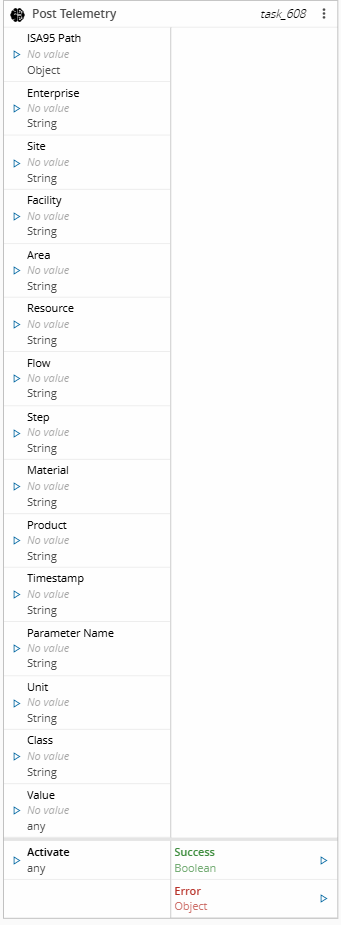
Unlike the Post Measurement task, which posts one event per activation, Post Telemetry batches and aggregates the values collected across activations before posting them, according to the configured Post Mode.
Details#
| Fields | Details |
|---|---|
| Scope | Connect IoT Factory Automation Enterprise Integration Data Platform |
| Workflow | Data flow Control flow |
IsProtocol flag |
Inputs#
| Name | Data Type | Description |
|---|---|---|
| ISA95 Path | Object | The resolved ISA-95 hierarchy, as emitted by the raw output of the ISA-95 Decoder task |
| Enterprise | String | The name of the Enterprise |
| Site | String | The name of the Site |
| Facility | String | The name of the Facility |
| Area | String | The name of the Area |
| Resource | String | The name of the Resource |
| Flow | String | The name of the Flow |
| Step | String | The name of the Step |
| Material | String | The name of the Material |
| Product | String | The name of the Product |
| Timestamp | String | The timestamp of the value. Falls back to the current UTC time when not set or invalid |
| Parameter Name | String | The name of the telemetry parameter. Falls back to the Parameter Name setting |
| Class | String | The class of the telemetry parameter (Sensor, State, or Property). Falls back to the Class setting |
| Unit | String | The unit of measure of the telemetry parameter. Falls back to the Unit setting |
| Value | Any | The value of the telemetry parameter |
| Activate | any | Triggers task execution |
Table: Post Telemetry inputs
Outputs#
| Name | Data Type | Description |
|---|---|---|
| Success | Boolean | Returns true when the value is added to the current batch |
| Error | Error | Contains information about any error that occurs while posting a batch to Data Platform |
Settings#
The General tab includes standard task settings and the following parameters:
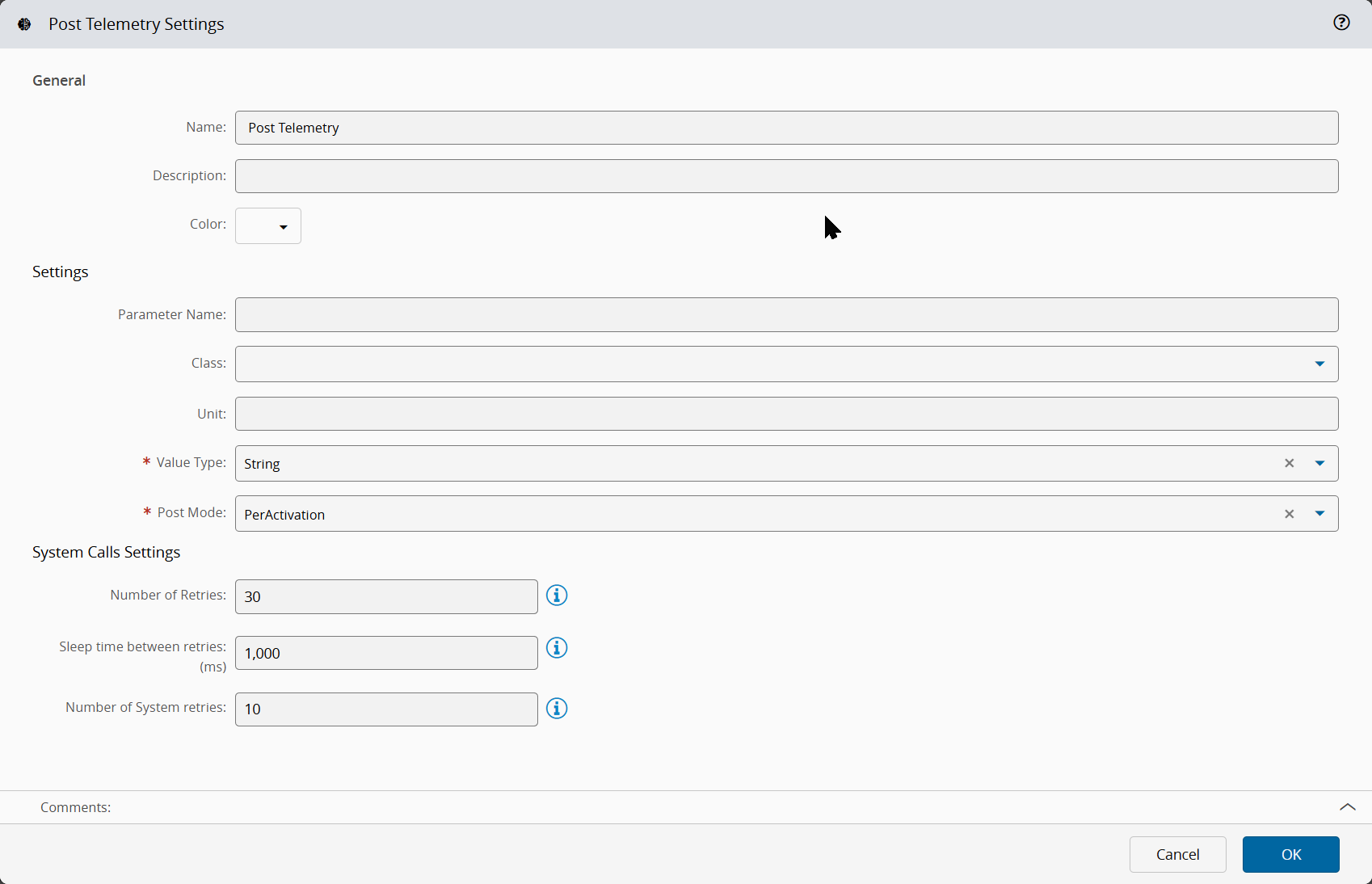
| Name | Data Type | Default Value | Description |
|---|---|---|---|
| Parameter Name | String | Default telemetry parameter name, used when the Parameter Name input has no value | |
| Class | Enum | Default telemetry parameter class (Sensor, State, or Property), used when the Class input has no value | |
| Unit | String | Default telemetry parameter unit, used when the Unit input has no value | |
| Value Type | Enum | String | Data type used to store the posted parameter value: String or Numeric. This value is required |
| Post Mode | Enum | PerActivation | Condition that triggers posting telemetry. This value is required |
| Interval | Integer | 60 | Number of seconds to wait before posting the batched values. Applies only when Post Mode is PerInterval or Combined |
| Counter | Integer | 10 | Number of values to wait for before posting the batched values. Applies only when Post Mode is PerCount or Combined |
Table: Post Telemetry general settings
The System Calls Settings section includes the following parameters:
| Name | Data Type | Default Value | Description |
|---|---|---|---|
| Number of Retries | Integer | 30 | Number of attempts to repeat the call to the system until a successful reply is received |
| Sleep time between retries | Integer | 1000 | Number of milliseconds to wait between retries. It applies only when the previous call fails |
| Number of System retries | Integer | 10 | Number of times that the system retries to process the system call |
Table: Post Telemetry system call settings
Behavior#
Plant context#
The task resolves each ISA-95 level from the dedicated input first, and falls back to the ISA95 Path object when that input has no value:
| Level | Resolution order |
|---|---|
| Enterprise | Enterprise input, then the enterprise property of ISA95 Path |
| Site | Site input, then the site property of ISA95 Path |
| Facility | Facility input, then the facility property of ISA95 Path |
| Area | Area input, then the area property of ISA95 Path |
| Resource | Resource input, then the workCell, then the storageUnit property of ISA95 Path |
Table: Resolution of the ISA-95 levels
This lets you wire the raw output of the ISA-95 Decoder task straight into ISA95 Path and still override any single level with an explicit input.
The Flow, Step, Material, and Product are taken only from their own inputs, they are not resolved from ISA95 Path.
Post Mode#
At each activation, the task queues the current value into a batch scoped to the task instance, without posting an event straight away. The batch is flushed and posted according to the configured Post Mode:
| Post Mode | Behavior |
|---|---|
PerActivation | Posts a telemetry event after every activation |
PerInterval | Posts the batched values once the configured Interval elapses since the first queued value |
PerCount | Posts the batched values once the configured Counter of queued values is reached |
Combined | Posts the batched values once either the Interval or the Counter threshold is reached, whichever comes first |
Table: Post Telemetry post modes
When the task instance is destroyed, any values still pending in its batch are flushed and posted before the batch is discarded.
Posted values#
When a batch is flushed, its entries are aggregated by plant context (Enterprise, Site, Facility, Area, Resource, Flow, Step, Material, Product) and by telemetry parameter (Parameter Name, Class, Unit). Entries that share the same context and parameter are combined into a single parameter with one value and one timestamp per queued entry, and one PostTelemetry event is posted per distinct plant context.
Errors#
The task emits the Error output when Data Platform rejects an event, or when the system call fails after the configured retries.