On Material Dispatch Request#
This trigger task listens for Material Dispatch requests coming from the MES and lets a workflow perform the equipment-side handling when an operator dispatches a Material to a Resource.
It belongs to the System / MES category, under Triggers, and is available in both Data Flow and Control Flow workflows. In a Control Flow workflow it appears as a Start trigger named When a Resource performs Material Dispatch.
Details#
| Fields | Details |
|---|---|
| Scope | Connect IoT Data Platform Enterprise Integration Factory Automation |
| Workflow | Data flow Control flow |
IsProtocol flag |
Behavior#
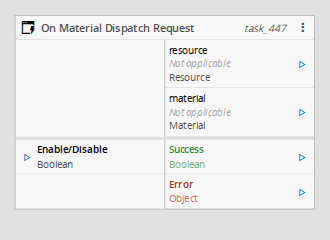
When an operator performs Dispatch Material, the MES sends a request on the ConnectIoT.Dispatch.RequestReply subject and waits for a reply. This task receives that request, emits the resource and the material involved in the operation, and emits Success.
The MES sends the request only when the Resource involved in the operation has the Enable Automation Scenarios and Material Dispatch Interlocking properties enabled. The request is handled by the Automation Controller instance associated with the Resource or, when defined, with its Automation Scenarios Owner Entity.
The MES stays blocked until a reply is sent. If none is sent within the Reply Timeout, the task emits Error and the dispatch fails on the MES side.
The reply is produced differently depending on the workflow type:
- Control Flow - the reply is the result of the trigger's handler branch.
- Data Flow - a downstream Send Material Dispatch Reply task sends the reply.
Inputs#
| Name | Data Type | Description |
|---|---|---|
| Enable/Disable | Boolean | Enables (true) or disables (false) the message listener at runtime. Works together with the Auto Enable setting. |
Table: On Material Dispatch Request task inputs
Outputs#
| Name | Data Type | Description |
|---|---|---|
| resource | Resource | The Resource where the operation is being performed. |
| material | Material | The Material being dispatched. |
| Success | Boolean | Triggered when a request is received and processed. |
| Error | Error | Triggered when the task fails or the reply times out. |
Table: On Material Dispatch Request task outputs
Settings#
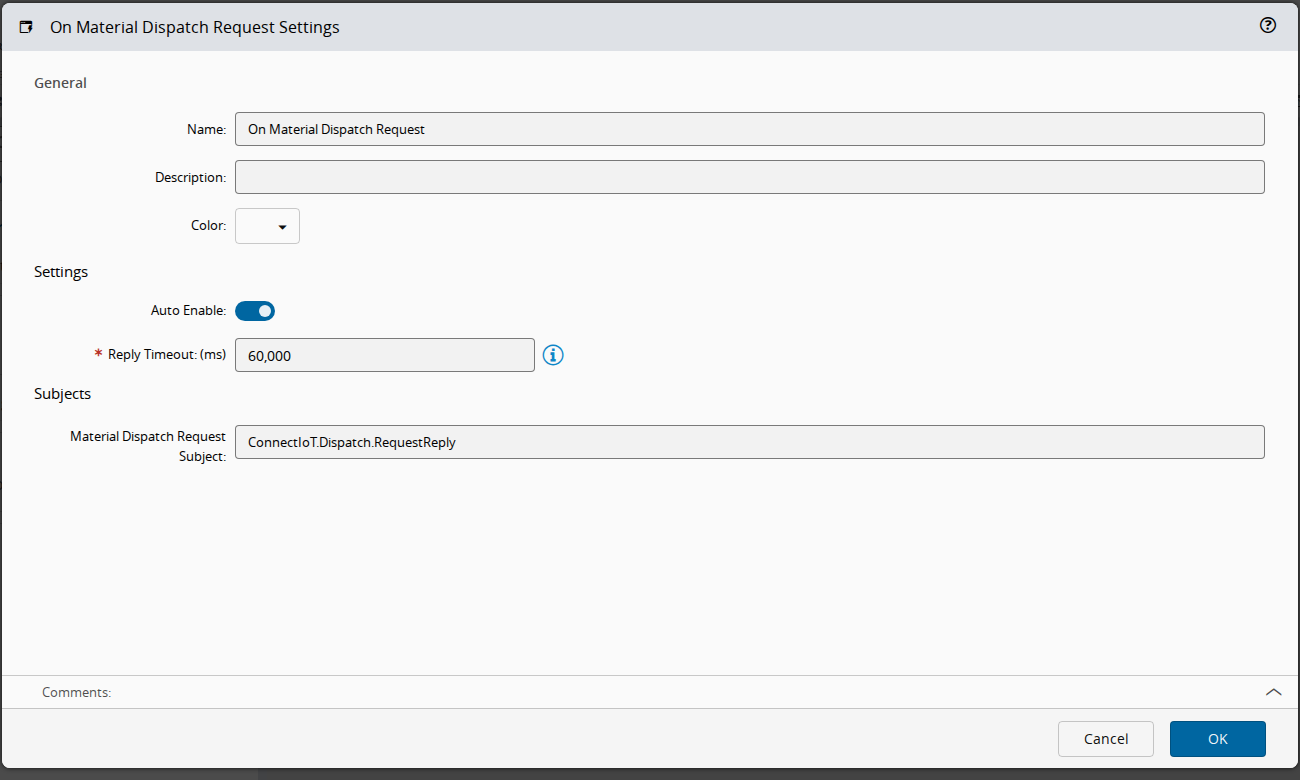
On the General tab, you have the usual settings and the following settings:
| Name | Data Type | Values | Default | Description |
|---|---|---|---|---|
| Auto Enable | Boolean | true | Automatically enables the message listener when the task starts. | |
| Reply Timeout | Integer | ms | 60000 | Amount of time allowed to wait for a reply before issuing a timeout. This setting is mandatory. |
| Material Dispatch Request Subject | String | ConnectIoT.Dispatch.RequestReply | Subject used to communicate with the MES. This setting is read-only. |
Table: On Material Dispatch Request task settings
Remarks#
This task pairs with the Send Material Dispatch Reply task, which sends the reply back to the originating request.
This task uses a specific structure of context-based data called zone. More information on this topic can be read in the Zones page.