Recipe Body Request#
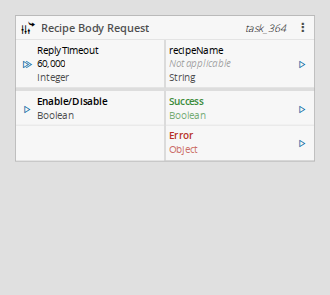
This trigger task listens for recipe body requests coming from the MES and lets a workflow reply with the recipe retrieved from the equipment.
It belongs to the System / MES category, under Triggers.
Details#
| Fields | Details |
|---|---|
| Scope | Connect IoT Data Platform Enterprise Integration Factory Automation |
| Workflow | Data flow Control flow |
IsProtocol flag |
Behavior#
When the MES downloads a recipe from the equipment (the download recipe operation of a Resource with Recipe Download Support enabled), it sends a request on the RecipeManagement.GetRecipeBody subject and waits for a reply. This task receives that request and emits the name of the requested recipe, so the workflow can retrieve its body from the equipment.
The MES stays blocked until a reply is sent. If none is sent within the Reply Timeout, the task emits Error and the download fails on the MES side.
The reply is sent by a downstream Send Recipe Body Reply task, carrying the recipe body and its file name.
Inputs#
| Name | Data Type | Description |
|---|---|---|
| Reply Timeout | Integer | Amount of time allowed to wait for a reply before issuing a timeout, in milliseconds. |
| Enable/Disable | Boolean | Enables (true) or disables (false) the message listener at runtime. Works together with the Auto Enable setting. |
Table: Recipe Body Request task inputs
Outputs#
| Name | Data Type | Description |
|---|---|---|
| recipeName | String | The name of the recipe requested by the MES. |
| Success | Boolean | Triggered when a request is received and processed. |
| Error | Error | Triggered when the task fails or the reply times out. |
Table: Recipe Body Request task outputs
Settings#
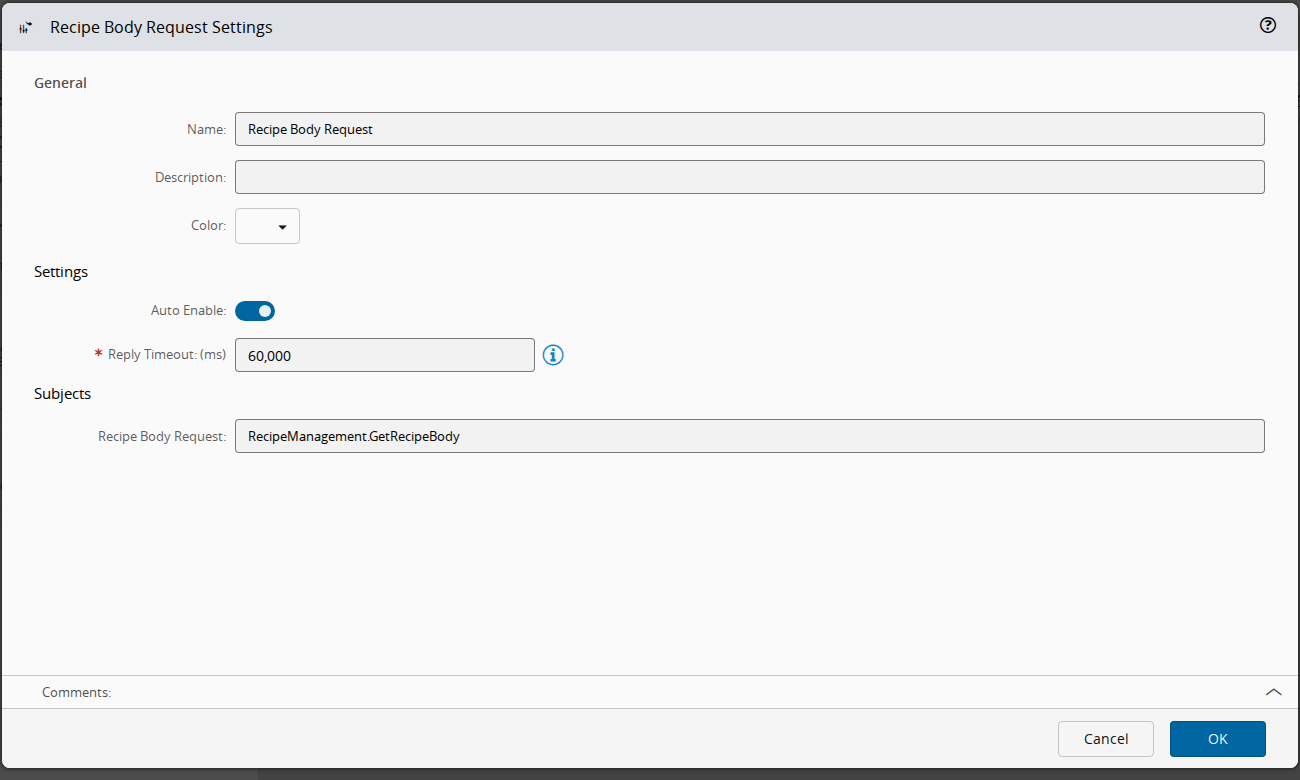
On the General tab, you have the usual settings and the following settings:
| Name | Data Type | Values | Default | Description |
|---|---|---|---|---|
| Auto Enable | Boolean | true | Automatically enables the message listener when the task starts. | |
| Reply Timeout | Integer | ms | 60000 | Amount of time allowed to wait for a reply before issuing a timeout. This setting is mandatory. |
| Recipe Body Request | String | RecipeManagement.GetRecipeBody | Subject used to communicate with the MES. This setting is read-only. |
Table: Recipe Body Request task settings
Remarks#
Before version 12.0.0 this task was named Recipe Body Requested and carried the reply on its own inputs; the reply is now sent by the dedicated Send Recipe Body Reply task.
This task uses a specific structure of context-based data called zone. More information on this topic can be read in the Zones page.