Microsoft IIS Installation#
This section describes how to install Microsoft Internet Information Services (IIS). Microsoft Internet Information Services (IIS) is a web server application which is used to deliver content (usually HTML and binary content) to web clients. IIS is used by Critical Manufacturing to serve the reports that can be generated either automatically or on-demand by the user.
Note
Microsoft IIS needs to be installed in all Critical Manufacturing Application servers.
Windows Server 2012#
Detailed instructions on how to install Microsoft Internet Information Services (IIS) on Windows Server 2012 can be found in the URL https://docs.microsoft.com/en-us/iis/get-started/whats-new-in-iis-8/installing-iis-8-on-windows-server-2012 ⧉. For convenience, the installation procedure is described below.
-
Click Start -> All Programs -> Administrative Tools -> Server Manager.
-
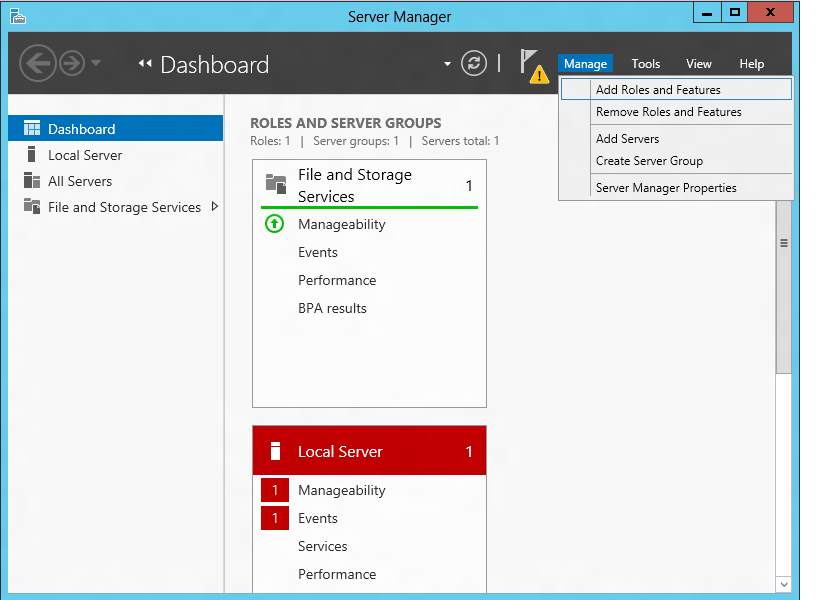
Under Manage, select Add Roles and Features:
-
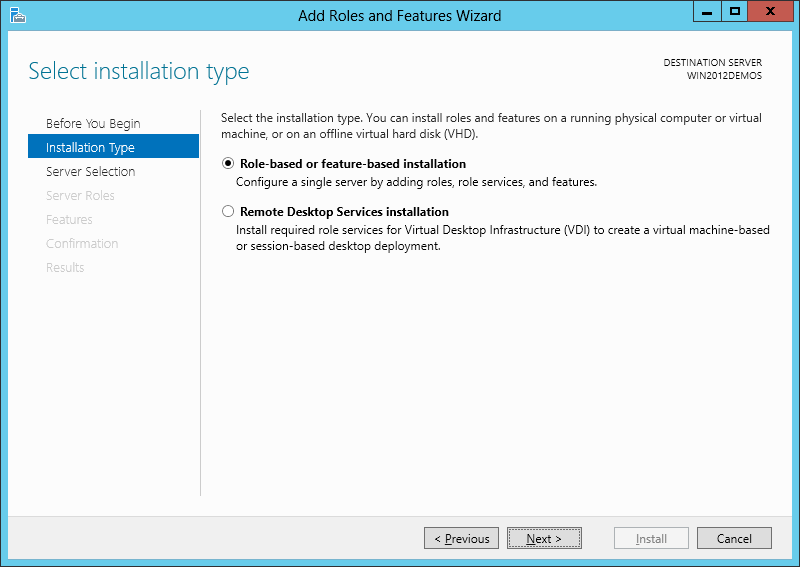
Select Role-based or feature-based installation:
-
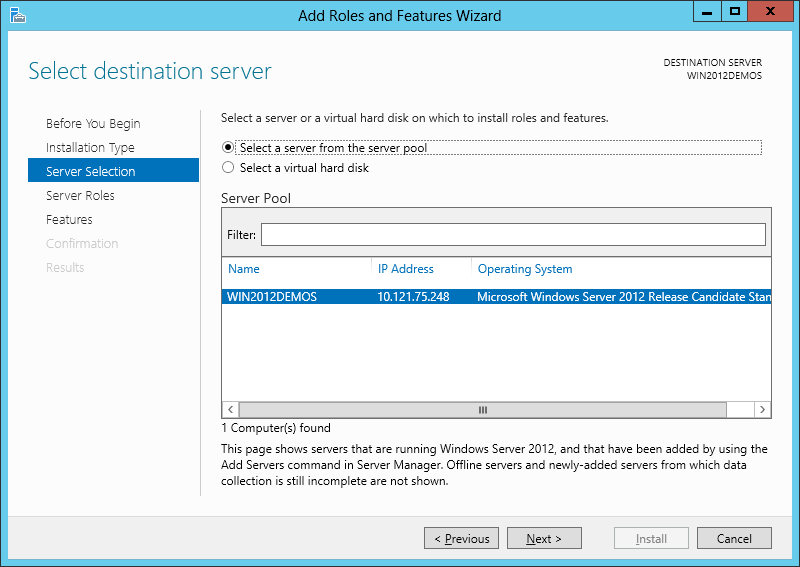
Select the appropriate server (local is selected by default), as shown below:
-
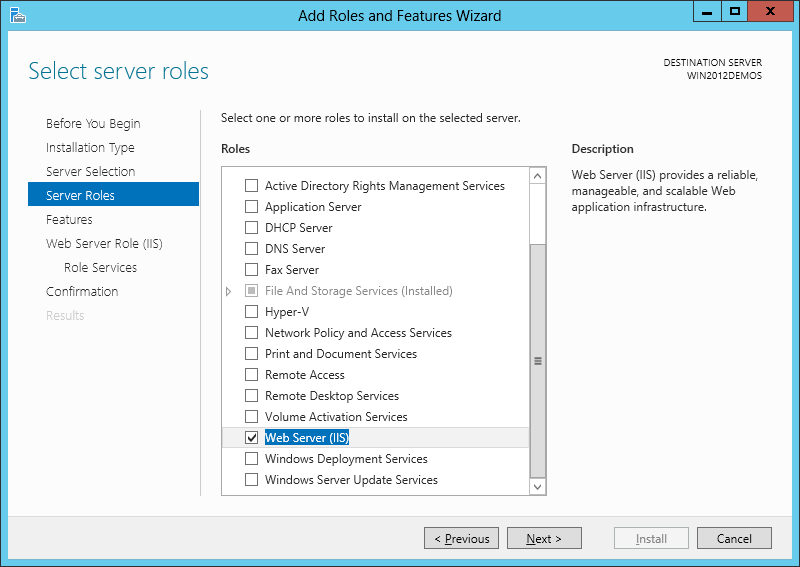
Select Web Server (IIS):
-
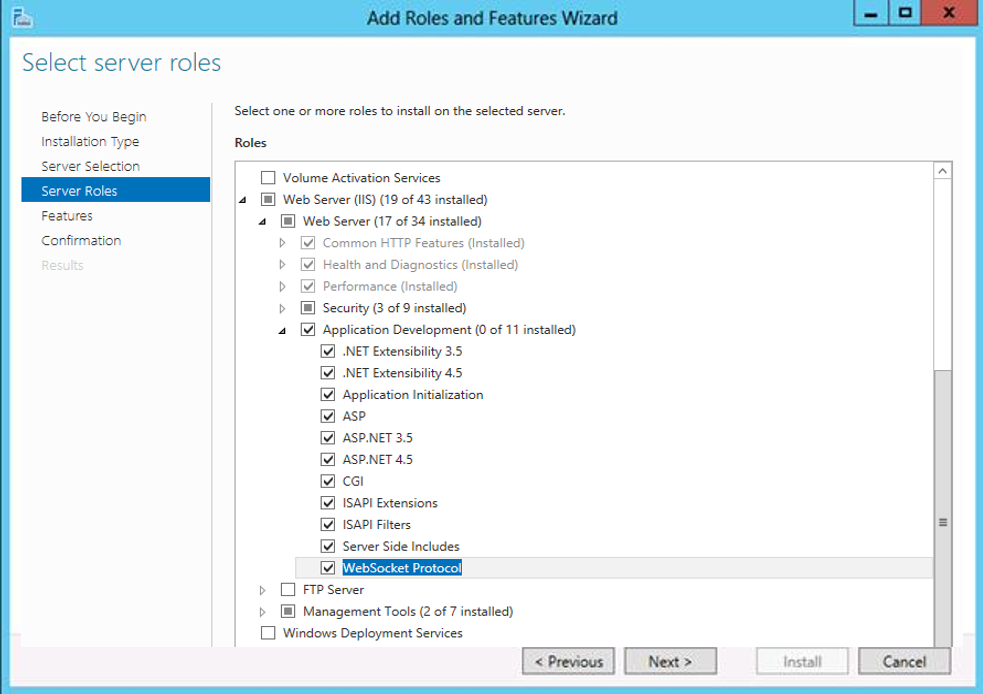
Be sure to expand the Web Server (IIS) > Web Server > Application Development Features and to check all the sub-features. Then, select Next.
-
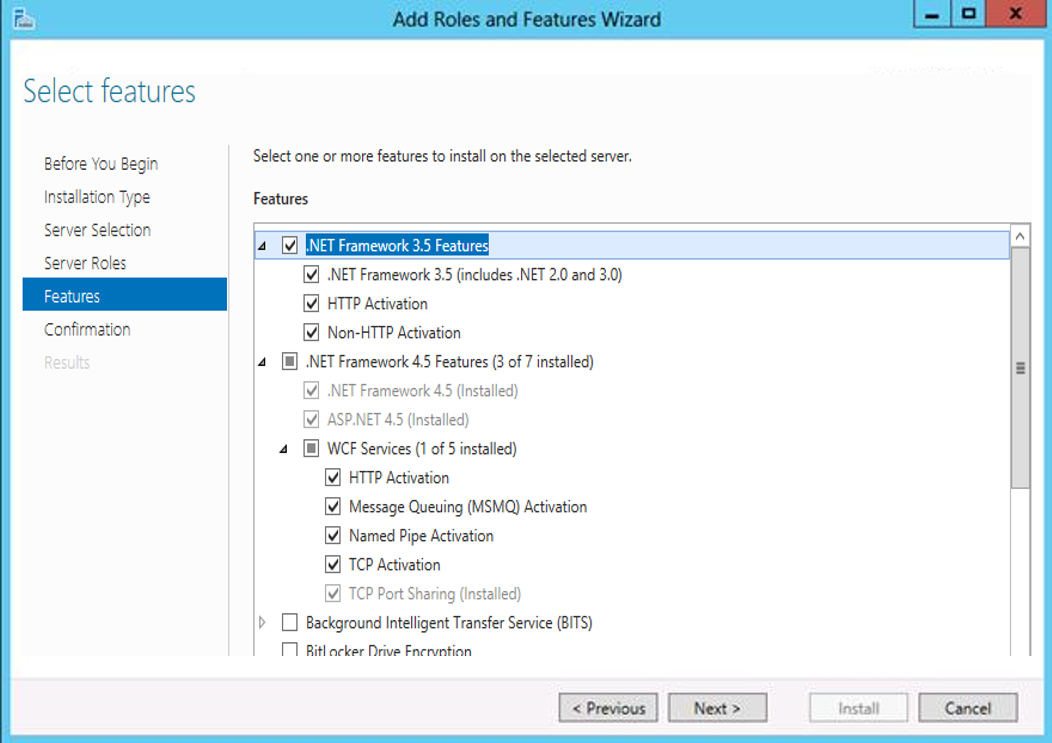
Select the features as shown in the next picture and then select Next.
-
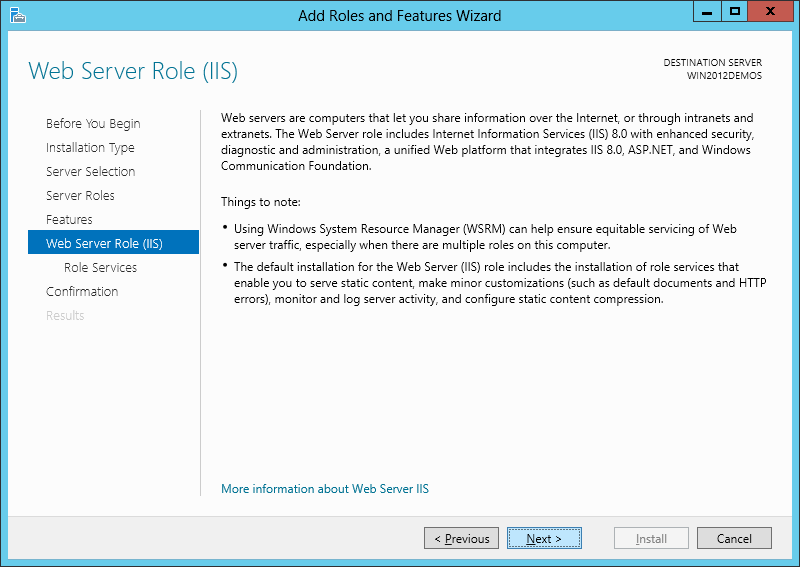
Select Next.
-
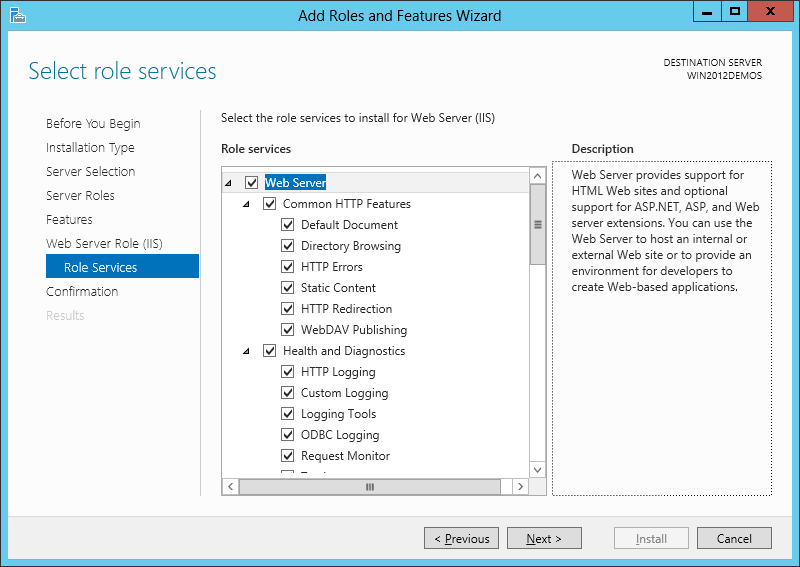
Customize your installation of IIS, or accept the default settings that have already been selected for you, and then click Next:
-
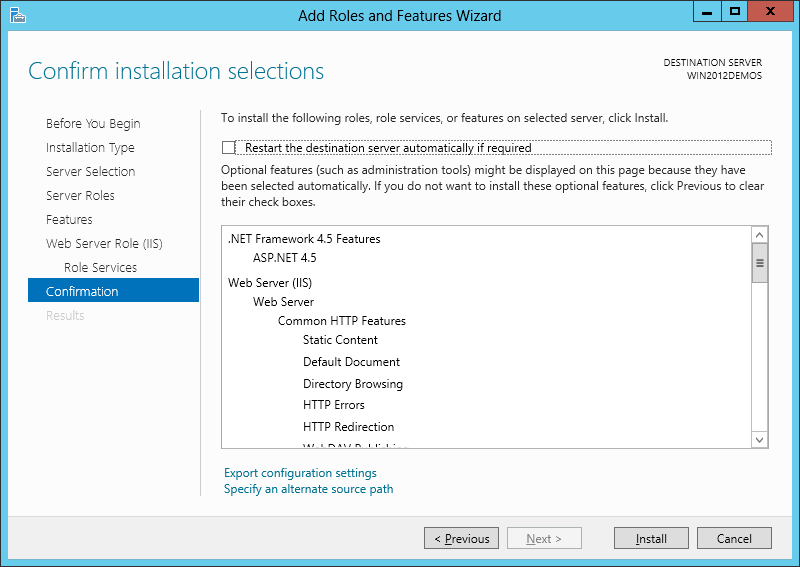
Click Install.
-
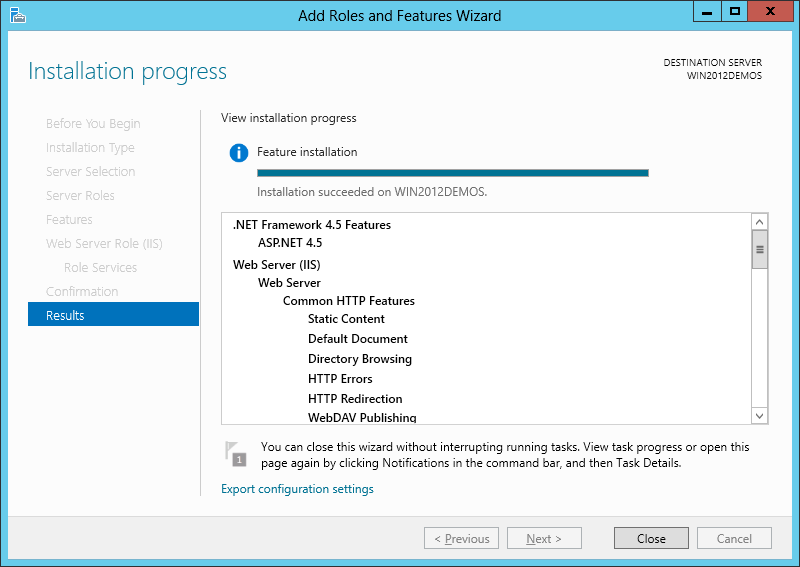
When the IIS installation completes, the wizard will provide an installation summary.
-
Press Close to exit the wizard.