Printing Service#
The Critical Manufacturing MES Printing Service is a standalone service that enables containerized environments to perform printing jobs using printers configured in a Windows machine.
To achieve this, the Printing Service must be installed in the Windows machine that has access to the printers (which may need permissions to be used by the user running the service). Additionally, when deploying the environment using DevOps Center, the user must select the option to use the external printing service and configure the URL to the Windows machine running the service.
Info
This service is standalone and not coupled to a specific MES installation, which means that multiple MES installations can share the same Printing Service.
Installing the Printing Service#
Package Selection#
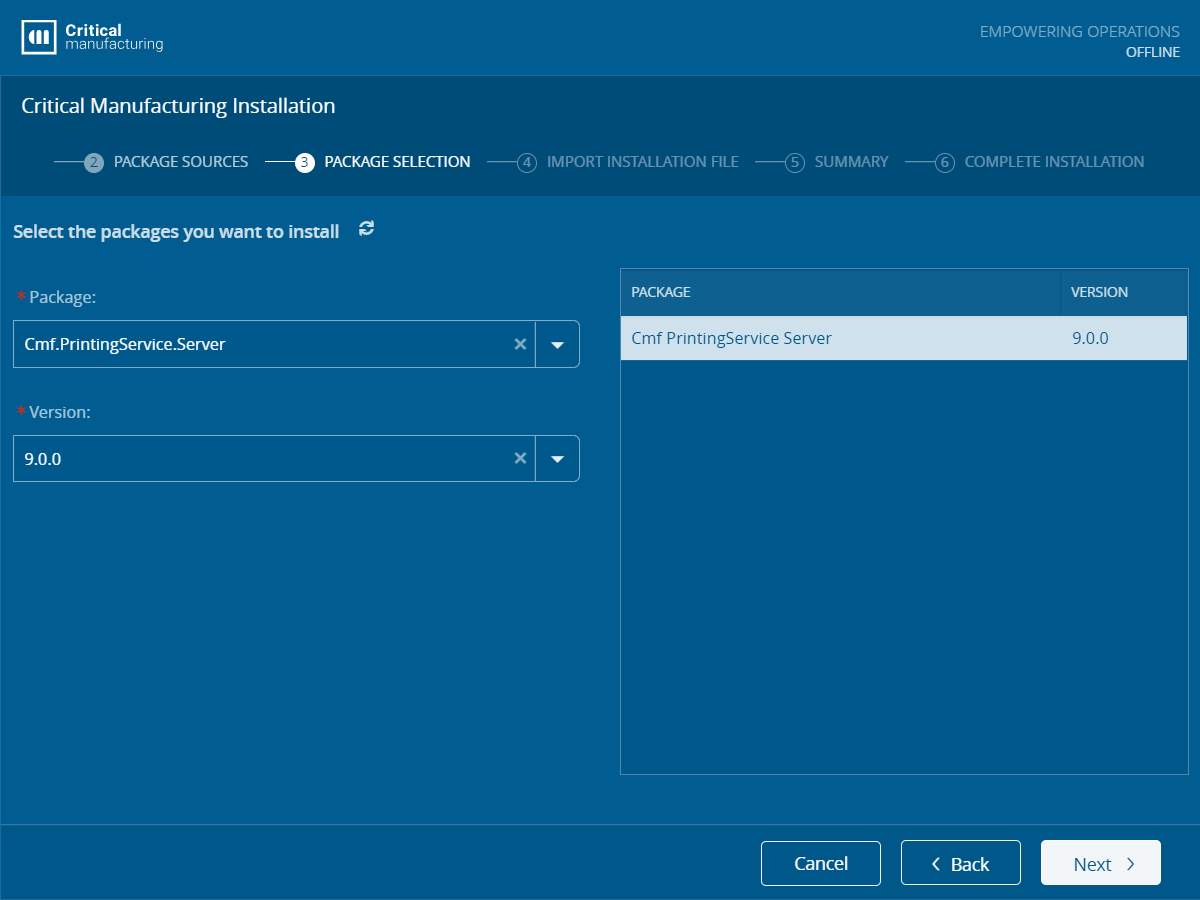
The Printing Service is installed using the same setup process as the traditional installation and selecting the Cmf.PrintingService.Server option in the Package Selection screen.
Installation Information#
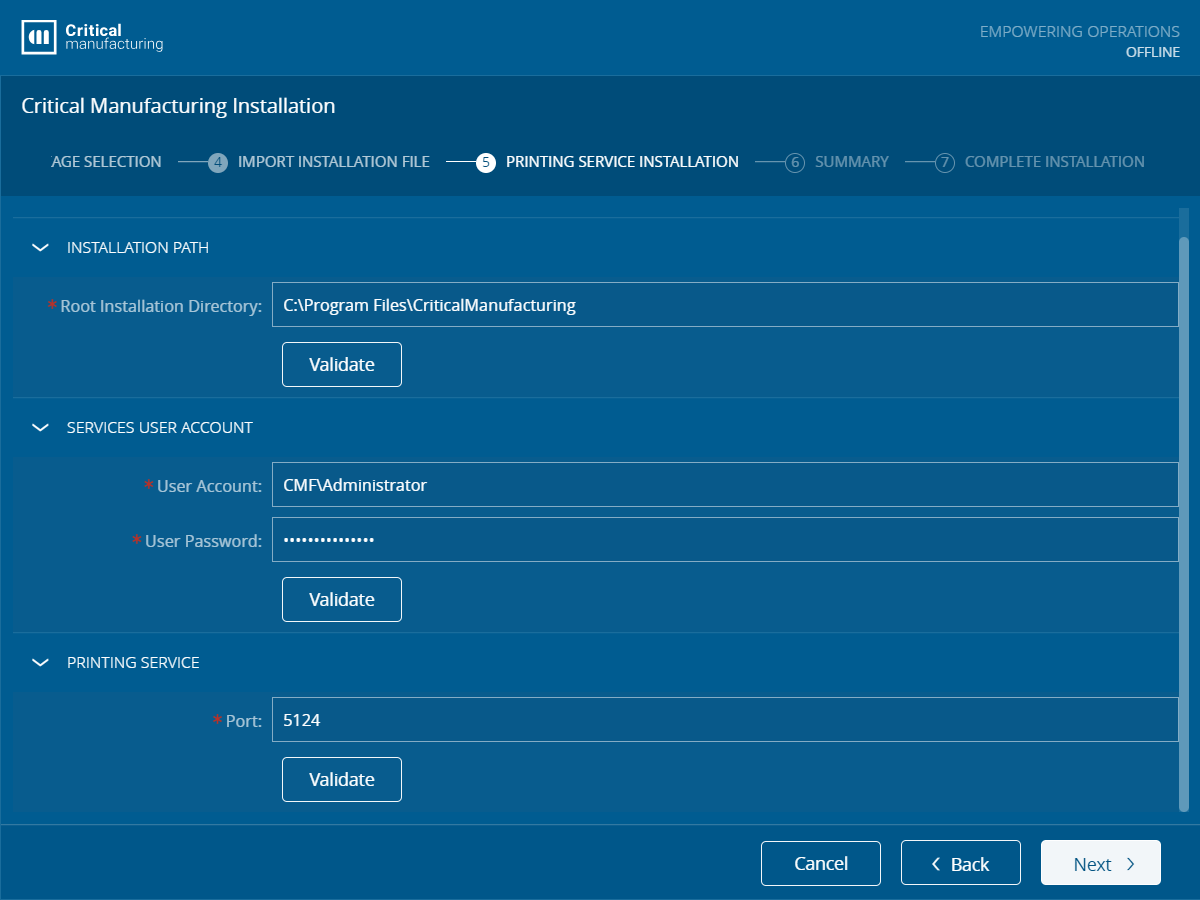
After selecting the Printing Service package, the user must fill (or import from a parameters file) the following information:
- Root Installation Directory - The Directory where the Printing Service will be installed.
- Services User Account - The user account that will be used to run the service.
- Port - The port where the service will be exposed.