Apps#
 Administration.Apps
Note
This feature is only available in a containerized installation of Critical Manufacturing MES.
Critical Manufacturing MES supports the definition of Apps to be included in the MES.
Apps enable you to install customization packages and provide entry point pages through which users can access the corresponding customizations. The Apps main goal is to enhance and extend the core functionality of Critical Manufacturing MES by providing additional features and integrations that complement the existing system capabilities.
For more information on how to install Apps, see Apps Installation.
The Apps page in the Administration section provides access to the Apps that are installed in Critical Manufacturing MES.
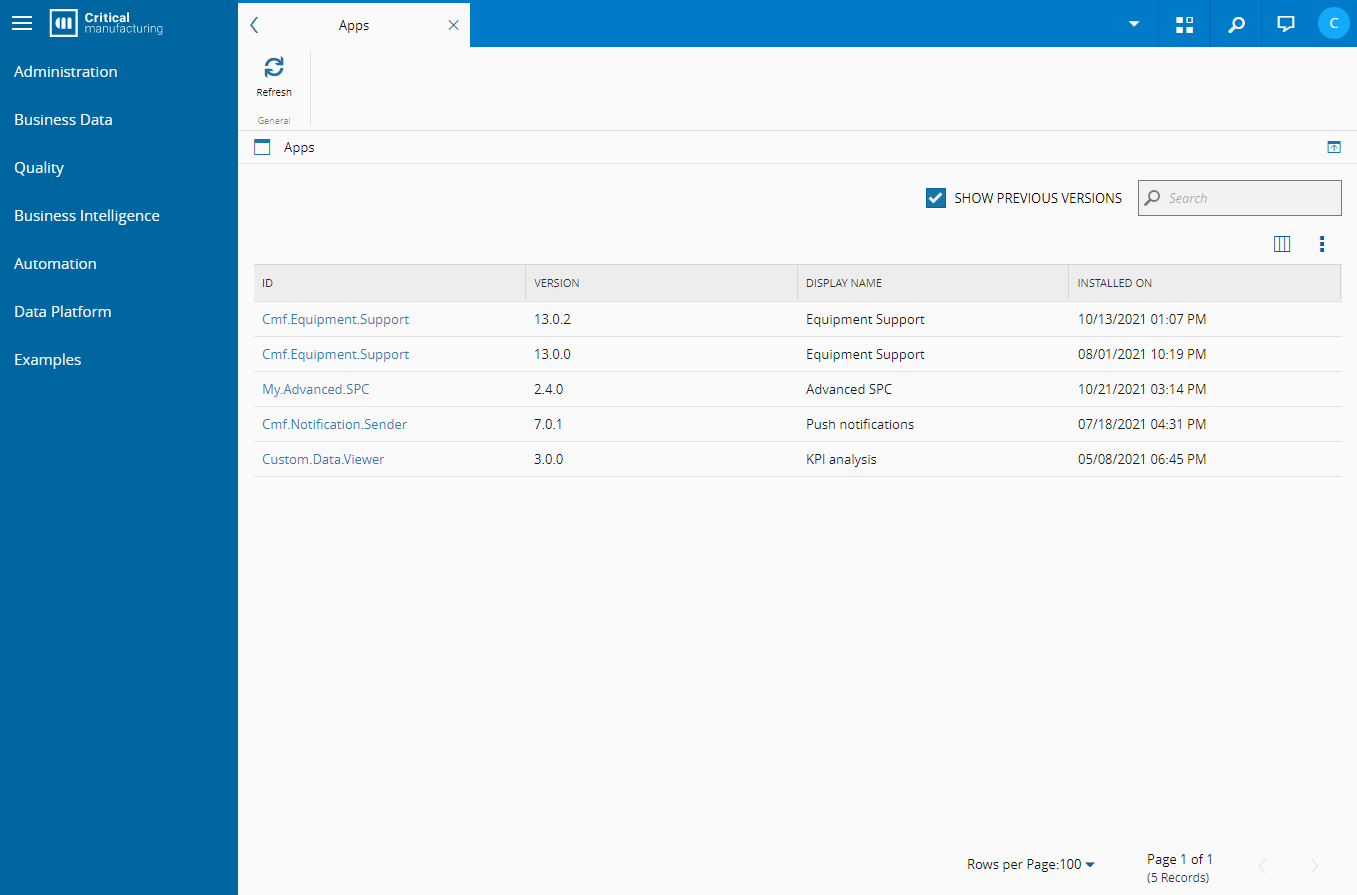
From this page you can navigate to each installed App.
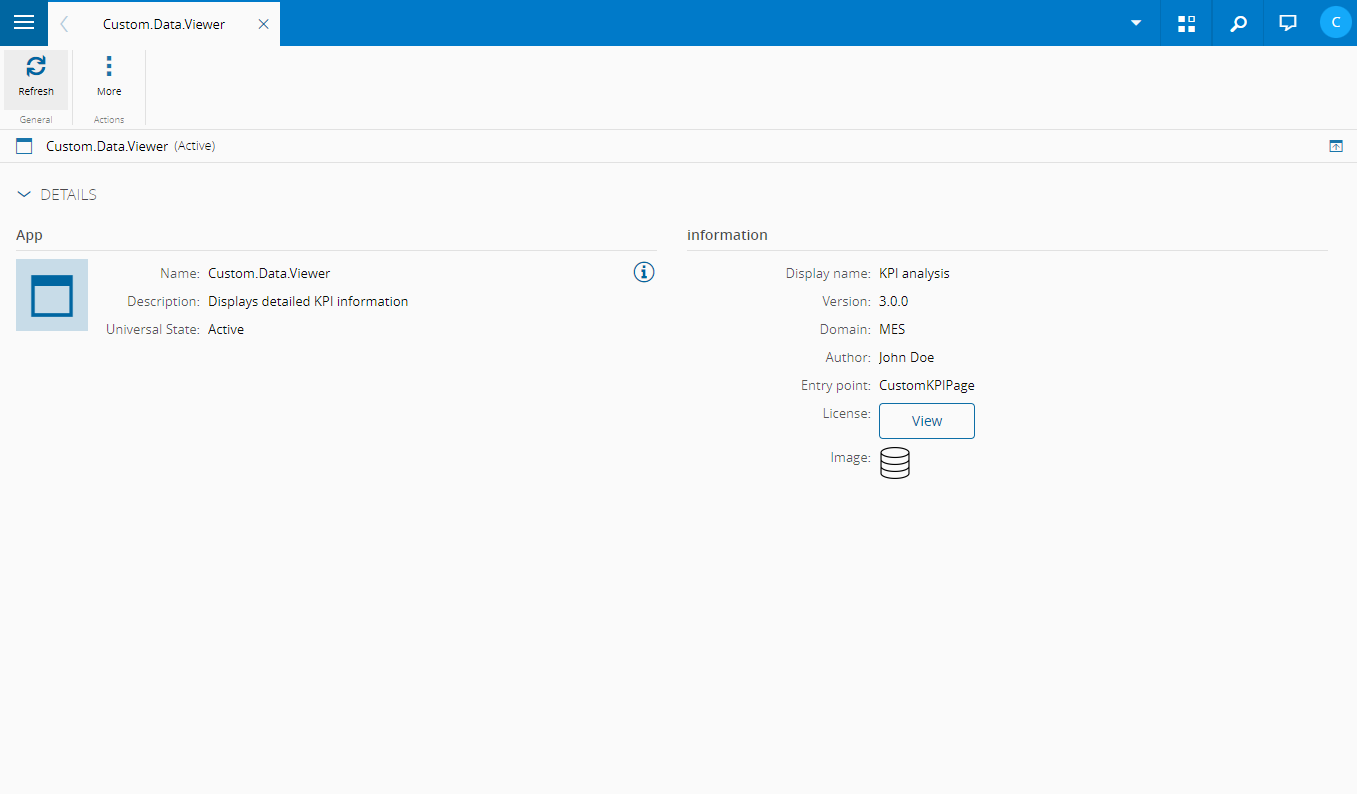
The main App page displays all properties (such as Author, Description and others). It is also possible to view the name of the UI Page that the App will redirect to, as well as to view and download the App license file.
You can also access the Apps page from the left navigation menu, where you can view the installed Apps. When you select an App, you are redirected to the UI Page defined as its entry point.
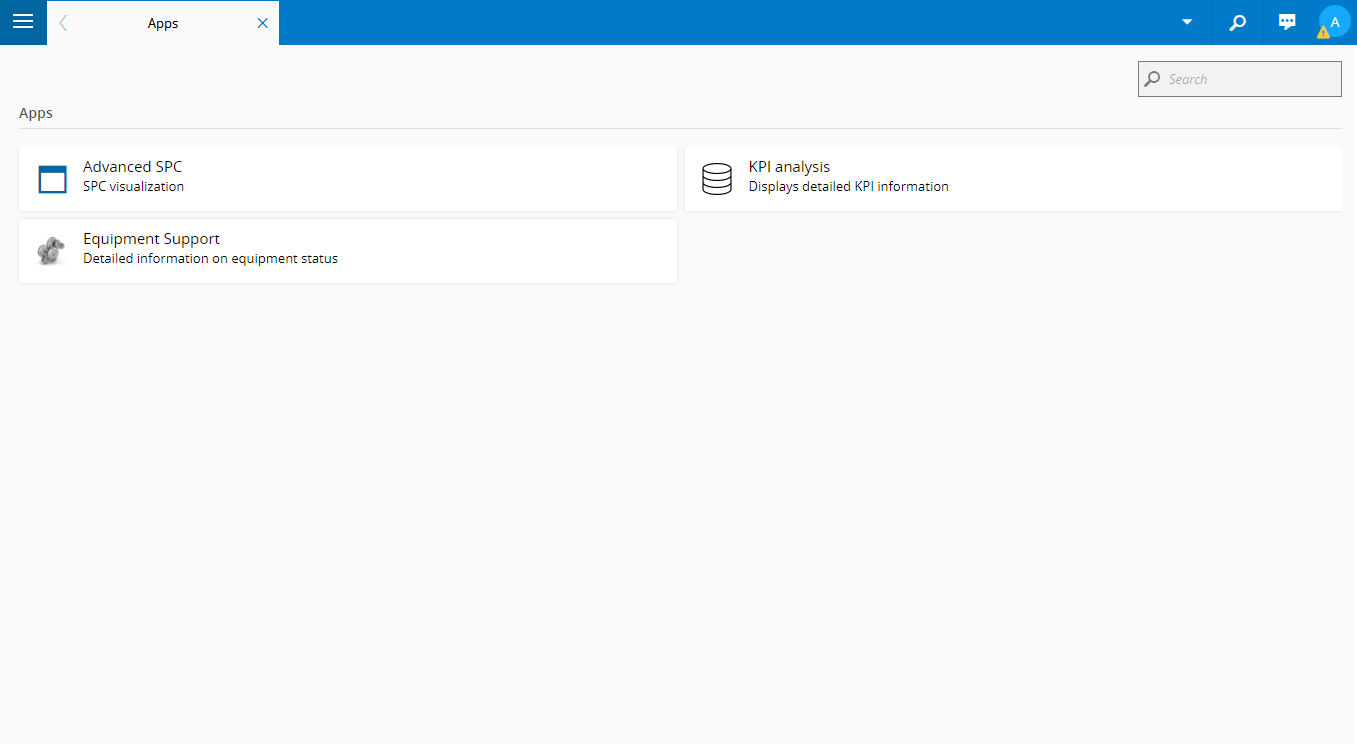
For more information on Apps and how to use them, visit Critical Manufacturing App Documentation Portal ⧉.
Note
Only Apps that define an entry point page will be displayed.