Using Automation Tasks Library#
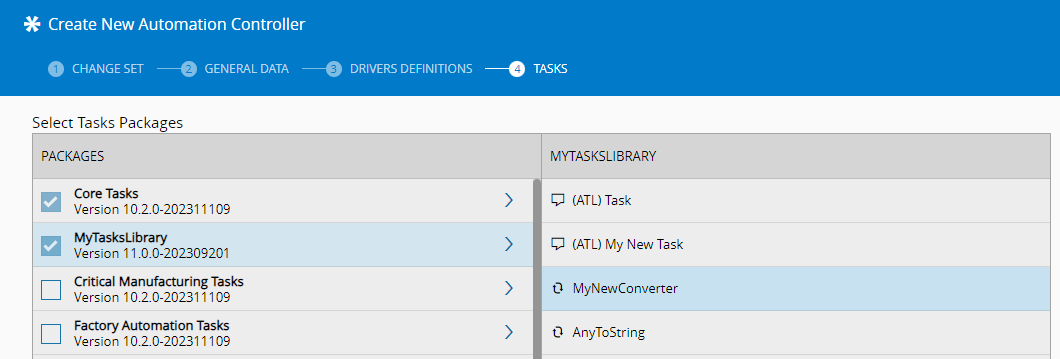
After creating a new Automation Tasks Library in the system, adding it to the system is exactly the same as adding a set of task libraries that were created specifically for the existing Automation Protocols. Depending on the scope and protocol configurations, the library will be shown in the task selection screen of the Automation Controller creation wizard:
Info
See Create Automation Controller for more information.
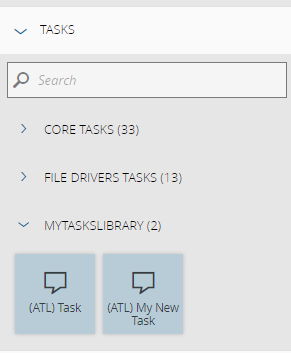
After selecting the tasks and converters that you wish to add to the Automation Controller, they will be made available in the workflow editor, similarly to what happens to the other system built-in libraries:
Metadata example for task inputs and outputs#
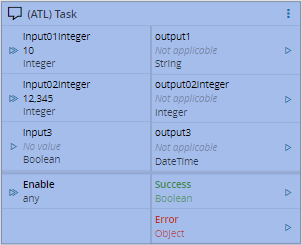
Below you can see a small example of how the defined metadata will be reflected in the workflow designer:
"inputs": {
  "input1": {
    "type": "Static",
    "dataType": "Integer",
    "displayName": "input01Integer",
    "defaultValue": 10
  },
  "input2": {
    "type": "Static",
    "dataType": "Integer",
    "displayName": "input02Integer",
    "defaultValue": 12345
  },
  "Activate": {
    "type": "Activate",
    "dataType": "",
    "displayName": "Enable",
    "defaultValue": ""
  },
  "input3": "Boolean"
},
"outputs": {
  "output1": "String",
  "output2": {
    "type": "Static",
    "dataType": "Integer",
    "displayName": "output02Integer"
  },
  "output3": "DateTime",
  "Success": {
    "type": "Success",
    "dataType": ""
  },
  "Error": {
    "type": "Error",
    "dataType": ""
  }
}
Dragging the task into the workflow editor canvas, you can see the inputs and outputs as defined in the metadata above:
Metadata example for task settings#
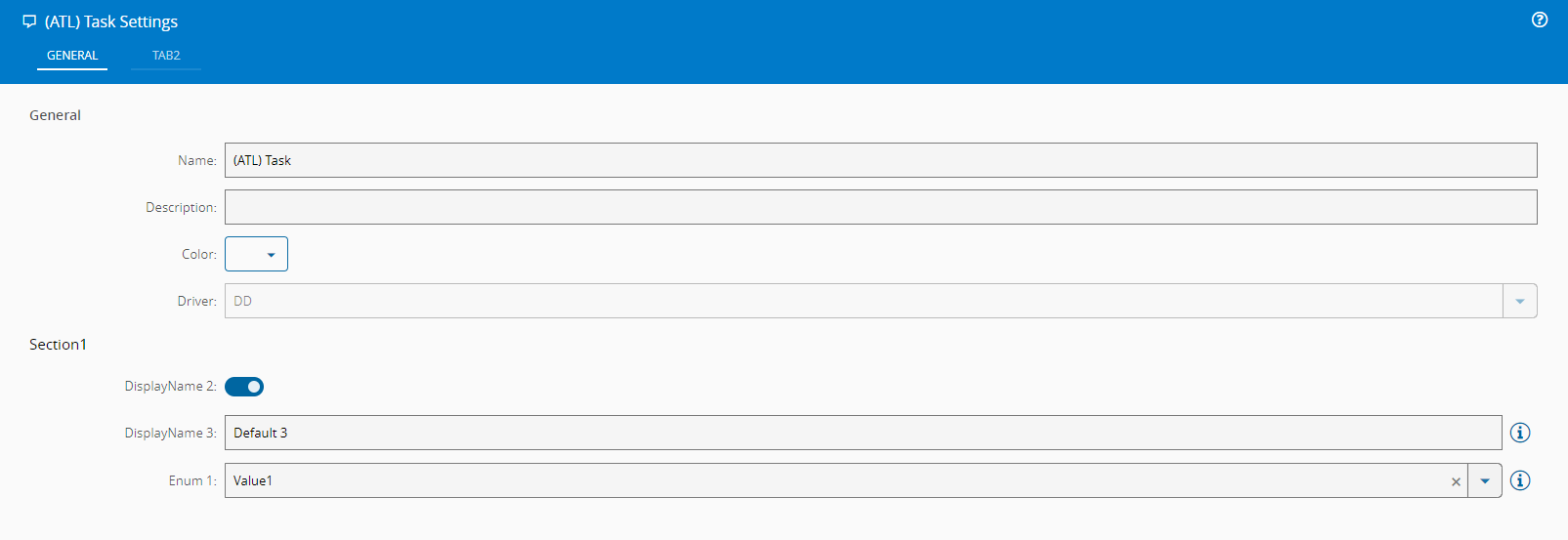
Editing the settings of the task, the metadata will also be reflected as this example demonstrates:
  "settings": {
    "General": {
      "Section1": [
        {
          "name": "Setting 1",
          "displayName": "Enum 1",
          "settingKey": "EnumKey1",
          "enumValues": [
            "Value1",
            "Value2",
            "Value3"
          ],
          "defaultValue": "Value1",
          "infoMessage": "Info message Enum"
        },
        {
          "name": "Setting 2",
          "displayName": "DisplayName 2",
          "settingKey": "Second",
          "dataType": "boolean",
          "defaultValue": true
        },
        {
          "name": "Setting 3",
          "displayName": "DisplayName 3",
          "settingKey": "Third",
          "dataType": "string",
          "defaultValue": "Default 3",
          "settings": {
            "infoMessage": "Random info message",
            "infoMessageLeftAligned": true
          }
        }
      ]
    },
    "Tab2": {
      ...
    }
}