Augmented Reality#
Overview#
The Augmented Reality Widget enables the user to define a view of the multiple objects in the environment. Through the configuration of this Widget, users are able to pick and interact with the desired objects.
To use the Augmented Reality Widget in an UIPage, follow the steps below:
- In any UIPage in Build mode, select the BI Card Widget from the Widgets list located on the right side of the page, and drag and drop to the correct place in the UIPage.
- Enter the Settings section of the widget.
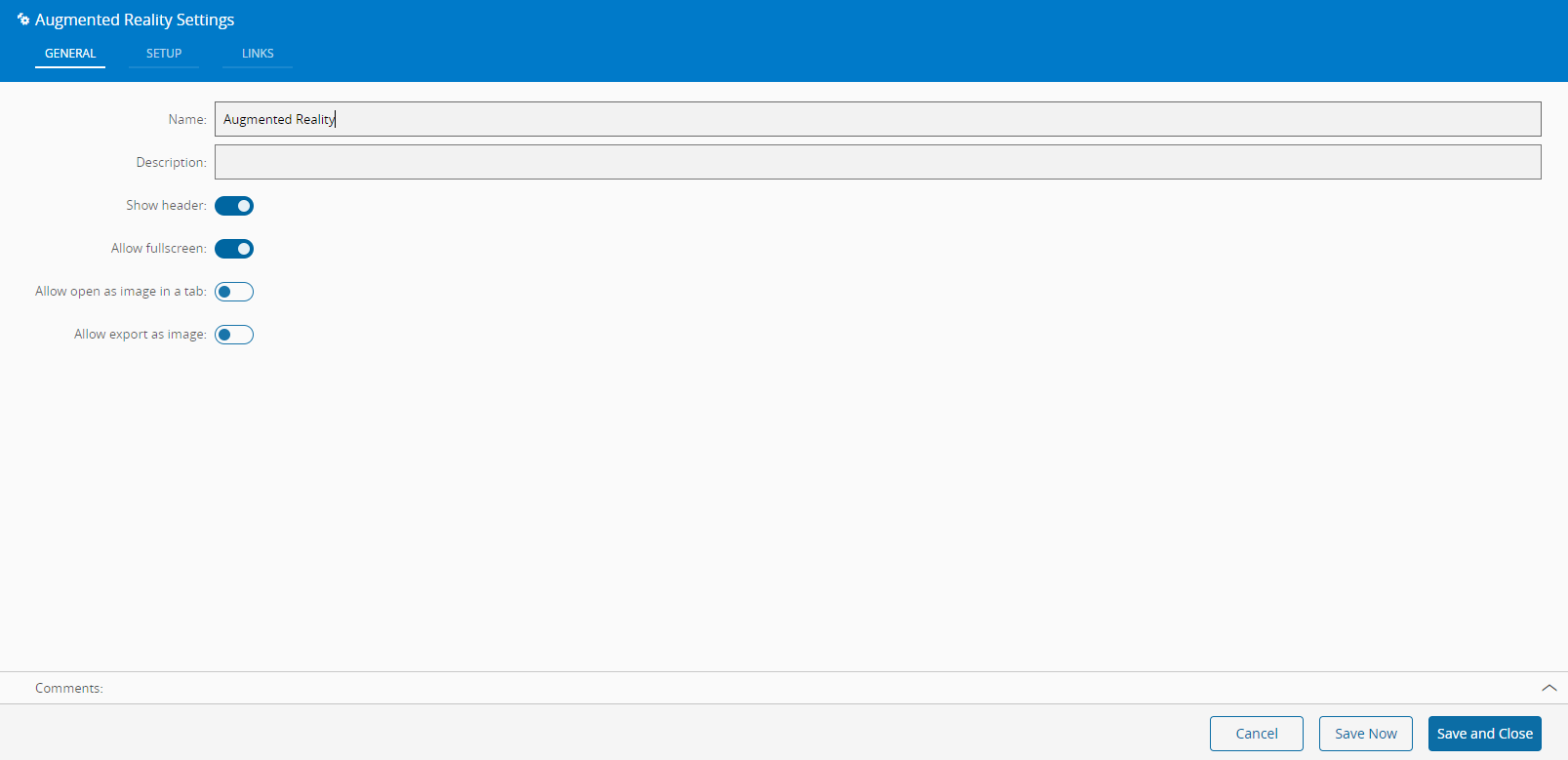
- In the General Data tab, provide a name for the widget, a description, and specify whether it should display the header and also if the user can activate the full screen mode.
-
Define whether to allow to open and export the widget as an image, by setting the respective buttons to true (default to false).
-
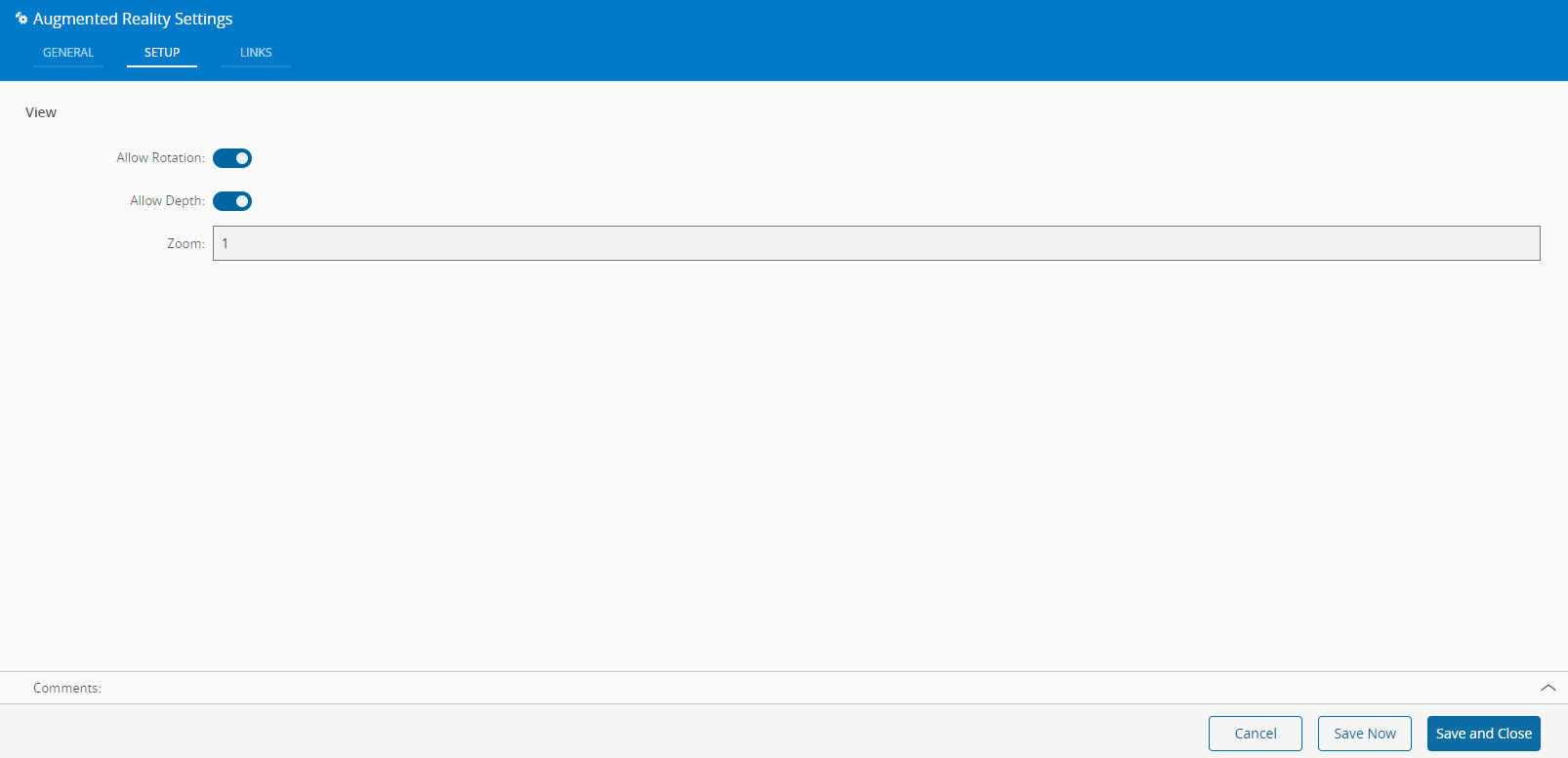
In the Setup tab, define:
- whether to allow rotation.
- whether to allow depth.
- the value of the zoom factor - defaults to 1 and ranges between 0.5 and 1.5, with a step of 0.1.
-
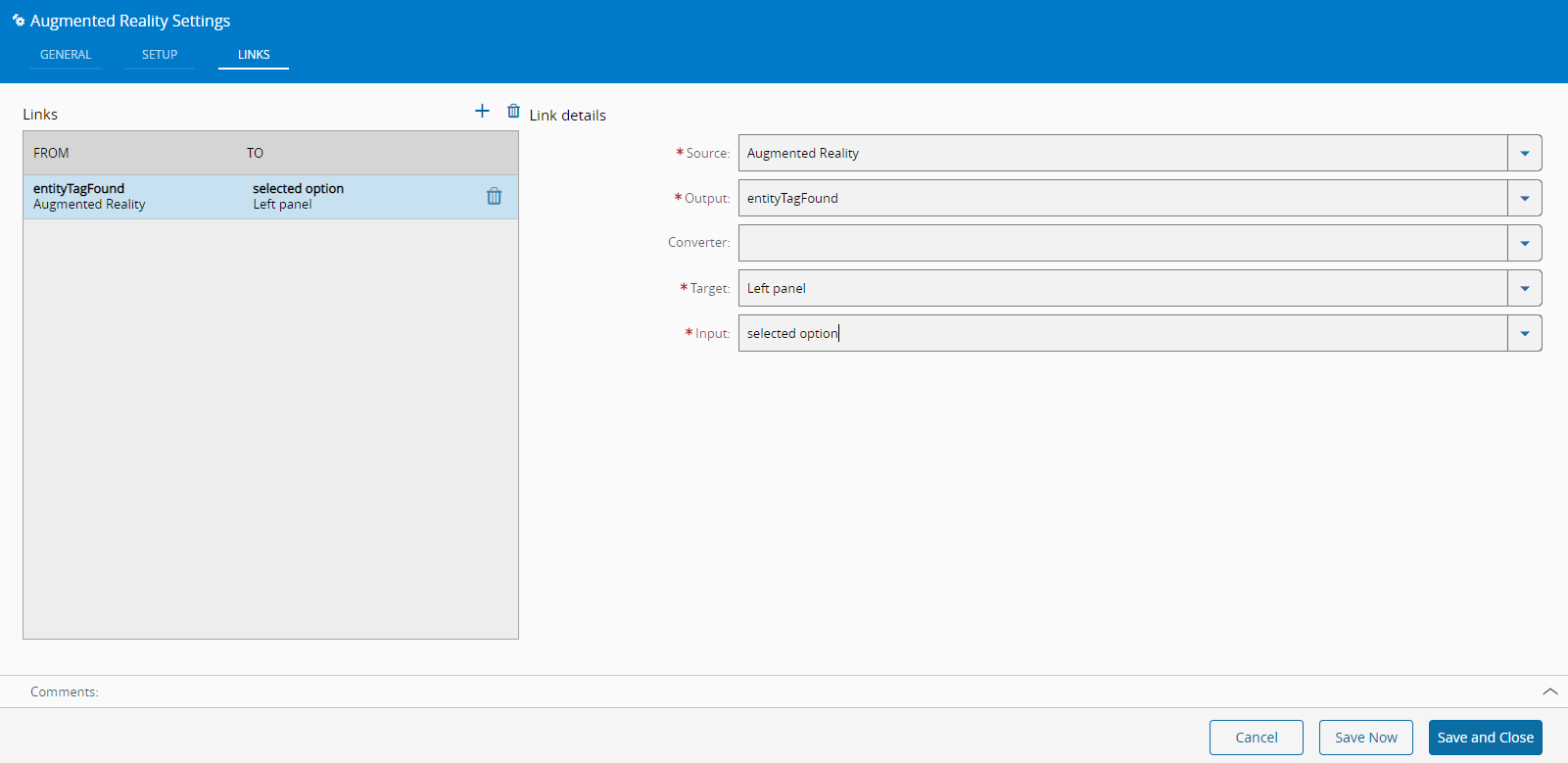
Optionally, define the links between this Widget and other elements of the UIPage.
-
Once created, to optimize the creation of BI Cards, instead of creating new BI Cards, it is possible to duplicate the card you first created by selecting the three-dot icon (top right corner) followed by Duplicate.
Info
For more information, see the Augmented Reality tutorial.