Filter#

Overview#
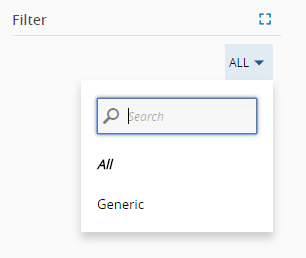
This widget enables the filtering of data. For example, it allows the filter a DataSource or a Query result data. In addition, it is also possible to nest another widget inside it for the cases when the data filtered is presented in that widget. An example of a Filter Widget is shown below.
Implementation example: Use filter fields on a grid widget#
For this example, let's use the filter applied to an inner grid widget fed by a parameterized query data source.
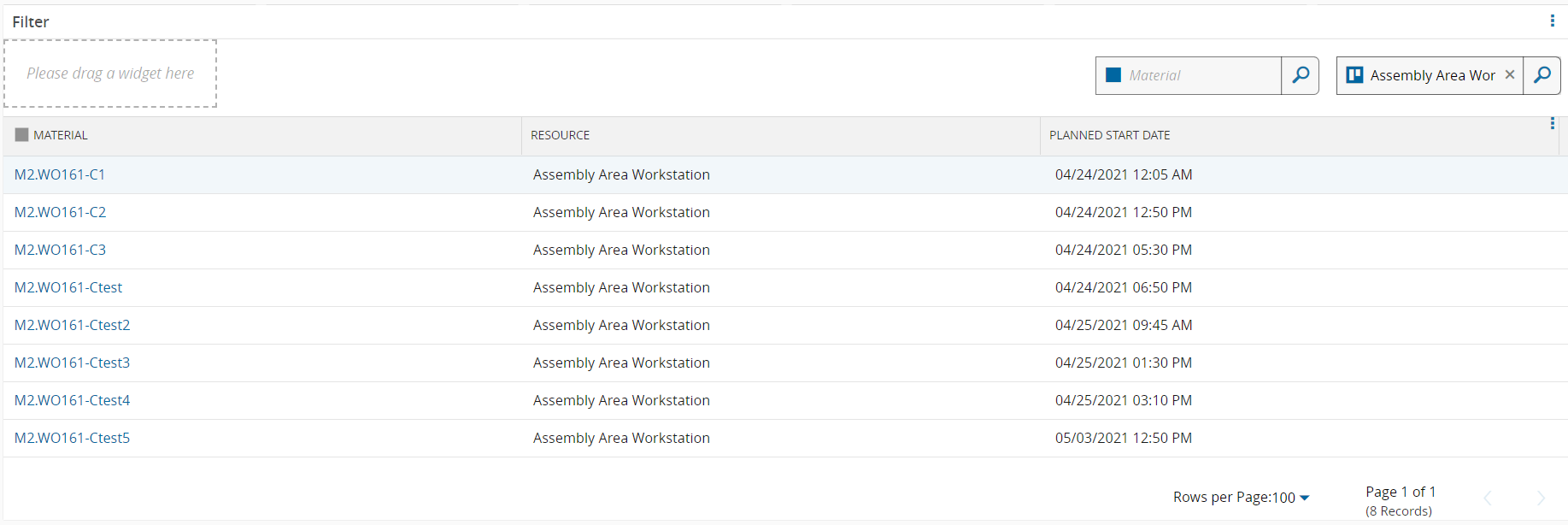
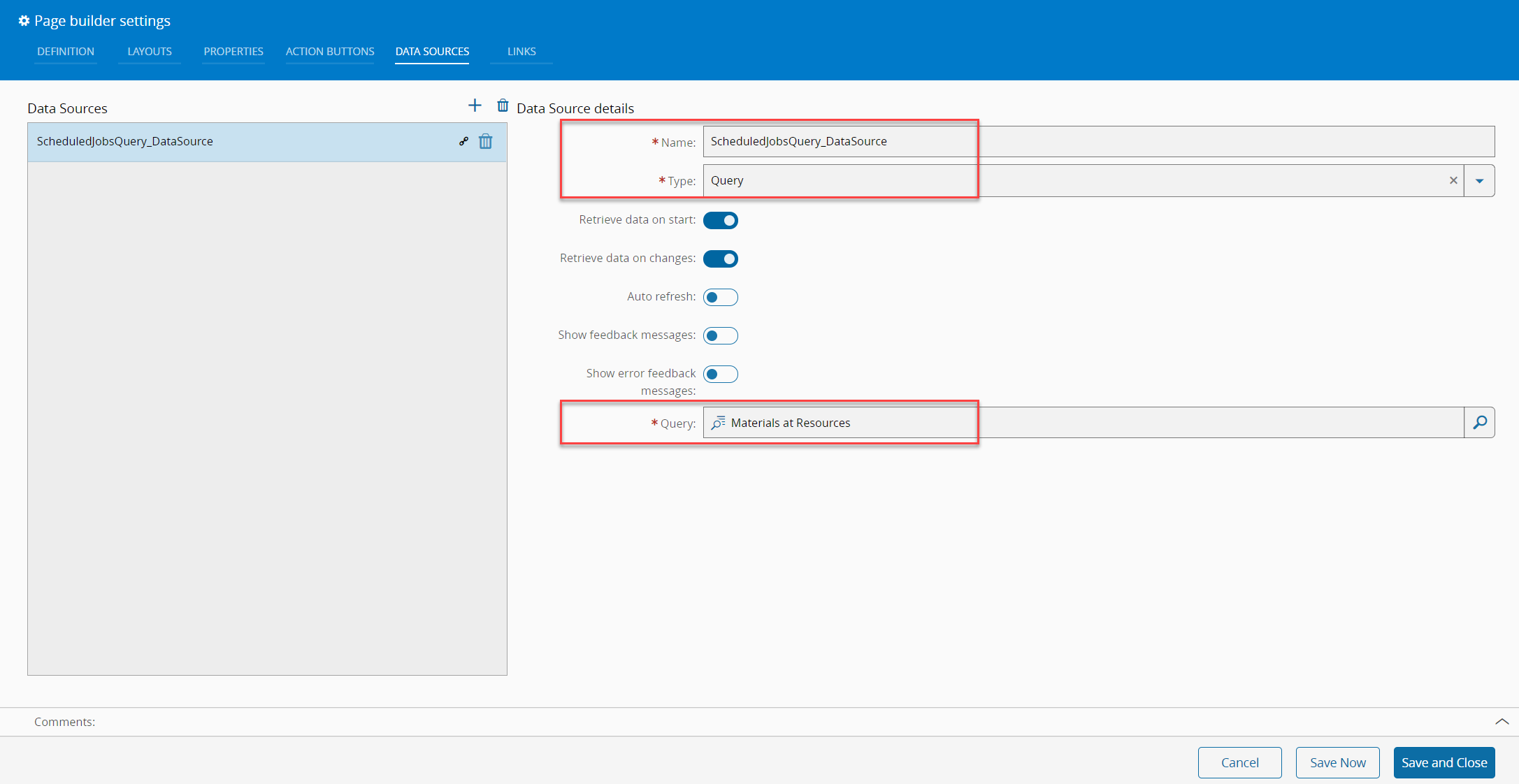
The listed (inner grid) scheduled jobs can be filtered by the outer filter elements for Resource and/or Material. The inner grid data is fed by a data source query for the ScheduleJob entity. The custom data source Materials at Resource has parameters setup for Material and Resource.
- Add data source to page
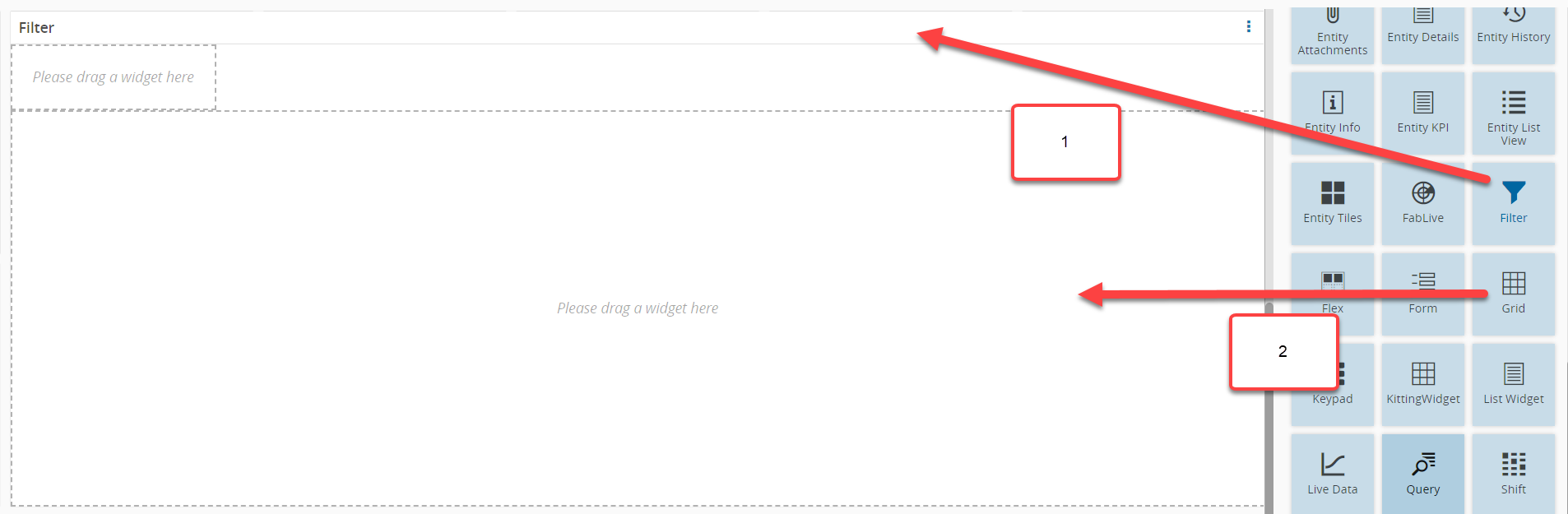
- Add Filter widget and inner grid widget to page. Drag and drop the filter widget element to a UI Page and then drag and drop a grid element to the inner section of if:
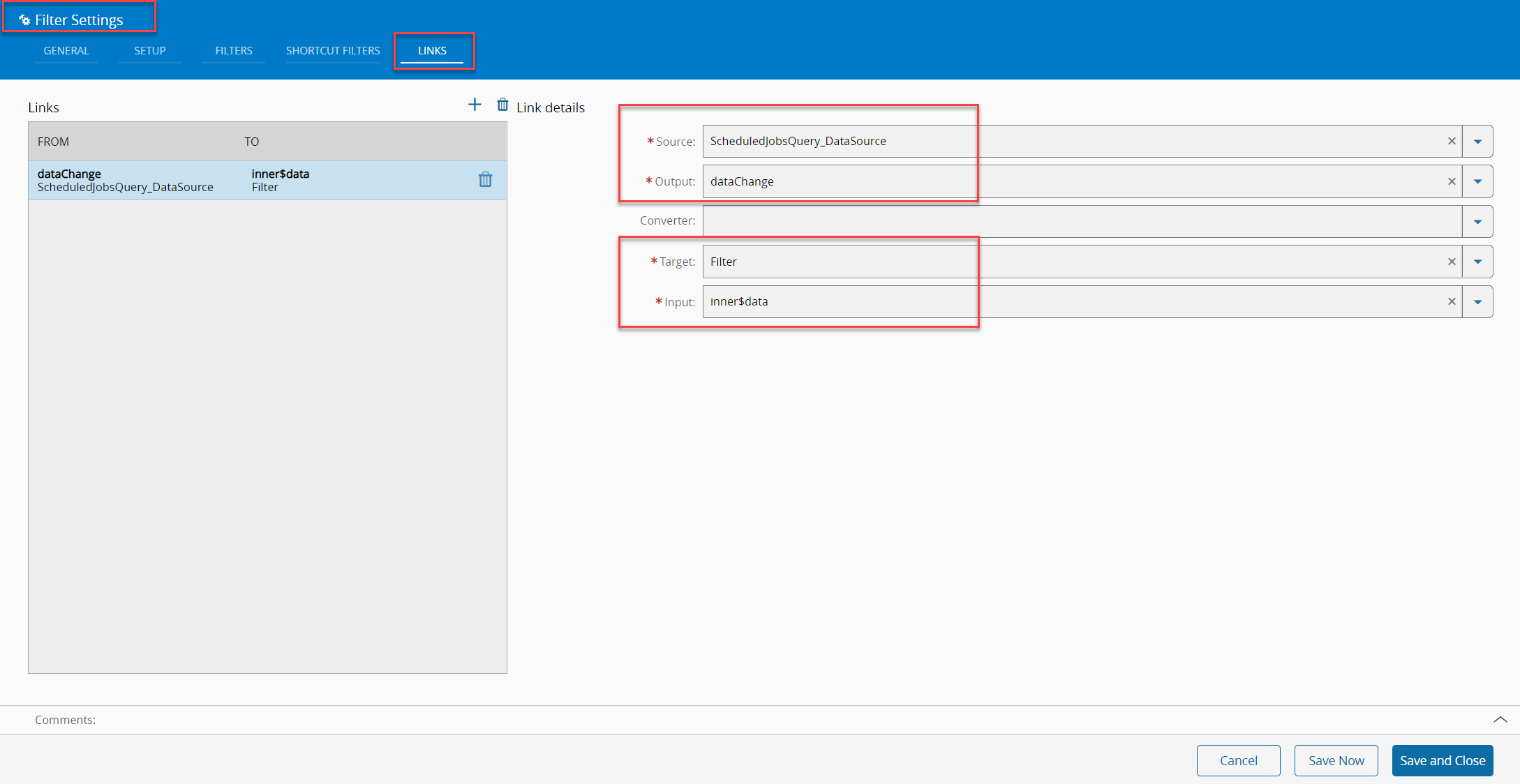
- Link data source to the Filter widget
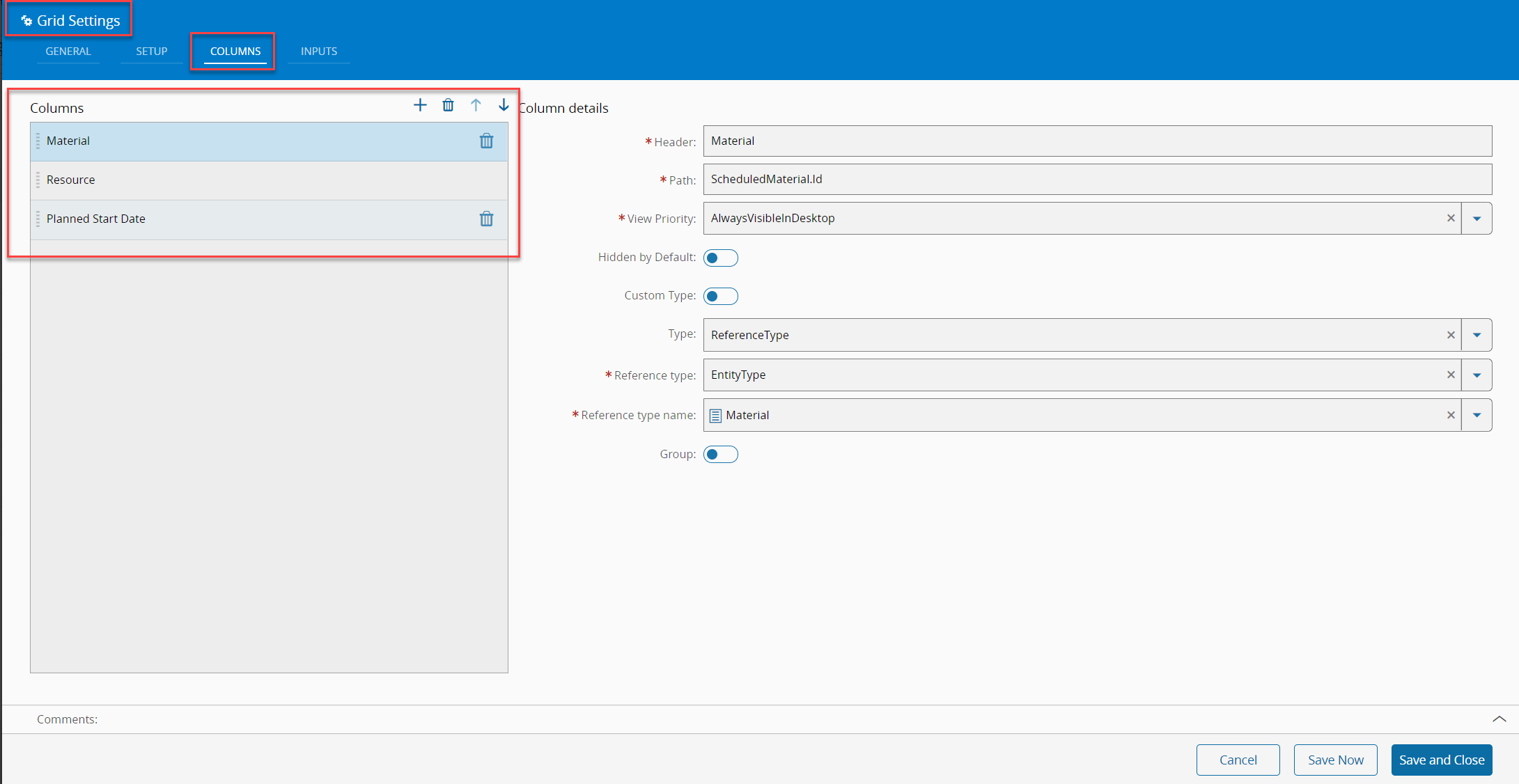
- Setup columns as needed for Grid widget
Note
For more details on how to setup columns please read the documentation on the Grid widget.
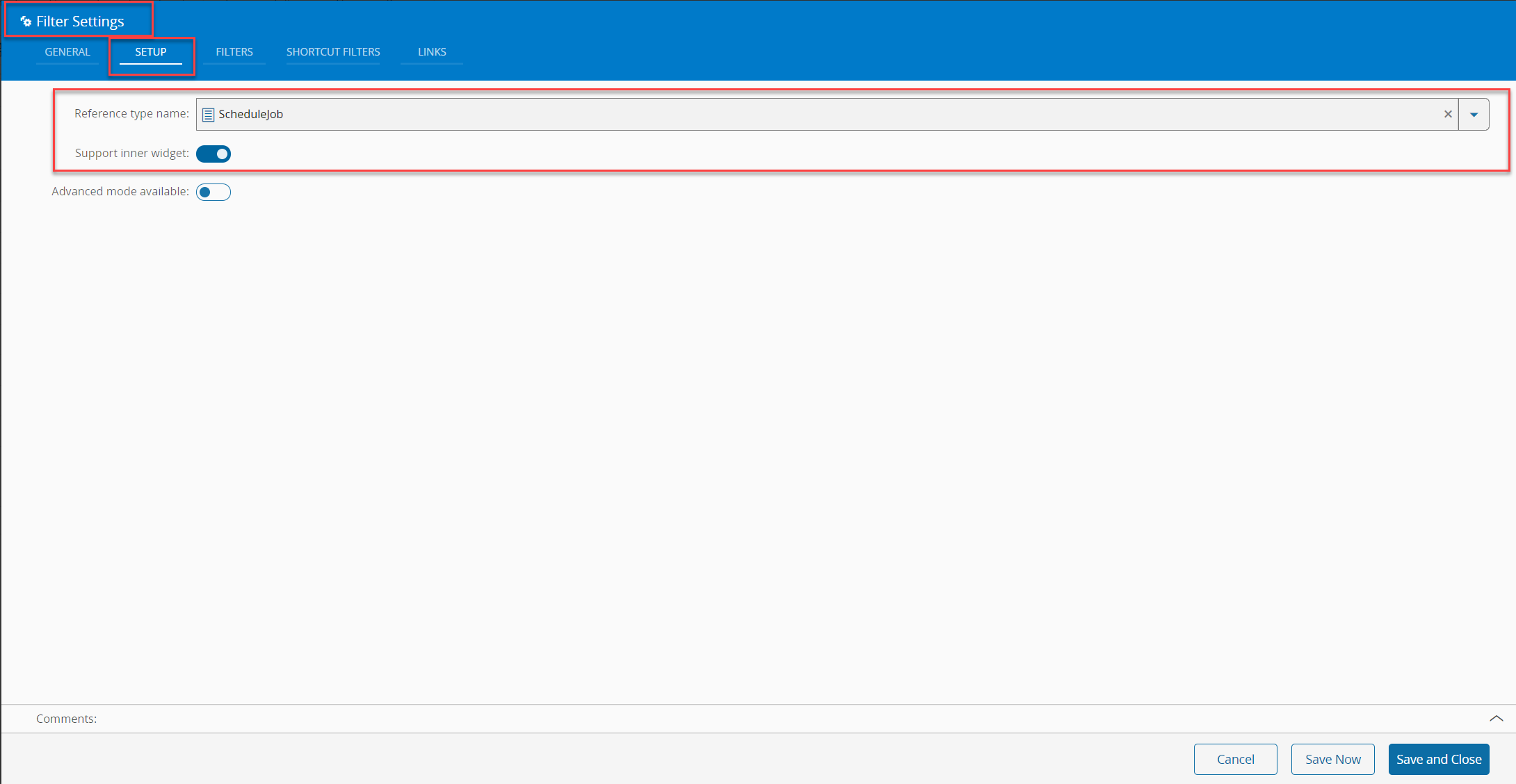
- Setup Filter
Configure the filter for the same entity type then the query. In this example ScheduleJob
- Afterwards, it is possible to add filters, which should match the parameters as configured in the query:
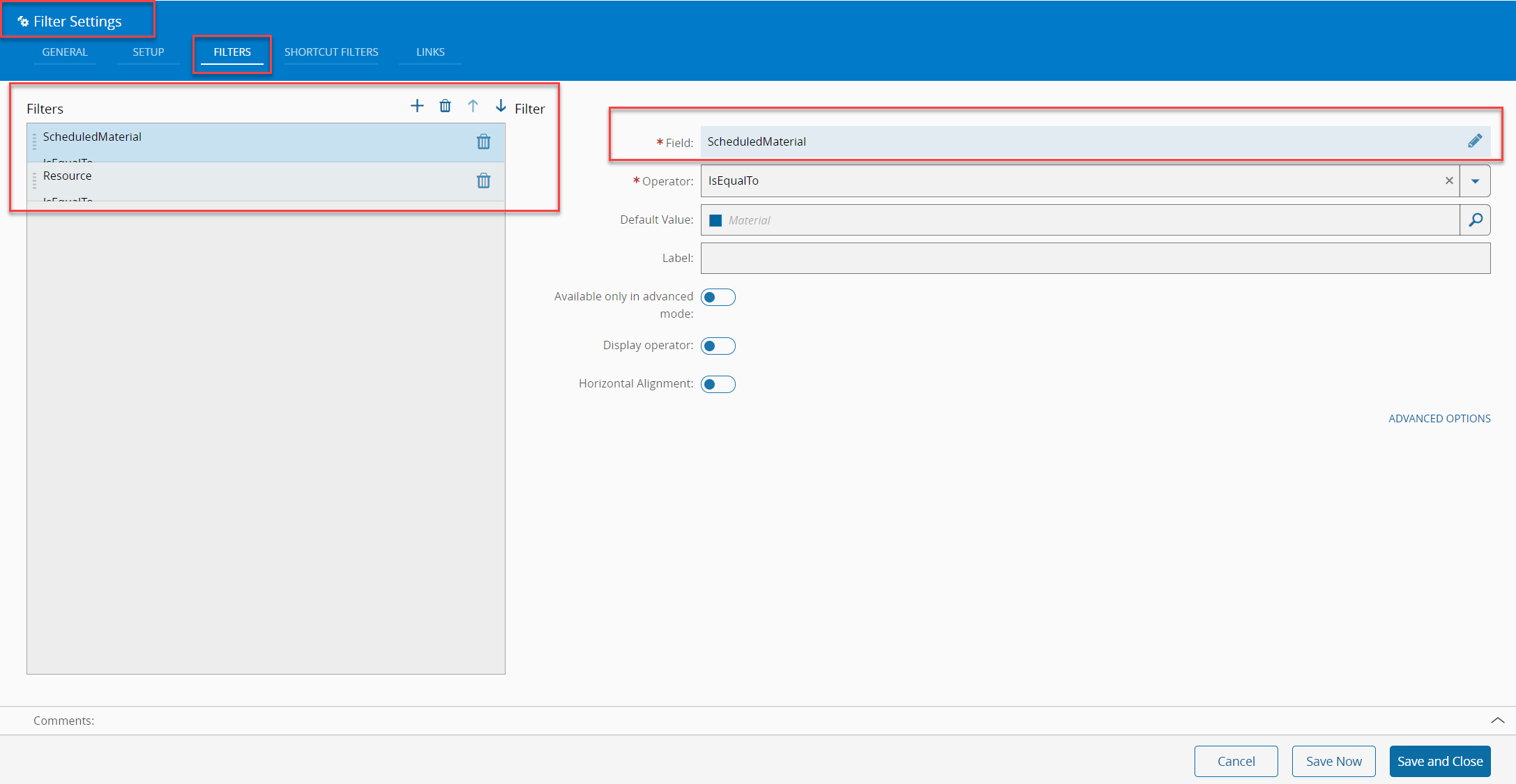
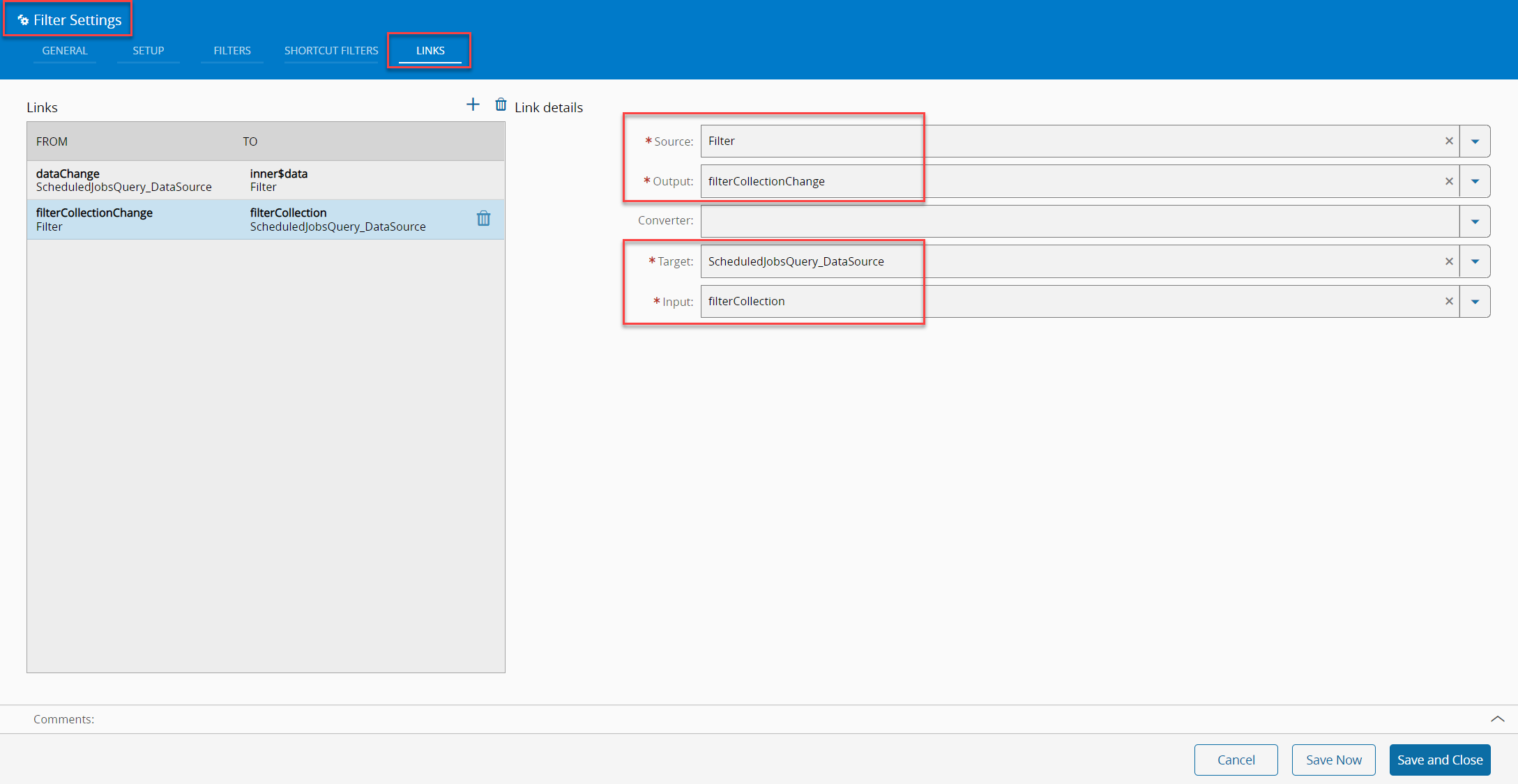
- Link filters to the query data source using the following setup: