Create IoT Event Definition#
 IoTEventDefinition.Create
IoTEventDefinition.CreateTemplate
IoTEventDefinition.CreateFromTemplate
Overview#
This operation is used to create an IoT Event Definition.
Setup#
No specific setup is required other than to meet the preconditions of the transaction.
Preconditions#
- The IoT Event Definition does not currently exist in the system.
Sequence of Steps#
Step 1: General Data#
-
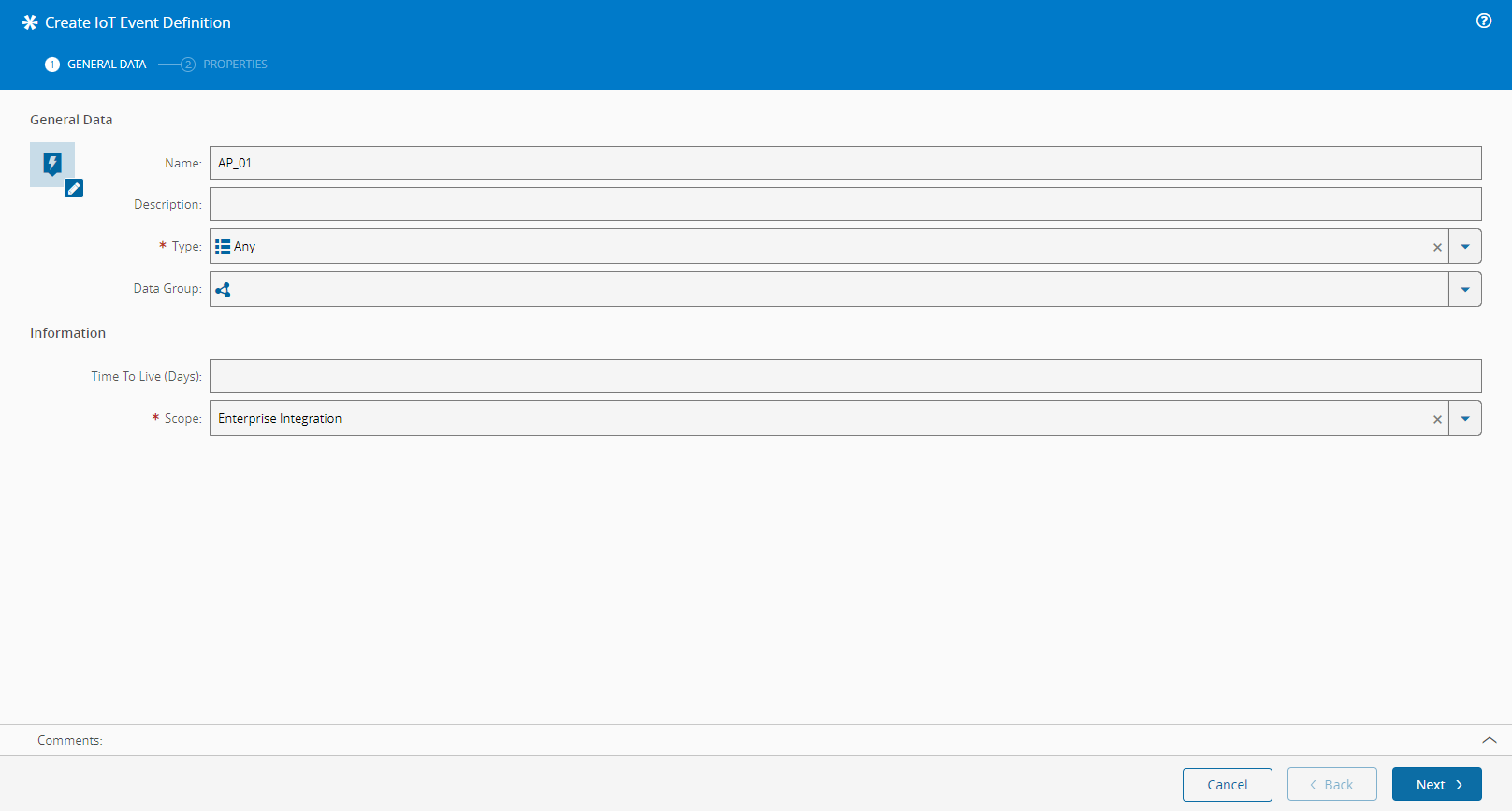
Provide a name for the IoT Event Definition.
Warning
This name will identify the Event throughout the Data Platform infrastructure. Please use a name that is meaningful for later reference.
-
Optionally, provide a description of the IoT Event Definition.
- Select the IoT Event Definition type. The available values are described in the IoT Event Definition Type lookup table. This value can later be used to group event types into categories.
- Type in the Time to Live (TTL) in days. This is an optional parameter that informs the number of days this event will be stored in the Data Platform. If left blank (default), the system will store this event indefinitely (recommended).
- Select the Scope:
- Enterprise Integration - allowing the execution of workflows in response to events of this Scope that are posted by Integration Entries.
- Factory Automation - allowing the creation and execution of automation jobs to be managed in the Monitoring section of the Automation panel.
- General - allowing usage within the realm of the Automation Controller and Connect IoT.
- Select Next to choose the properties for the IoT Event Definition.
Step 2: Properties#
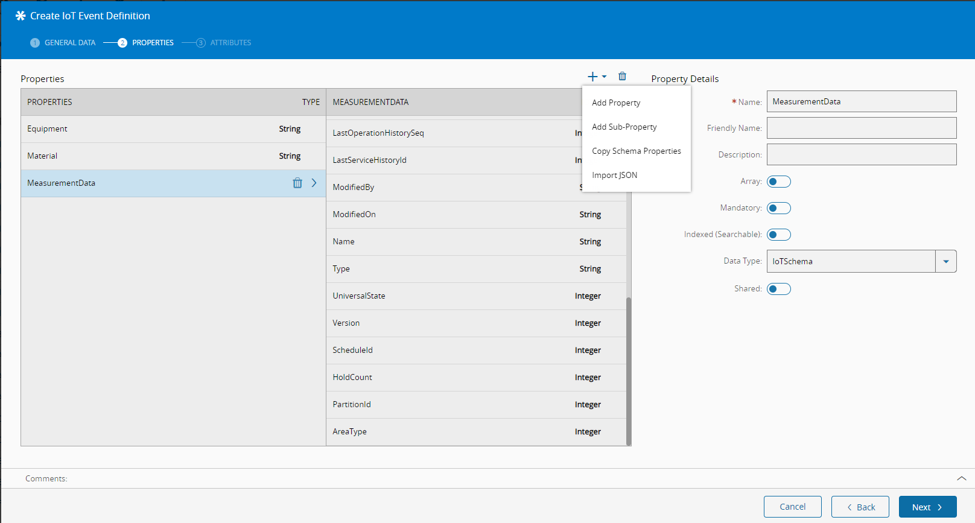
This step captures the actual structure of the IoT Event Definition. Here you will define the individual properties of the event.
- On the left side panel, add as many properties as desired (press in the dropdown located in the top right of the grid to add, and to remove). The button allows adding top-level properties or, in case the property data type is IoT Schema, sub-properties of the main property.
-
For each property, specify:
- Name - This name must match the Event JSON document. It will be used internally to identify each property.
- Friendly Name - Alternative name to identify the property.
- Description - Property description.
- Array - Identifies this property as an array of objects.
- Mandatory - Identifies if the property is mandatory. If true, this information will be used to validate all the arriving events.
- Indexed - Defines whether the property can be searched and queried. Furthermore, this determines whether the property is stored in the Kafka event header and in the EventAttribute table of the SQL Server Storage Consumer (please refer to the SQL Sink Consumer documentation).
- Data Type - The data type of the property. Mandatory, an enumeration. Will be mapped to the following JSON types (in parentheses):
- Boolean (integer)
- Date (date)
- DateTime (date-time)
- Decimal (number)
- EntityType (object) - will refer to an Entity Type object. In case of a versioned Entity Type, it will refer to the Definition. The content of this property will be used by the enrichment process to map MES information to the original event's document.
- File (string) - will store the FileId
- Integer (integer)
- IoT Schema (object)
- Long (sting)
- String (string)
- Time (time)
- URL (uri)
- Default Value - Specifies the default value of the property. If not present in the received event, this value will be set by the event validation process.
- Minimum - The minimum value for data types of type integer. The event will be rejected if this value is less than what is defined.
- Minimum - The maximum value for data types of type integer. The event will be rejected if this value is exceeded.
- Min Length - Used to check the minimum length of a property of type string.
- Max Length - Used to check the maximum length of a property of type string.
- Pattern - For scalar types of type string, the pattern, e.g.:
^[A-Za-z]*@gmail.com$. This must be a valid Java regular expression. - Max File Size - For scalar types of type File, the maximum accepted file size.
- Max File Scale - Maximum file size scale if the Data Type is file (Kilobytes, Megabytes, Gigabytes).
- Shared - For IoT Schema data types. Setting an IoT Schema as shared, informs the system to create as IoT Schema object. This is useful to share JSON document definitions between Events (e.g. Location definitions).
Info
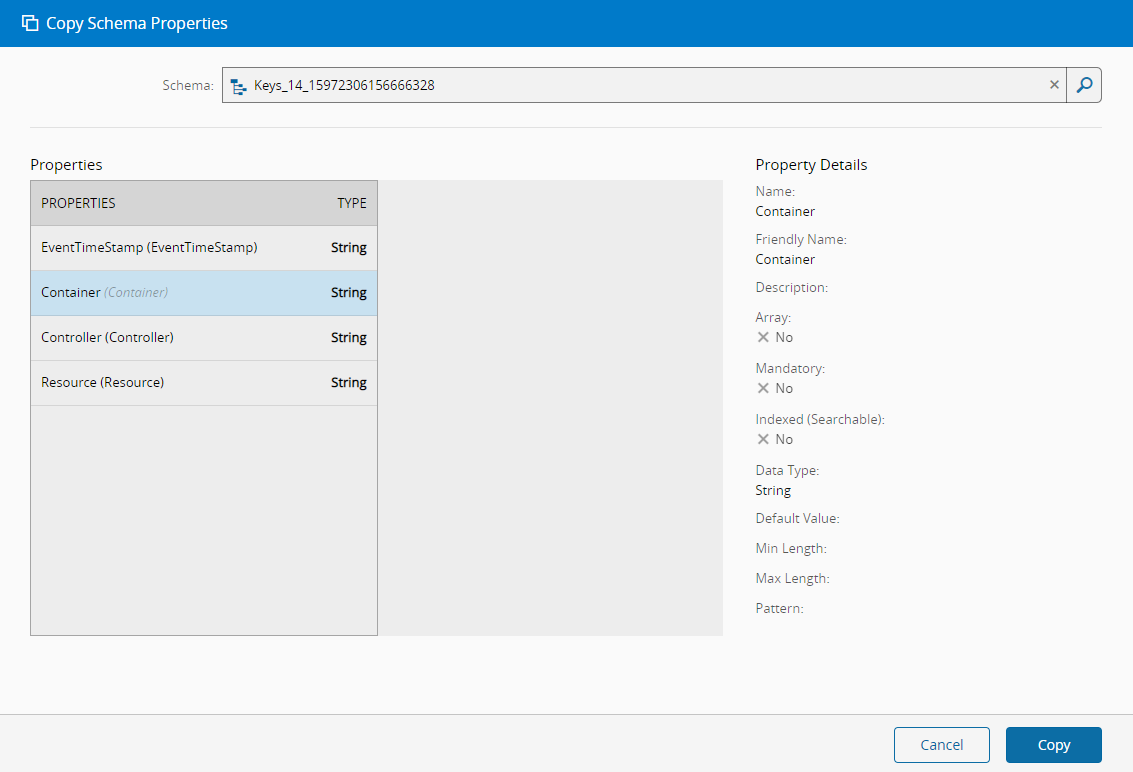
There is also the possibility of copying the properties of an existing IoT Schema by selecting the Copy Schema Properties option in the dropdown or by importing a JSON or CSV definition of the desired schema.
Info
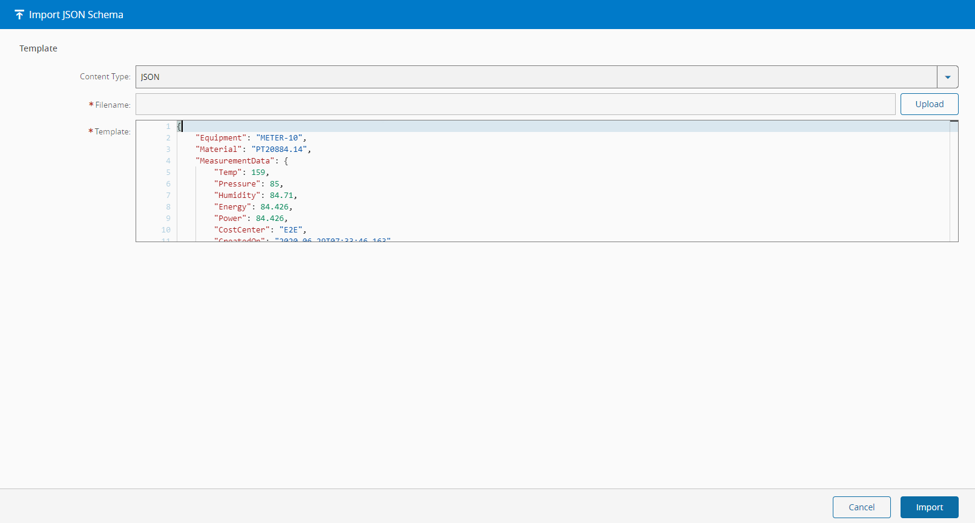
In alternative, there is also the possibility of importing a JSON or CSV definition of the desired schema by selecting the Import JSON option in the same dropdown.
Warning
If a schema is imported, a sanity check is strongly recommended as some property types can be incorrectly inferred (e.g. integer instead of decimal).
Select Create to complete the operation and the new IoT Event Definition will be created.
Info
For more information, see the Event Ingestion through IoT Data Platform tutorial.