Maintenance History#
Description#
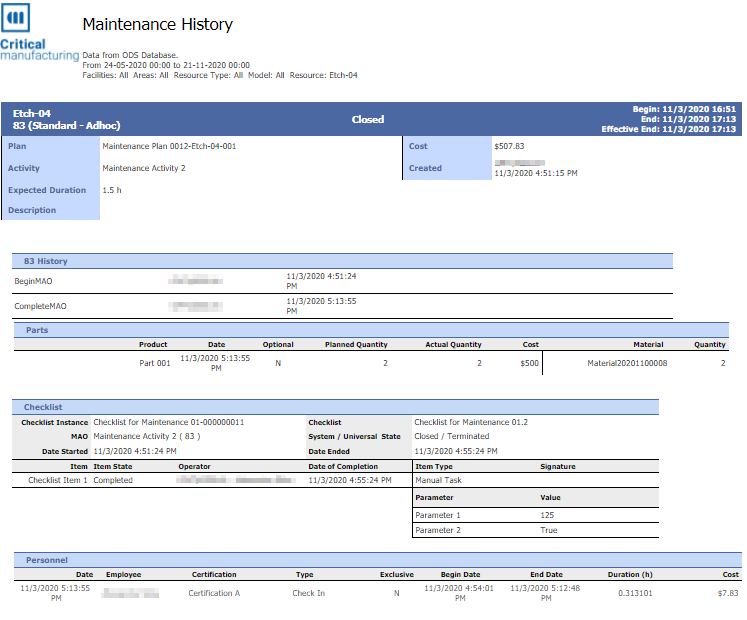
- This report provides information about the Maintenance History for one or more Resources.
Data Source#
- ODS Database
Assumptions#
- None
Filters#
- Facility - Multi value filter on facilities
- Area - Multi value filter on Areas (restricted by the Facility filter)
- Resource Type - multi value filter on the Resource Resource Type
- Model - multi value filter on the Resource Model
- Activity Type - multi value filter on the Maintenance Activity Type
- Resource - multi value filter on the Resource
- Date Start - Filter on the Maintenance Activity Order start date and time
- Date End - Filter on the Maintenance Activity Order end date and time
Info
Boolean filters are actually enabling / disabling the execution and show of specific sub reports, so enabling only the info desired simplifies and enhances the overall execution time.
Fields#
- Several Fields depending on the Maintenance transaction type and selected options.
Example#
Note
To define a default for the Resource History Report Time Frame, use /Cmf/System/Configuration/Reporting/Reports/ResourceHistoryDefaultTimeframe with an integer number in days defaulting to a value of 30.