Data Set Page#
 Dataset.Show
The Data Set page displays general information on the specific Data Set. It also enables you to perform all the operations that can be performed on a specific Data Set.
Details View#
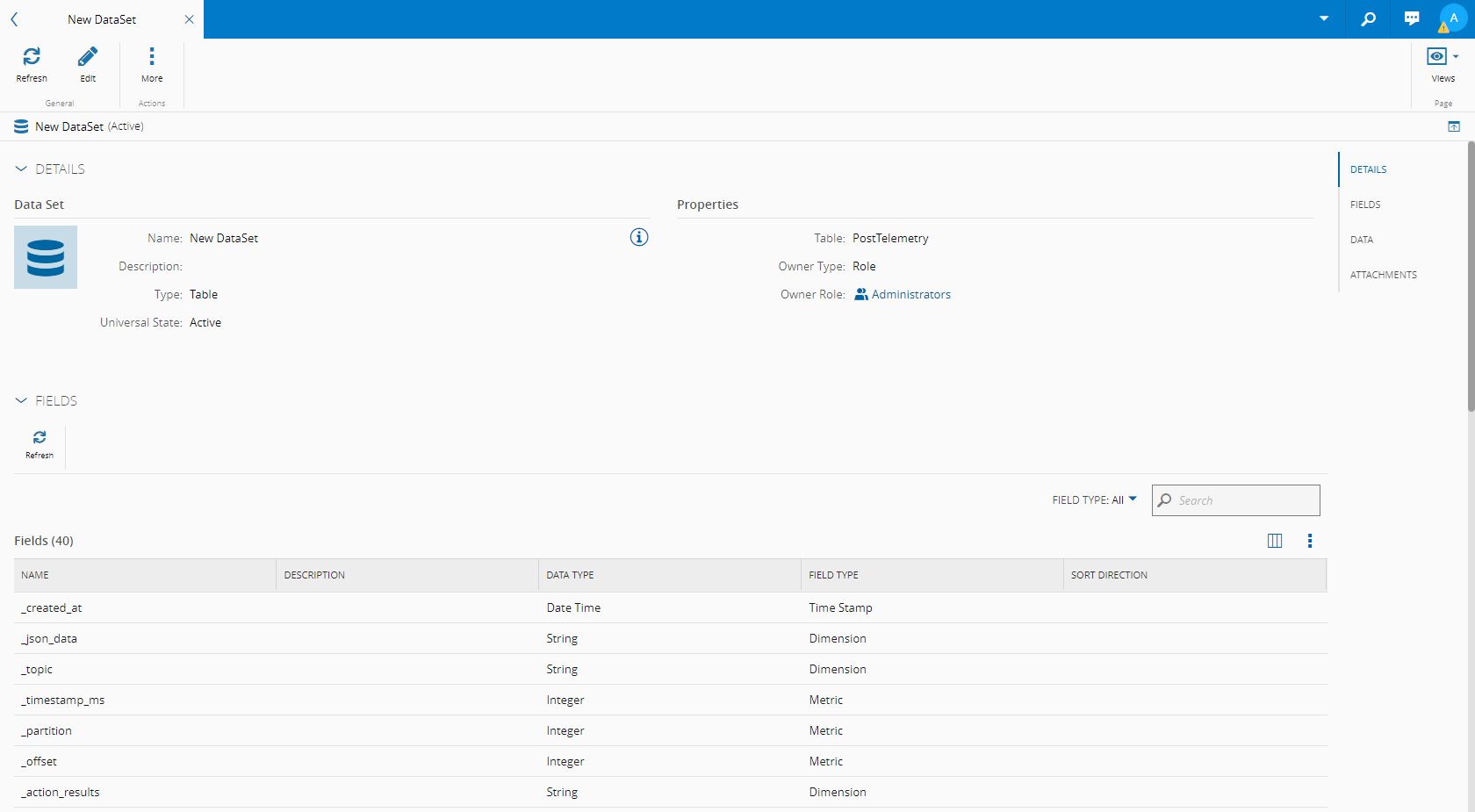
Depending on the optional modules that are licensed in the system, the Details view will display some or all of the following page sections:
- Details - displays general information on the Data Set.
- Fields - displays information on the fields that compose the current Data Set.
- Data - displays information on the data present in the current Data Set.
- Attributes - enables the visualization of existing Attributes and the possibility to create new ones. For more information on Attributes, see Attributes.
- Attachments - shows the documents that are attached to the Data Set and enables you to attach additional documentation to the Data Set.
References View#
This view combines information concerning other objects that have references to the current object:
- Relations - displays the existing Relations between the Data Set and other entities and enables you to edit them. For more information on Relations, see Relations.
- Where Used - displays the set of relationships between the Data Set and the other objects used throughout the system.
History View#
This view combines information concerning other objects that have references to the current Data Set object:
- History - displays the history of the operations, associated information, user(s) performing the changes and date and time of the changes.