Data Collection with Limit Set#
Estimated time to read: 2 minutes
We can choose to create the Limit Sets from the created Data Collection, in which case they will automatically be associated, or we can create a Data Collection Limit Set, from the Business Data menu, and then associate it to the Data Collection.
As Data Collection Limit Sets are versioned objects, we will have to Create Change Set or use one we already have.
For more information, see Change Set.
For the purpose of this tutorial, we will create the Data Collection Limit Set within each Data Collection.
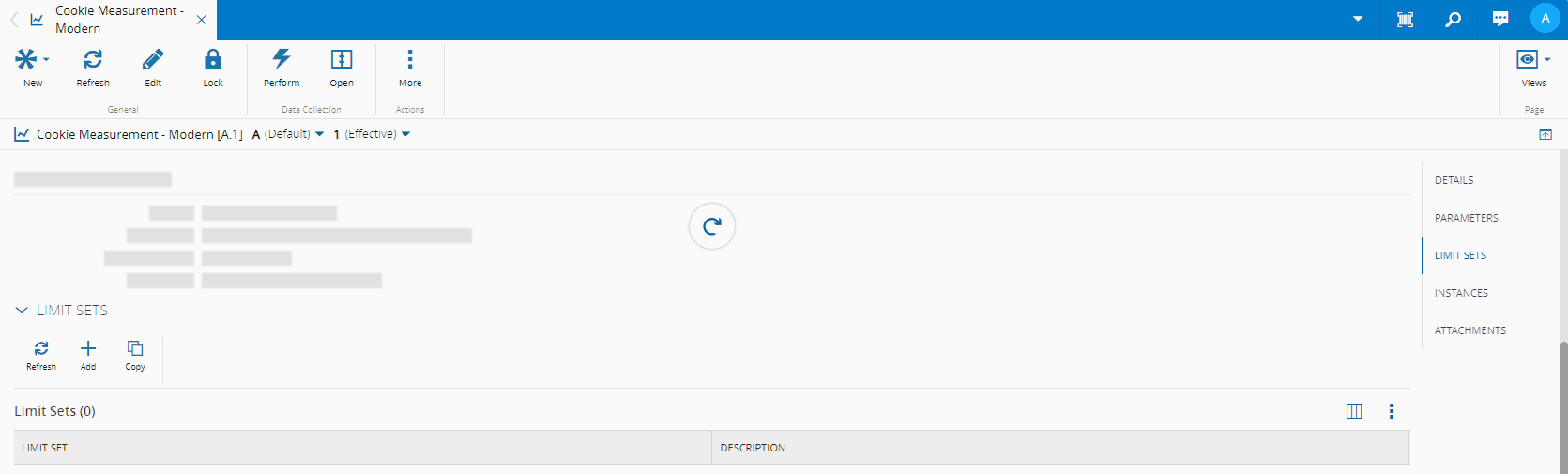
On the Data Collection page, go to the sections on the right, select Limit Sets, and then select Add:
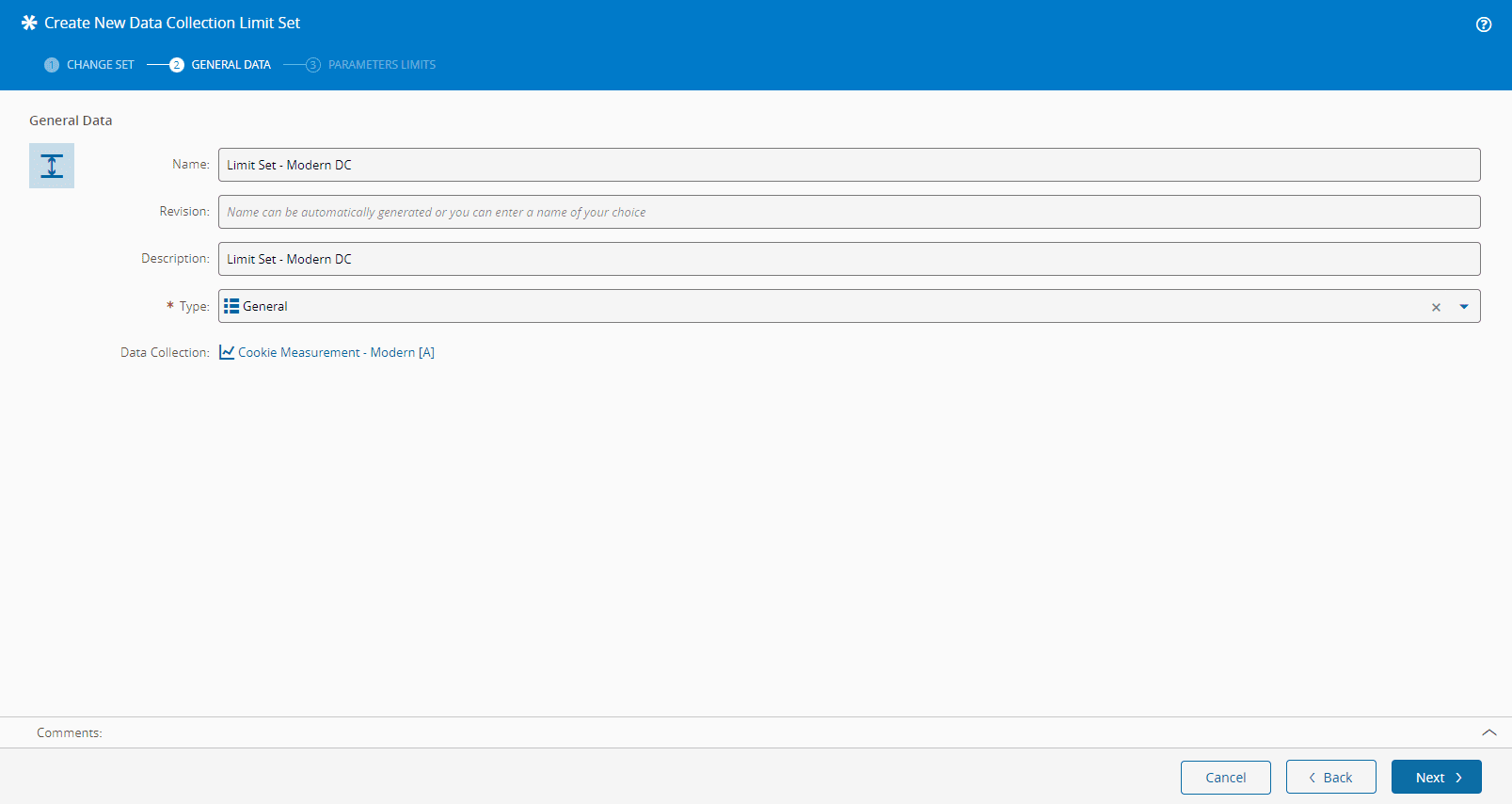
In the Create New Data Collection Limit Set wizard, give the Limit Set a name, and notice how it is already linked to the desired Data Collection:
Info
The Limit Set configuration of the Parameters Limits step that follows is the same for Classic and Modern Data Collections.
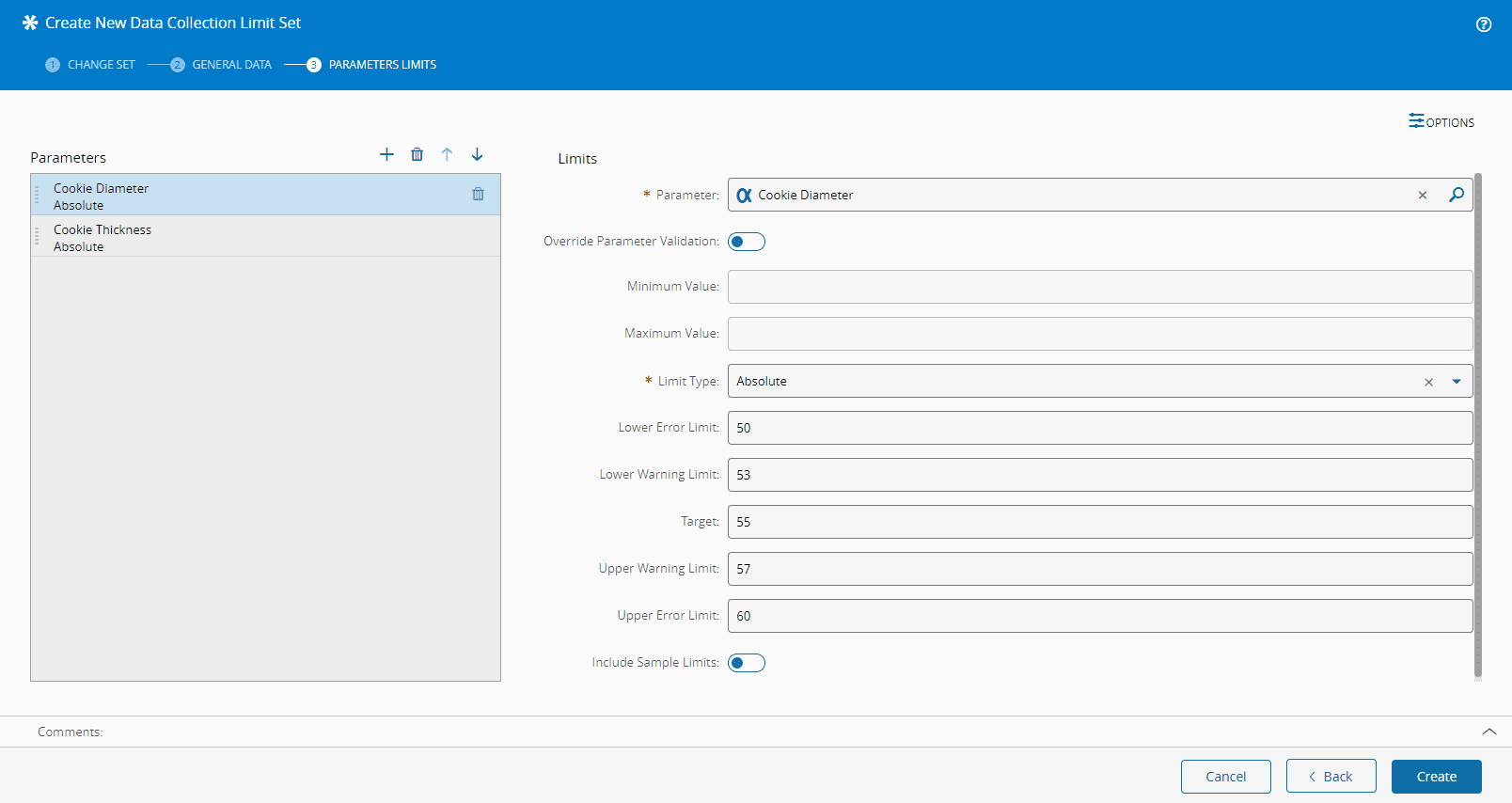
In the Parameters Limits step, add the following Parameters with the information shown below:
- Cookie Diameter
- Cookie Thickness
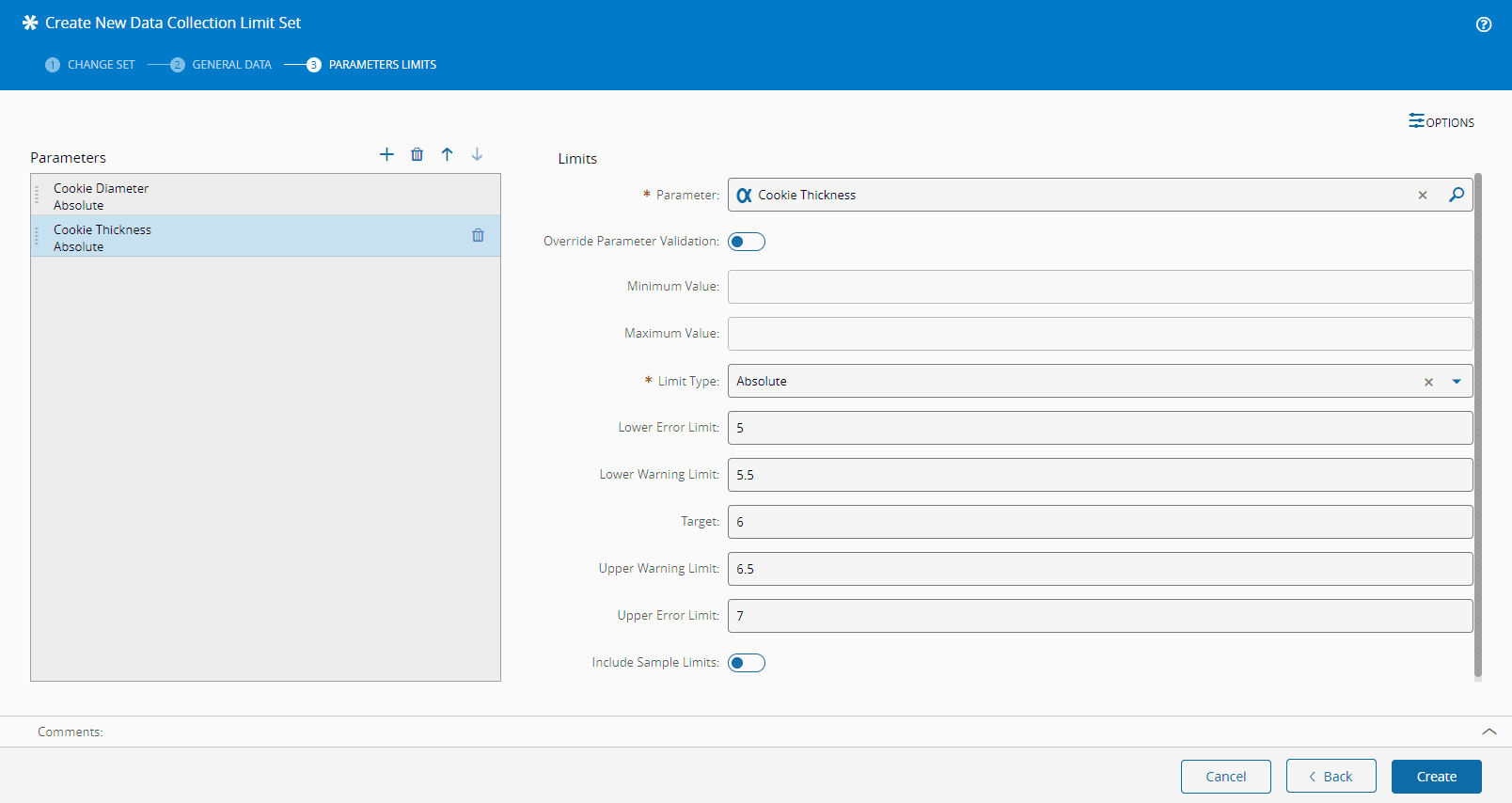
At the end select Create, and two Limit Sets, with the entered Parameters, and duly associated to to their Data Collection, will be available:
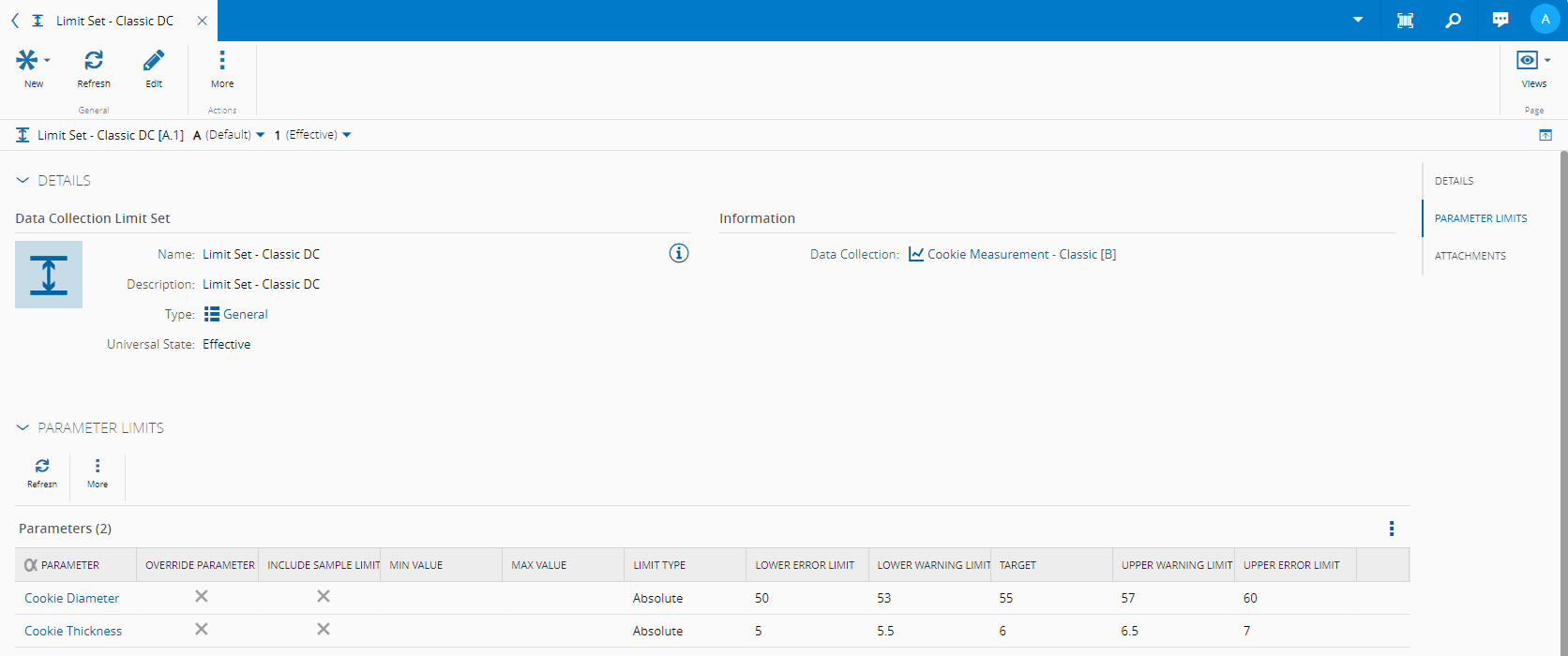
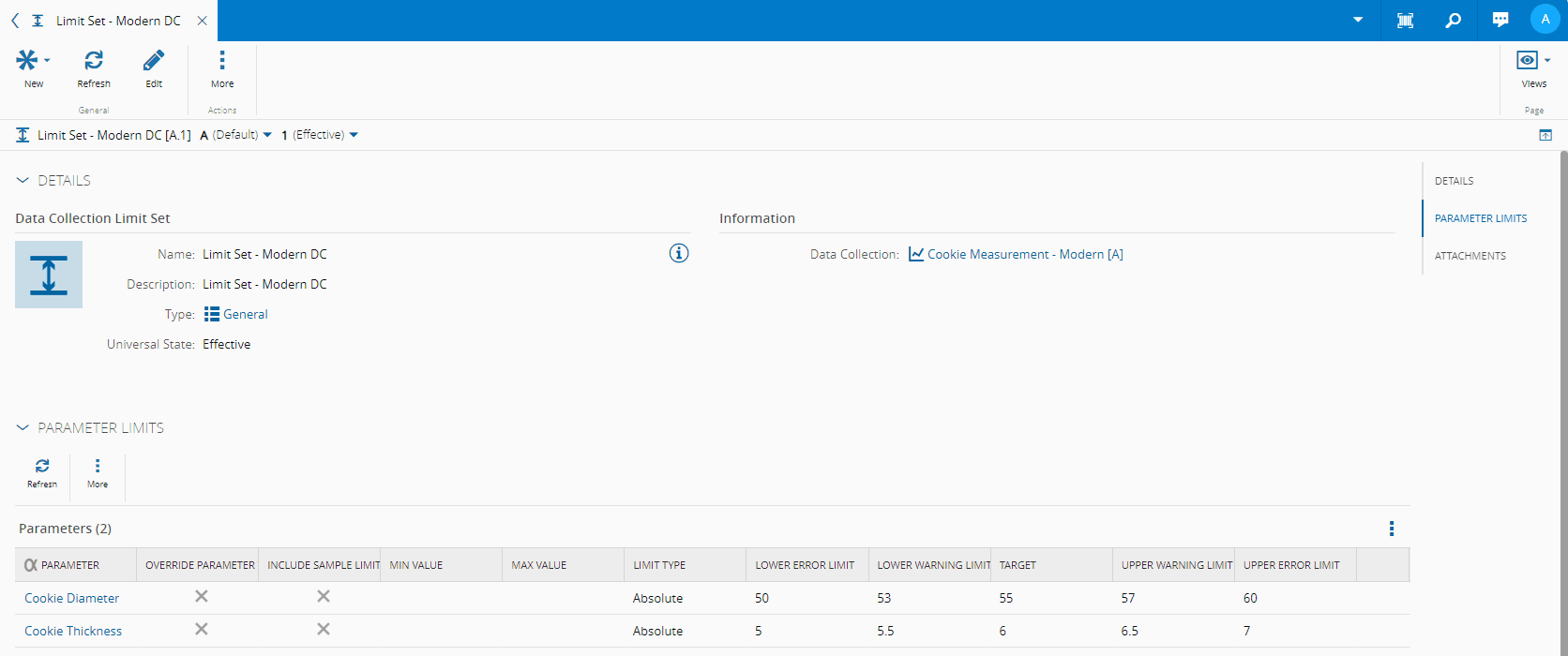
Now that the Data Collections have been fully configured with the Parameters and Limit Sets, their Details page should look like this:
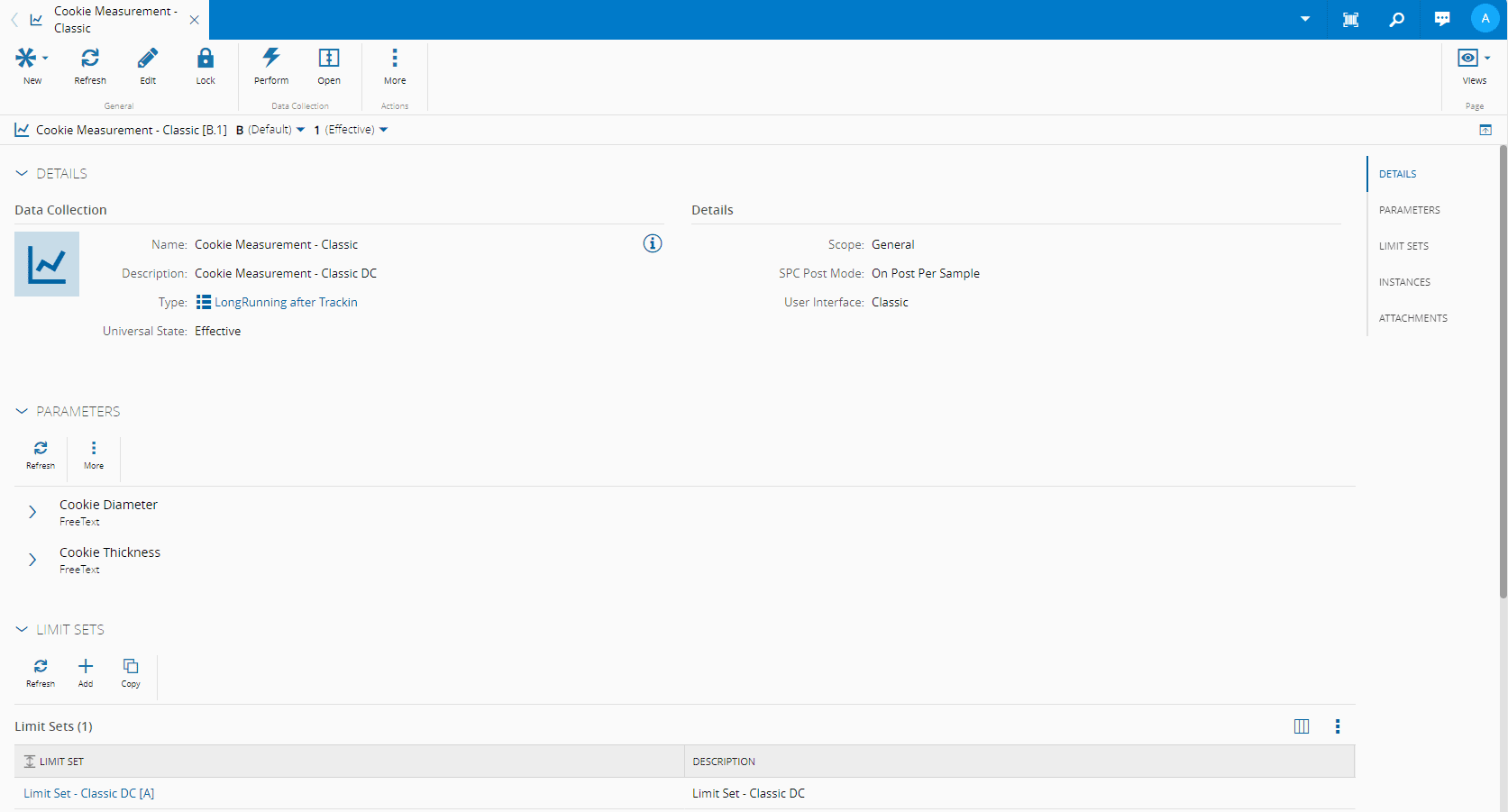
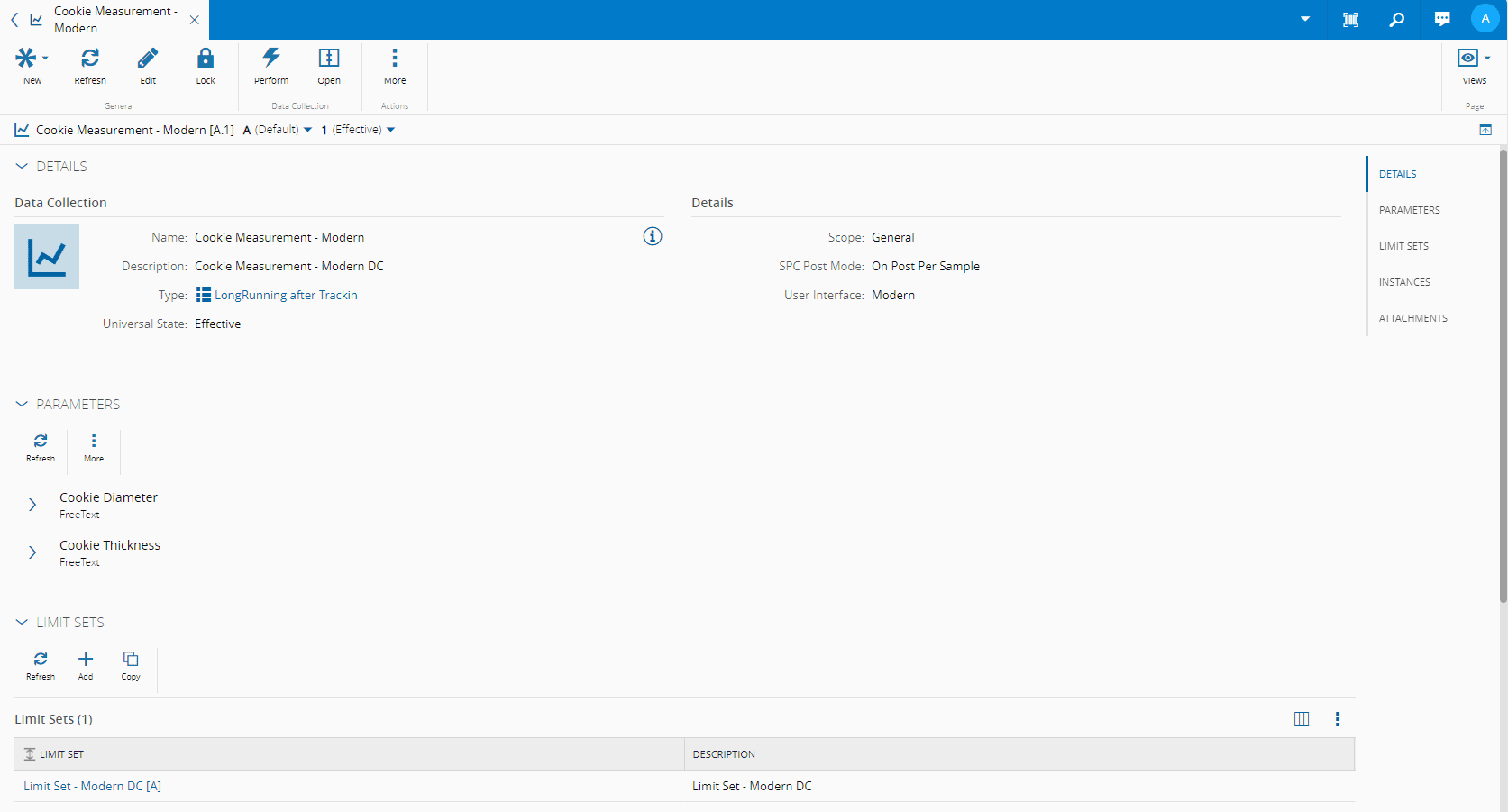
For more information, see Data Collection Limit Set and Create Data Collection Limit Set.