Create Automation Business Scenario#
 AutomationBusinessScenario.Create
Overview#
This operation allows the creation of a new Automation Business Scenario in the system.
Sequence of Steps#
Step 1: General Data#
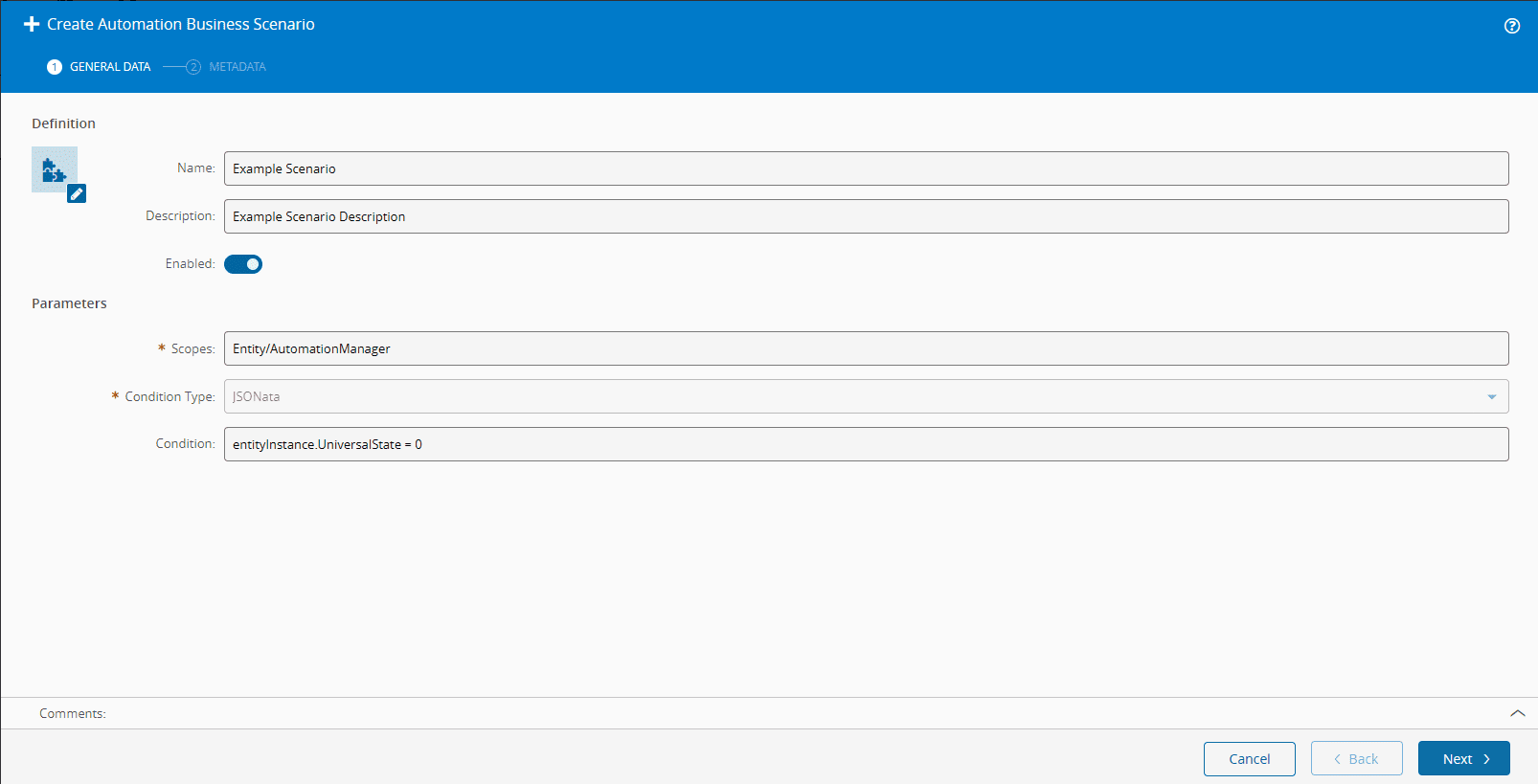
- Enter a unique Name.
- Provide a Description.
- Specify if you want the scenario to be Enabled. If so, the scenario will be an option in the Cortex chatbot.
- Scopes will specify from where the scenario is available. Example: if the user opens the chat from the page of
<URL>/Entity/AutomationManager, the scenario will only be showed if it has a scopeEntity/AutomationManager. The user can define multiple scopes, separated by a comma. - The Condition Type (currently only JSONata is supported) and the Condition allow for further specification of when to show the scenario. Example: the user can specify that a scenario is to be shown in the scope 'AutomationController' but only if the Condition
entityInstance.UniversalState = 0(Entity on the stateCreated) is met. - Select Next to continue the operation.
Step 2: Metadata#
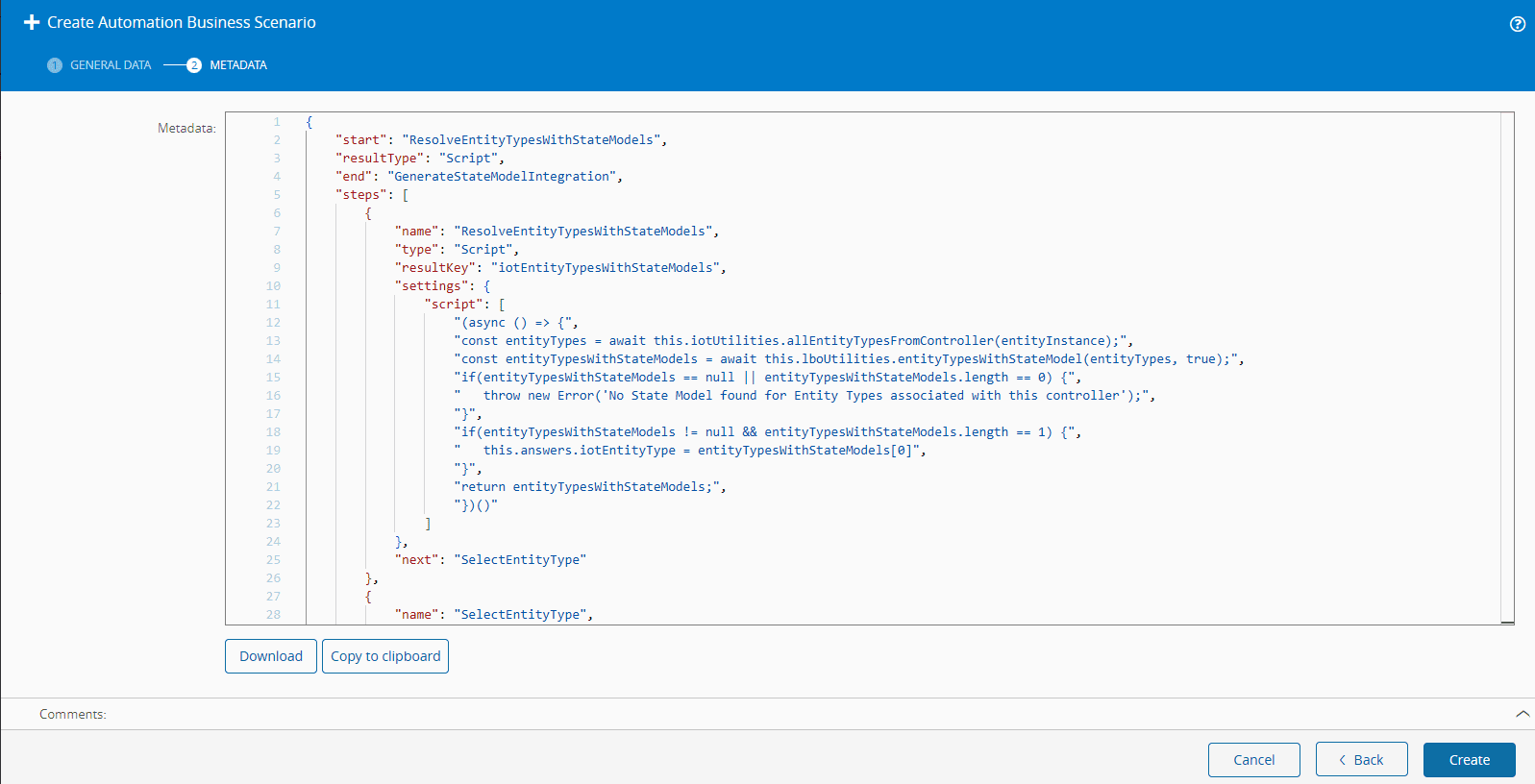
The metadata definition contained in the Automation Business Scenario will be displayed as a text box with JSON-formatted content. It will inform all steps and actions declared in the business scenario.
Info
A Visual Studio Code extension for language formatting and creating a visual rendering for Automation Business Scenarios is available at Automation Business Scenarios Renderer ⧉.
Select Create to complete the operation.