移动#

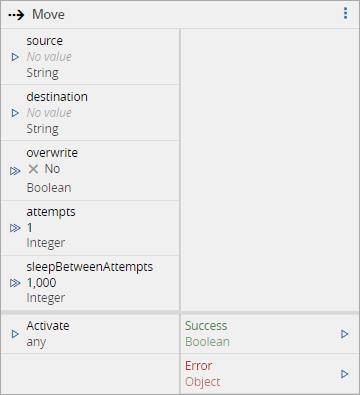
激活后,move任务会将给定的文件或目录(source)移动到不同的位置(destination)。source和destination可通过输入端口提供,也可在任务设置中提供。
输入#
| 名称 | 是否是触发器 | 描述 | |
|---|---|---|---|
| source | String | 否 | 源文件/目录 |
| destination | String | 否 | 目标文件/目录 |
| overwrite | Boolean | 否 | 覆盖现有文件或目录 |
| attempts | Integer | 否 | 执行此操作的尝试次数。默认值为1次尝试 |
| sleepBetweenAttempts | Integer | 否 | 两次尝试之间的时间间隔。默认值为1000毫秒 |
| 激活 | any | 是 | 激活任务 |
输出#
| 名称 | 数据类型 | 描述 |
|---|---|---|
| 成功 | Boolean | 任务成功执行时触发 |
| 错误 | Error | 任务因某种原因失败时触发 |
设置#
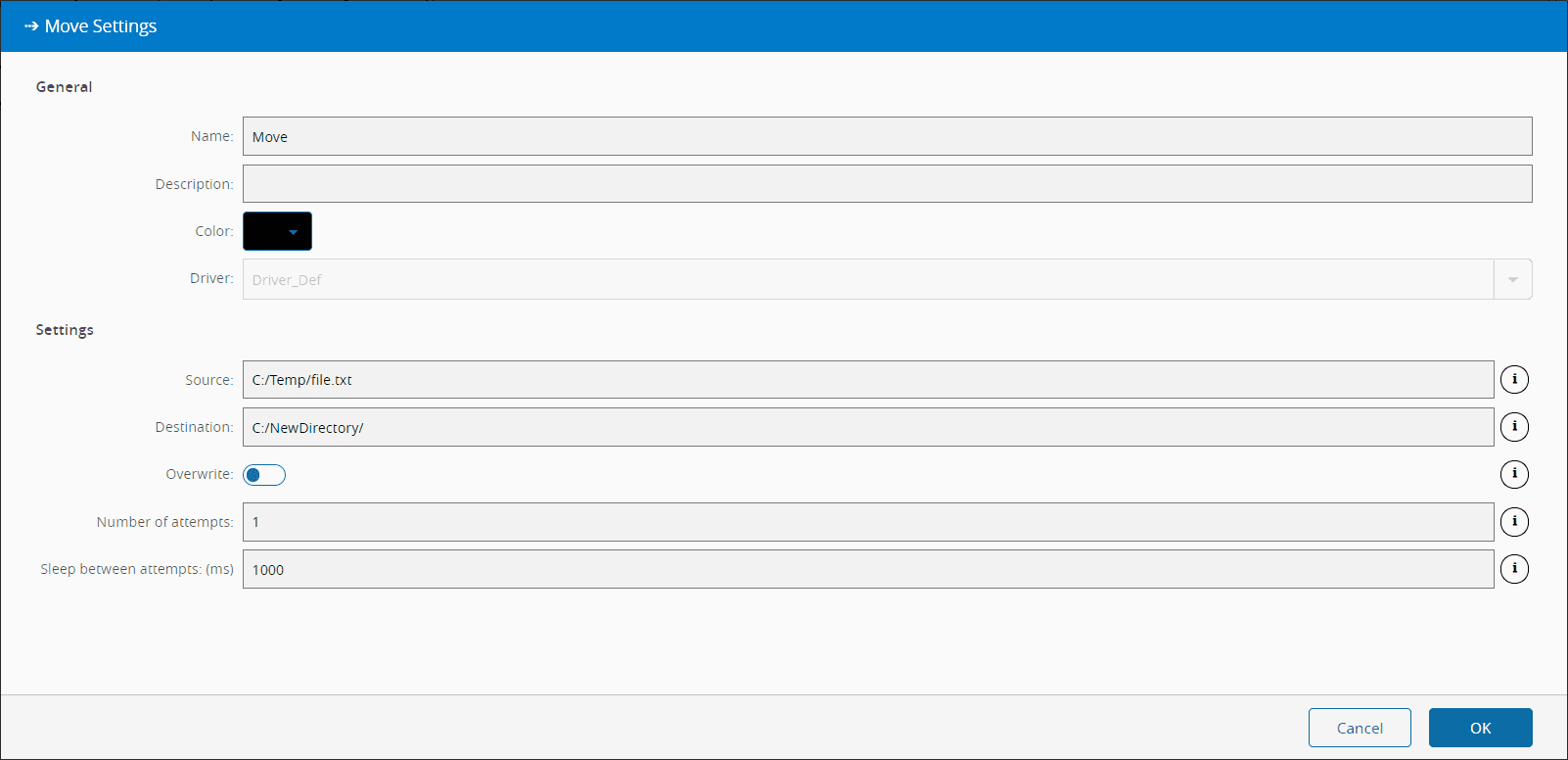
在General选项卡上,您有常用设置和以下设置:
| 名称 | 数据类型 | 值 | 默认 | 描述 |
|---|---|---|---|---|
| 源 | String | 源文件/目录 | ||
| 目标 | String | 目标文件/目录 | ||
| 覆盖 | Boolean | False | 覆盖现有文件或目录 | |
| 尝试次数 | Integer | 1 | 执行此操作的尝试次数。 | |
| 两次尝试之间的休眠 | Integer | 1000 | 两次尝试之间的时间间隔。 |
对于Source和Destination设置,可使用以下所示的令牌:
Available tokens:
  ${path} - Watched path
  ${archive} - Archive path
  ${temp} - Temporary directory of the user
  ${id} - DriverId ("\" chars replaced with "_")

Examples:
  ${path}\subdir\file.txt
  ${temp}\files\${id}\file.txt
  c:\destination\file.txt
  c:\source\file.txt
行为#
在此任务中,您可以在将驱动程序放入工作流时选择驱动程序(如果您有多个与控制器关联的驱动程序)。
激活后,将向驱动程序发送一条Move命令,之后驱动程序将尝试将source位置(文件或目录)移动到destination位置。如果失败,则将重试attempts次,每次等待sleepBetweenAttempts毫秒。
成功执行操作后,Success和result输出都会发出其各自的值。如果任务由于某种原因无法执行操作,则会发出Error。
备注#
没有做特别的备注。