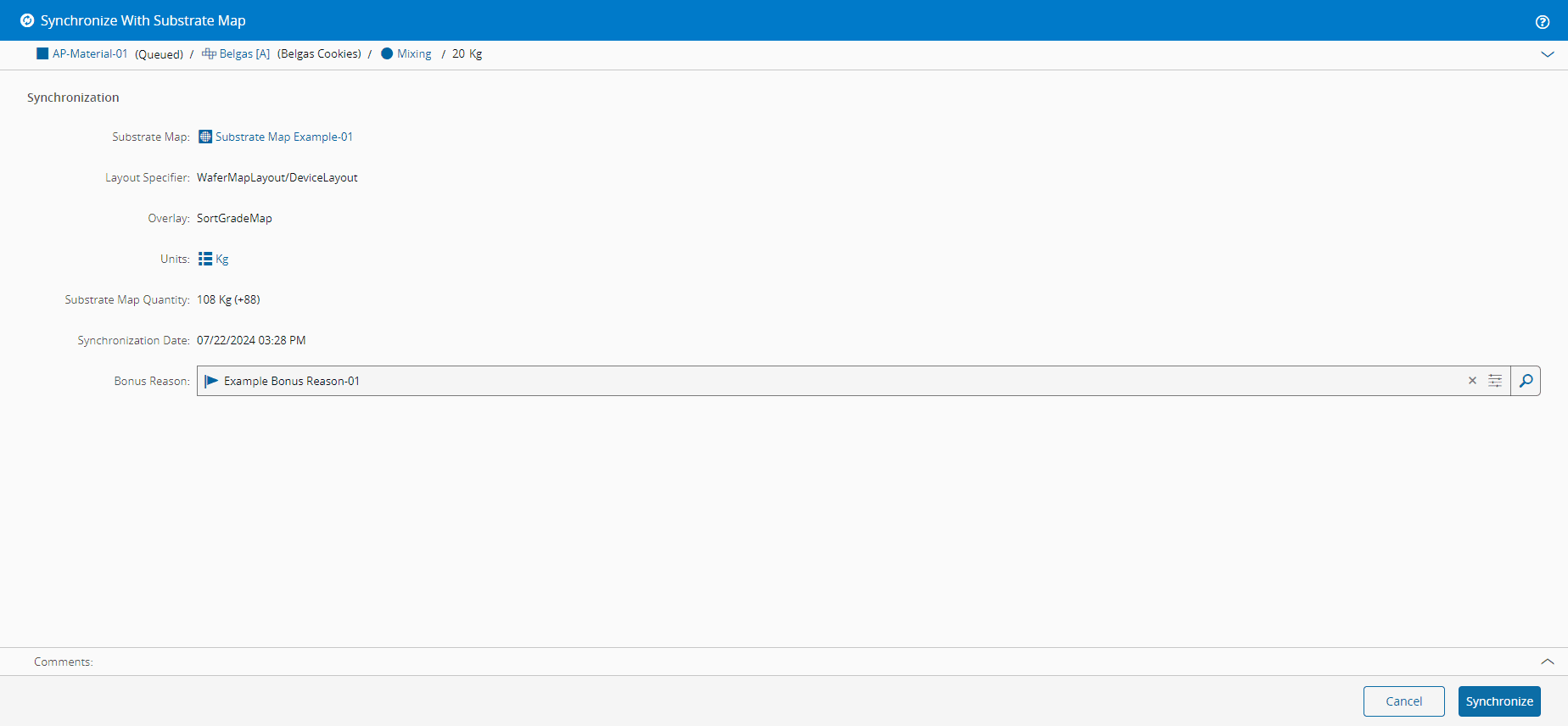
将材质与SubstrateMap同步#
 Material.SynchronizeWithSubstrateMap
Overview#
This operation is used to synchronize a Material with its Substrate Map.
Setup#
No special setup is required other than to meet the preconditions of the transaction.
Preconditions#
- The Material must be Active and Non-Template.
- The Material has a Substrate Map.
-
The Material was synchronized at the time that the Substrate Map was set for the Material so the following properties must be set:
- Substrate Map Units
- Substrate Map Layout Specifier
- Substrate Map Last Synchronization Date
Sequence of Steps#
The Synchronize With Substrate Map wizard is called from the Details page of the selected Material. Depending on the current system status, the Synchronize With Substrate Map button may be visible on the top ribbon or under the More actions button.
Step 1: General Data
- Select the Material you need.
- Under Mapping, select Synchronize With Substrate Map to open the wizard.
- Verify the information to synchronize.
- Optionally, specify a Loss/Bonus Reason to account for negative/positive delta(s).
- Optionally, enter a comment.
- Select Synchronize to complete the operation.