Change Production Order Characteristics#
 ProductionOrder.ChangeCharacteristics ProductionOrder.SpecialChangeCharacteristics
Overview#
This operation is used to change the Production Order Characteristics.
Setup#
No special setup is required other than to meet the preconditions of the transaction.
Preconditions#
- The Production Order exists and it is Active.
- To Change Production Order Characteristics, the System State of the Production Order must be Created.
- To Special Change Production Order Characteristics, the System State of the Production Order is not Closed.
- The Production Order has Characteristics or the associated Product has Characteristics.
Sequence of Steps#
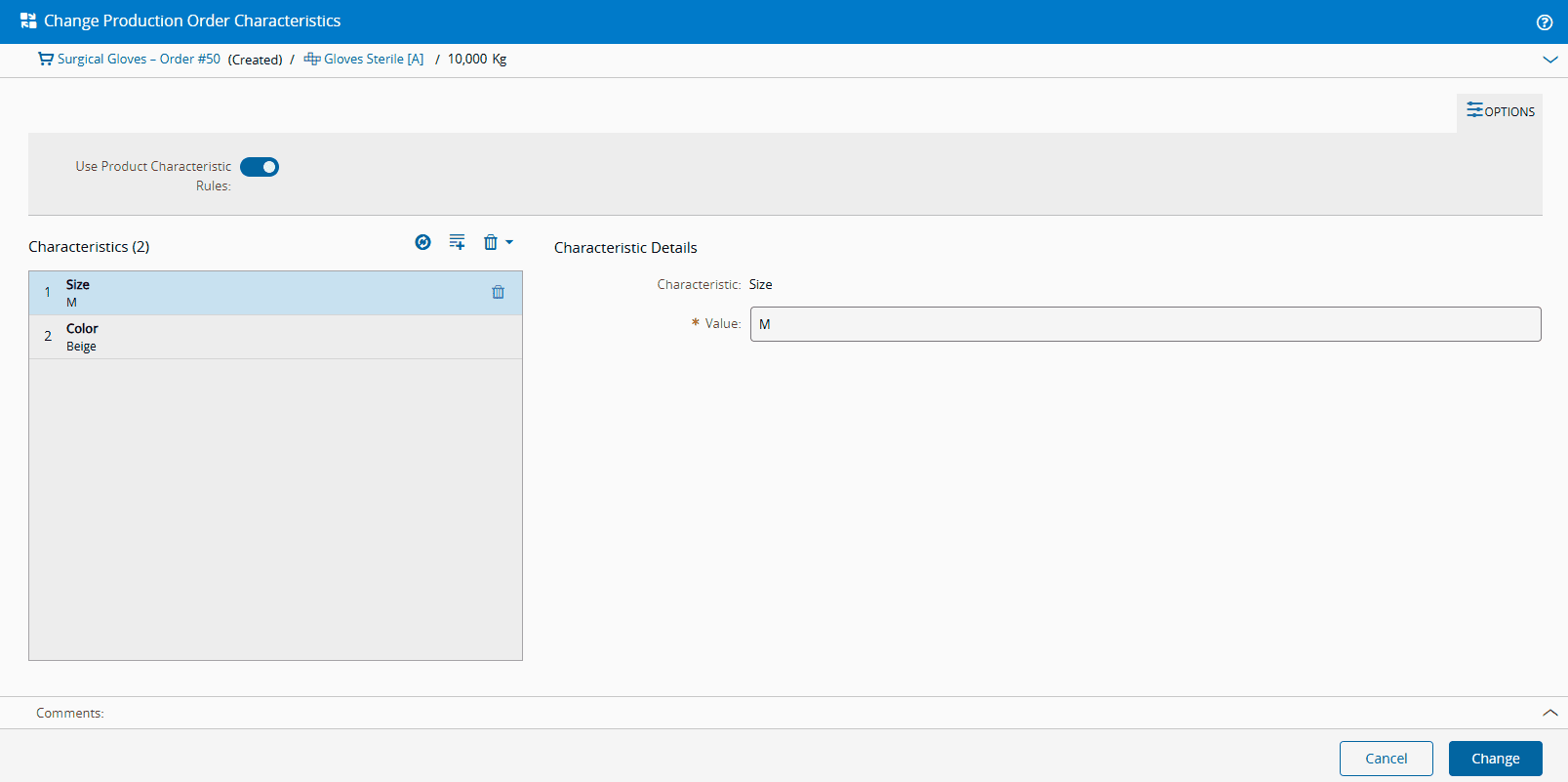
The Change Production Order Characteristics wizard can be called from the Production Order page within the Business Data Group by selecting the Characteristics section.
Step 1
- In the Characteristics section, where the current Production Order Characteristics are displayed, select Change.
- Synchronize, Add Missing, Remove one or Remove All Characteristics.
-
Optionally, modify the Value of existing Production Order Characteristics that match the Product Characteristic.
Note
When modifying the Value, it must be valid, and it must match one of the values of the defined Product Characteristic Source Lookup Table.
-
Optionally, set a Value for the Product Characteristic that did not exist for the Production Order yet by selecting a Value from the respective Product Characteristic Source Lookup Table.
- Confirm that all the mandatory fields are filled.
-
Select Change to complete the operation.
Info
If there are active Materials currently assigned to the Production Order, changes may affect the processing of Materials associated with the Production Order.