Gate Keeper Line Configuration Changed#

The Gate Keeper Line Configuration Changed task will receive the information from the Gate Keeper regarding a line configuration change.
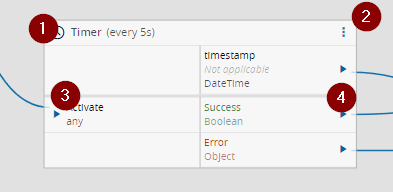
Inputs#
| Name | Data Type | Description |
|---|---|---|
| Activate | Any | Activate the task |
Outputs#
| Name | Data Type | Description |
|---|---|---|
| timestamp | DateTime | Timestamp of when the event was received |
| line | String | Information regarding in which Line the event occurred. Example: 'OIB Training\Line 1' |
| active | Boolean | The state of the line |
| timeOfChange | DateTime | The time at which this new configuration was activated |
| changeTypeCode | Integer | Numeric code of the change |
| ChangeType | String | Text representation of the change. Example: 'LineRemoved' |
| operationModeCode | Integer | The operation mode of the line. Example: 1 |
| operationMode | String | Text representation of the operation mode of the line. Example: 'Interlocking' |
| Success | Boolean | Triggered when the task is executed with success |
| Error | Error | Triggered when the task failed for some reason |
Settings#
On the General tab, you have the usual settings and the following settings:
| Name | Data Type | Values | Default | Description |
|---|---|---|---|---|
| Auto Activate | Boolean | true | On initializing the task, subscribes it to the Gate Keeper Messages. If false, only subscribes on Activate. |

Behavior#
In this task you choose a driver when dropping it into the workflow (if you have more than one driver associated with the controller).
This task listen to a BoardGateKeeper.Event.LineConfigurationChanged, this is explained in the driver OIB documentation in the automation protocols. When a message from this type is received, the task will emit the outputs.
This task will be activated whenever the configuration of a configured line in the Board Gate Keeper has changed. The message is sent when the changes are activated, e.g. when the user clicks on "Apply" on the Board Gate Keeper GUI.
Remarks#
This task uses a specific structure of context-based data called zone. More information on this topic can be read in the Zones page.