Open Data Collection Instance#
 DataCollectionInstance.Open
Overview#
This operation is used to create and open a long-running Data Collection Instance. Data can be posted multiple times until the Data Collection Instance is closed.
Setup#
No special setup is required other than to meet the preconditions of the transaction.
Preconditions#
- The Data Collection Version is Effective.
- The Data Collection cannot have type Inspection.
Sequence of Steps#
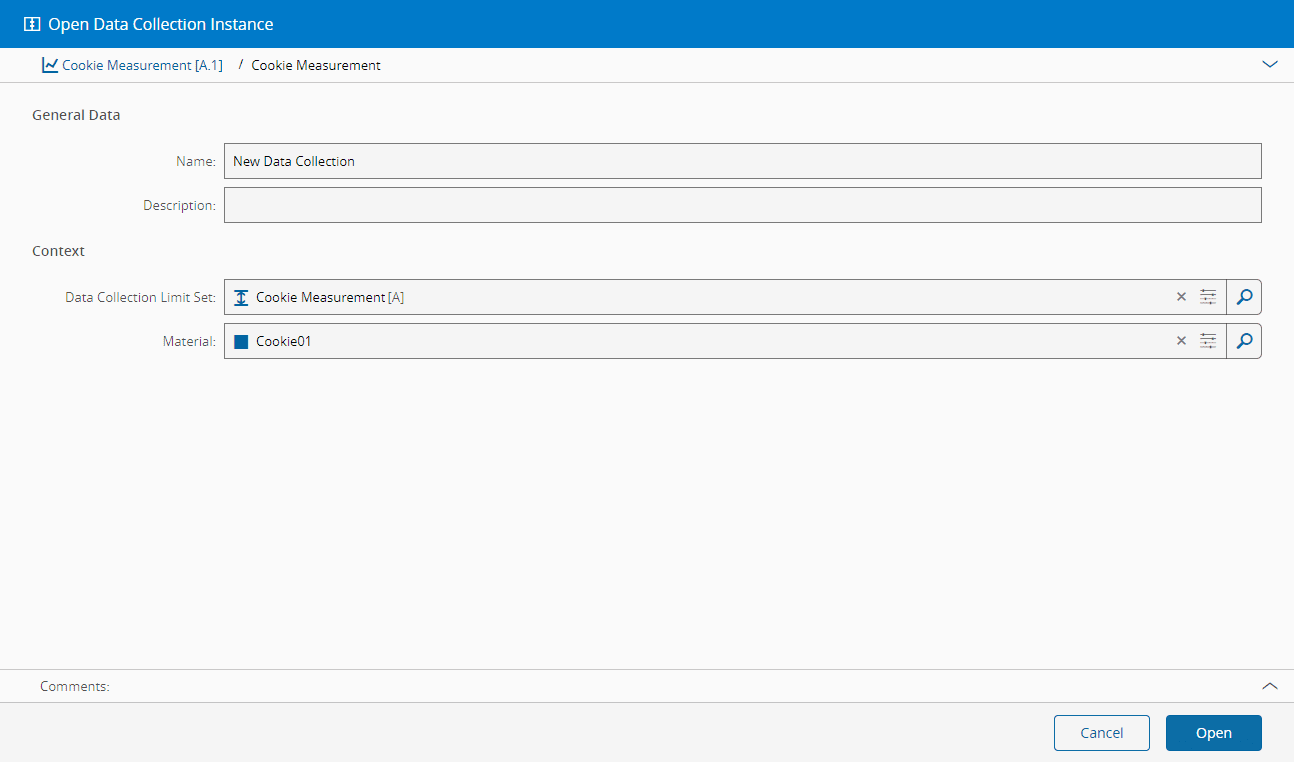
Use the following steps to open a Data Collection Instance.
Step 1: Open the data collection instance wizard#
- Open a Data Collection.
- In the Data Collection page, select Open in top ribbon.
Step 2: Fill general data#
- Optionally, enter the name of the Data Collection Instance - otherwise, an automatic name will be provided by a name generator.
- Optionally, enter the description of the Data Collection Instance.
Step 3: Define the Context#
- Optionally, select a Data Collection Limit Set.
-
Optionally, select a Material to be associated with the Data Collection.
Warning
Some Data Collections can require a mandatory Material/Sub-Materials of a certain Form, defined in the Data Collection Parameter's settings for Sample Type, Source and Percentage. A Material will also be mandatory if the Limit Set contains a Relative parameter limit, as the value is relative to the primary quantity of the Materials.
-
Optionally, enter a comment.
-
Select Open.
Info
The Data Collection parameters may have validation ranges that have to be followed in order for the values to be accepted.
Info
A Data Collection may be configured to send data to SPC, in which case one or more SPC Charts will appear.