---
pdfexport: true
module: Medical Devices
timetoread: True
tutorial: deepdive
alias: tutorials-linked-lines
glightbox: True
search:
boost: 2
tags:
- medical
---
# Linked Lines
## Overview
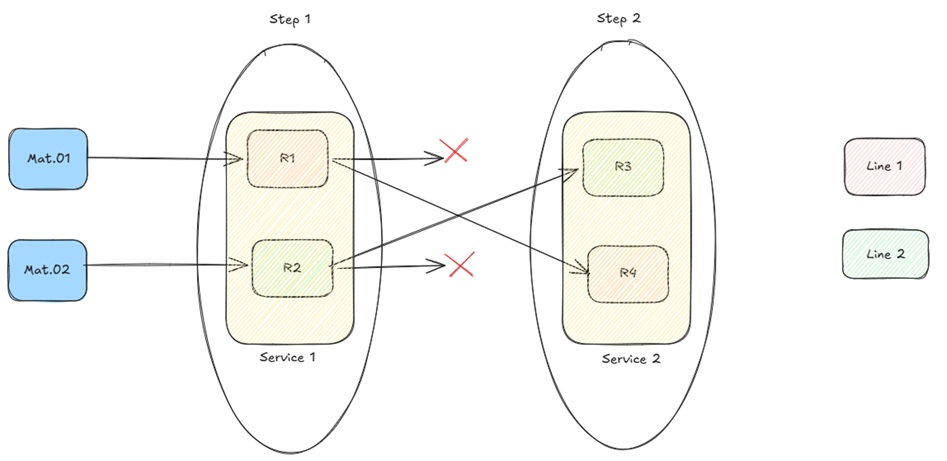
The Linked Lines feature provides a logical way to associate Resources that belong to the same production line, and to prevent Materials from being dispatched to Resources on a different line once processing has begun.
Without this feature, when multiple lines share the same service at a given Step, the system allows dispatch to any eligible Resource regardless of which line the Material started on. The Linked Lines feature enforces line continuity by:
- Storing the line the Material was last processed on.
- Validating the target Resource line at Dispatch & Track-In.
- Filtering the Resource selection list to show only Resources that belong to the Material's current line.
- Handling line assignment when Materials enter or return from Rework and Off-Flow.
- Allowing operators with the appropriate permission to manually change a Material's current line.
---
## Topics
- [Concept](#concept)
- [Line Assignment](#line-assignment)
- [Dispatch Validation](#dispatch-validation)
- [Track-Out Behavior](#track-out-behavior)
- [Rework and Off-Flow Handling](#rework-and-off-Flow-handling)
- [GUI Resource Filtering](#gui-Resource-filtering)
- [Change Material Line](#change-Material-line)
- [Scenario](#scenario)
- [Configuration](#configuration)
- [Lookup Tables](#lookup-tables)
- [Executing Linked Lines](#executing-linked-lines)
---
## Concept
The feature introduces a line-tracking concept based on the following attributes:
- **MedDevResourceLine** – defined on a **Resource**, identifies which line the Resource belongs to.
- **MedDevCurrentLine** – defined on the **Material**, stores the line the Material was last processed on.
- **MedDevOriginalLine** – defined on the **Material**, temporarily stores the current line when the Material enters a Rework or Off-Flow, and is cleared when the Material returns.
- **MedDevReturnToOriginalLineOnReworkExit** – defined on a **Flow**, it will determine if the value of the Material's **MedDevCurrentLine** attribute is saved in its **MedDevOriginalLine** once it enters the Flow in the context of a Rework or Off-Flow action.
- **MedDevClearCurrentLineOnReworkEnter** – defined on a **Flow**, it will determine if the Material's **MedDevCurrentLine** attribute is cleared once it enters the Flow in the context of a Rework or Off-Flow action.
### Line Assignment
A Material's line is established at Track-Out. When the Material completes processing at a Resource:
- If the Resource has a `MedDevResourceLine` value, it is stored in the Material's `MedDevCurrentLine` attribute.
- If the Resource has no `MedDevResourceLine` value, the Material's `MedDevCurrentLine` attribute is cleared.
Materials created via Partial Track-Out inherit the same line assignment logic, ensuring split Materials follow the same line as their source Resource.
### Dispatch Validation
When a Dispatch or Dispatch & Track-In operation is performed, the system validates the Material's current line against the target Resource's line:
| Material MedDevCurrentLine | Resource MedDevResourceLine | Result |
| -------------------------- | --------------------------- | ---------------- |
| Empty | Any | No error |
| Any | Empty | No error |
| Line 1 | Line 1 | No error |
| Line 1 | Line 2 | Validation error |
### Track-Out Behavior
At Track-Out :
- If `MedDevResourceLine` is not empty, then `MedDevCurrentLine` is updated to that value.
- If `MedDevResourceLine` is empty and `MedDevCurrentLine` is not empty, then `MedDevCurrentLine` is cleared.
- Materials created via Partial Track-Out follow the same rules and have their `MedDevCurrentLine` set accordingly.
### Rework and Off-Flow Handling
When a Material is sent to a Rework or Off-Flow, the behavior is controlled by the two Flow-level attributes:
| Flow Attribute | Effect when `true` |
| ---------------------------------------- | ------------------------------------------------------------------------ |
| `MedDevClearCurrentLineOnReworkEnter` | Clears `MedDevCurrentLine` on entry |
| `MedDevReturnToOriginalLineOnReworkExit` | Stores `MedDevCurrentLine` into `MedDevOriginalLine` before any clearing |
When the Material returns from Rework or Off-Flow:
- If `MedDevOriginalLine` is not empty, then `MedDevCurrentLine` is restored from `MedDevOriginalLine`, and `MedDevOriginalLine` is cleared.
- If `MedDevOriginalLine` is empty, then `MedDevCurrentLine` is cleared.
### GUI Resource Filtering
When the user opens the Dispatch or Dispatch & Track-In Resource selection list:
- If the Material's `MedDevCurrentLine` is empty, no filtering takes place.
- If the Material's `MedDevCurrentLine` is not empty, only Resources with a matching `MedDevResourceLine` value and/or no `MedDevResourceLine` value at all are shown.
This filtering is implemented via the `MedDevDispatchLinkedLineResourceFilter` DEE.
### Change Material Line
Operators with the appropriate permission can manually update a Material's current line directly from the Material Details, Step View, or Resource View pages.
The **Change Line** button is visible only to users who have been granted the `MedDev.ChangeLine` feature permission. When clicked, a single-Step wizard is displayed that shows the Material's current line and allows the operator to select a new line from a drop-down list populated from the `MedDevProcessLines` Lookup table.
!!! note
Confirming the wizard without selecting a new line is not permitted. A validation message is displayed and the operation is blocked until a valid selection is made.
---
## Assumptions
To use the Linked Lines feature, the process should follow these assumptions:
- Resources that belong to the same line are assigned the same `MedDevResourceLine` value.
- Resources that are shared across lines, or not part of any line, should have `MedDevResourceLine` left empty.
- A Material with an empty `MedDevCurrentLine` is not subject to any line restriction at dispatch.
---
## Scenario
### Configuration
To assess how this feature is addressed, consider a simplified two-line assembly model:
Basic entities like **Step**, **Resource**, **Flow**, **Product**, and **Material** can be configured as detailed below:
- Steps:
- Step1
- Step2
- Step3
- Step4
- Resource:
- Resource001
- Resource002
- Resource003
- Flow – Flow 1
- Product – Product 1
- Material – Material001
Two parallel lines are defined:
- **Line 1** – Resources: `Resource001`
- **Line 2** – Resources: `Resource002`
### Lookup Tables
1. Create a **Lookup Table** `MedDevProcessLines` and add the line entries:
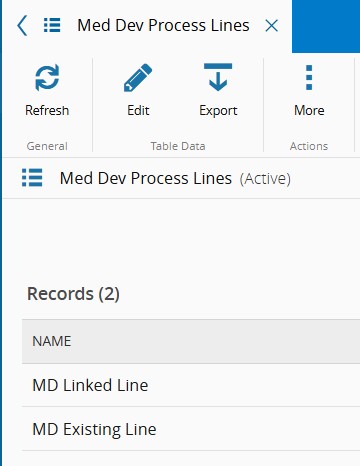
2. Assign the **Resource Attribute** `MedDevResourceLine` to each Resource using values from the Lookup table:

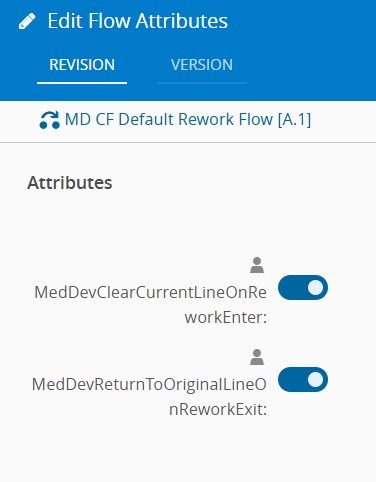
3. Assign the **Flow Attributes** to the Rework/Off-Flow Flows as required:
- `MedDevClearCurrentLineOnReworkEnter`
- `MedDevReturnToOriginalLineOnReworkExit`
---
## Executing Linked Lines
This section explores the Linked Lines operations. To test and execute this functionality, follow the use case outlined in a Step-by-Step scenario.
1. In **Step** `Step1`, perform a **Dispatch & Track-In** of **Material** `Material001` to **Resource** `Resource001`
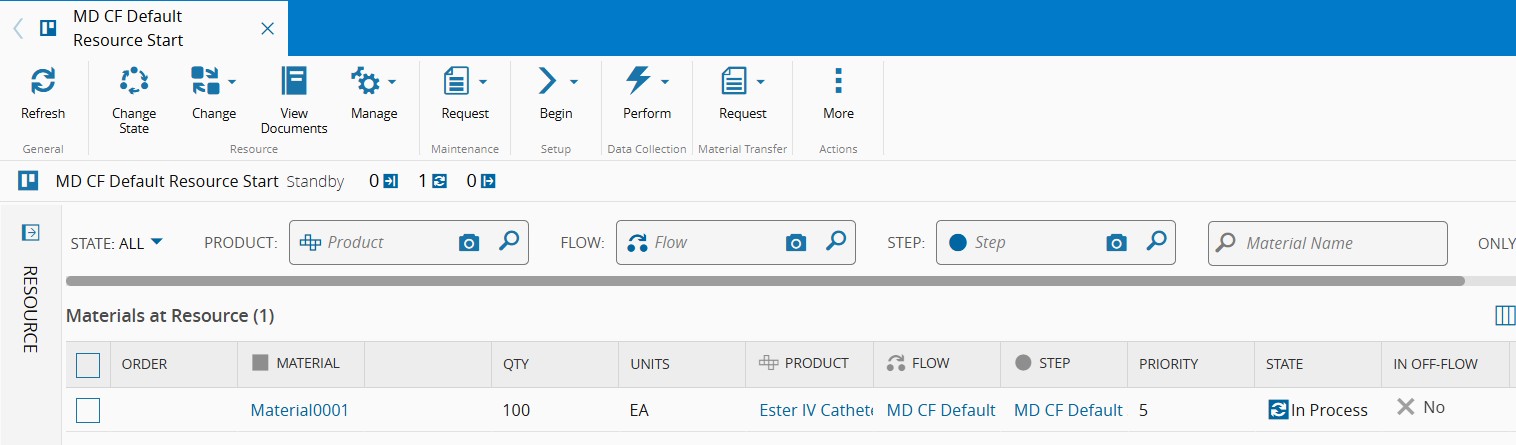
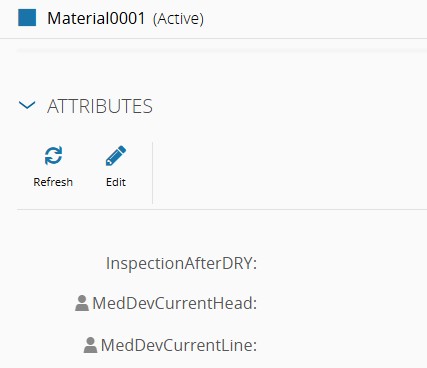
- No validation error is raised because the Material's `MedDevCurrentLine` attribute is empty at this point.
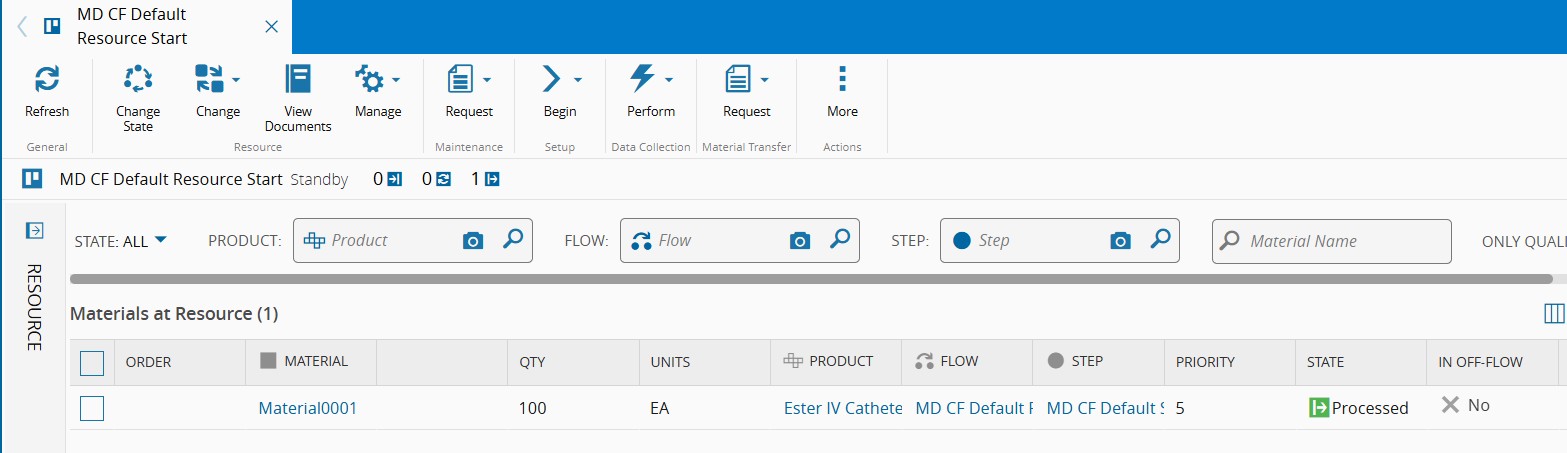
2. Perform a **Track-Out** of **Material** `Material001` from **Resource** `Resource001`
- **Material** `Material001` is updated with:
- `MedDevCurrentLine` = `Line 1`
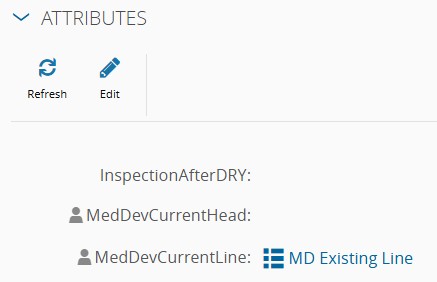
3. Move the Material to the next **Step** `Step2`, try perform **Dispatch & Track-In** of **Material** `Material001` to **Resource** `Resource002` (Line 2)
- If all eligible Resources are assigned to lines different than the Material's from their `MedDevResourceLine` attribute value, an error message is displayed

- Otherwise, the action will be able to proceed.
4. Perform a **Dispatch & Track-In** of **Material** `Material001` to the correct Resource **`Resource002`** (Line 1)
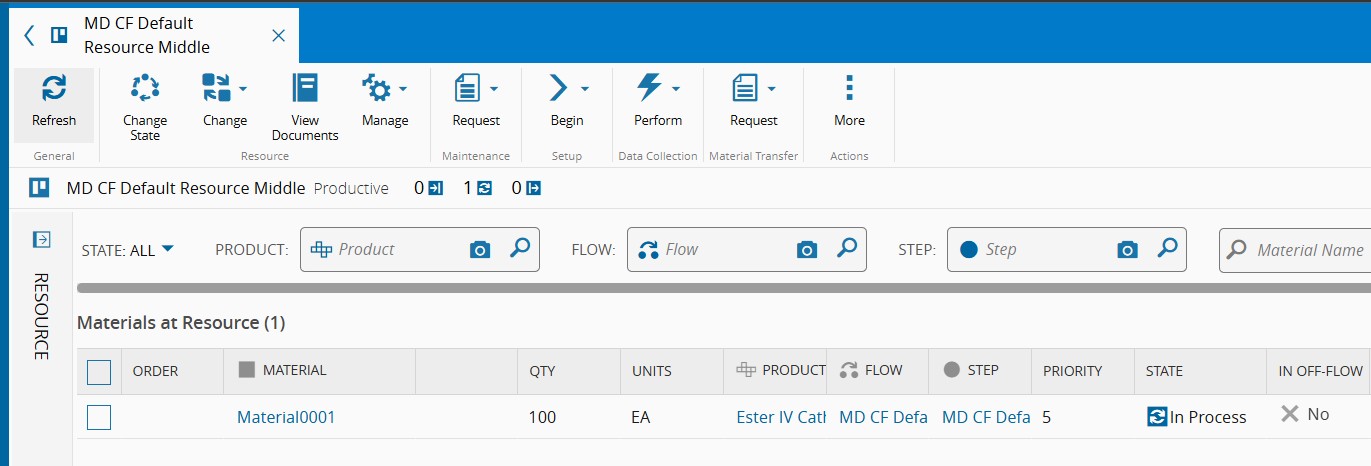
- No validation error is raised because both line values match.
- **Material** `Material001` remains with:
- `MedDevCurrentLine` = `Line 1`
5. Track-out **Material** `Material001` from **Step** `Step2` and continue to **Step** `Step3`
- At Track-Out, `MedDevCurrentLine` remains `Line 1`.
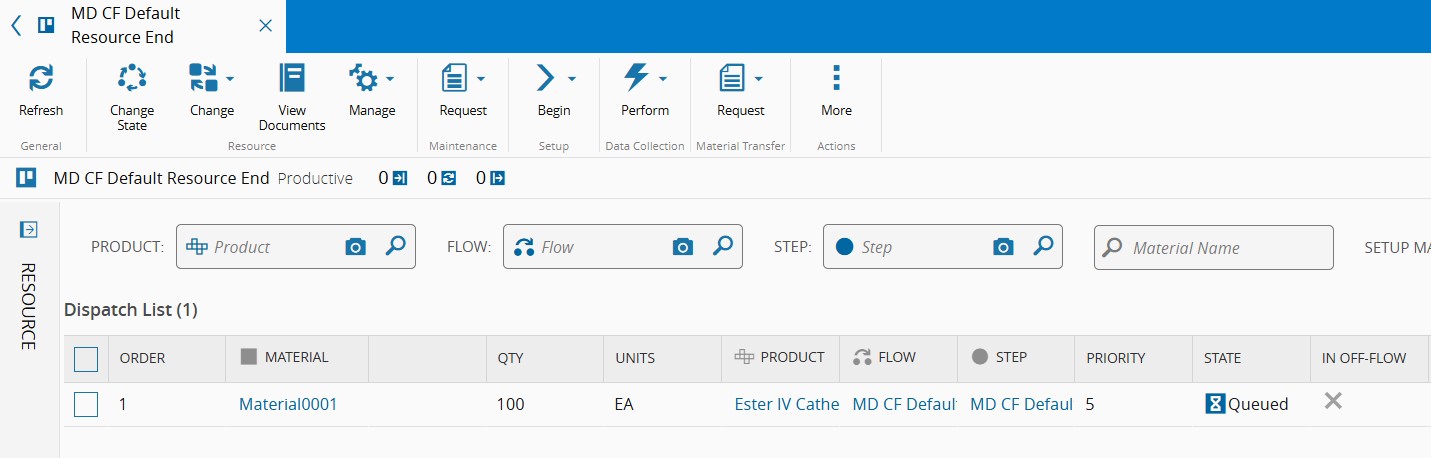
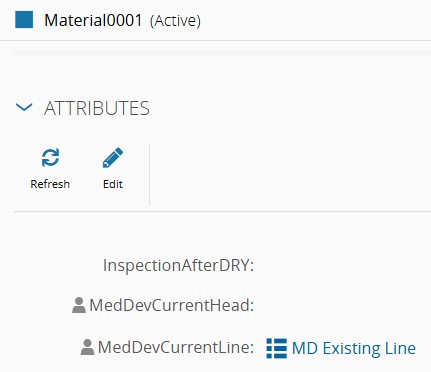
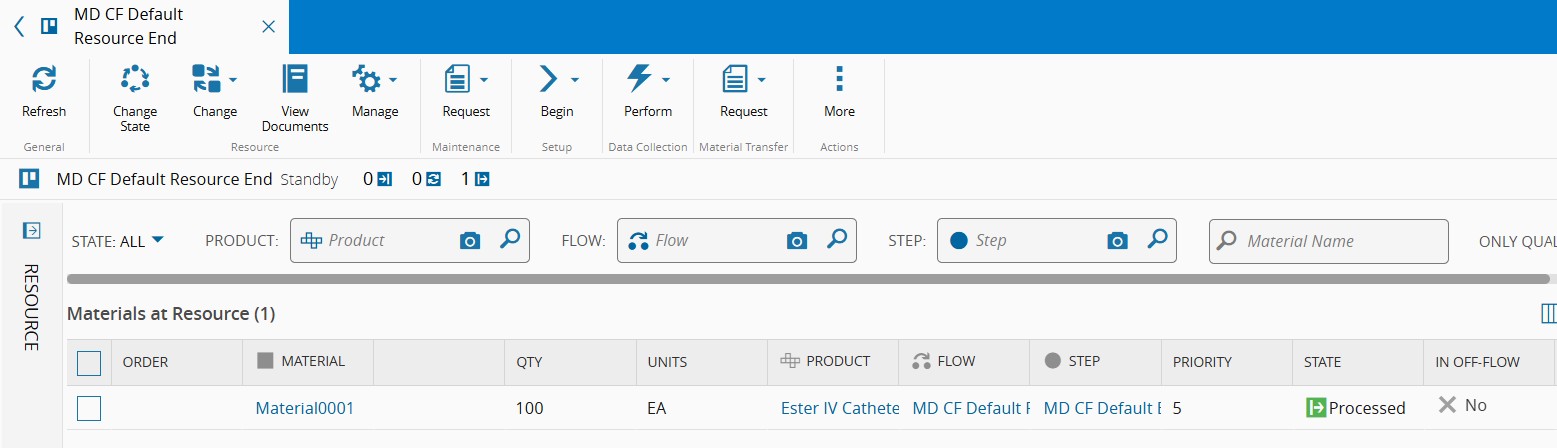
6. In **Step** `Step3`, process the Material into **Resource** `Resource003` until track-out **Material** `Material001`
- **Resource** `Resource003` has no `MedDevResourceLine` assigned.
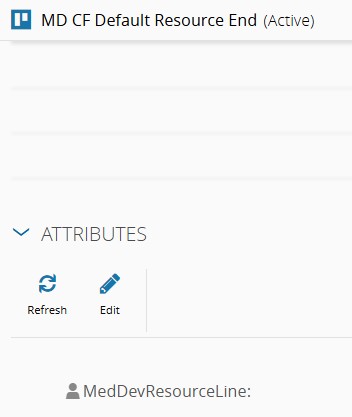
- At Track-Out, because the Resource line is empty, `MedDevCurrentLine` is cleared.
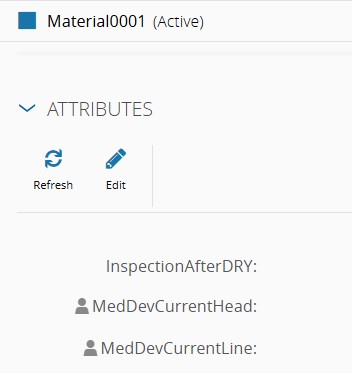
7. Manually update the line for **Material** `Material001` using the **Change Line** button
- From **Material Details**, click the **Change Line** button.
!!! note
The **Change Line** button is only visible to users who have been granted the `MedDev.ChangeLine` feature permission.
For more information on feature access, refer to [[meddev-feature-linkedlines]] Feature Security section in the User Guide.
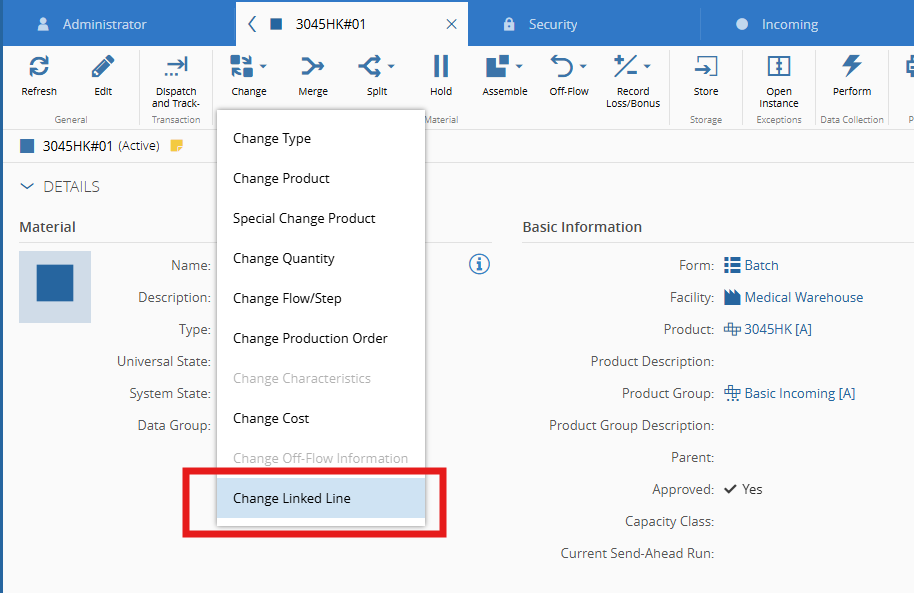
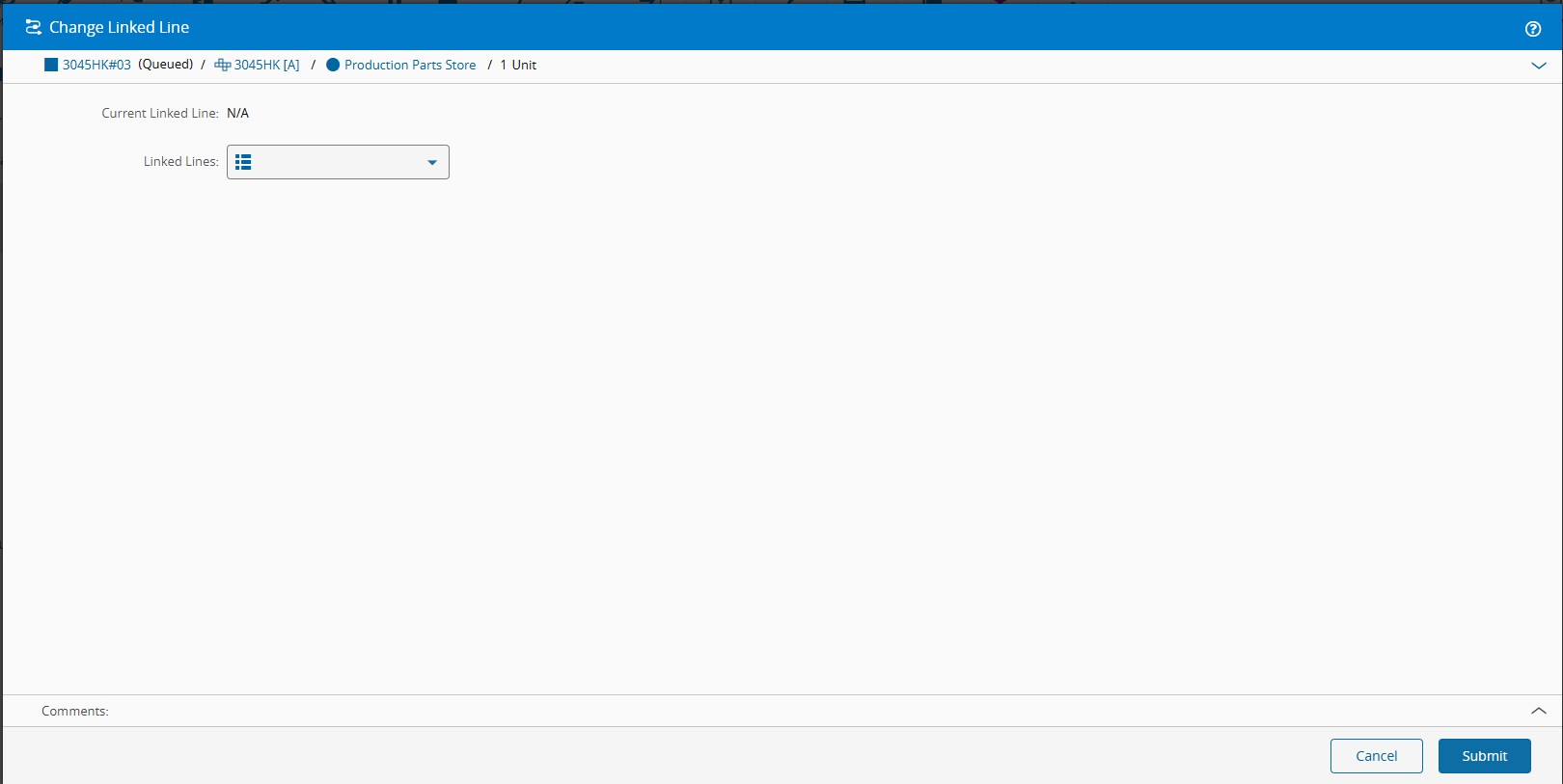
- The **Change Line** wizard opens, showing the Material's current line (displayed as empty since it was cleared in the previous Step).
- Select `Line 1` from the dropdown list and confirm.
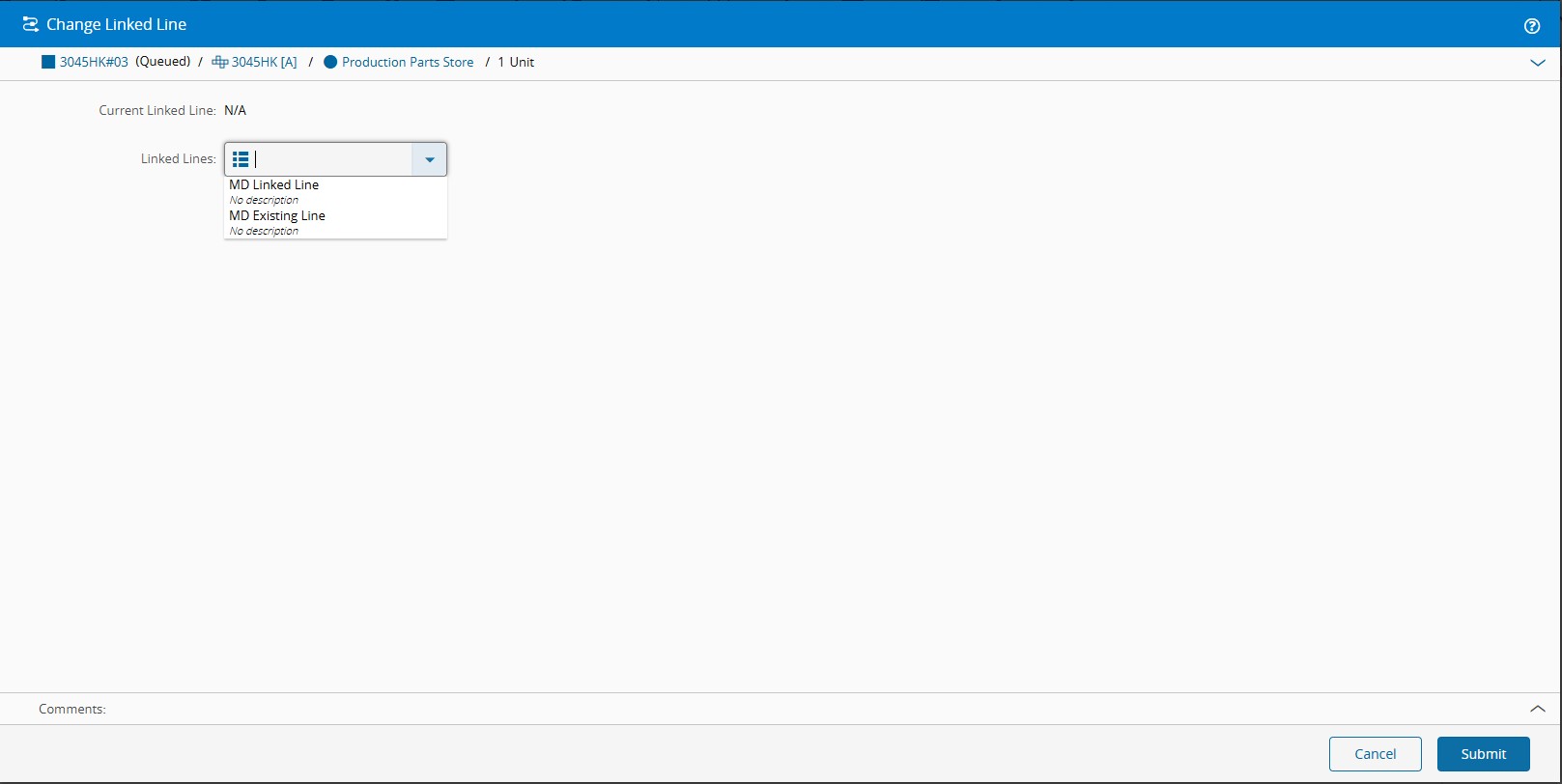
- **Material** `Material001` is updated with:
- `MedDevCurrentLine` = `Line 1`

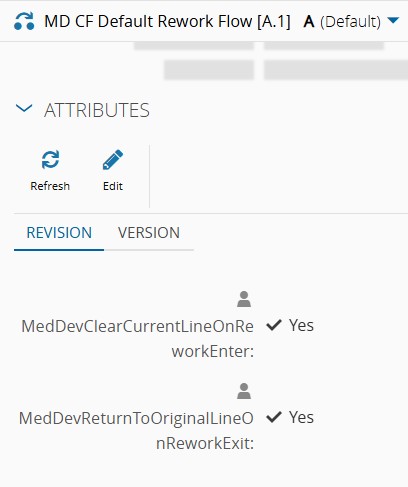
8. Send **Material** `Material001` to the **Rework** Flow `Rework`
The Rework Flow is configured with:
- `MedDevReturnToOriginalLineOnReworkExit` = `true`
- `MedDevClearCurrentLineOnReworkEnter` = `true`
!!! note
The store-original Step executes **before** the clear Step. `MedDevOriginalLine` captures the current line value prior to any clearing.
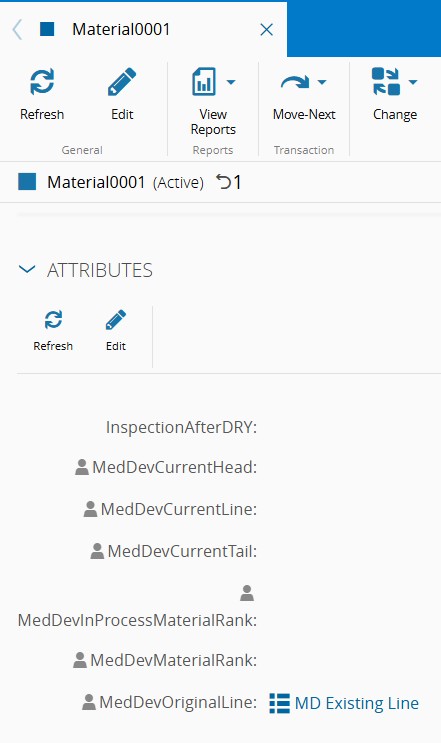
- **Material** `Material001` is updated with:
- `MedDevOriginalLine` = `Line 1`
- `MedDevCurrentLine` = Cleared
9. Complete the rework process and return **Material** `Material001` to the main Flow
- **Material** `Material001` is updated with:
- `MedDevCurrentLine` = `Line 1`
- `MedDevOriginalLine` = Cleared
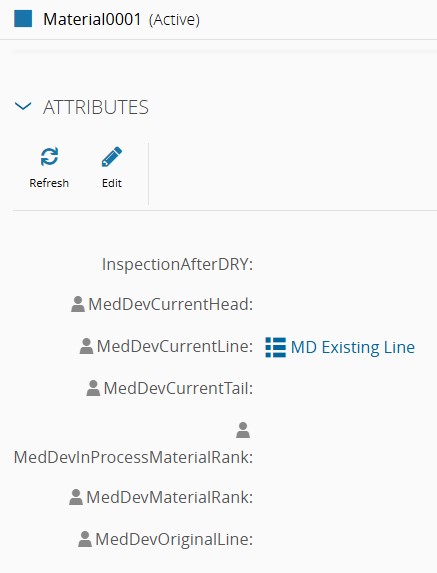
- The Material resumes with its original line enforced, and dispatch validation will apply again from this point.
!!! info
For more information on Linked Lines, see [[meddev-feature-linkedlines]] in the User Guide.