---
pdfexport: true
module: Electronics
timetoread: True
tutorial: deepdive
alias: tutorials-material-serialization
glightbox: True
---
# Material Serialization
## Overview
The **Material Serialization** feature provides a framework for assigning unique identification codes to PCB panels and boards at various stages of the manufacturing process. By utilizing specific **Smart Tables**, users can determine exactly when and how materials expand into smaller units during track-in or track-out operations.
The system supports multiple configurations, including **Special Mode**, which allows for two levels of serialization to occur simultaneously within a single production step.
This level of traceability ensures that every individual component is accurately tracked from the initial SMT line through to final assembly. The flexible setup also accommodates both internal name generation and external naming conventions to suit different factory requirements.
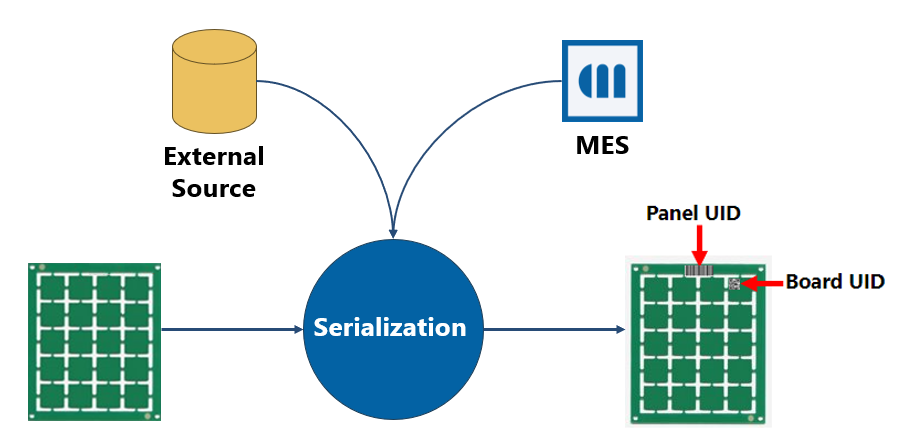
## Setting Up Material Serialization
The following configuration is needed:
- Enable the feature by enabling the `/SMT/MaterialSerialization/IsEnabled` config.
- Configure the [[electronics-template-userguide-artifacts-tables#smtmaterialexpandcontext|SMTMaterialExpandContext]] smart table.
- Configure the [[electronics-template-userguide-artifacts-tables#smtmaterialnamegenerationcontext|SMTMaterialNameGenerationContext]] smart table.
- Configure the [[electronics-template-userguide-artifacts-tables#smtmaterialprintabledocumentcontext|SMTMaterialPrintableDocumentContext]] smart table. (optional)
### Configuring [[electronics-template-userguide-artifacts-tables#smtmaterialexpandcontext|SMTMaterialExpandContext]] ST
Define:
- The production step where serialization occurs
- Parent, child, and sub-child material forms
- Expand Operation: Track-In or Track-Out
- Internal or external naming
- Expansion Factors
- Special Mode usage
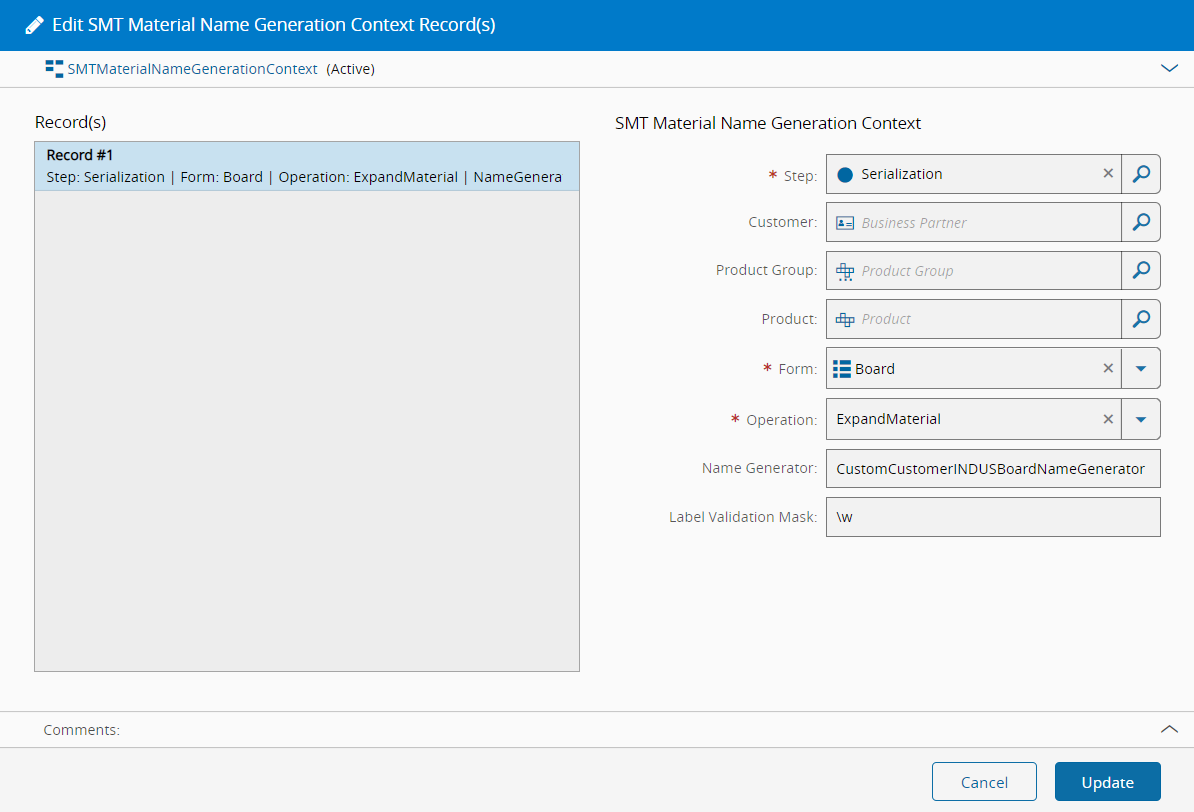
### Configuring [[electronics-template-userguide-artifacts-tables#smtmaterialnamegenerationcontext|SMTMaterialNameGenerationContext]] ST
Fields:
- Step
- Form
- Operation: ExpandMaterial
- Name Generator
- Optional Label Validation Mask
Board name generator configuration example:
### Configuring [[electronics-template-userguide-artifacts-tables#smtmaterialprintabledocumentcontext|SMTMaterialPrintableDocumentContext]] ST
Configure:
- Step
- Material Form
- Operation
- Label
- Synchronous Printing option
Board label configuration example:

## Serialization Without Special Mode
When ST [[electronics-template-userguide-artifacts-tables#smtmaterialexpandcontext|SMTMaterialExpandContext]] has **Is Special Mode = False**, expansion occurs across multiple steps.
Expansion happens in separate production steps
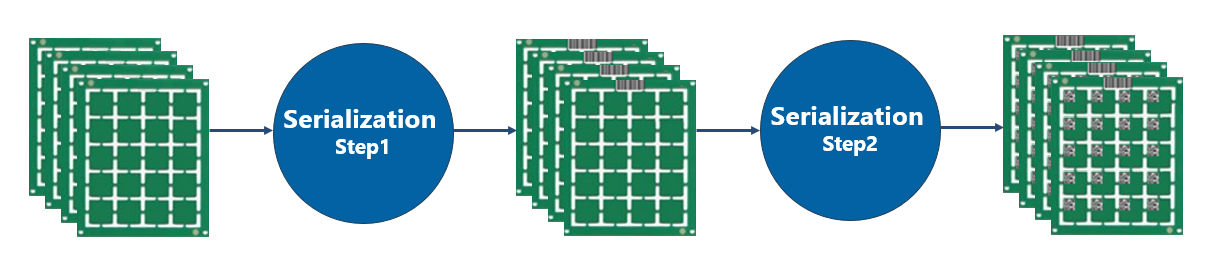
**Example:**
A Lot with a quantity of 8 is used as the parent material, where each Panel contains 4 Boards. Since the parent material's target quantity is defined in terms of the number of Boards needed, the configuration should be as follows:
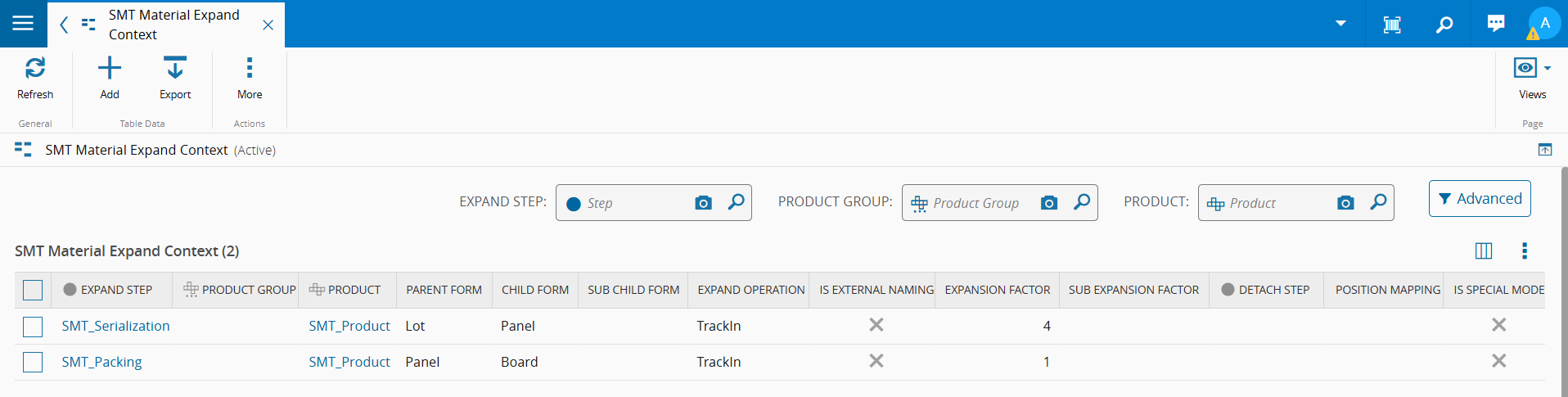
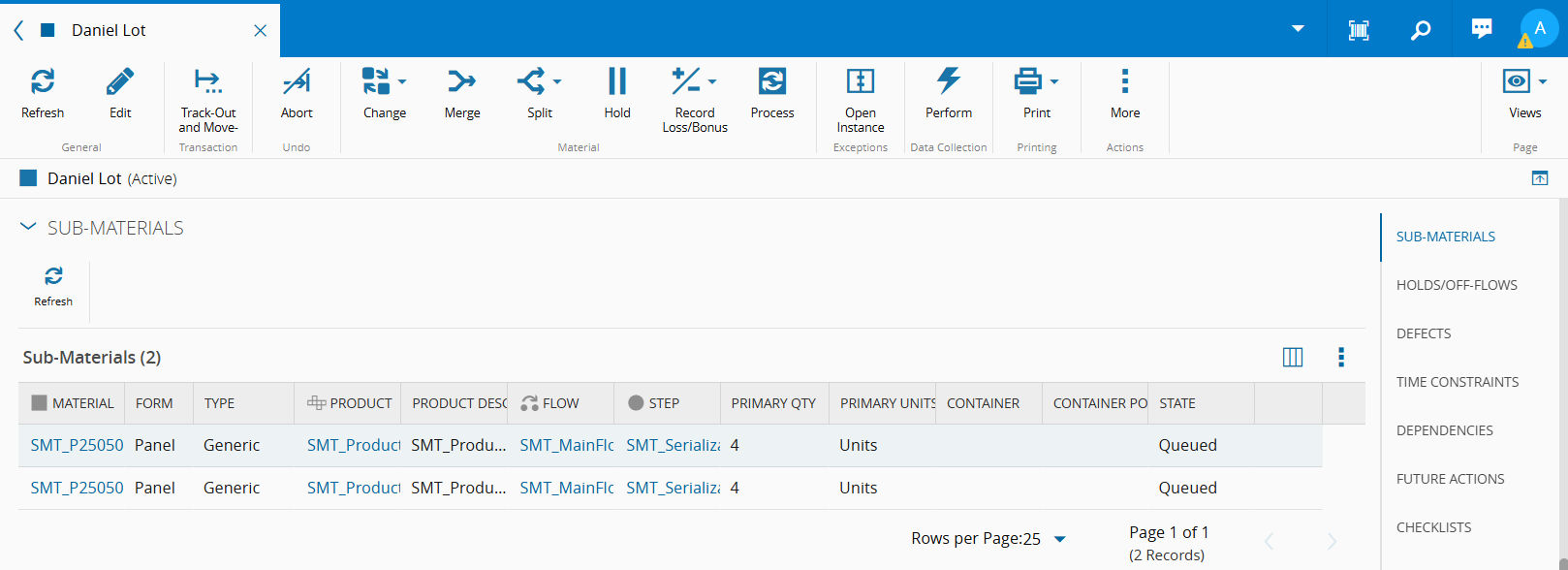
State of the lot material after tracking in the SMT_Serialization step:
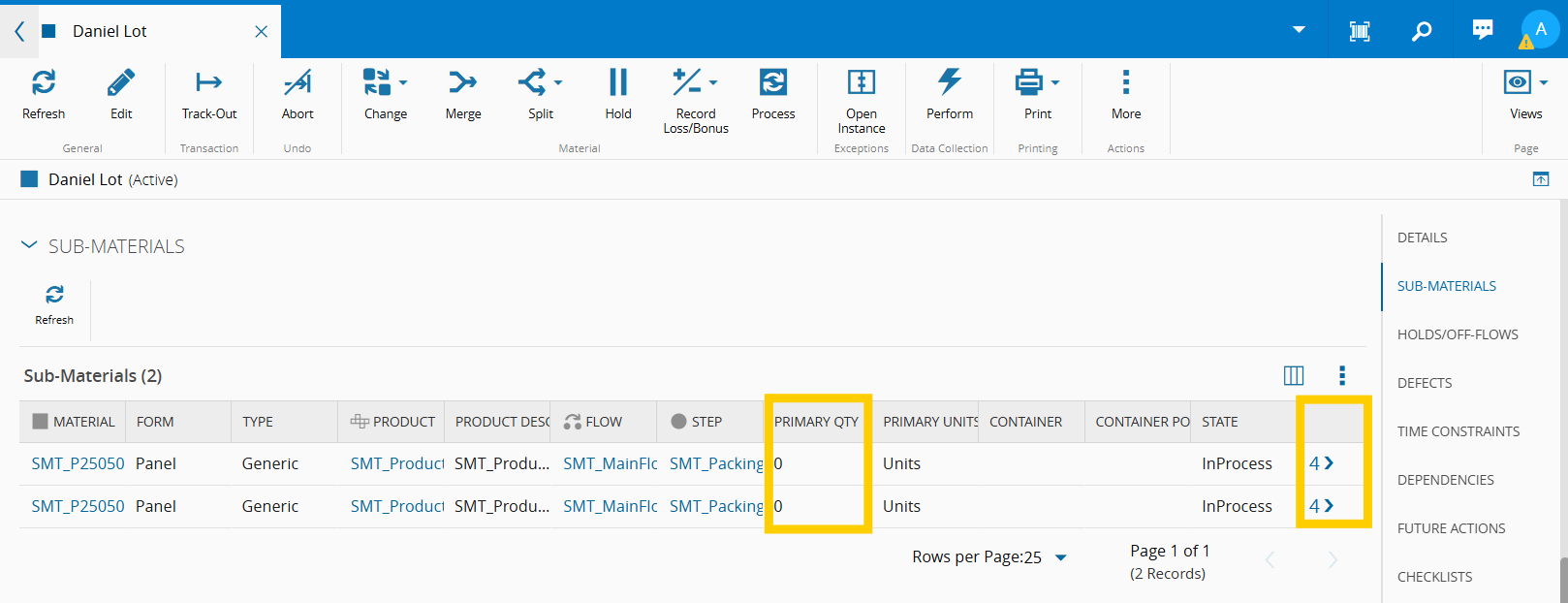
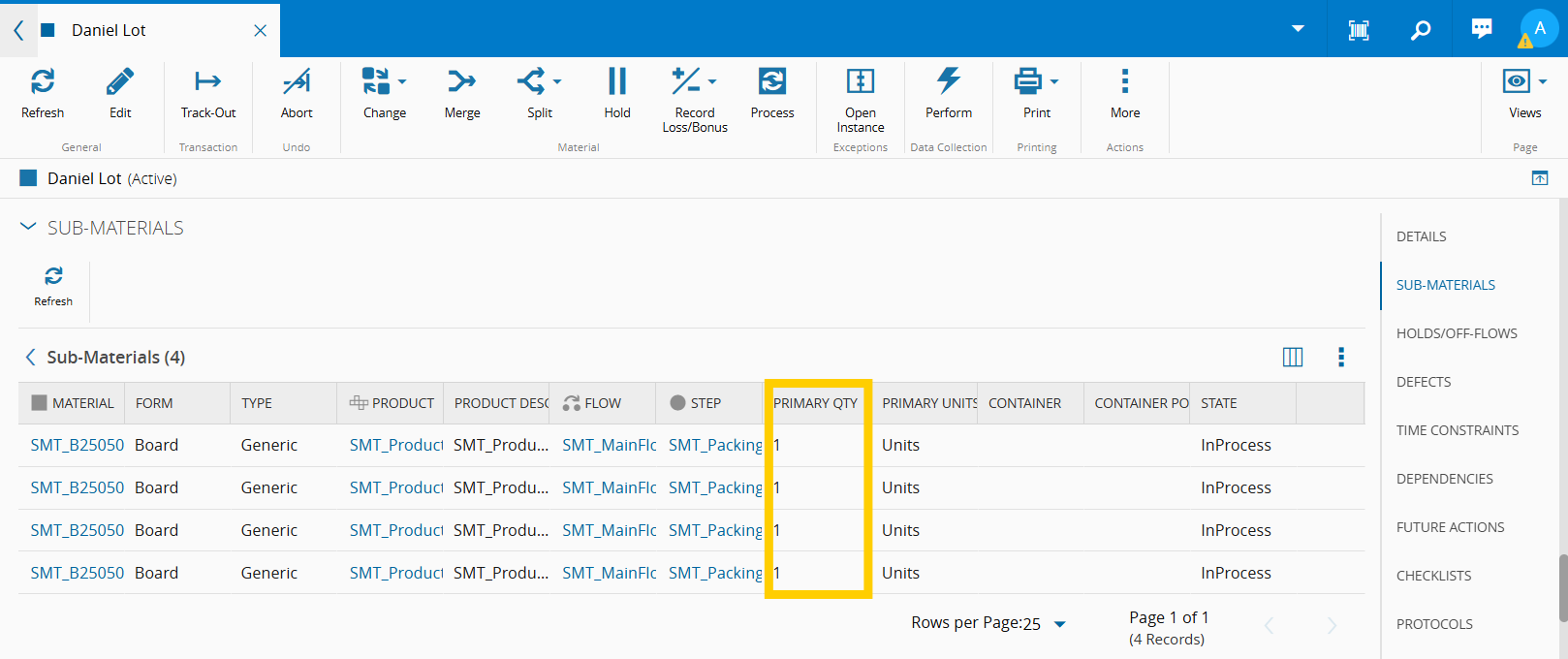
State of the lot material after tracking in the SMT_Packing step:
**Result:**
- 1 Lot → 1 Panels → Boards (4 boards per panel)
- 1 *Lot* material with a *Primary Quantity* of 0 with 1 *Sub-Materials*
- 1 *Panels* material with a *Primary Quantity* of 0 and each with 4 *Sub-Materials*
- 4 *Board* materials, each with a *Primary Quantity* of 1
## Serialization With Special Mode
When ST [[electronics-template-userguide-artifacts-tables#smtmaterialexpandcontext|SMTMaterialExpandContext]] has **Is Special Mode = True**, two levels of serialization occur within one step.
Each material whose form matches the value defined in `Parent Form` and enters the specified `Expand Step` produces Child and Sub Child materials during that same step.
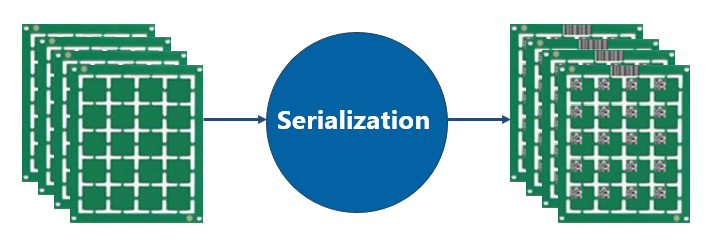
The quantities of the Child and Sub Child materials, as well as the *Primary Quantity* of each, are calculated based on the parent material’s *Primary Quantity* and the configured `Expansion Factor` and `Sub Expansion Factor`.
**Example:**
- Expand Step: SMT_Serialization
- Parent Form: Lot
- Child Form: Panel
- Sub Child Form: Board
- Expansion Operation: Track-In
- Expansion Factor: 1
- Sub Expansion Factor: 4
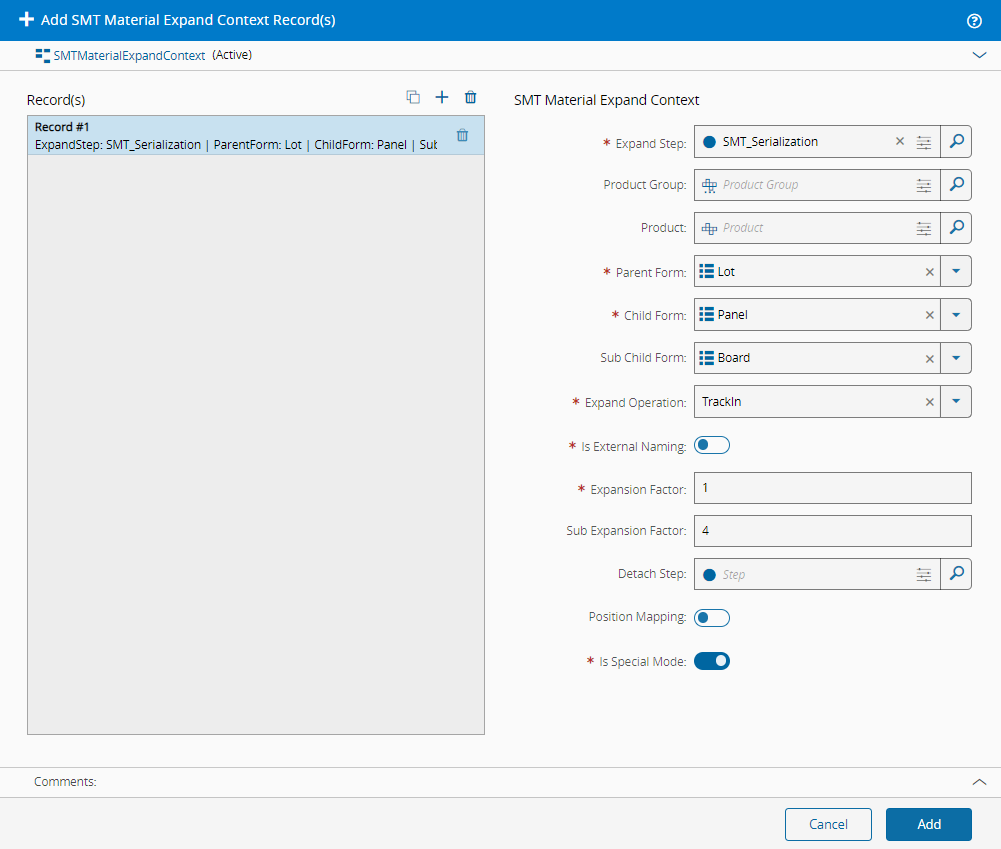
- Primary Quantity: 12
- 1st Expand (Panels)
- $\text{number of panels} = \frac{\text{parent primary quantity}}{\text{expansion factor} \times \text{sub-expansion factor}} = \frac{12}{1 \times 4} = 3$ panels created
- $\text{panels primary quantity} = \text{expansion factor} \times \text{sub-expansion factor} = {1 \times 4} =$ with quantity of 4
- 2nd Expand (Boards)
- $\text{number of boards} = \text{sub-expansion factor} = 4$ boards created
- $\text{boards primary quantity} = \text{expansion factor} =$ with quantity of 1
**Result:**
- 1 Lot → 3 Panels → 12 Boards
- 1 *Lot* material with a *Primary Quantity* of 0 with 3 *Sub-Materials*
- 3 *Panels* material with a *Primary Quantity* of 0 and each with 4 *Sub-Materials*
- 12 *Board* materials, each with a *Primary Quantity* of 1