---
alias: user-guide-using-automation-tasks-library-map-converter
description: "This documentation explains how to utilize converters within the Automation Task Library"
---
# Using Automation Tasks Library - Map a Converter
A Converter is controlled in a settings view, and that will be the main component defined in the **Automation Task Library**.
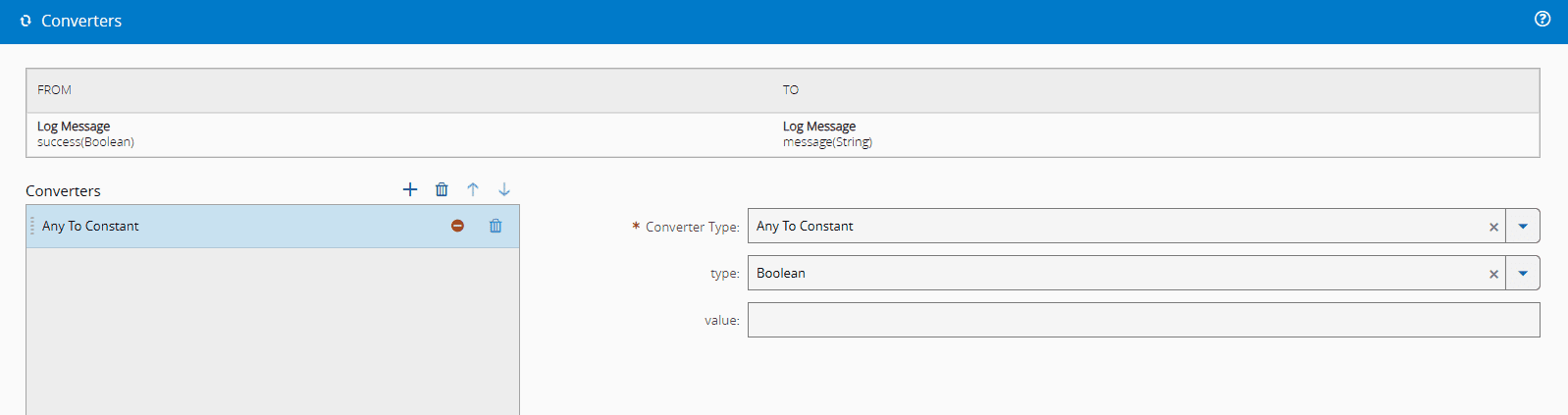
Converters are an object defined under the array converters:
```json
{
"converters": [],
"tasks": []
}
```
## AutomationConverter Object
This subsection intends to describe the format of the Metadata portion that represents a single converter (Use CamelCase for the Properties/Keys).
| Property | Description | Notes |
| -------------- | -------------------------------------------------------------------------------------------------------------------------------------------------------------------------------------------------------------- | ----------------------------------------------------------------------------------------------------------------------------------------------------- |
| Name | Name of the converter, also used to identify the Runtime Class where the converter code can be located/executed. | Mandatory, String |
| DisplayName | Name of the converter that will be used to display in the GUI, defaults to Name if not defined. | Optional, String |
| InputDataType | Type of the input where this converter can act. | Mandatory, from an enumeration:
• Any (Default)
• String
• Integer
• Long
• Decimal
• Boolean
• DateTime
• Object
• Buffer |
| OutputDataType | Type of the output this converter will emit. | Mandatory, from an enumeration:
• Any (Default)
• String
• Integer
• Long
• Decimal
• Boolean
• DateTime
• Object
• Buffer |
| Parameters | Json object containing the parameters available to configure the behavior of the converter, where:
Key: The name of the parameter.
Value: Type of parameter (use the same type as the Input/Output Type). | Optional, JsonObject |
```json
"converters": [
{
"name": "anyToConstant",
"inputDataType": "Any",
"outputDataType": "Any",
"displayName": "Any To Constant",
"inputType": "Any",
"outputType": "Any",
"parameters": {
"type": {
"displayName": "type",
"dataType": "Enum",
"infoMessage": "Select the type to convert",
"settings": {
"enumValues": [
"Boolean",
"String",
"Integer",
"Long",
"Decimal",
"Object",
"Date"
]
}
},
"value": {
"displayName": "value",
"dataType": "String"
}
}
}
]
```
Notice that the converters are very simple. They will have a root definition of what the input and output type they are converting between are, and then they allow for additional parameters to be added in the settings.