---
alias: user-guide-automation-task-core-executeequipmentcommand
tags:
- automation tasks
description: "This task sends commands to equipment, receiving a reply and status updates"
---
# Execute Equipment Command
:iot-execute-equipment-command-lg:{style="font-size: 100px"}
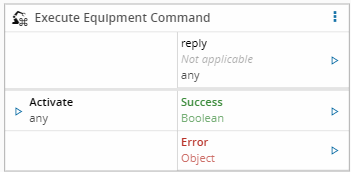
This task executes a command on the equipment. The command must be defined in the driver definition. The task receives a set of inputs defined in the driver definition. If the equipment sends back a reply, it will be made available in the output.
## Details
| Fields | Details |
| ----------------- | ---------------------------------------------------------------------------------- |
| Scope | Connect IoT |
| Workflow | Data flow
Control flow |
| `IsProtocol` flag | :material-check:{style="color:#4DB6AC"} |
## Inputs
| Name | Data Type | Description |
| -------------- | ---------- | --------------------------------------- |
| `` | `` | Specific input values for each command. |
| Activate | `any` | Sends the command. |
## Outputs
| Name | Data Type | Description |
| -------- | --------- | ------------ |
| reply | `Object` | The reply received from the equipment (if any). |
| Success | `Boolean` | If there was no problem emits a true. |
| Error | `Error` | Error that occurred during the processing of this task. |
## Settings
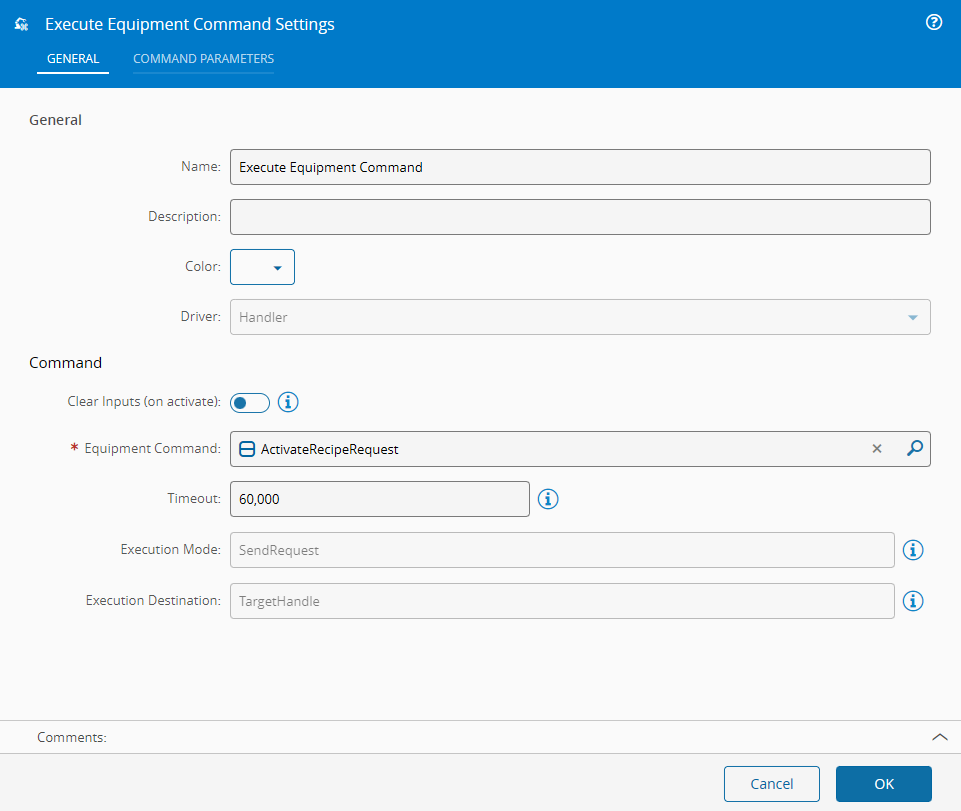
On the `General` tab, you have the usual settings and the following settings:
| Name | Data Type | Description |
| ----------------- | ------------------- | ----------- |
| Equipment Command | `AutomationCommand` | The command to send |
!!! note "Extended Data"
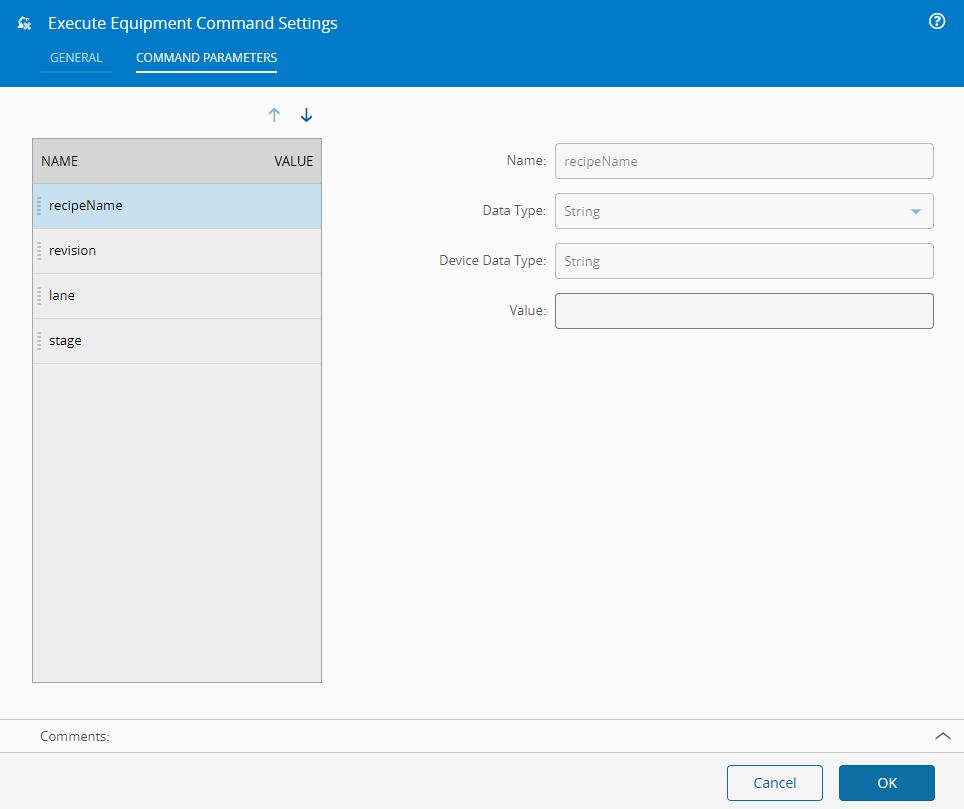
This task shows extended data in the `Settings` and the `Command Parameters` tab when an Automation Command is selected. The extended data shown depends on the driver in use.
On the `Command Settings` tab, you have the following settings for each of the command parameters of the command:
| Name | Data Type | Description |
| ------ | --------- | --------- |
| Value | `String | The value to send if no other is supplied |
## Behavior
In this task you choose a driver when dropping it into the workflow (if you have more than one driver associated with the controller).
On `activate`, this task sends a command with a set of inputs to a device and receives a reply.
## Remarks
The entire received reply is emitted on the `reply` output. No processing is done to it.