---
alias: user-guide-automation-task-core-entityinstance
tags:
- automation tasks
description: "This task loads and accesses MES instance attributes, often used with equipment setup configurations"
---
# Entity Instance
:iot-intance-lg:{style="font-size: 100px"}
The `Entity Instance` task loads the MES instance associated and makes it possible to access all its attributes.
![image61][image61]
## Details
| Fields | Details |
| ----------------- | ---------------------------------------------------------------------------------- |
| Scope | Connect IoT
Data Platform
Enterprise Integration
Factory Automation |
| Workflow | Data flow
Control flow |
| `IsProtocol` flag | :material-check:{style="color:#4DB6AC"} |
## Inputs
| Name | Data Type | Description |
|----------|-----------|--------------------|
| Activate | `any` | Activates the task |
## Outputs
| Name | Data Type | Description |
| ----------| ------| ---------|
| instance | `Resource` | The Resource instance |
| `` | `` | Selected list of Resource attributes |
| Error | `Error` | Error that occurred during the processing of this task |
## Settings
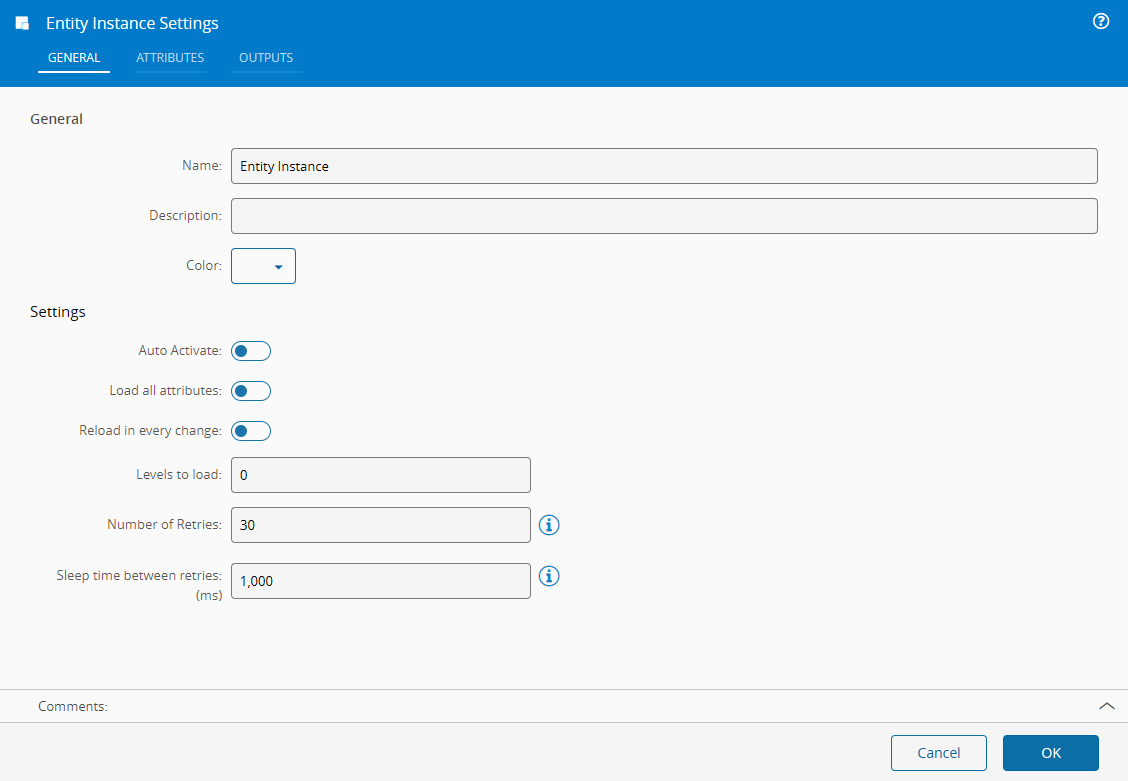
On the `General` Tab, there are the following settings:
| Name | Data Type | Default | Description |
| -----|-----------|---------|-------------|
| Auto Activate | `Boolean` | false | Determines if the activation should be done when the entity is received |
| Load all attributes | `Boolean` | false | Loads all the attributes for the Entity |
| Reload in every change | `Boolean` | true | Flag indicates if the Entity is to be updated every time the tasks receives an `Activate` input |
| Levels to load | `Integer` | 0 | Levels to load from the Entity associated |
{% include-markdown 'includes/pages/iot_tasks_retries_settings.md' %}
On the `Attributes` Tab, you have all the attributes of the Entity. The selected attributes will be the one's available for outputs.
![image63][image63]
## Behavior
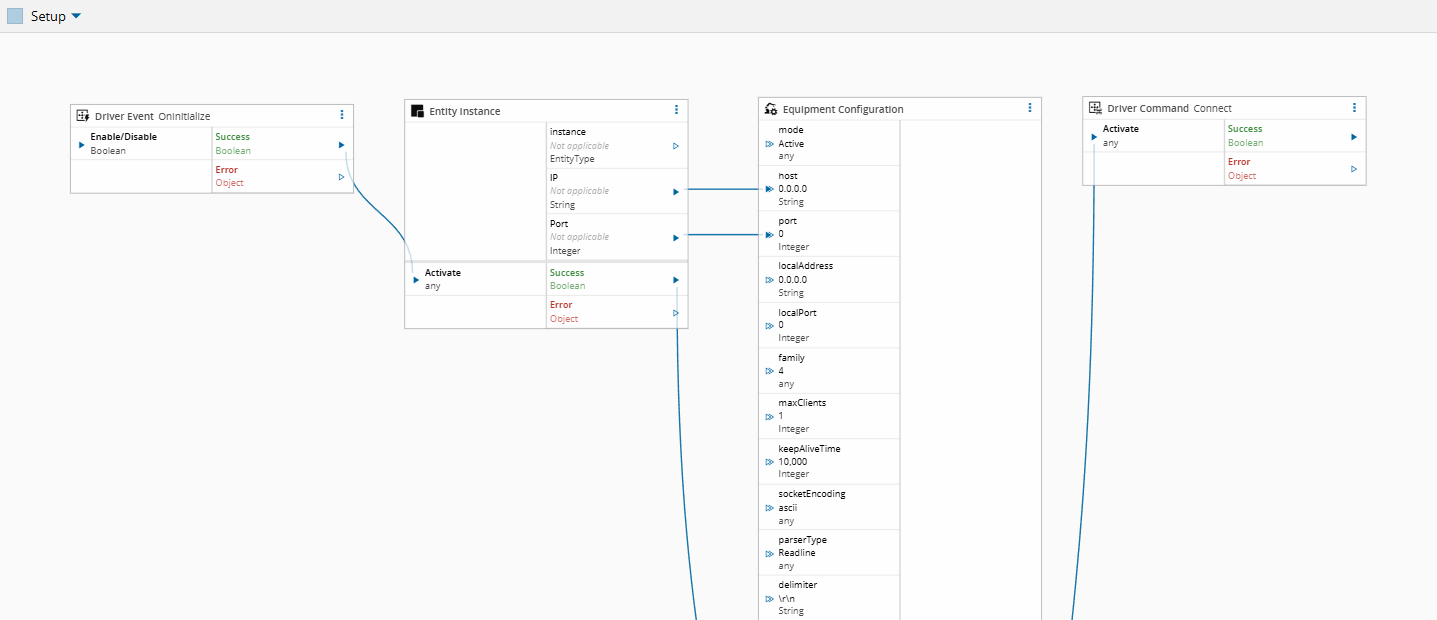
In a typical configuration, the **Entity Instance** is used along with the [[user-guide-automation-task-core-driver-event]], [[user-guide-automation-task-core-equipmentconfig]] and [[user-guide-automation-task-core-driver-command]] tasks.
- The [[user-guide-automation-task-core-driver-event]] task signals that the driver process has started, activating the **Entity Instance** task, which resolves the target equipment entity and retrieves its attributes.
- These attributes usually contain connection-specific parameters (such as IP addresses, ports, or protocol settings). Once resolved, they are passed to the [[user-guide-automation-task-core-driver-command]] task, which uses them to establish the connection between the driver and the equipment.
- The [[user-guide-automation-task-core-equipmentconfig]] task defines the static driver setup. This configuration is independent of the equipment instance and remains constant across executions.
This design allows for controller reuse. Since parameters needed for the driver connection are stored as an attribute of an entity, by externalizing them into equipment attributes and resolving them through the **Entity Instance** task, the same controller can be applied to multiple equipment instances of the same type.
## Remarks
In scenarios with multiple drivers, a single **Entity Instance** task can be shared. The initialization output of one [[user-guide-automation-task-core-driver-event]] task activates the entity resolution, and its output can be used to trigger multiple [[user-guide-automation-task-core-driver-command]] tasks (assuming that they rely on the same equipment attributes).
[image61]: ../images/image61.png
[image63]: ../images/image63.png