---
alias: user-guide-automation-task-core-calculatechecksum
tags:
- automation tasks
description: "This task calculates a checksum of input data using a specified hash function"
---
# Calculate Checksum
:iot-checksum-lg:{style="font-size:100px"}
The task **Calculate Checksum** calculates the checksum of a value. This is specially necessary when comparing recipe checksums.
![checksum2][checksum2]
## Details
| Fields | Details |
|-------------------|------------------------------------------------------------------------------------|
| Scope | Connect IoT
Data Platform
Enterprise Integration
Factory Automation |
| Workflow | Data flow
Control flow |
| `IsProtocol` flag | :material-close:{style="color:#EF5350"} |
## Inputs
| Name | Data Type | Description |
| ------------ | --------- | -------------------------------------------- |
| data | `any` | The data message to be encrypted |
| hashFunction | `String` | The hash function that will encrypt the data |
| Activate | `any` | Activates the task execution |
## Outputs
| Name | Data Type | Description |
| -------- | --------- | ------------------------------------------------------------ |
| checksum | `String` | The resulting hexadecimal string of the encryption of the data input |
| Success | `Boolean` | If there was no problem emits a true |
| Error | `Error` | Error that occurred during the processing of this task |
## Settings
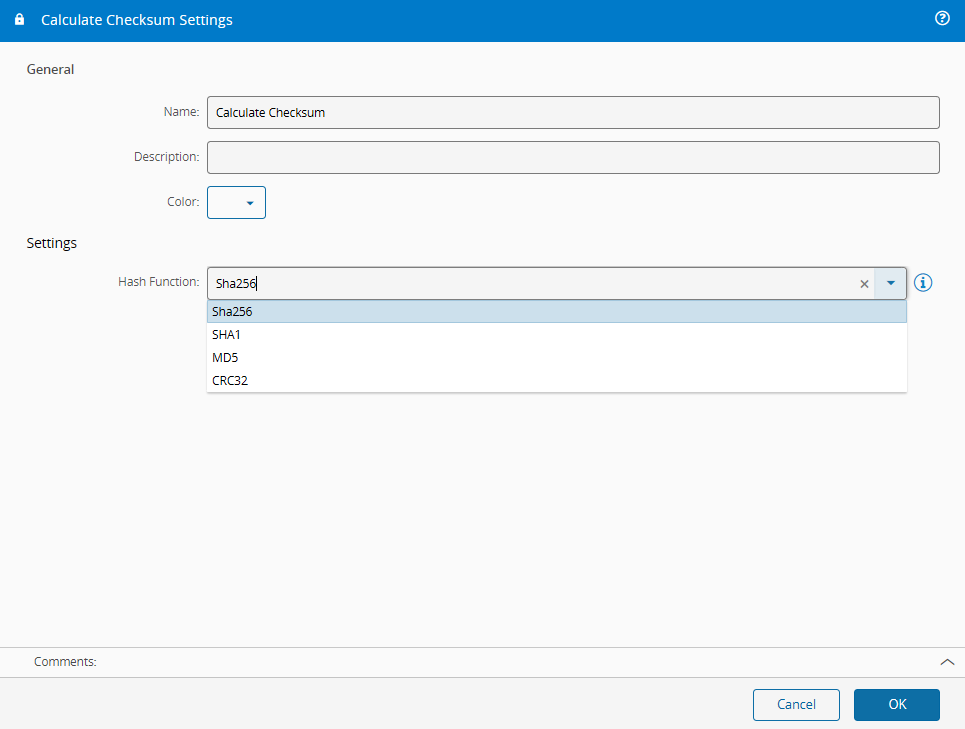
On the `General` Tab, you have the usual settings and the following options settings:
| Name | Data Type | Values | Default | Description |
| ------------- | --------- | -------- | -------- | ------------------------------------------------------------ |
| Hash Function | `enum` | `Sha256`
`SHA1`
`MD5`
`CRC32`| `Sha256` | The encryption function / algorithm that will be used to encrypt the data |
## Behavior
The task is used to generate checksums. Given a data input and a hash function, the task will encrypt the data input to create a unique value that can later be used to validate if the data has been changed. The checksum will be an unique hexadecimal string.
[checksum2]: ../images/checksum2.png