Distributed Message Reply#
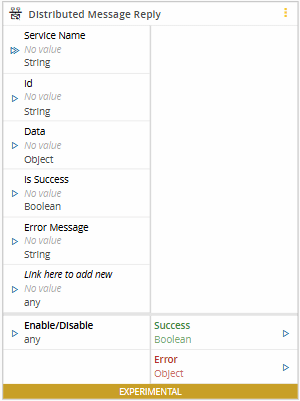
The Distributed Message Reply task sends a reply to the originating Distributed Message Send task after a request is received by Distributed Message Listener. It uses the service name, request ID, and data to construct the reply and waits for the requester to acknowledge receipt.
Details#
| Fields | Details |
|---|---|
| Scope | Connect IoT Factory Automation Enterprise Integration Data Platform |
| Workflow | Data flow Control flow |
IsProtocol flag |
Inputs#
| Name | Data Type | Values | Description |
|---|---|---|---|
| Id | string | Original request ID emitted by Distributed Message Listener. | |
| Data | Object | Payload to include in the reply. | |
| Is Success | Boolean | Indicates if the reply is successful | |
| Error Message | string | Describes any error if the reply is not successful. | |
| Enable/Disable | Any | Activates the task |
Outputs#
| Name | Data Type | Values | Description |
|---|---|---|---|
| Success | Boolean | If there was no problem emits a true | |
| Error | Error | Error that occurred during the processing of this task |
Settings#
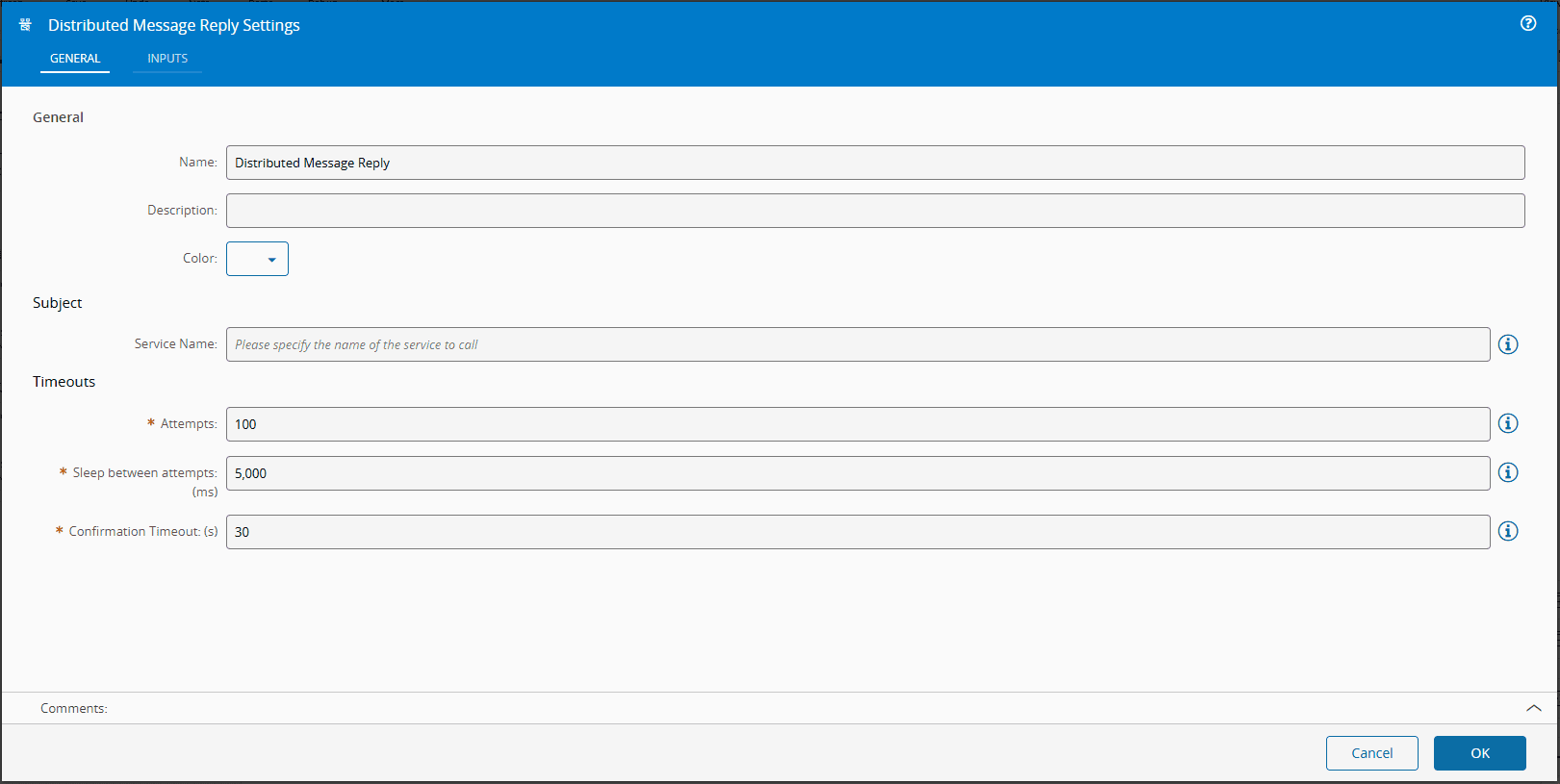
On the General Tab, you have the usual settings and the following options settings:
| Name | Data Type | Values | Default | Description |
|---|---|---|---|---|
| Service Name | string | Must match the Service Name used by the originating Distributed Message Send task | ||
| Attempts | Integer | 100 | Defines the number of times the task will attempt to send a message if the initial attempt fails | |
| Sleep between attempts | Integer | 5000 | Sets the time in milliseconds that the task will wait before making another attempt after a failure | |
| Confirmation Timeout | Integer | 30 | Specifies the maximum time (in seconds) that the task will wait for a reply confirming the successful receipt of the message |
Behavior#
The task sends the reply and waits for the requester to acknowledge receipt within Confirmation Timeout. If delivery fails, it retries according to Attempts and Sleep between attempts. The operation fails if delivery is unsuccessful after the configured attempts.
Reply Configuration#
Use the same Service Name as the originating Distributed Message Send task and pass the original request ID from the listener's Id output to the reply task's Id input. If the listener uses a wildcard subscription, use the sender's specific service name for the reply.
For example, configure a request and reply as follows:
| Task | Service Name | Request ID |
|---|---|---|
| Distributed Message Send | MyService.DoWork | request-1 |
| Distributed Message Listener | MyService.> | Emits request-1 |
| Distributed Message Reply | MyService.DoWork | Receives request-1 from the listener |
If the reply uses a different service name, it does not reach the originating Send task. The listener ignores the reply even if its wildcard subscription matches it, so it cannot provide delivery confirmation on the sender's behalf. The Reply task can fail after the configured attempts, while the Send task can time out waiting for its reply.