---
tags:
- automation tasks
description: "This task initiates workflows upon the start of a Factory Automation job execution"
---
# Job Start
:iot-jobstart-lg:{style="font-size: 100px"}
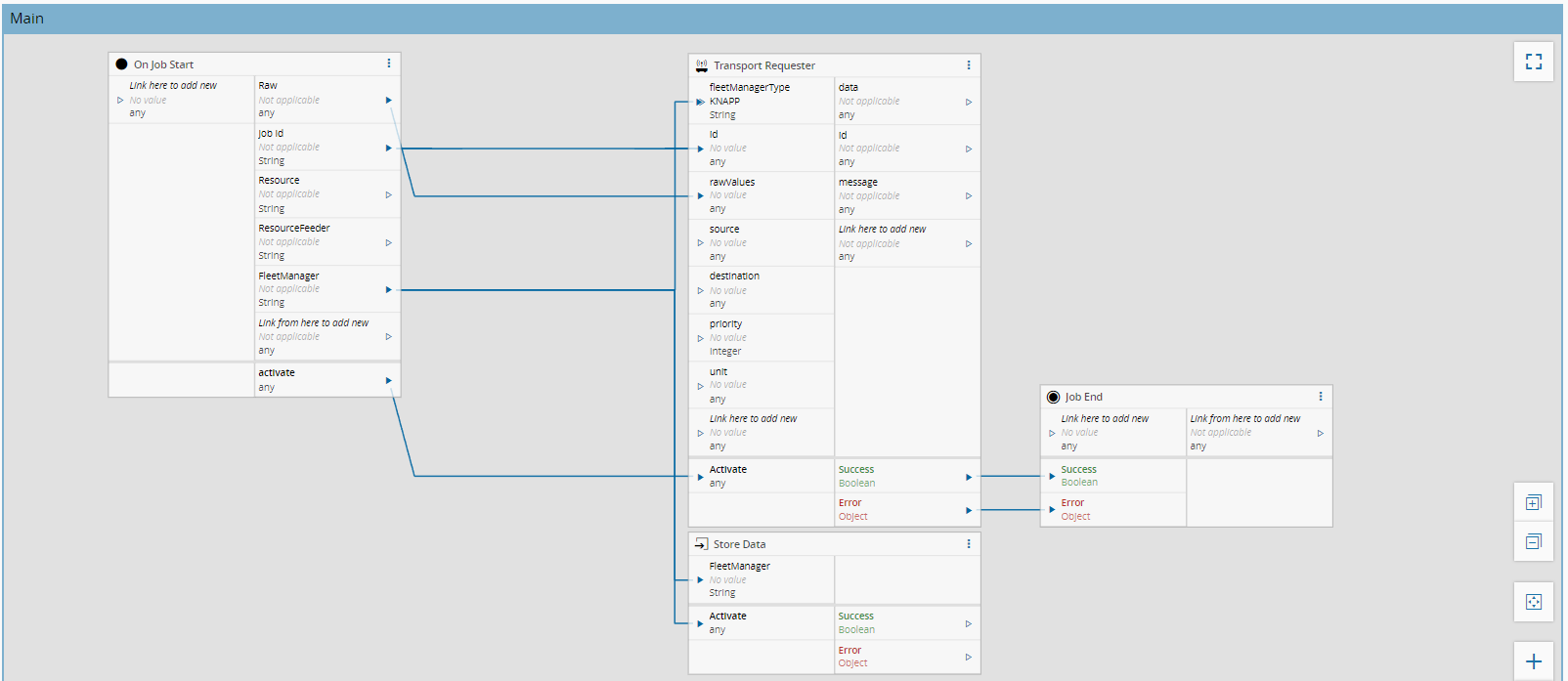
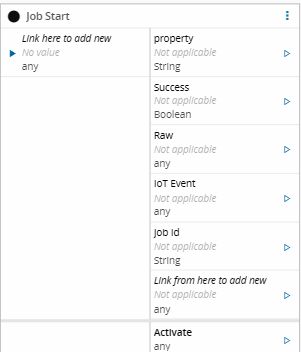
The task **Job Start** is a trigger task that starts a workflow when a Factory Automation job begins execution. It listens for the configured events and feeds job context data to the workflow.
## Details
| Fields | Details |
| ----------------- | ---------------------------------------------------------------------------------- |
| Scope | Data Platform
Enterprise Integration
Factory Automation |
| Workflow | Data flow
Control flow |
| `IsProtocol` flag | :material-check:{ style="color: #4DB6AC" } |
## Inputs
This task does not require user-defined inputs. Inputs are generated automatically based on the selected IoT events.
## Outputs
| Name | Data Type | Description |
| -------- | --------- | ----------------------------------------------------------------- |
| jobId | `string` | Identifier of the job that started execution |
| iotEvent | `Any` | IoT event payload that triggered the task |
| raw | `Any` | Raw event data received from the IoT platform |
| outputs | `Any` | Auto-generated outputs based on the selected IoT event definition |
| Success | `Boolean` |Indicates that the job was completed successfully |
## Settings
The `General` Tab, includes settings such as name, description and color.
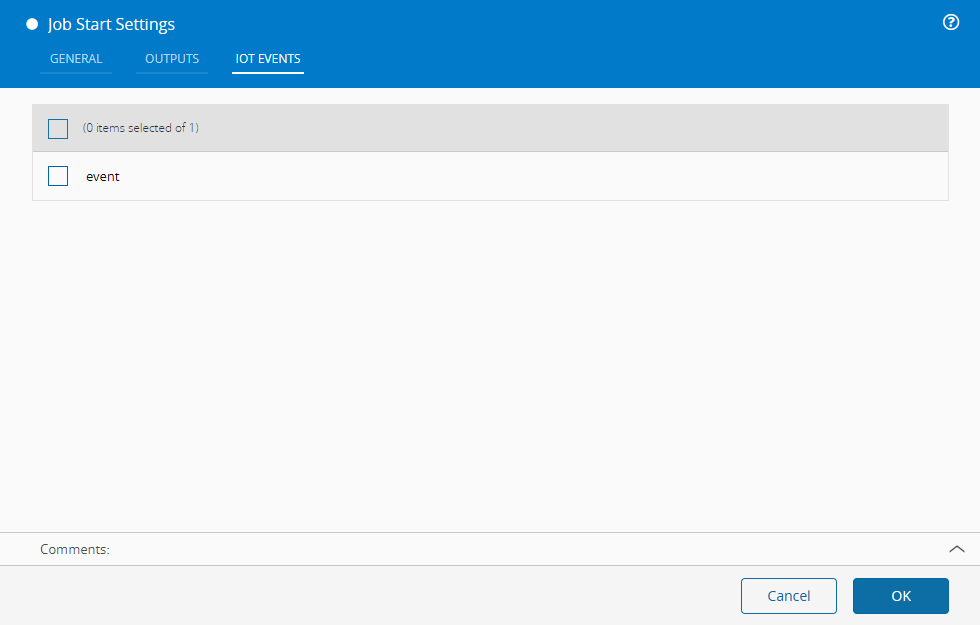
It is also possible to define the associated IoT events in the `IoT Events` Tab:
| Name | Data Type | Description |
| ---------- | --------- | -------------------------------------------------------------------- |
| IoT Events | `List` | One or more Factory Automation IoT events that will trigger the task |
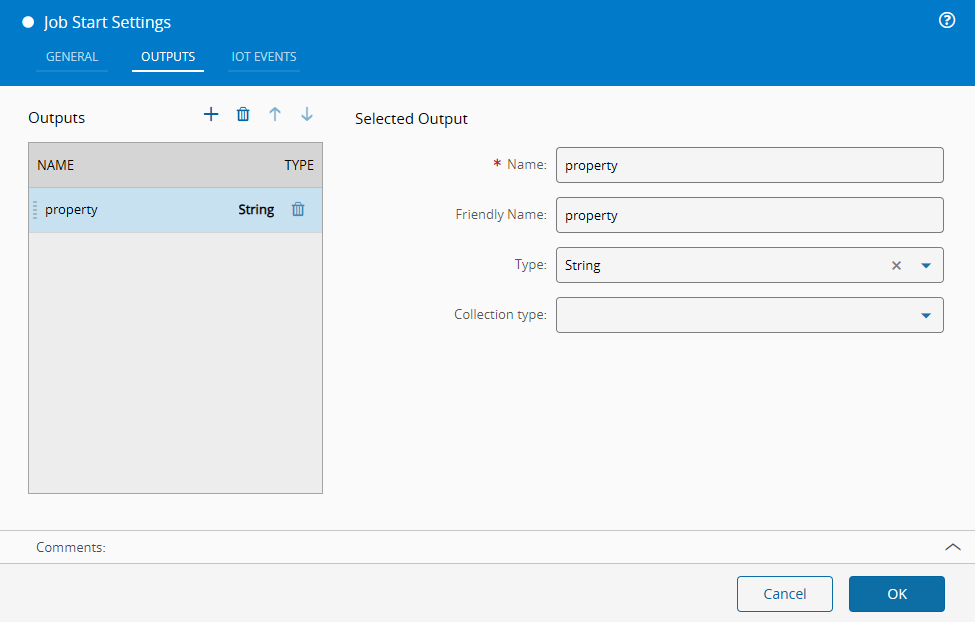
Additional outputs can be defined in the `Outputs` tab:
## Behavior
The **Job Start** task acts as a workflow entry point. When a configured IoT event indicates that a job has started execution, the task triggers the workflow and feeds job-related data as outputs. Because of this, this task should be placed at the beginning of the workflow.