---
alias: user-guide-automation-task-mes-datacollection
tags:
- automation tasks
description: "This documentation details a task for integrating data collection with a MES system, creating data instances and posting readings"
---
# Data Collection
:mes-entitytypes-datacollection-lg:{style="font-size:100px"}
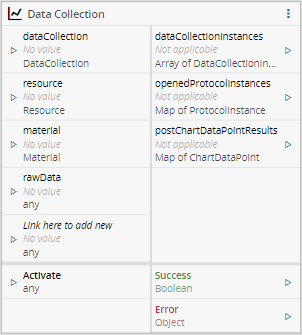
This task is intended to integrate with the PerformDataCollection/PostDataCollection functionality of the MES. By receiving a **DataCollection** and readings of **DataCollection** Points, it calls the PerformDataCollection service to create the **DataCollectionInstances** and post the points. If there's no **DataCollection** provided (only a **Material**), the service will check which **DataCollectionInstance** is associated with that **Material**, and Post the Data Points to that **DataCollectionInstance**.
!!! note
All entities work if only the property *Name* is provided.
## Details
| Fields | Details |
| ----------------- | ---------------------------------------------------------------------------------- |
| Scope | Connect IoT
Data Platform
Enterprise Integration
Factory Automation |
| Workflow | Data flow
Control flow |
| `IsProtocol` flag | :material-close:{style="color:#EF5350"} |
## Inputs
| Name | Data Type | Description |
|----------------|---------------------------------------------|-----------------------------------------------------------------------------------------------------------------------------|
| dataCollection | `Cmf.Navigo.BusinessObjects.DataCollection` | The DataCollection to be used. |
| resource | `Cmf.Navigo.BusinessObjects.Resource` | The Resource to be used. |
| material | `Cmf.Navigo.BusinessObjects.Material` | The Material to be used. |
| rawData | `Any` | The DataCollectionPoints raw values |
| `configurable` | `Any` | Custom inputs that will provide the option to provide values to each Parameter individually (has priority over the rawData) |
| Activate | `Any` | Activate/Deactivate the listeners for the requests from MES |
## Outputs
| Name | Data Type | Description |
| ------- | --------- | ------------------------------------------------------------ |
| dataCollectionInstances | `Cmf.Navigo.BusinessObjects.DataCollectionInstanceCollection` | The DataCollectionInstances created/used after the Perform/Post. |
| openedProtocolInstances | `Cmf.Navigo.BusinessObjects.ProtocolInstanceCollection` | The ProtocolInstances opened after the Perform/Post. |
| postChartDataPointResults | `Cmf.Navigo.BusinessObjects.PostChartDataPointResultCollection` | The ChartDataPointResults after the Perform/Post. |
| Success | `Boolean` | Triggered when the task is executed with success |
| Error | `Error` | Triggered when the task failed for some reason |
## Settings
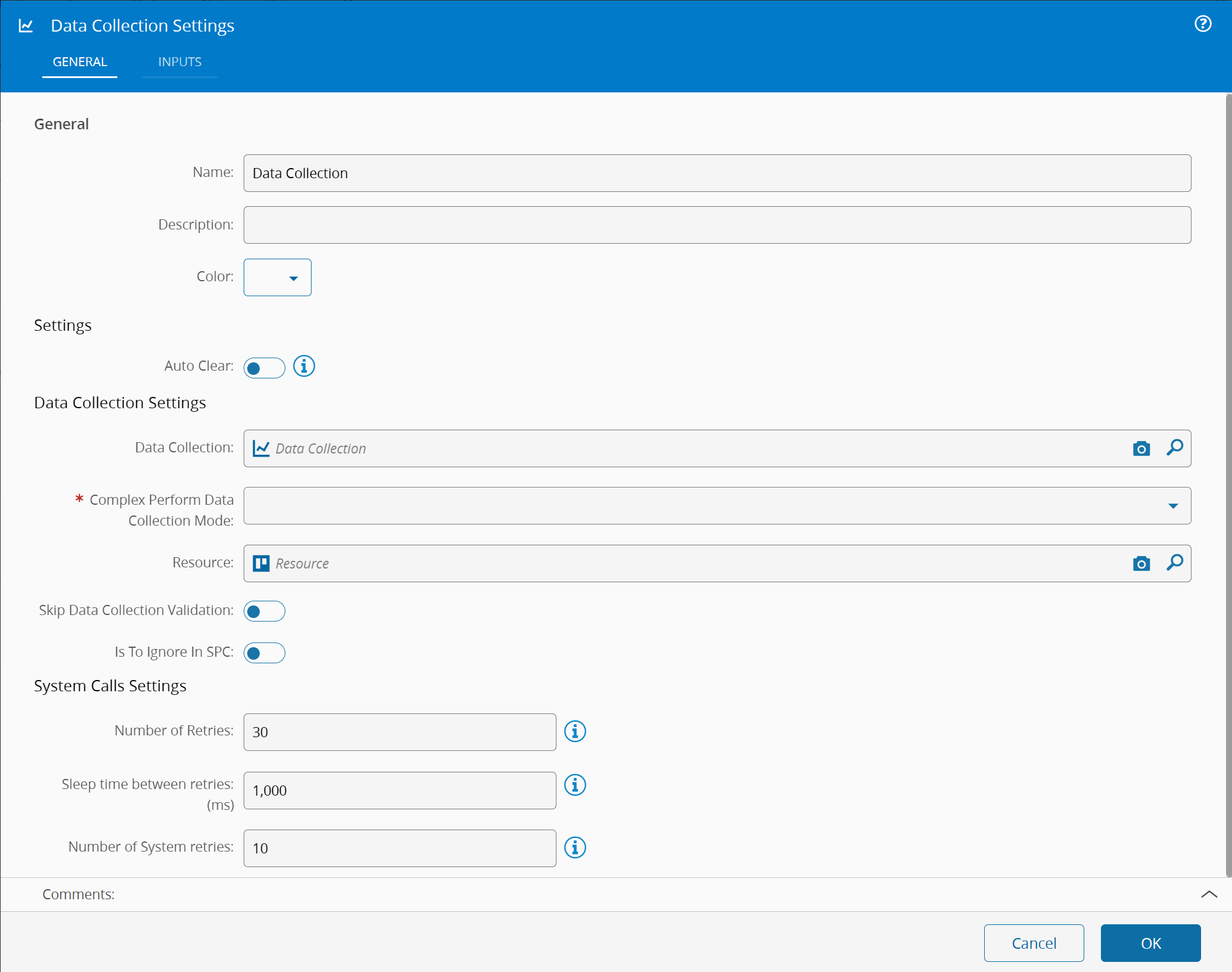
On the `General` Tab, there are the following settings:
| Name | Data Type | Values | Default | Description |
| ---------------- | ------------ | ------------------- | ---------- | ------------------------------------------------------------ |
| Number of Retries| `Integer` | | 30 | Number of attempts to repeat the call to post **Data Collection** points until reply is received |
| Sleep Time Between Retries: (ms) | `Integer` | | `Resource` | Number of milliseconds to wait between retries. It only applies when the previous call fails. |
| Auto Clear | `Boolean` | | | If the inputs are automatically cleared after each activation. |
| **Data Collection** | `Cmf.Navigo.BusinessObjects.DataCollection` | | | **Data Collection** to perform |
| **Data Collection Limit Set** | `Cmf.Navigo.BusinessObjects.DataCollectionLimitSet` | | | **Data Collection Limit Set** to use |
| Complex Perform **Data Collection** Mode | `Enum` | Perform to All Materials in Resource
Perform to First Material in Resource
Perform to MaterialPerform to Resource| | Selected mode used to perform the DataCollection |
| Resource | `Cmf.Navigo.BusinessObjects.Resource` | | | Resource object to use |
| Skip **Data Collection** Validation | `Boolean` | | | Whether the Data Collection should be validated |
| Is To Ignore In SPC | `Boolean` | | | Whether SPC should ignore this **Data Collection** |
{% include-markdown 'includes/pages/iot_tasks_retries_settings.md' %}
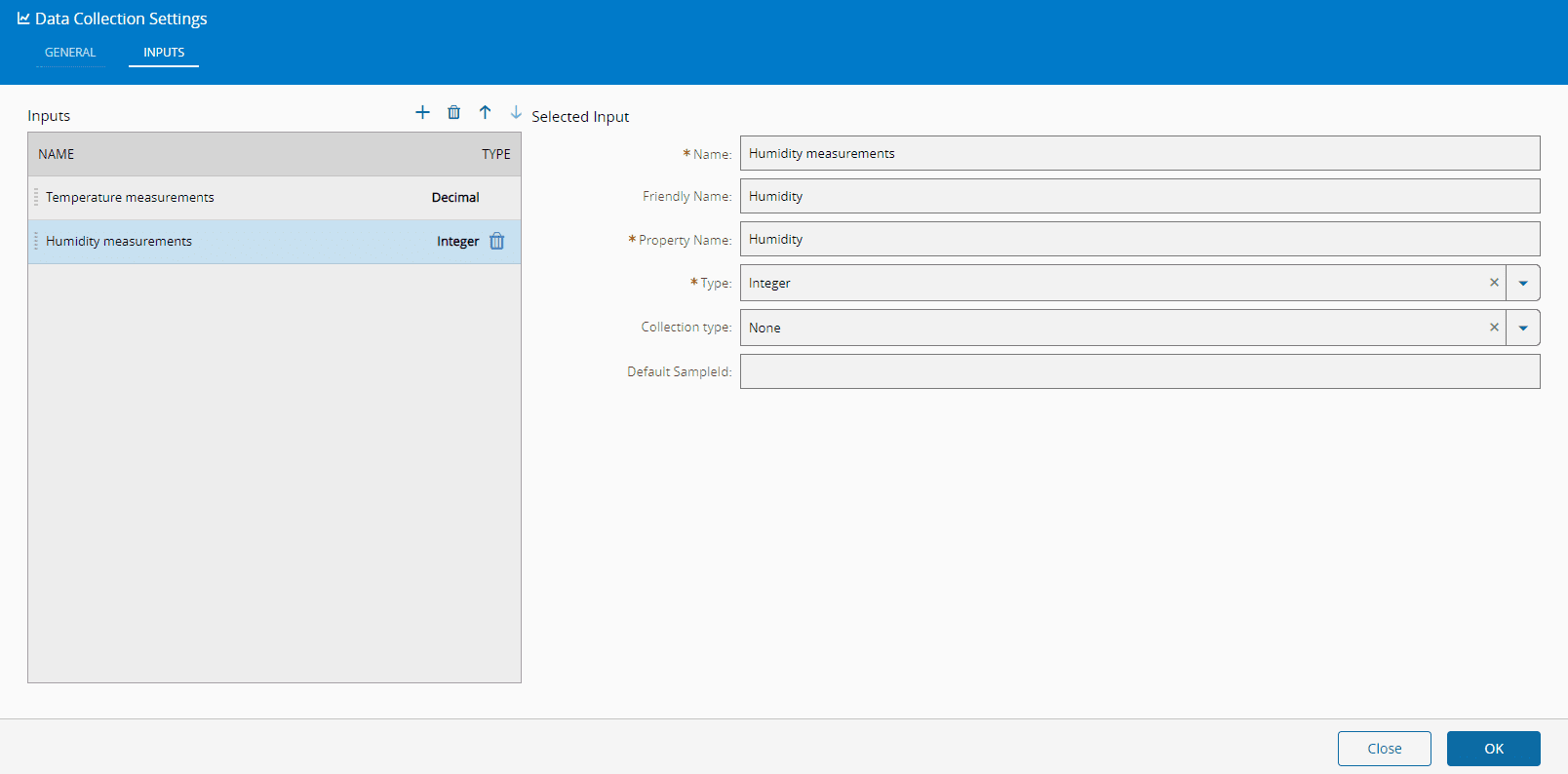
On the Inputs Tab you can add as many rows as desired (each row represents a new *Input* to be added to the currently selected **Data Collection** task) by pressing :material-plus: in the top right of the grid and pressing :material-trash-can: to remove any added entry. For each new *Input*, define:
* Name - Name that will appear in Task
* Friendly Name
* Property Name - Name that will appear in Message Property
* Type
* Collection Type
* Default SampleId
!!! note
Selecting a **Data Collection** in the `General` tab will add one input for every defined **Data Collection** **Parameter**.
## Remarks
The input rawData is expected to have a format that corresponds to a Map, where the key corresponds to the name of a parameter, and its respective value should be an object consisting of a value and a sampleId.
Structure example:
```json
{
"Temperature": {
"value":"10",
"sampleId":"Sample 1"
},
"Pressure": {
"value":"10",
"sampleId":"Sample 2"
}
}
```