---
alias: user-guide-automation-task-mes-getpickmap
tags:
- automation tasks
description: "This documentation details a task for requesting and processing maps from a MES system, including input parameters and output data"
---
# Get Pick Map
:iot-retrievemap-lg:{style="font-size:100px"}
This task implements to request and pre-process maps from the MES system.
## Details
| Fields | Details |
| ----------------- | ---------------------------------------------------------------------------------- |
| Scope | Connect IoT
Data Platform
Enterprise Integration
Factory Automation |
| Workflow | Data flow
Control flow |
| `IsProtocol` flag | :material-close:{style="color:#EF5350"} |
## Inputs
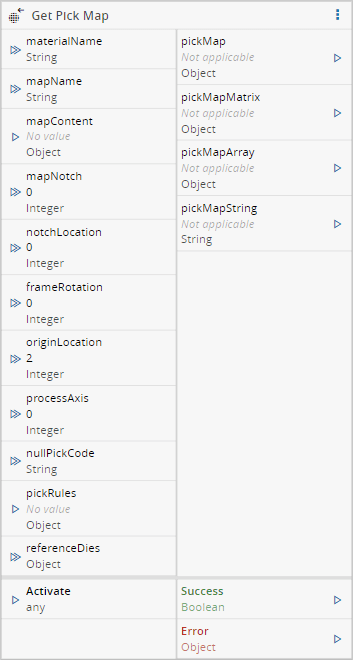
| Name | Data Type | Optional | Description |
| -------------- | ------------------------ | ---------- | ------------------------------------------------------------ |
| materialName | `String` | `No` | Name of material that identifies the processing material |
| mapName | `String` | `Yes`/`No` | Name of the Map in MES (optional if mapContent is filled) |
| mapContent | `String[][]` as `Object` | `Yes`/`No` | Content of the map to process (optional if mapName is filled) |
| mapNotch | `Integer` | `Yes`/`No` | The map notch. Must be provided if the map content is provided as well |
| notchLocation | `Integer` | `Yes` | The notch location the equipment is requesting |
| frameRotation | `Integer` | `Yes` | The film frame rotation the equipment is requesting |
| originLocation | `Integer` | `Yes` | The origin location of the equipment system coordinates |
| processAxis | `Integer` | `Yes` | The process axis the equipment is requesting |
| nullPickCode | `String` | `Yes` | The null pick code the equipment is requesting |
| pickRules | `object[]` as `object` | `Yes` | The pick rules to generate the map |
| referenceDies | `Integer[]` as `Object` | `Yes` | The list of reference dies |
| Activate | `Any` | | Activate the task |
## Outputs
| Name | Data Type | Description |
| ------------- | ------------------------ | ------------------------------------------------------------ |
| pickMap | `Object` | The pick map object |
| pickMapMatrix | `String[][]` as `Object` | The pick map content in matrix format |
| pickMapArray | `String[]` as `Object` | The pick map content in array format, in the sequence defined by the processAxis |
| pickMapString | `String` | The pick map content in string format, in the sequence defined by the processAxis |
| Success | `Boolean` | Triggered when the task is executed with success |
| Error | `Error` | Triggered when the task failed for some reason |
## Settings
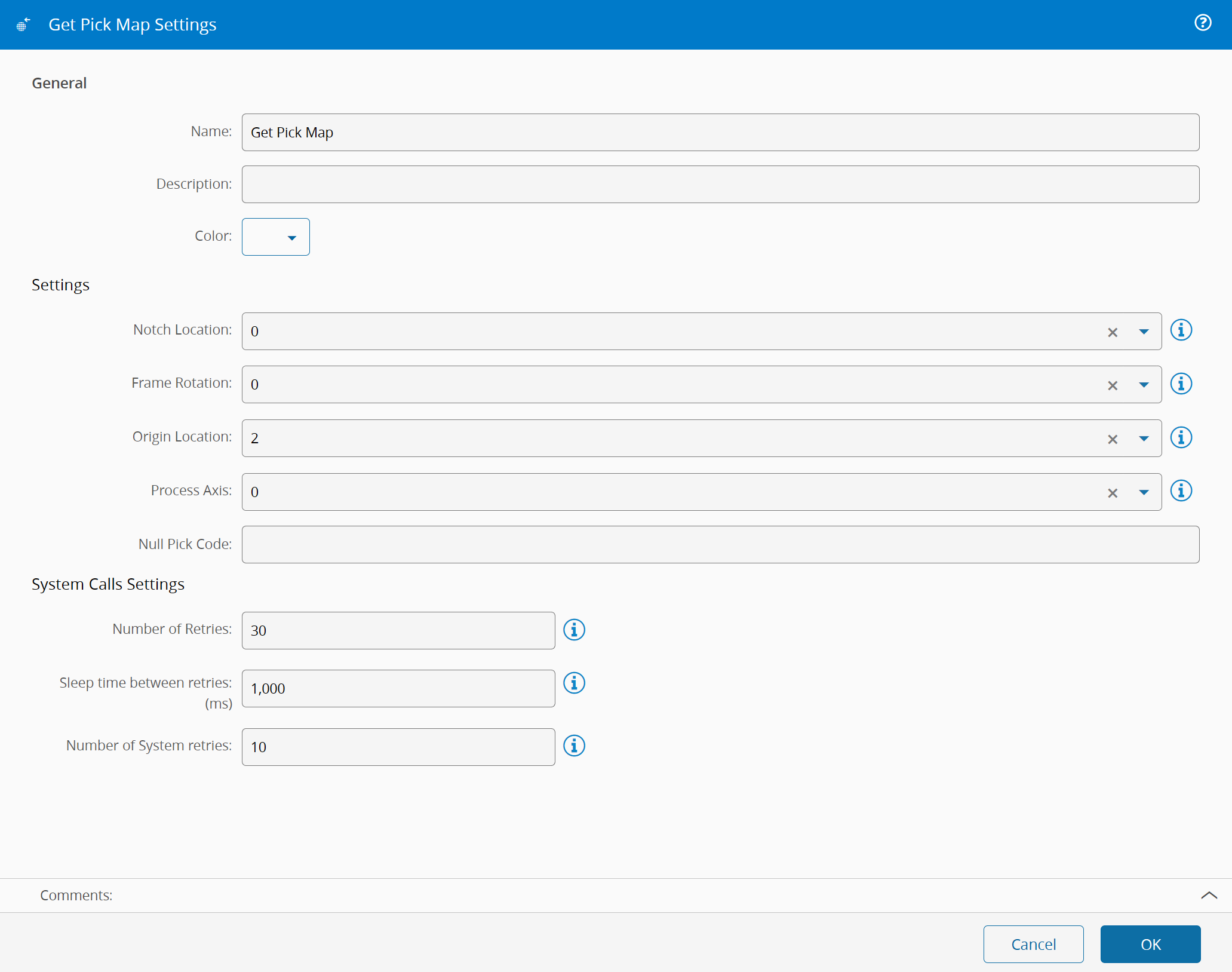
On the `General` Tab, there are the following settings:
| Name | Data Type | Values | Default | Description |
| -------- | --------- | ---------------------- | ------- | ------------------------------------ |
| Notch Location | `Enum` | `0`
`90`
`180`
`270` | `0` | Angle where the notch is located in the material |
| Frame Rotation | `Enum` | `0`
`90`
`180`
`270` | `0` | Angle of the frame rotation relative to the material |
| Origin Location | `Enum` | `0`
`1`
`2`
`3`
`4`
| `0` | Origin Location of the refences.
`0` - Center die of substrate
`1` - Upper right
`2` - Upper left
`3` - Lower left
`4` - Lower right |
| Process Axis | `Enum` | `0`
`1`
`2`
`3`
`4`
`5`
`6`
`7` | `0` | Based on the axis, how to generate the resulting map.
`0` - 1 2 3 4 5, 6 7 8 9 A, B C D E F
`1` - 5 4 3 2 1, A 9 8 7 6, F E D C B
`2` - B C D E F, 6 7 8 9 A, 1 2 3 4 5
`3` - F E D C B, A 9 8 7 6, 5 4 3 2 1
`4` - 1 4 7 A D, 2 5 8 B E, 3 6 9 C F
`5` - 3 6 9 C F, 2 5 8 B E, 1 4 7 A D
`6` - D A 7 4 1, E B 8 5 2, F C 9 6 3
`7` - F C 9 6 3, E B 8 5 2, D A 7 4 1 |
| Null Pick Code | `String` | | | The null pick codes to use for the map |
{% include-markdown 'includes/pages/iot_tasks_retries_settings.md' %}
## Behavior
This task is responsible for receiving requests for maps from an equipment or to simply pre-process a previously acquired map, transform it according to the rules and return the resulting map data.