---
alias: user-guide-automation-task-mes-updatekpi
tags:
- automation tasks
description: "This task updates a KPI time frame with a new value automatically"
---
# Update KPI
:iot-kpi-lg:{style="font-size:100px"}
This task updates a MES KPI Time Frame with a new value. Given a specific KPI and a value the task will automatically calculate the current KPI Time frame and update it with the given value.
## Details
| Fields | Details |
| ----------------- | ---------------------------------------------------------------------------------- |
| Scope | Connect IoT
Data Platform
Enterprise Integration
Factory Automation |
| Workflow | Data flow
Control flow |
| `IsProtocol` flag | :material-close:{style="color:#EF5350"} |
## Inputs
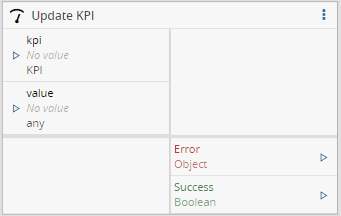
| Name | Data Type | Description |
| ----- | --------- | -------------- |
| kpi | `KPI` | A KPI Entity |
| value | `Decimal` | An input value |
## Outputs
| Name | Data Type | Description |
| ------- | --------- | ------------------------------------------------------ |
| Success | `Boolean` | If there was no problem emits a true |
| Error | `Error` | Error that occurred during the processing of this task |
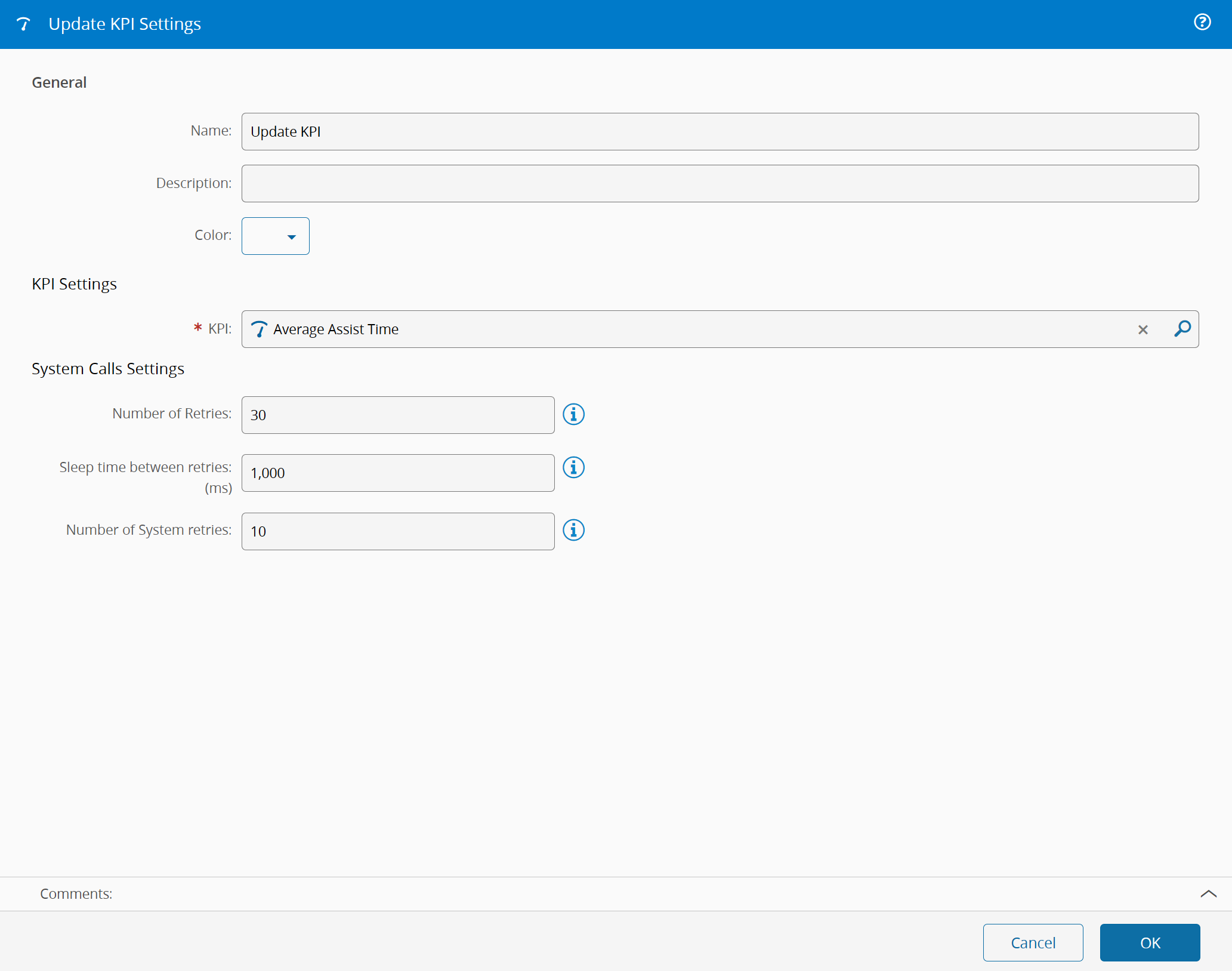
## Settings
On the `General` Tab, there are the following settings:
| Name | Data Type | Description |
| ---- | --------- | ------------------------------------------- |
| KPI | `KPI` | The existing MES KPI that we wish to associate |
{% include-markdown 'includes/pages/iot_tasks_retries_settings.md' %}
## Behavior
A change of the input value triggers the task, the task uses the current time, calculates the kpi timeframe, then adds the KPITimeFrame actual value as our given input value, updating the KPI in the MES System.