# Material Baking
!!! info "Available from SMT Template version 3.2.0 onwards"
## Overview
The Material Baking functionality provides OOB support for baking ovens, featuring automatic calculation and tracking of the required baking time per material for their floor life to be reset. This functionality is compliant with the J-STD-033 industry standard.
!!! note "Background Information"
Handling moisture-sensitive devices (MSDs) effectively is an ongoing challenge for the electronics industry. Improper handling of MSDs can lead to situations where materials with expired floor life enter reflow ovens and suffer mechanical defects such as component cracking and PCB delamination. SMT baking ovens offer the ability to draw out moisture from the MSDs and reset their floor life.
### Concept
#### Start Materials Baking
A user has a set of materials they want to bake. In order to do that, they open the "Start Materials Baking" wizard, where they select the baking oven into which they are going to put their materials into, followed by the list of materials to be placed in the oven. The materials will then be dispatched and tracked in to the oven, and their attributes will be updated to indicate:
- Whether the material is being baked (`SMTBakingCounterState`)
- The timestamp when the material started baking (`SMTBakingStartDate`)
- The timestamp for when the material can be removed from the oven and have its floor life reset (`SMTBakeUntil`)
- The number of required baking hours (`SMTRequiredBakingHours`)
In order to know how much time a given material needs to be in the baking oven, the [baking oven type](../artifacts/tables.md#smtbakingoventype), [thickness of the material](../artifacts/tables.md#smtmaterialthickness), moisture sensitivity level, whether or not the component is a BGA, and the floor life overtime status of the material are all taken into account. These values are used as keys to match a row in the [SMTMaterialBakingTable](../artifacts/tables.md#smttimeconstrainttracker), which indicates how much time the material needs to be in the baking oven.
The `IsFloorLifeExceededByMoreThanSeventyTwoHours` column in the baking table allows two different baking durations to be configured: a standard one and a longer one for materials that have been exposed for more than 72 hours after their floor life was fully consumed. The system determines which row to use as follows:
- **While floor life is still positive** — `IsFloorLifeExceededByMoreThanSeventyTwoHours = false` is always used, regardless of how much floor life remains.
- **After floor life reaches 0, within the first 72 hours** — `IsFloorLifeExceededByMoreThanSeventyTwoHours = false` is used.
- **After floor life reaches 0 and more than 72 hours have elapsed** — `IsFloorLifeExceededByMoreThanSeventyTwoHours = true` is used.
!!! note "Floor life overtime tracking"
Once the floor life counter stops with `FloorLifeRemainingHours = 0` for the first time, the system initialises two material attributes that together drive the 72h evaluation:
- `SMTActualFloorLifeRemainingHours` — accumulates elapsed overtime in hours (expressed as a negative or zero value). Starts at `0` on the first exhausted stop and decrements with each running period outside a Floor Life Safe resource.
- `SMTFloorLifeCounterStopDate` — records the timestamp of the last counter stop while tracking is active. Used to correctly exclude time spent inside a Floor Life Safe resource from the overtime total.
Each safe-in / safe-out cycle updates `SMTActualFloorLifeRemainingHours` so that safe-period time is not counted towards the 72h threshold. Baking or manually resetting the floor life to a positive value clears both attributes; tracking restarts from zero the next time the floor life is exhausted.
!!! info "Preconditions"
- The material baking resource must have the attributes `SMTIsBakingOven` set to true and `SMTBakingOvenType` configured
- The materials to be baked must be able to be dispatched and tracked in to the resource
- The materials' products must have the following parameters configured:
- `SMT Body Thickness`: Determines the thickness of the material
- `SMT Is BGA`: Determines whether or not the component has a ball grid array
Please refer to the [setting up section](#setting-up) for more details.
#### Baking Resource View
In normal operating circumstances, there will be multiple MSDs in the oven with different baking times. In order to keep track of all the materials in a given baking oven, the user can go to the baking resource's page and select the baking view. This view features a table with all the materials currently being baked in the oven, along with their live remaining baking time.
#### Stop Materials Baking
When the user wishes to remove materials from the baking oven, they can use the "Stop Materials Baking" wizard. Much like the "Start Materials Baking" wizard, the baking oven is first selected, and then the materials to be removed from the resource are selected. Materials half way through baking can be removed from the baking oven without impediments, but their floor life **will not be reset**.
??? info "All material tracking must be done via the Material Baking wizards"
If you attempt to dispatch, track in or track out from the baking oven, you will be presented with an exception similar or equal to this:

Once the material is out of the baking oven, it can be moved manually without issue.
## Setting up
The baking oven is represented as a standard resource. It must have the attribute `SMTIsBakingOven` set to true and the `SMTBakingOvenType` configured.
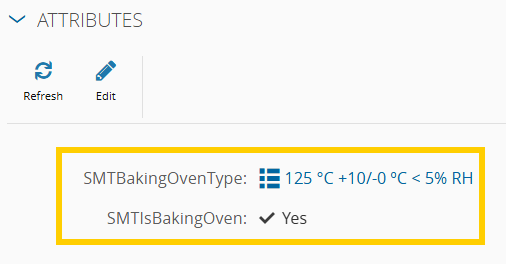
In order for this feature to calculate the required baking time for a given material, the material's product must have the following parameters:

??? note "Setting a maximum limit of rebakes"
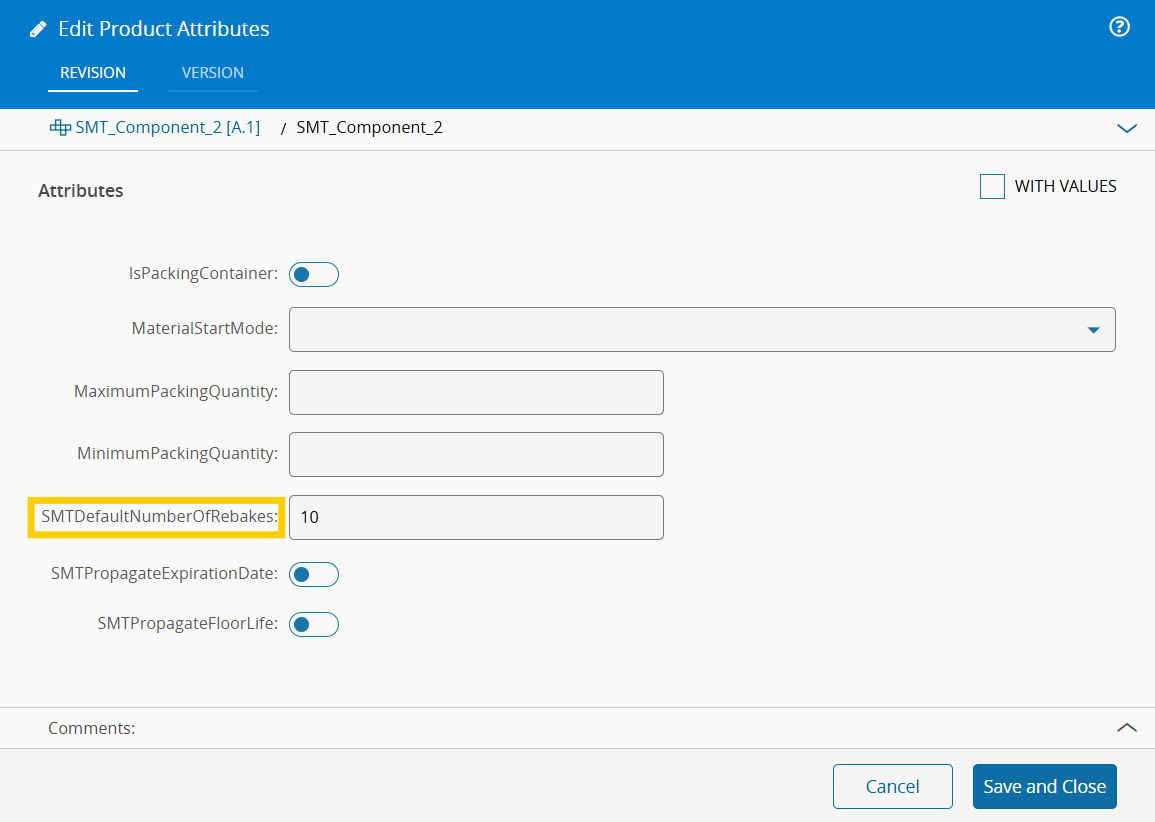
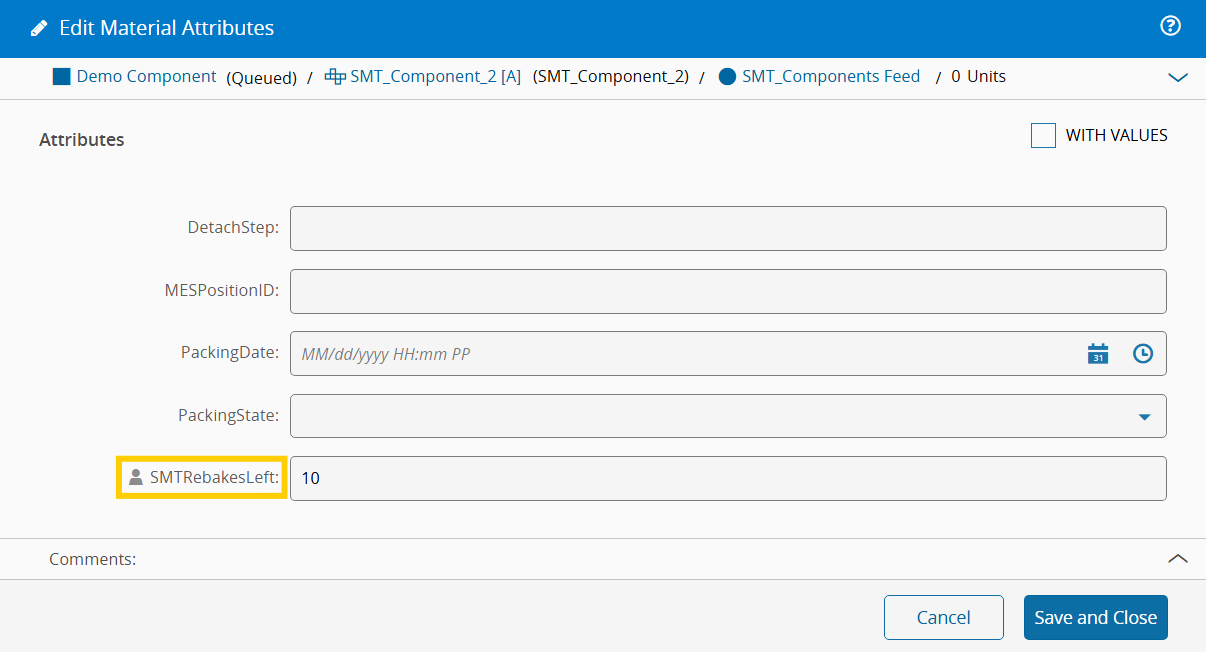
A maximum number of rebakes can be defined for the materials of a given product, by configuring that product's `SMTDefaultNumberOfRebakes` attribute. The material, when entering a baking oven for the first time, will pick up this default value from the product and save it in its `SMTRebakesLeft` attribute.
Any material's baking limit can also be overridden by editing the `SMTRebakesLeft` attribute.
## Usage
Consider the scenario where you want to bake a component. This component is already able to be dispatched and tracked in to the baking oven of your choosing.
### Start Materials Baking
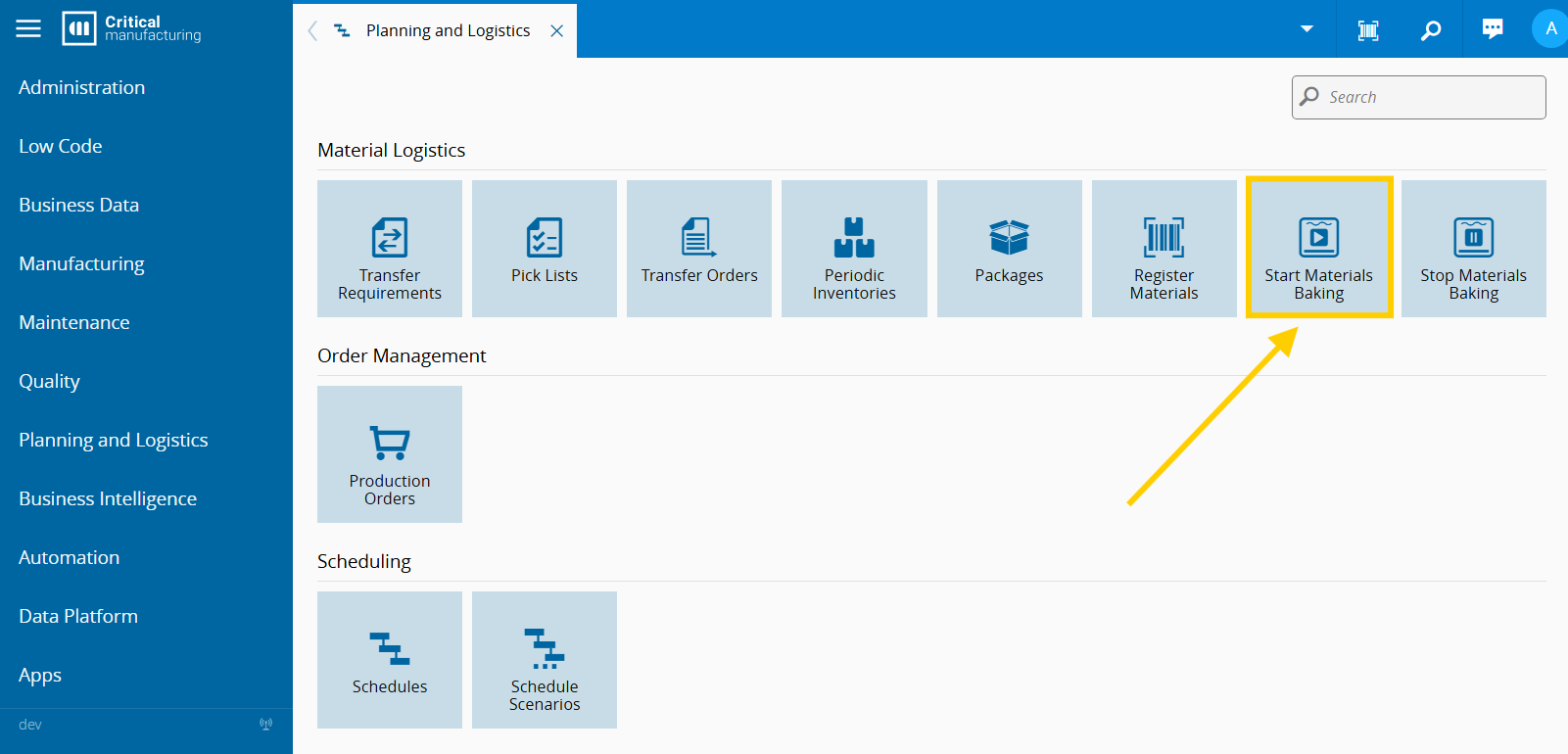
Head to the "Planning and Logistics" menu and click on the "Start Materials Baking" button.
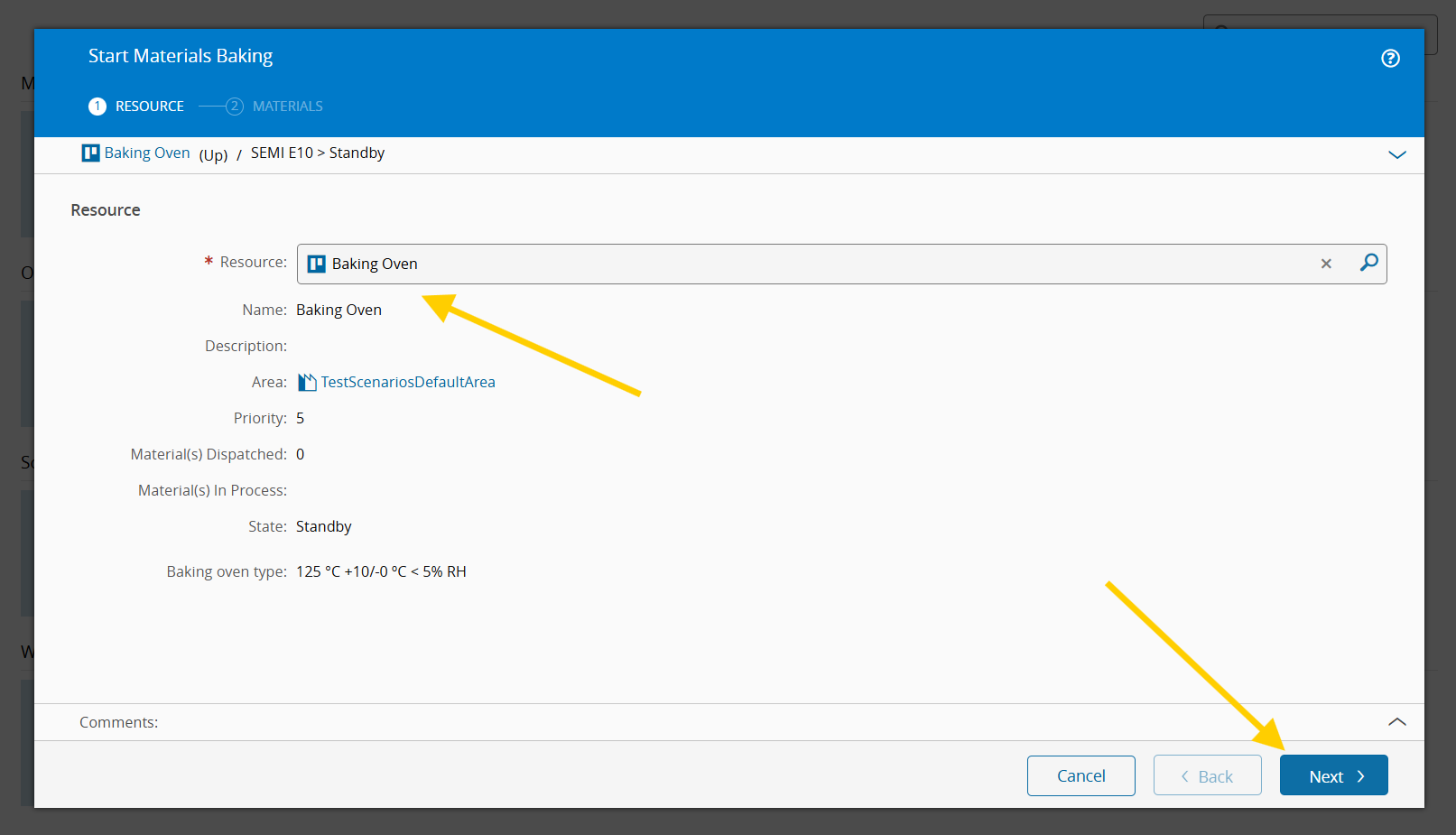
Select the baking oven and press next.
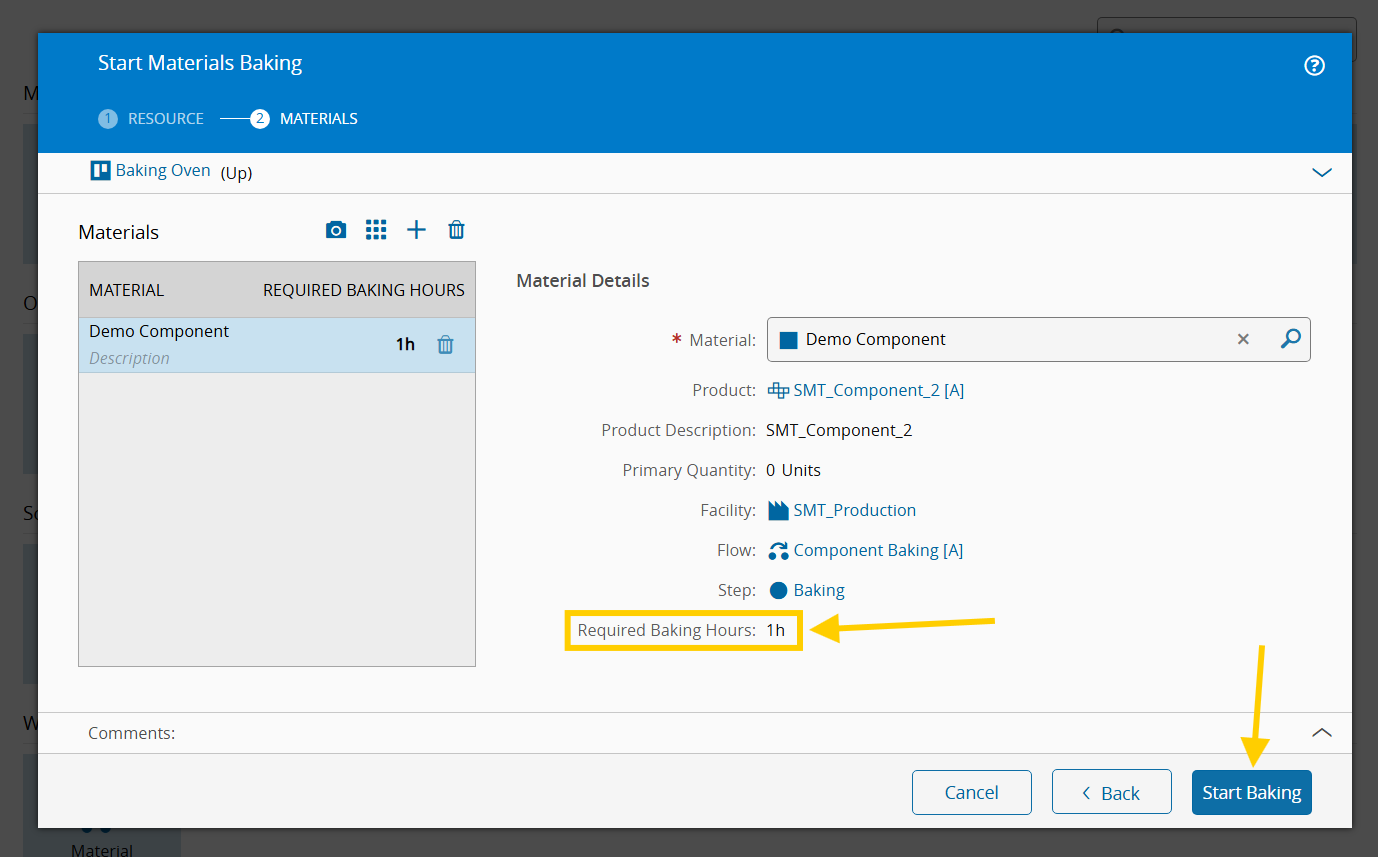
Select the materials to be baked (notice how the required baking time is being shown per material). Press the "Start Baking" button when you're done.
### Resource Baking View
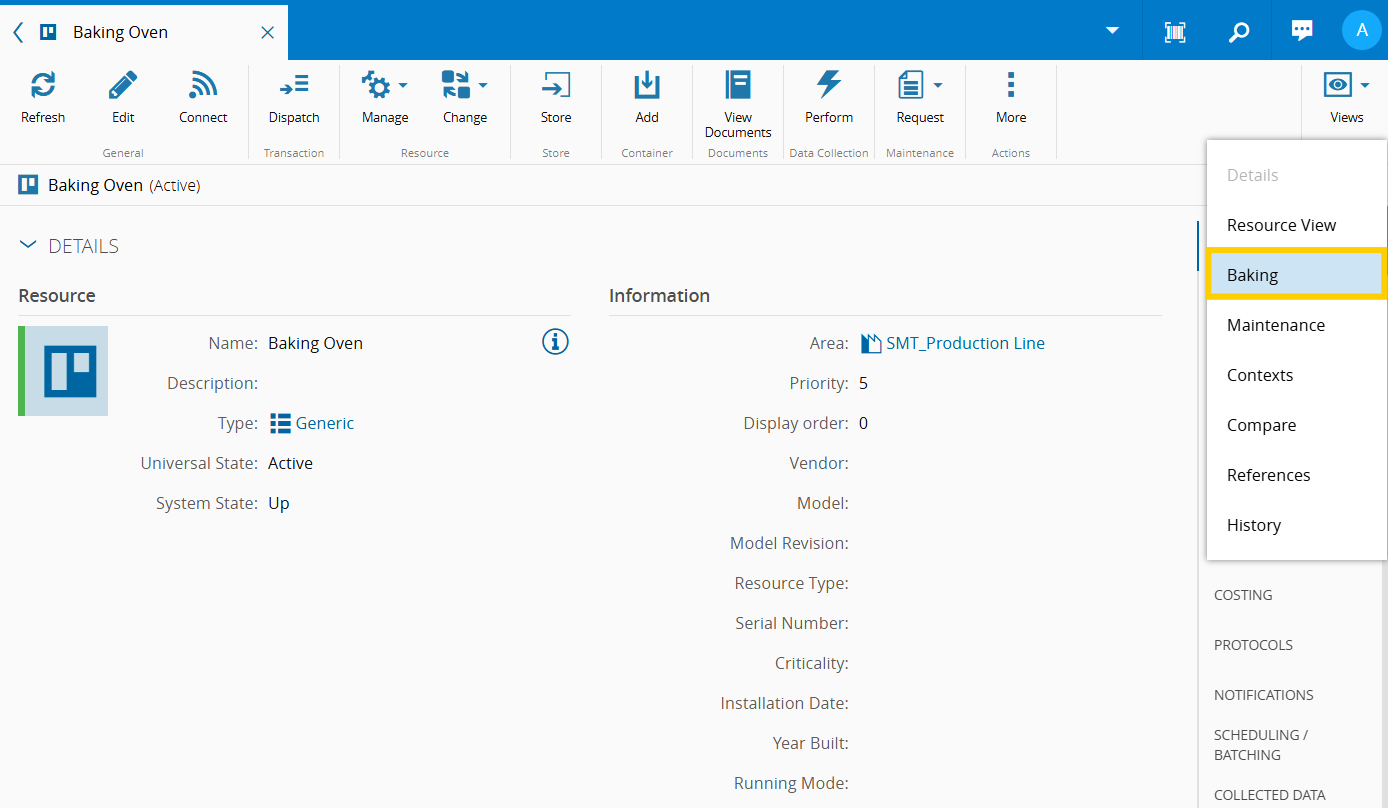
Go to the baking oven resource and select the "Baking" view. This view is only available if the attribute `SMTIsBakingOven` is set to true.
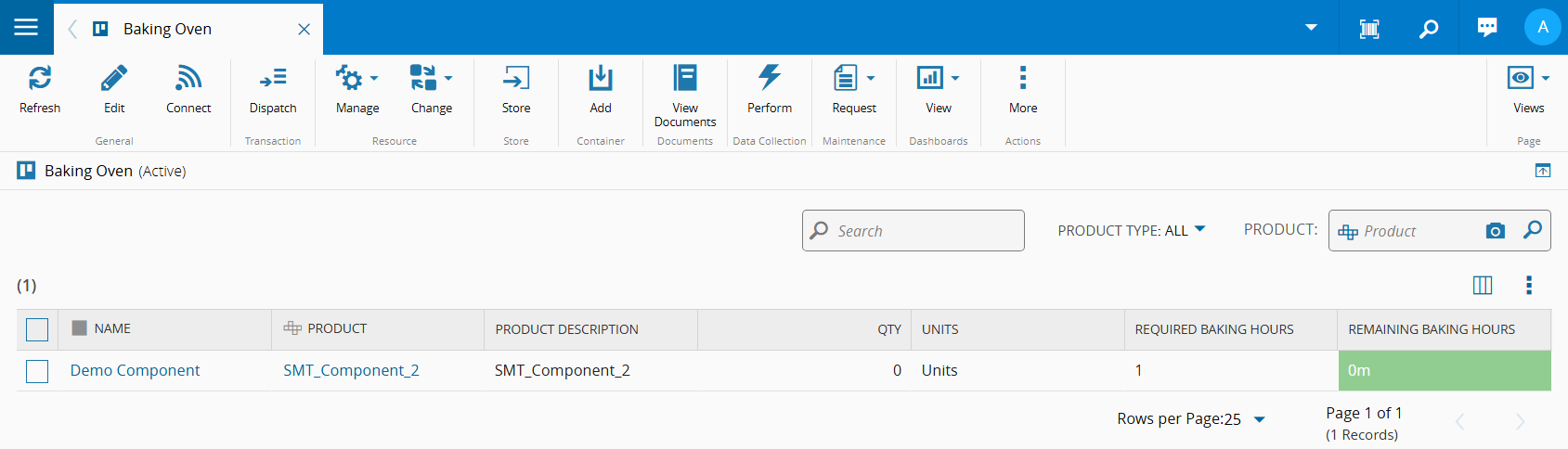
This view provides a list of the materials in the baking oven, including the remaining baking time, which is updated once per minute by default.

When a material is ready to leave the oven, the grid cell with the remaining baking hours reaches 0 and turns green.
### Stop Materials Baking
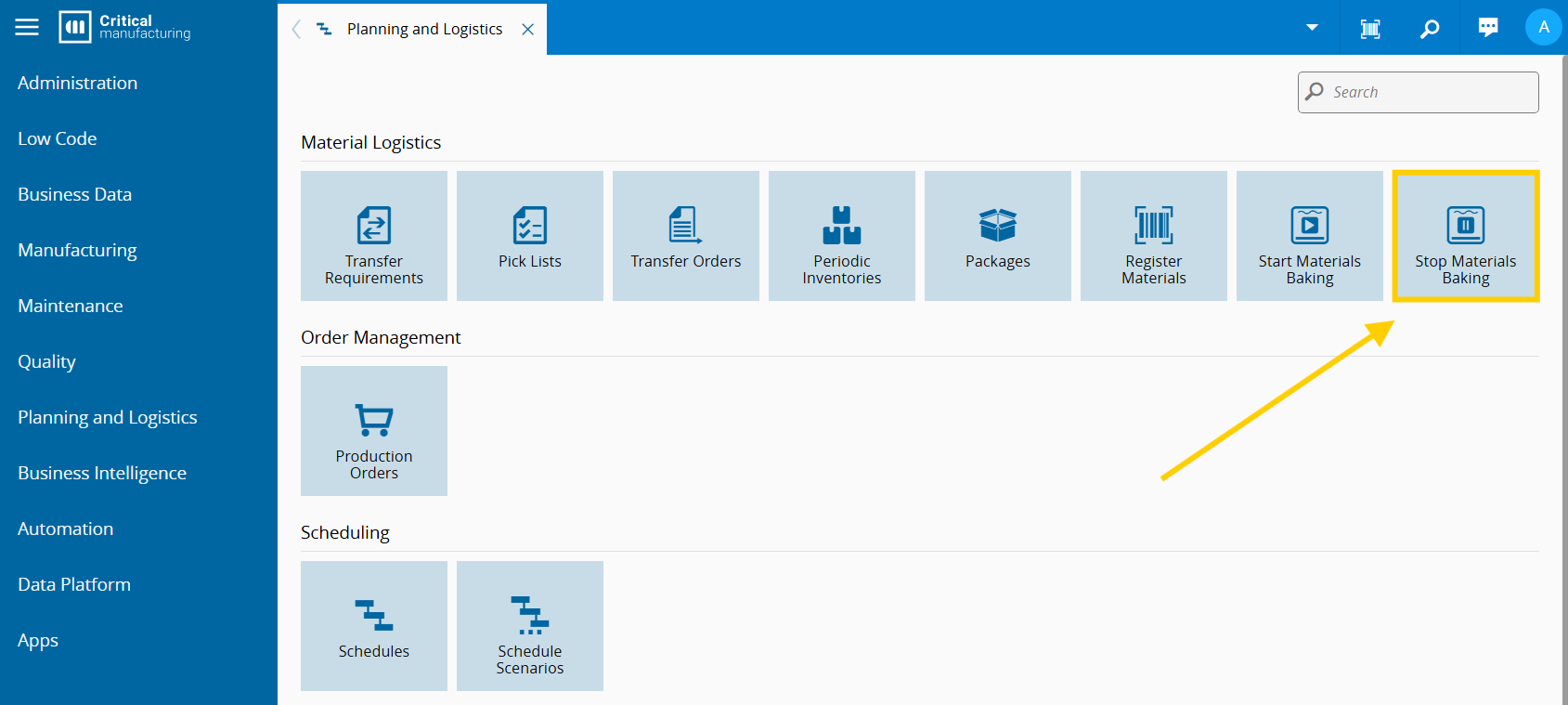
Head to the "Planning and Logistics" menu and click on the "Stop Materials Baking" button.
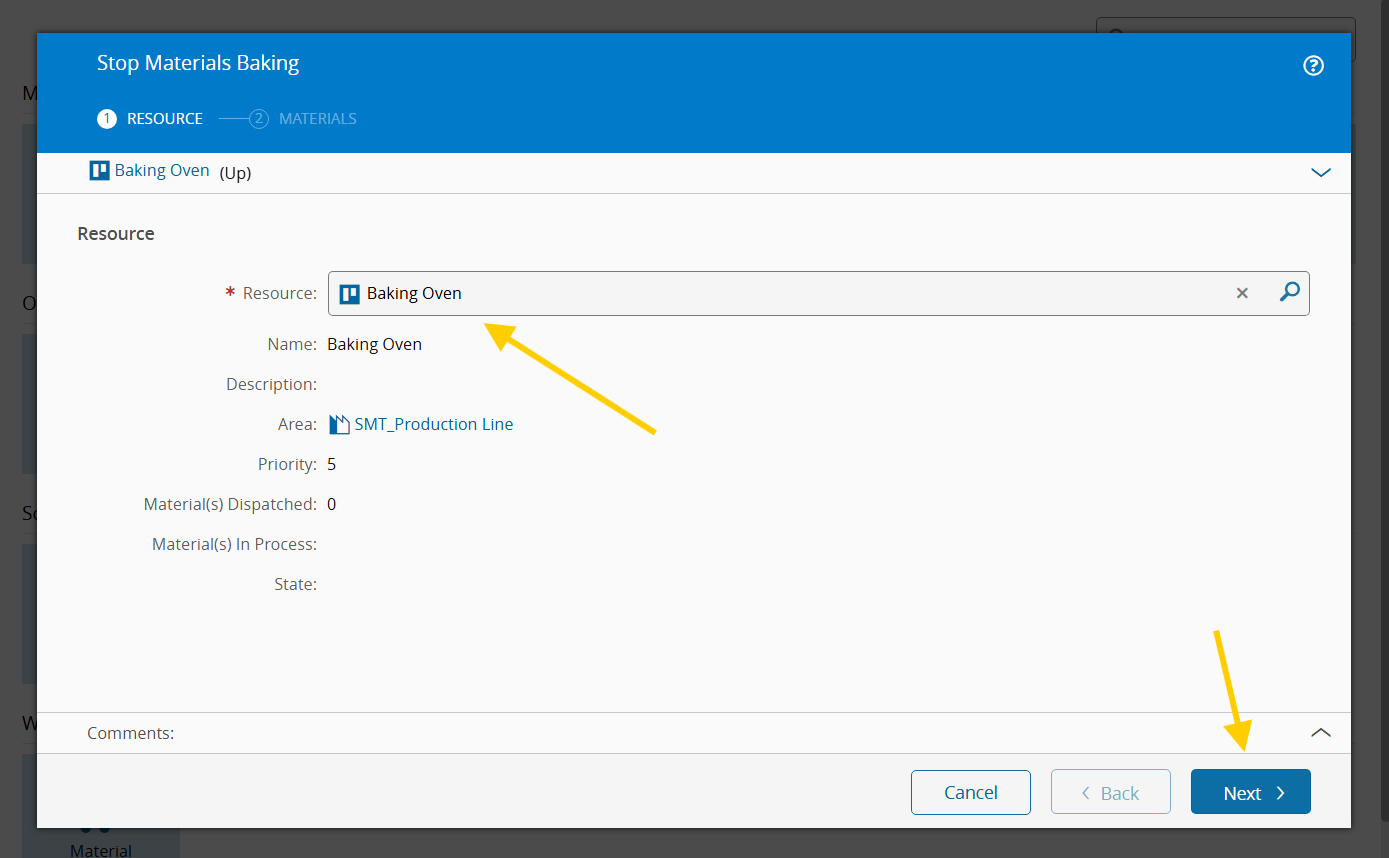
Select the baking oven and press next.
Select the materials to be removed from the oven (notice how the remaining baking time is being shown per material). Press the "Stop Baking" button when you're done.

!!! info "Changes to the material floor lives"
Notice what happens to the materials after they spend the required time in the oven:
Before:

After:
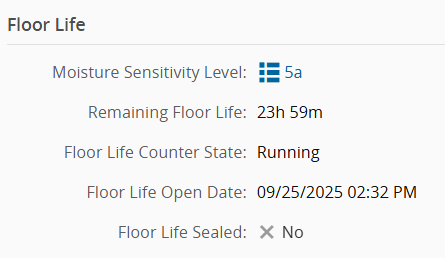
The floor life has been reset.
## Administration
To use this feature, the config `/SMT/MaterialBaking/IsEnabled` must be enabled. The [Configuration Entries](../artifacts/configurationentries.md) page contains all the configs related to this feature.
The `SMT.StartBaking`, `SMT.StopBaking` and `SMT.ViewBaking` security features need to be enabled to access their respective UI components.
### Relevant configs
| Name | Path | Type | Initial Value | Description |
| :---- | :---- | :---- | :------------- | :----------- |
| StartMaterialFloorLife
WhenBakingEnds | /SMT
/MaterialBaking/ | Boolean | true | Determines whether the floor life of the material should be running when baking ends |
| ResetMaterialFloorLife
OnBakingCompletion | /SMT
/MaterialBaking/ | Boolean | true | Indicates whether or not the material floor life of the material should be reset on baking completion |
| RefreshInterval
InMinutes | /SMT
/MaterialBaking/ | Integer | 1 | Determines the refresh interval of the resource baking view |
| MaterialBarcodePrefix | /SMT
/MaterialBaking/ | String | "" | Prefix that will be removed from the value read by the bar code scanner |
| QueueMaterialState
AfterBaking | /SMT
/MaterialBaking/ | Boolean | false | Determines whether or not the baked materials should be queued in the step it is currently in |
| IsEnabled | /SMT
/MaterialBaking/ | Boolean | true | Determines whether the Material Baking feature is enabled |