---
alias: user-guide-using-automation-tasks-library-input-output
description: "Defines task inputs and outputs for automation task library usage"
---
# Using Automation Tasks Library Inputs/Outputs
Tasks typically have a set of inputs and outputs that inform the behavior of the task. These fields may also be defined with the use of **Automation Task Library**.
## AutomationTaskInputs Object
| Property | Description | Notes |
| -------- | -------------------------------------------------------------------------------------------------------------------------------------------------------------------------------- | --------------------------------------------------------------------------------------------------------------------------------------------------------------------------------------------------------------------------------------------- |
| Key | Name of the input | Mandatory, String |
| Value | Type of the value required.
Note: To allow simplicity, two types of values should be accepted, one for most cases (string) and one for special and less frequent cases (object). | Mandatory, String from enum:
• Any (Default)
• String
• Integer
• Long
• Decimal
• Boolean
• DateTime
• Object
• Buffer
• Password
• ReferenceType
OR [AutomationTaskInputType](#automationtaskinputtype-object) |
## AutomationTaskInputType Object
| Property | Description | Notes |
| ------------ | ------------------------------------------------------------------------------------------------------------------------------------------------------------------------------------------------------------------------------------------------------------------------------------------------------- | ------------------------------------------------------------------------------------------------------------------------------------------------------------------------ |
| Type | Type of input port where:
Static – Same as using the value as string, but allowing the display name to be changed.
Activate – The Task activation input. Only one allowed.
AutoPort – Activation of the input auto ports functionality for this task.
Dynamic – The inputs can be added/removed. | Mandatory, String from enum:
• Static
• Activate
• AutoPort
• Dynamic |
| DataType | Data type of the input (used when Type is static). | String from enum:
• Any (Default)
• String
• Integer
• Long
• Decimal
• Boolean
• DateTime
• Object
• Buffer
• Password
• ReferenceType |
| DisplayName | Text to be displayed in the GUI, defaults to Name if not defined. | Optional, String |
| DefaultValue | Default value serialized. | Optional, any |
| Settings | Extra settings to use to model the behavior of the field. These settings are different per type. See [Mandatory settings per Input/Output Type](#mandatory-settings-per-inputoutput-type). | Optional, Object |
| Condition | Expression (MathJS) that will be parsed to identify if this input is to be displayed.
Example: timerType != null && timerType != “CronJob” | Options, String |
## AutomationTaskOutputs Object
| Property | Description | Notes |
| -------- | --------------------------------------------------------------------------------------------------------------------------------------------------------------------------------- | ----------------------------------------------------------------------------------------------------------------------------------------------------------------------------------------------------------------------------------------------- |
| Key | Name of the output. | Mandatory, String |
| Value | Type of the value to emit.
• Note: To allow simplicity, two types of values should be accepted, one for most cases (string) and one for special and less frequent cases (object). | Mandatory, String from enum:
• Any (Default)
• String
• Integer
• Long
• Decimal
• Boolean
• DateTime
• Object
• Buffer
• Password
• ReferenceType
OR [AutomationTaskOutputType](#automationtaskoutputtype-object) |
## AutomationTaskOutputType Object
| Property | Description | Notes |
| ----------- | --------------------------------------------------------------------------------------------------------------------------------------------------------------------------------------------------------------------------------------------------------------------------------------------------------------------------------------------------------------------------------------------------------------------------------------------- | ------------------------------------------------------------------------------------------------------------------------------------------------------------------------ |
| Type | Type of output port where:
Static – Same as using the value as string, but allowing the display name to be changed.
Success – The Task success output port emitted when it executed successfully. Only one allowed.
Error – The task error output port which emits the error that occurred during execution.
AutoPort – Activation of the output auto ports functionality for this task.
Dynamic – The outputs can be added/removed. | Mandatory, String from enum:
• Static
• Success
• Error
• AutoPort
• Dynamic |
| DataType | Data type of the output (used when Type is static). | String from enum:
• Any (Default)
• String
• Integer
• Long
• Decimal
• Boolean
• DateTime
• Object
• Buffer
• Password
• ReferenceType |
| DisplayName | Text to be displayed in the GUI, defaults to Name if not defined. | Optional, String |
| Settings | Extra settings to use to model the behavior of the field. These settings are different per type. See [Mandatory settings per Input/Output Type](#mandatory-settings-per-inputoutput-type). | Optional, Object |
| Condition | Expression (MathJS) that will be parsed to identify if this output is to be displayed.
Example: timerType != null && timerType != “CronJob” | Options, String |
## Mandatory settings per Input/Output Type
| Input/OutputType | Property | Description | Notes |
| ---------------- | ----------------- | -------------------------------------------------------------------------------------------------------------------------------------------------------------------------------------------------------------------------------------------------------------- | ---------------------------------------------------------------------- |
| AutoPort | SettingKey | Key of the settings where the value will be stored. Must be unique within the entire set of settings in the task. | Mandatory, String |
| " | Destination | Input/Output to use when the new entry is created. By default, an input port should be sent to the “Input” and an output port should be sent to “Output”. | Optional, String from enum:
- Input
- Output
- InputAndOutput |
| Dynamic | SettingKey | Key of the settings where the value will be stored. Must be unique within the entire set of settings in the task. | Mandatory, String |
| | TabName | Text to display in the tab. Optional, String. Defaults to Inputs/Outputs, depending on the entry. | Optional, String |
| | CanAdd | Flag indicating if the user is allowed to add new entries. Optional, Boolean. Defaults to false. | Optional, Boolean |
| | CanDelete | Flag indicating if the user can remove existing entries. Optional, Boolean. Defaults to false. | Optional, Boolean |
| | CanSort | Flag indicating if the user can reorder existing entries. Optional, Boolean. Defaults to false. | Optional, Boolean |
| | CaptionKey | Name of the entry that will be used as caption of the item list. | Mandatory, String |
| | SubCaptionKey | Name of the entry that will be used as sub-caption of the item list. | Optional, String |
| | LeafDefinition | List of entries to render per entry. When empty, a template for inputs and outputs is injected, following the AutoPort behavior. | Mandatory, AutomationTaskSetting[] |
| | Destination | Input/Output to use when a new entry is created. By default, an input port is sent to the "Input" and an output port is sent to "Output". | Optional, String from enum:
- Input
- Output
- InputAndOutput |
| | LeafKeys | Names of the leaf entries that hold the port information, so the designer can resolve each entry. Accepts `name`, `dataType`, and `value`. Use `dataType` when the data type of the port is held by a leaf entry other than the default one. | Optional, Object |
| | ShowPlaceholder | Flag indicating whether a placeholder port, such as "Link here to add new", is rendered in the Data Flow editor, so a new entry can be created by linking to it. Defaults to false. Enabling it also makes AddInOutSuffix default to true. | Optional, Boolean |
| | AddInOutSuffix | Flag indicating whether the port names get a suffix, `In` for inputs and `Out` for outputs. Use it when the same entry name is used for both an input and an output, to avoid a name collision. Defaults to false, or to true when ShowPlaceholder is enabled. | Optional, Boolean |
| | HidePorts | Flag indicating that no port is rendered for the entries. Use it when the entries are configuration only and are not linked in the workflow. Defaults to false. | Optional, Boolean |
| | PropertiesToSave | List of the leaf properties that are saved with the entry. When it is not defined, all properties are saved. | Optional, String[] |
| ReferenceType | ReferenceTypeName | Type of entity to represent in the input/output. port | Optional, String |
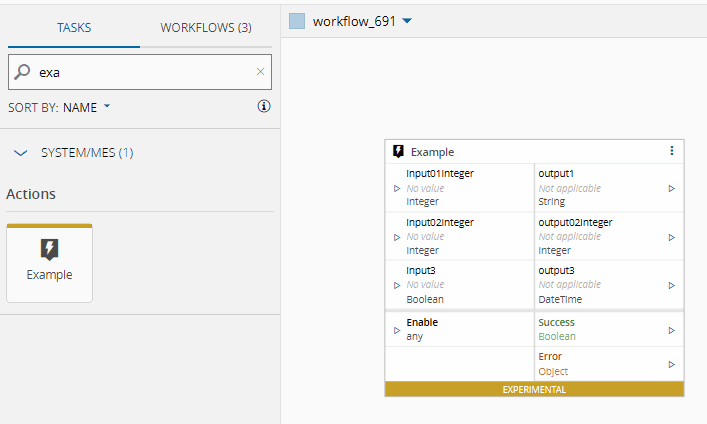
Example for Static inputs and outputs:
```json
{
"inputs": {
"input1": {
"type": "Static",
"dataType": "Integer",
"displayName": "input01Integer",
"defaultValue": 10
},
"input2": {
"type": "Static",
"dataType": "Integer",
"displayName": "input02Integer",
"defaultValue": 12345
},
"Activate": {
"type": "Activate",
"dataType": "",
"displayName": "Enable",
"defaultValue": ""
},
"input3": "Boolean"
},
"outputs": {
"output1": "String",
"output2": {
"type": "Static",
"dataType": "Integer",
"displayName": "output02Integer"
},
"output3": "DateTime",
"Success": {
"type": "Success",
"dataType": ""
},
"Error": {
"type": "Error",
"dataType": ""
}
}
}
```
The task now has a set of inputs and outputs. The `Success`, `Error` and `Activate` are special cases, where they are defined by a particular type. All tasks should have `Success`, `Error` and `Activate`.
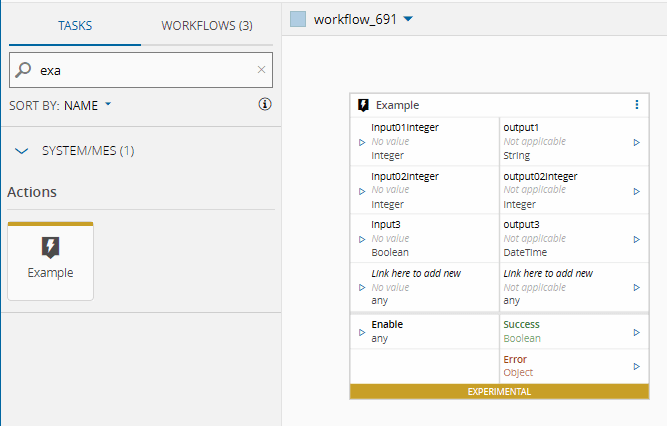
Example for AutoPort inputs and outputs:
```json
{
"inputs": {
"__inputs": {
"type": "AutoPort",
"dataType": "Any",
"displayName": "Link here to add new",
"settings": {
"settingKey": "inputs",
"destination": "Input"
}
}
},
"outputs": {
"__outputs": {
"type": "AutoPort",
"dataType": "Any",
"displayName": "Link here to add new",
"settings": {
"settingKey": "outputs",
"destination": "Output"
}
}
}
}
```
Notice also that the AutoPorts also dynamically adds a settings tab for inputs and outputs.
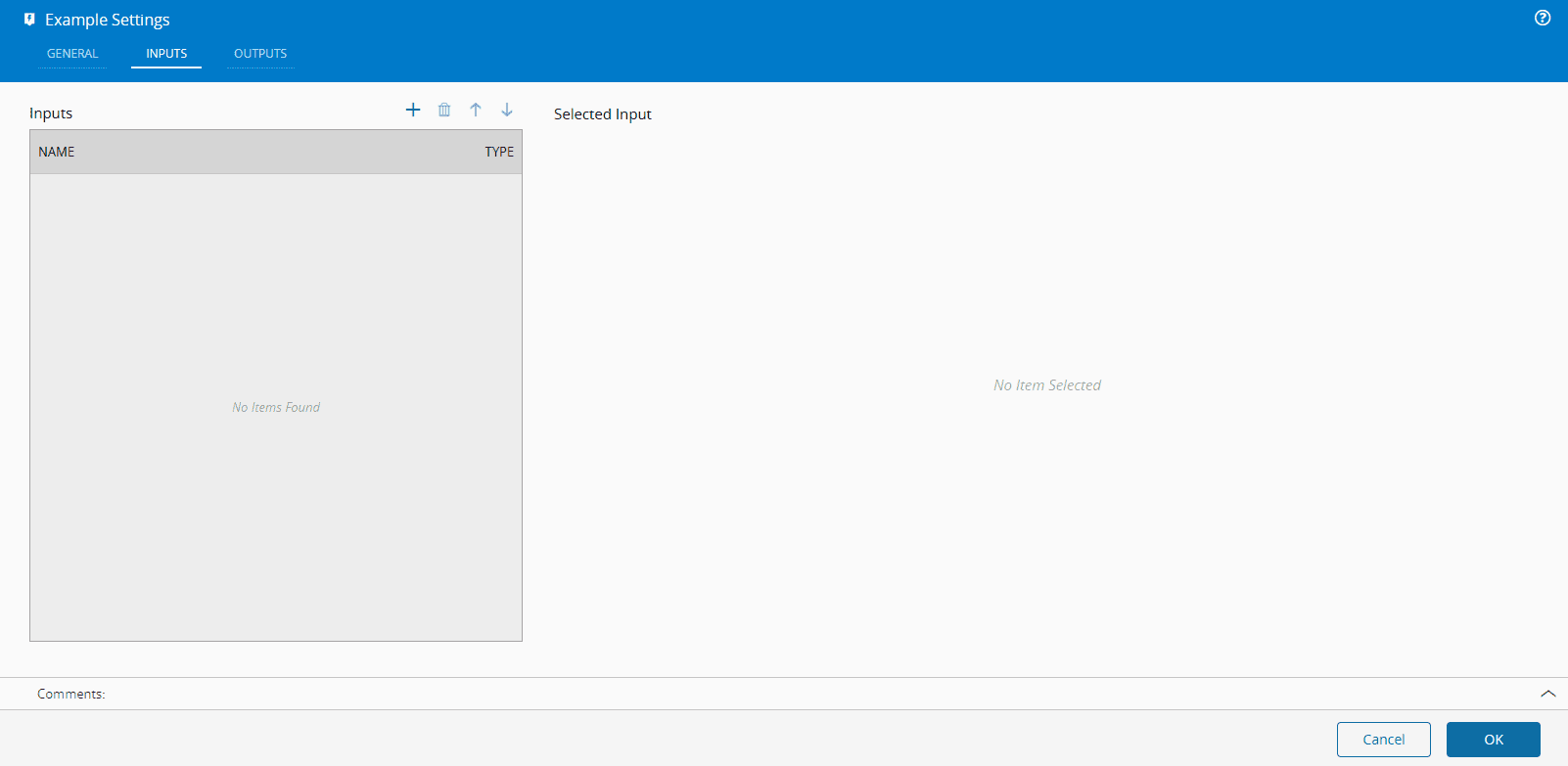
When linking new inputs or outputs, they will be shown in the corresponding tabs. The destination will inform you on what tab the link should be added.
Example for Dynamic inputs and outputs:
```json
{
"inputs": {
"dynamicInput": {
"type": "Dynamic",
"settings": {
"settingKey": "_inputs",
"tabName": "Dynamic Example",
"canAdd": true,
"canDelete": true,
"canSort": true,
"captionKey": "name",
"subCaptionKey": "defaultValue",
"leafDefinition": [
{
"name": "name",
"displayName": "Name",
"settingKey": "name",
"dataType": "string",
"settings": {
"disabled": false
}
},
{
"name": "description",
"displayName": "Description",
"settingKey": "description",
"dataType": "string",
"settings": {
"disabled": true
}
},
{
"name": "value",
"displayName": "Value",
"settingKey": "dataType",
"dataType": "ComplexType"
},
{
"name": "defaultValue",
"displayName": "Default Value",
"settingKey": "defaultValue",
"dataType": "DynamicType",
"settings": {
"dataTypeKey": "dataType"
}
}
]
}
}
}
}
```
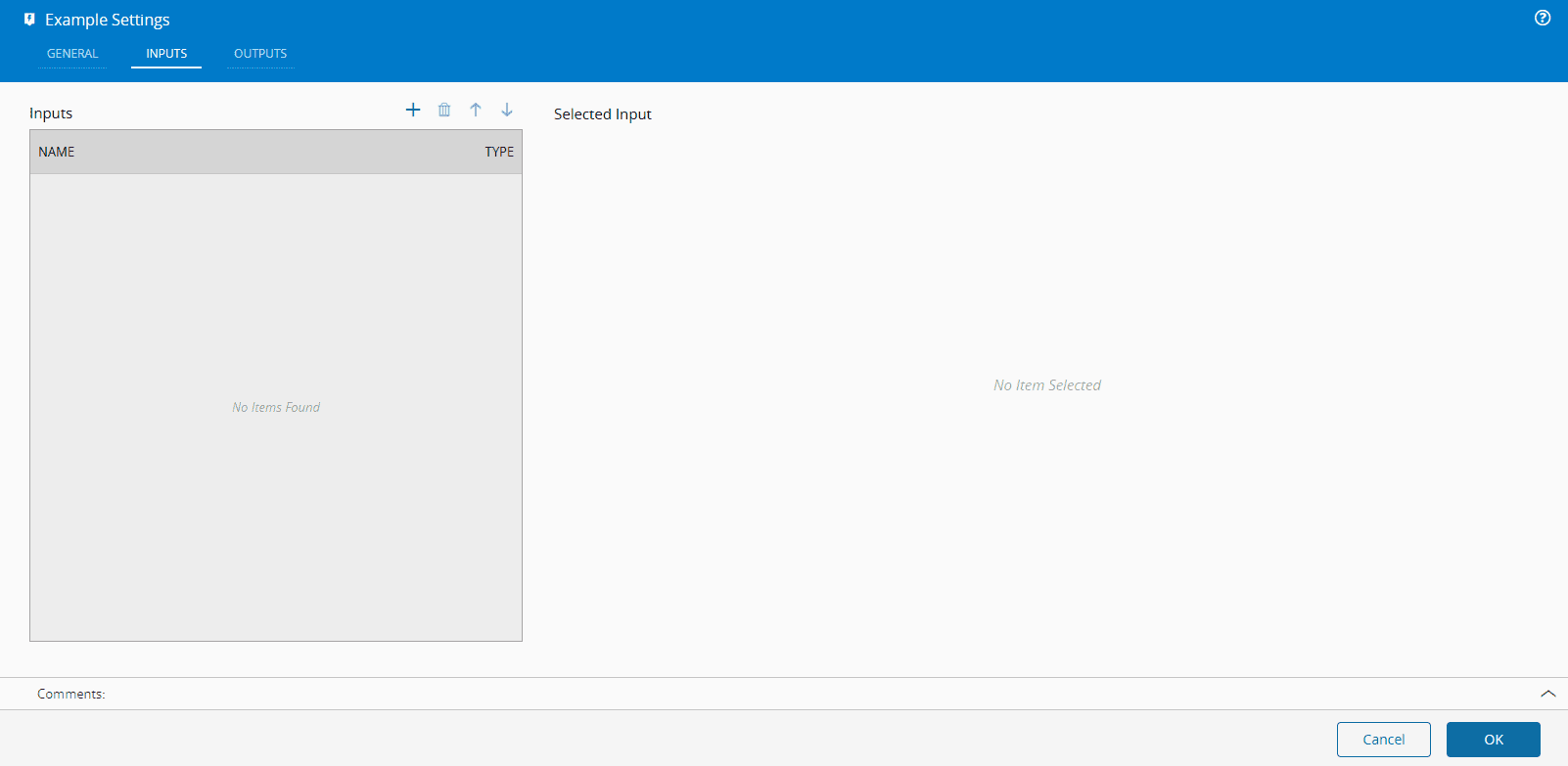
Notice that the Dynamic also adds a settings tab for displaying the dynamic. Notice also, the `ComplexType` and the `DynamicType` matching. This allows us to have a responsive matching between two types. If you want to dynamically add or modify the dynamic, through scripting, you should invoke the `this.rebuildColumnTree()` method to recalculate the tree of dynamic leafs.