---
alias: user-guide-automation-converter-now
description: "This converter replaces the input value with the current date and time in the selected format"
---
# Now
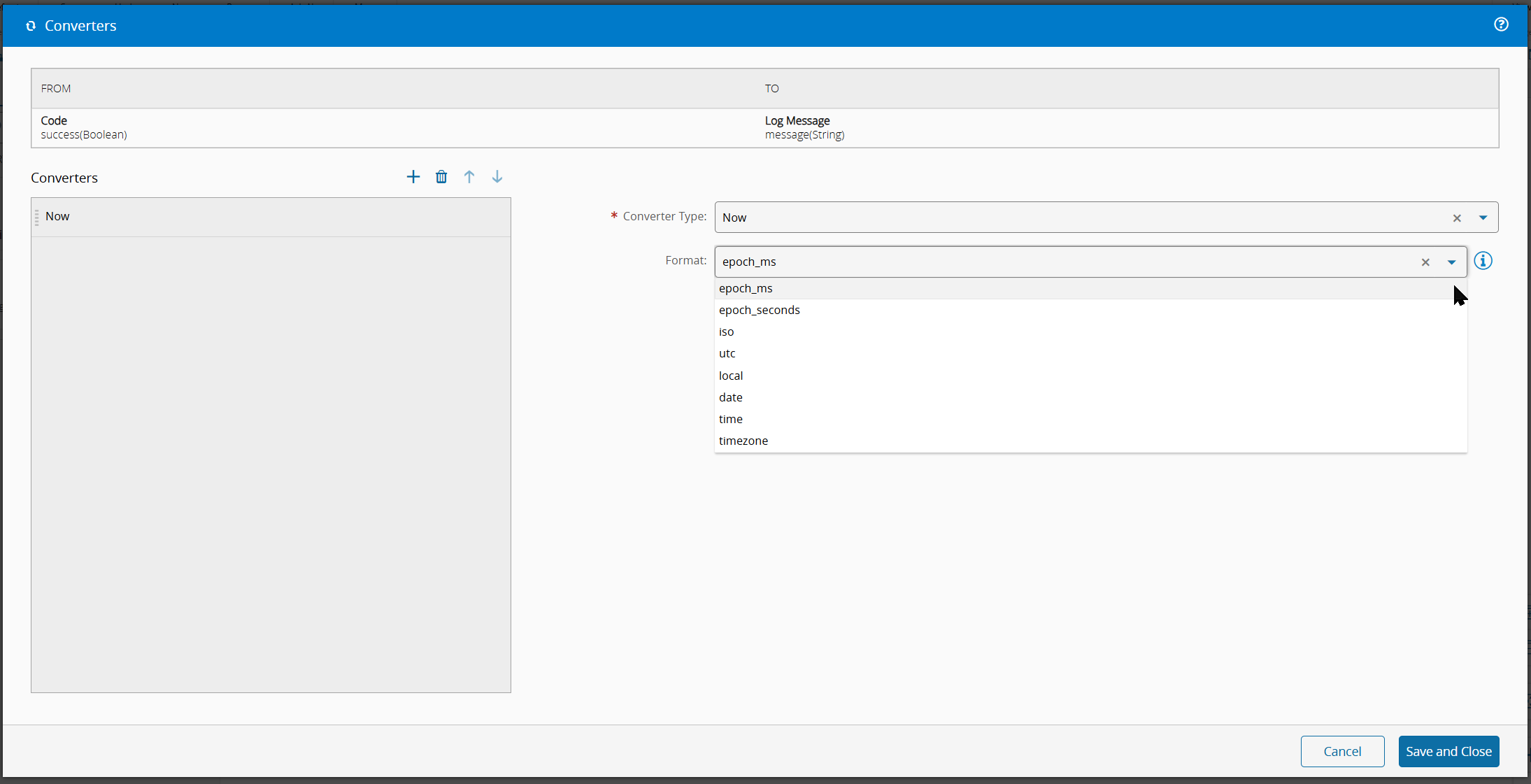
The **Now** converter ignores the input value and outputs the **current date and time** in the format selected through its settings. It is typically used to stamp a message or a task input with the moment the flow runs, without having to rely on an upstream source of time.
## Settings
| Name | Data Type | Possible Values | Description |
| -------- | --------- | ---------------------------------------------------------------------------------------------------------------------------------- | ---------------------------------------------------------------------------------------------------------------------------------------------------------------------------------------------------------------------------------------------------------------------------------------------------------------------------------------------------------------------------------------------------------------------------------------------------------------------------------------------------------------------------------------- |
| format | `Enum` | `epoch_ms`
`epoch_seconds`
`iso`
`utc`
`local`
`date`
`time`
`timezone` | Output format of the current date/time. Defaults to `epoch_ms`.
`epoch_ms` - milliseconds since the Unix epoch (number).
`epoch_seconds` - seconds since the Unix epoch (number).
`iso` - ISO 8601 string (for example, `2024-01-15T10:30:00.000Z`).
`utc` - UTC string (for example, `Mon, 15 Jan 2024 10:30:00 GMT`).
`local` - locale-aware date and time string.
`date` - date-only ISO string (for example, `2024-01-15`).
`time` - time-only ISO string (for example, `10:30:00.000`).
`timezone` - date/time formatted in the IANA timezone provided in the `timezone` setting. |
| timezone | `String` | | IANA timezone name (for example, `America/New_York`, `Europe/Lisbon`). Only used when `format` is set to `timezone`. |
Table 1: Settings
## Examples
Assuming the current instant is **2024-01-15 10:30:00.000 UTC**, the output for each format is:
| `format` | `timezone` | Output Type | Output |
| --------------- | ------------------ | ----------- | --------------------------------------------------- |
| `epoch_ms` | | `Number` | `1705314600000` |
| `epoch_seconds` | | `Number` | `1705314600` |
| `iso` | | `String` | `2024-01-15T10:30:00.000Z` |
| `utc` | | `String` | `Mon, 15 Jan 2024 10:30:00 GMT` |
| `local` | | `String` | `1/15/2024, 10:30:00 AM` (depends on machine locale) |
| `date` | | `String` | `2024-01-15` |
| `time` | | `String` | `10:30:00.000` |
| `timezone` | `America/New_York` | `String` | `01/15/2024, 05:30:00` (UTC-5) |
| `timezone` | *(empty)* | `String` | Falls back to ISO: `2024-01-15T10:30:00.000Z`. |
Table 2: Examples
### Invalid Input
This converter fails in the case below. For what happens to the rest of the chain when a converter fails (the error is logged, reported for monitoring, and the next task does not run), see [[user-guide-automation-converters-index]].
| `format` | `timezone` | Result |
| ---------- | ---------------- | ------------------------------------------------------------------ |
| `timezone` | `Invalid/Zone` | Fails with `RangeError: Invalid time zone specified: Invalid/Zone`. |
Table 3: Invalid Input
Unknown values for `format` do not fail - the converter silently falls back to `epoch_ms`.