---
alias: user-guide-automation-converter-stringtoentityinstance
description: "This tool generates a basic MES object skeleton based on a provided name or ID"
---
# Create System Entity Instance
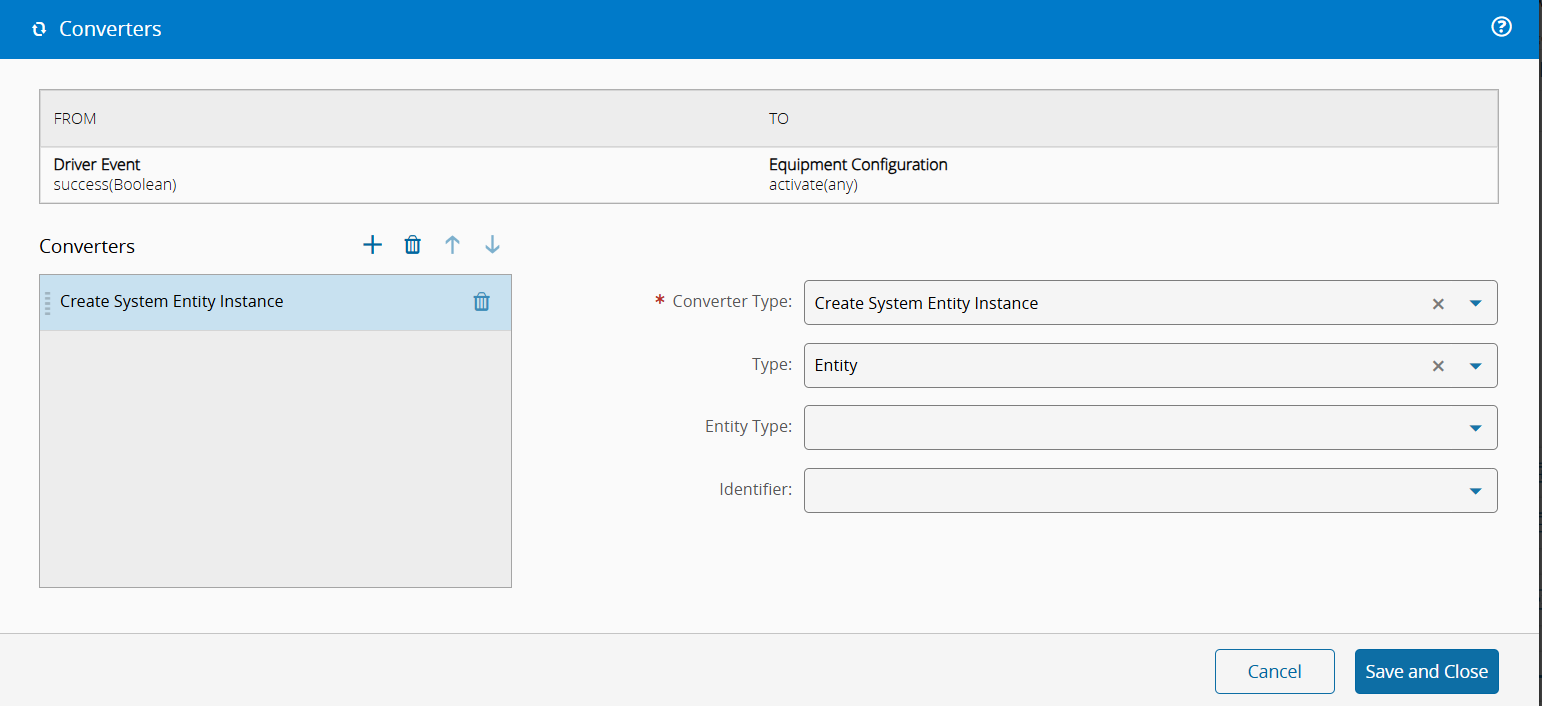
This converter creates a MES object skeleton only with the name or ID defined as the input value. It natively supports the entity types **Resource**, **Container**, **Material**, **Data Collection**, but can also receive custom types.
## Settings
| Name | Data Type | Possible Values | Description |
|-------- | ----------- | ----------- | ----------- |
| Type | `Enum` | `Entity`
`Custom` | Type of entity instance |
| Entity Type | `Enum` | `Resource`
`Container`
`Material`
`DataCollection` | Type of entity skeleton to create |
| Custom Type | `String` | | Text to use as `$type` when Type is `Custom`. It is ignored when `entityType` is set to a built-in entity |
|Identifier | `Enum` | `Name`
`Id` | The placeholder that will receive the input value |
Table 1: Settings
## Examples
| Input | `entityType` | `customType` | `identifier` | Output `$type` | Output field |
| -------------------- | ---------------- | ------------ | ------------ | ---------------------------------------------------------------------- | --------------------- |
| `resourceName` | `Resource` | N/A | `Name` | `Cmf.Navigo.BusinessObjects.Resource, Cmf.Navigo.BusinessObjects` | `Name: resourceName` |
| `resourceId` | `Resource` | N/A | `Id` | `Cmf.Navigo.BusinessObjects.Resource, Cmf.Navigo.BusinessObjects` | `Id: resourceId` |
| `containerName` | `Container` | N/A | `Name` | `Cmf.Navigo.BusinessObjects.Container, Cmf.Navigo.BusinessObjects` | `Name: containerName` |
| `materialName` | `Material` | N/A | `Name` | `Cmf.Navigo.BusinessObjects.Material, Cmf.Navigo.BusinessObjects` | `Name: materialName` |
| `dataCollectionName` | `DataCollection` | N/A | `Name` | `Cmf.Navigo.BusinessObjects.DataCollection, Cmf.Navigo.BusinessObjects` | `Name: dataCollectionName` |
| `somethingName` | `Custom` | `Something` | `Name` | `Something` | `Name: somethingName` |
| `somethingId` | `Custom` | `Something` | `Id` | `Something` | `Id: somethingId` |
Table 2: Examples
When `entityType` is set to a built-in entity, `customType` is ignored - for example, `entityType = DataCollection` together with `customType = "Something"` still produces `$type = Cmf.Navigo.BusinessObjects.DataCollection, ...`.
### Invalid Configuration
The converter never fails - invalid settings are **logged as errors** and an object is still produced, which may cause problems further down when the malformed `$type` (or missing `Name`/`Id`) reaches MES. This is the **Log and continue** failure pattern; see [[user-guide-automation-converters-index]] for how it compares to other converters.
| `entityType` | `customType` | `identifier` | Output |
| ------------------ | ------------ | -------------- | -------------------------------------------------- |
| `Custom` | *(empty)* | any | `{ "$type": "" }` (error logged: *The field customType must not be empty if Entity Type is Custom*) |
| unrecognized value | any | any | `{ "$type": "Unknown" }` (error logged: *Unknown entity type to convert "..."*) |
| any | any | unrecognized | object without `Name` or `Id` (error logged: *Unknown identifier "..."*). |
Table 3: Invalid Configuration