---
alias: user-guide-automation-task-core-apipostevent
tags:
- automation tasks
description: "This task posts events to the Data Platform, utilizing application and event details"
---
# API Post Event
:iot-automationevent-lg:{style="font-size:100px"}
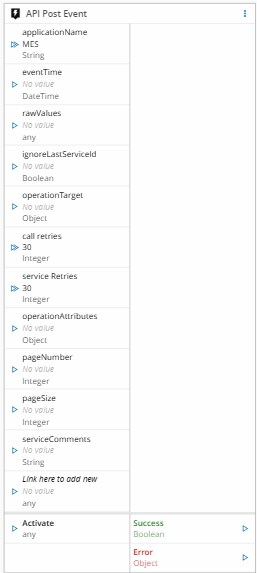
The task `API Post Event` is a Task that posts an event into the Data Platform event ingestion.
## Details
| Fields | Details |
| ----------------- | ---------------------------------------------------------------------------------- |
| Scope | Connect IoT
Data Platform
Enterprise Integration
Factory Automation |
| Workflow | Data flow
Control flow |
| `IsProtocol` flag | :material-close:{style="color:#EF5350"} |
## Inputs
| Name | Data Type | Description |
| ---------------- | ---------- | ------------------------------------------ |
| Application Name | `String` | The application name for the event posting |
| Event Time | `DateTime` | The time when the event was triggered |
| Raw Values | `Any` | The values to be sent to the Data Platform |
| Activate | `Any` | Activates the task execution |
## Outputs
| Name | Data Type | Description |
| ------- | --------- | ------------------------------------------------------ |
| Success | `Boolean` | Returns true if the event was posted successfully |
| Error | `Error` | Error that occurred during the processing of this task |
## Settings
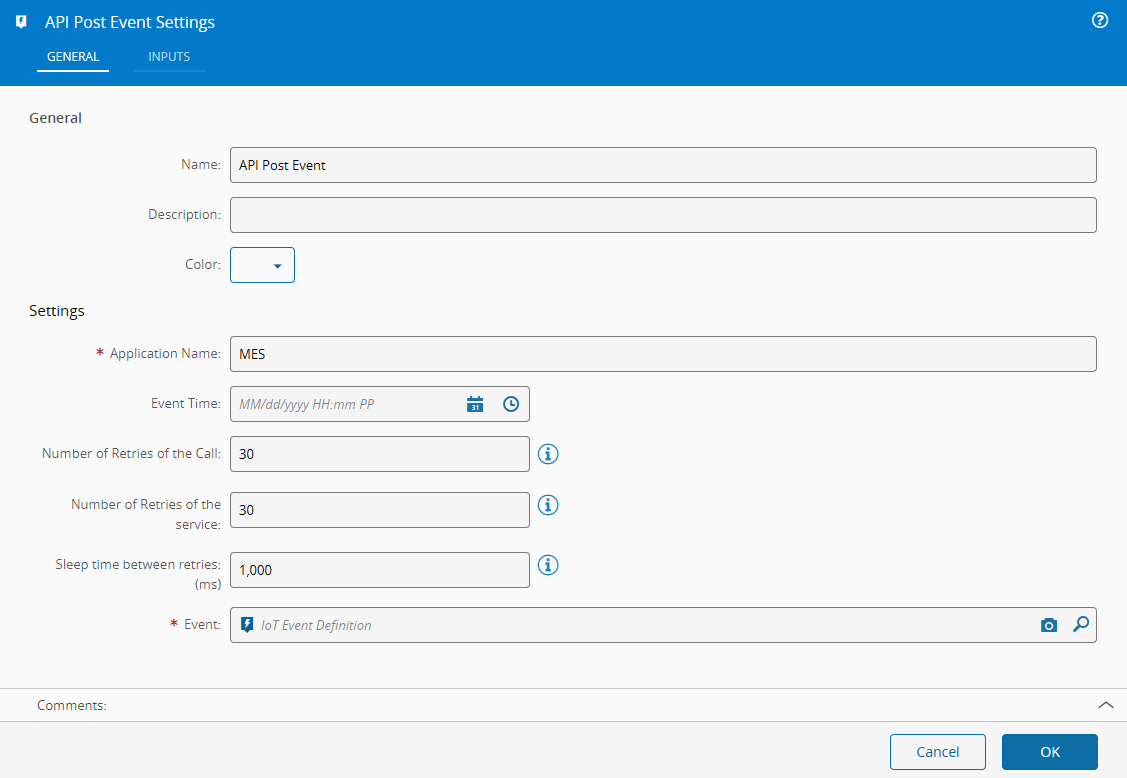
On the `General` Tab, there are the following settings:
| Name | Data Type | Default | Description |
|------------------|------------|---------|--------------------------------------------------------------------------------------------------------------------------------------------------------|
| Application Name | `String` | MES | The application name for the event posting |
| Event Time | `DateTime` | | The time when the event was triggered |
| Event | `String` | | **IoT Event Definition** full name (for example `\\IoTEventDefinitions\CDM\Material\MaterialOperations`) to which post MES request should be performed |
{% include-markdown 'includes/pages/iot_tasks_retries_settings.md' %}
## Behavior
The task is used to generate information that will be received and saved by an **IoT Consumer**. It posts the **IoT Event** with the supplied raw values as well as the dynamic inputs inherited from the **IoT Event Definition** and sends all values as payload.
When a property is in `Raw Values` and a dynamic input of the same name has a value, the value of the dynamic input is sent.
A value received on the `service Retries` (`numberOfRetries`) input replaces Number of System Retries and is sent to MES as the number of system retries.
When the MES cannot process the posted event, the task returns the errors on the `Error` output and the MES publishes the event to the `_dp_iotevents_dlq` Kafka dead-letter topic instead of the topic of the **IoT Event Definition**. This happens when the event does not have the required fields, when the current user has no write access to the **Data Group** of the **IoT Event Definition**, or when the event fails processing, for example, because the **IoT Event Definition** is not found or the raw values do not comply with its **IoT Schema**. The dead-letter message contains the errors together with the event data, and its headers include an `ErrorContext` header that identifies the failure, in addition to the **IoT Event Definition** headers when the definition is known.