---
alias: user-guide-automation-task-mes-containerdockreply
tags:
- automation tasks
description: "Action task that sends the reply back to a pending Container Dock request received from the MES"
---
# Send Container Dock Reply
:iot-system-reply-lg:
This **action** task sends the reply back to a Container Dock request received from the MES, completing the request/reply exchange started by the [On Container Dock Request](task_container_dock_request.md) task.
It belongs to the `System / MES` category, under `Actions`, and is available in Data Flow workflows.
## Details
| Fields | Details |
| ----------------- | ---------------------------------------------------------------------------------- |
| Scope | Connect IoT
Data Platform
Enterprise Integration
Factory Automation |
| Workflow | Data flow |
| `IsProtocol` flag | :material-close:{style="color:#EF5350"} |
## Behavior
When activated, this task sends the reply back to the Container Dock request that the [On Container Dock Request](task_container_dock_request.md) task is waiting on, which unblocks the MES. The reply comes from the `reply` input, or from the `Default Reply` setting when no reply is provided.
This task must run in the same workflow branch (`zone`) as the request it answers. If there is no pending request to answer, the task emits `Error` instead.
## Inputs
| Name | Data Type | Description |
| -------- | --------- | -------------------------------------------------------------------------------------------------- |
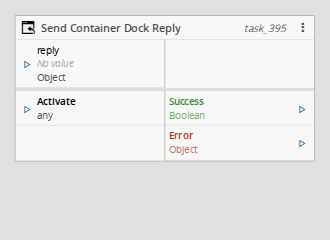
| reply | `Object` | Reply to send back to the Container Dock request. Optional; when omitted, the `Default Reply` is used. |
| Activate | `Any` | Activates the task, sending the reply. |
Table: Send Container Dock Reply task inputs
## Outputs
| Name | Data Type | Description |
| ------- | --------- | ---------------------------------------------------------------------------------- |
| Success | `Boolean` | Triggered when the reply is sent successfully. |
| Error | `Error` | Triggered when sending fails, or no pending request exists in the current context. |
Table: Send Container Dock Reply task outputs
## Settings
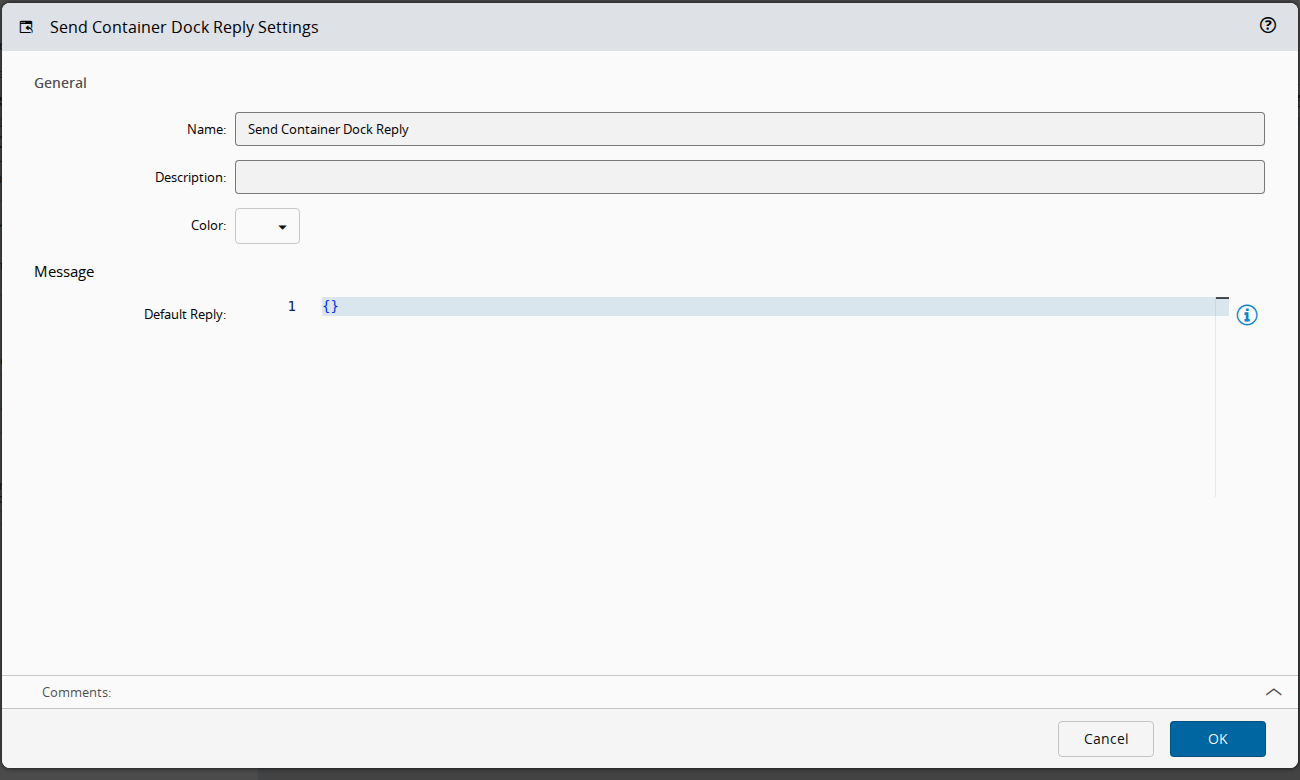
On the `General` tab, you have the usual settings and the following settings:
| Name | Data Type | Values | Default | Description |
| ------------- | --------- | ------ | ------- | -------------------------------------------------------------------------------------------------------- |
| Default Reply | `Object` | | `{}` | Optional default message to reply with when the task is activated and no reply is provided on the input. |
Table: Send Container Dock Reply task settings
## Remarks
This task pairs with the [On Container Dock Request](task_container_dock_request.md) task, which listens for the request that this task replies to. It must be executed within the `zone` created by that task.
MES confirms the operation with any reply and does not read its content. To refuse the operation with a reason, link an `Error` with a message into `reply`: MES fails the operation with that message. See [[tutorials-connectiot-mes-interop-scenarios#what-mes-sends-and-expects]].
This task uses a specific structure of context-based data called `zone`. More information on this topic can be read in the [Zones](../zones.md) page.