Scenario 3: Shift Handover and Sign-Off#
This scenario demonstrates the end-of-shift handover process and sign-off by the incoming supervisor.
Review and Sign Off#
- Open the Shift Logbook for the completed shift.
- Confirm System State is Open.
- Review entries.
- Select Sign-Off.
- In the Sign-Off wizard, select Sign-Off to confirm.
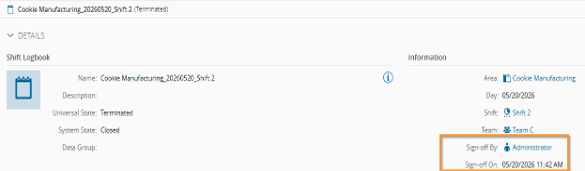
The Shift Logbook System State changes to Terminated.
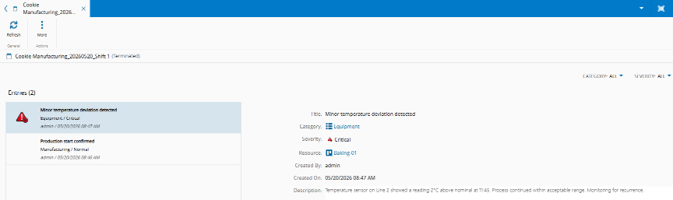
The Sign-Off By and Sign-Off On fields are populated. If a distribution list is configured in Area, the system sends an email copy automatically.
Info
A signed-off Shift Logbook is permanently Terminated and cannot be reopened.
Validate Next Shift Logbook Creation#
- Return to fabExplorer.
- Confirm the system created a new Shift Logbook for the next shift.
The new logbook is created automatically at shift start and is independent from the previous sign-off operation.