Bonus Reason#
A Bonus Reason is the opposite of a Loss Reason in Critical Manufacturing MES. While a loss decreases Material quantity, a bonus increases Material quantity.
Use a Bonus Reason when:
- A Material was previously considered scrap and recorded as a loss.
- The Material is recovered or reworked and can return to the production process.
- You need to increase the available quantity again.
Configure a Bonus Reason#
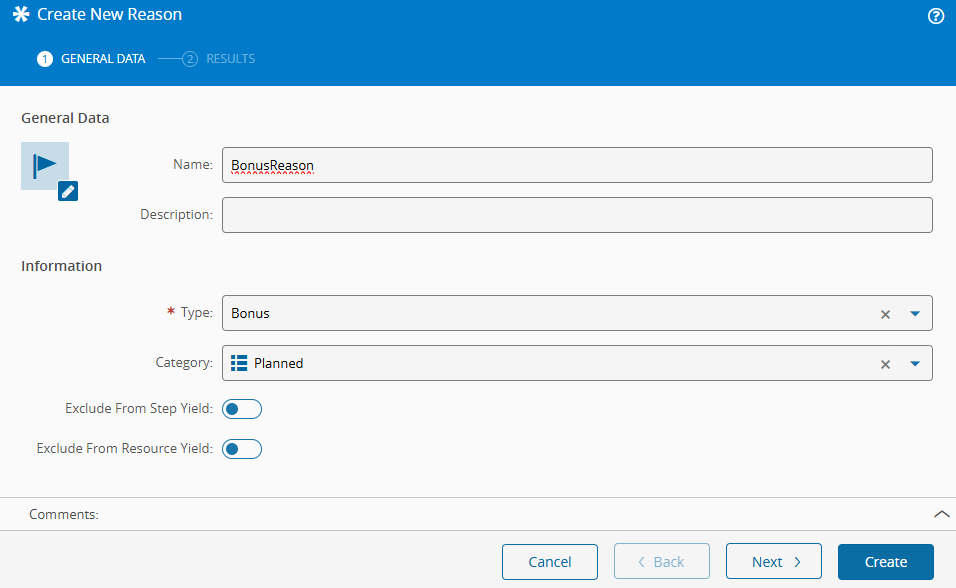
- Open the Reason module and create a new Reason.
- Enter a name for the Bonus Reason.
- Select the Bonus type.
- Optionally select a category from ReasonCategory.
- Enable Exclude from Step/Resource Yield if this reason should not be considered in yield calculations.
Warning
Bonus reasons do not support multimedia images.
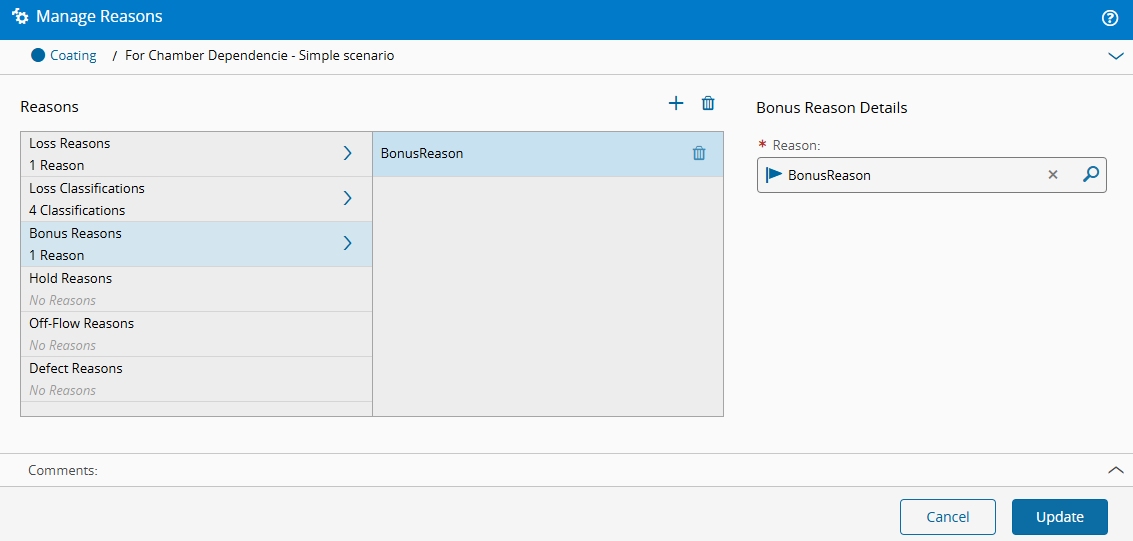
Assign the Bonus Reason to the Coating Step.
Scenario: Record a Bonus#
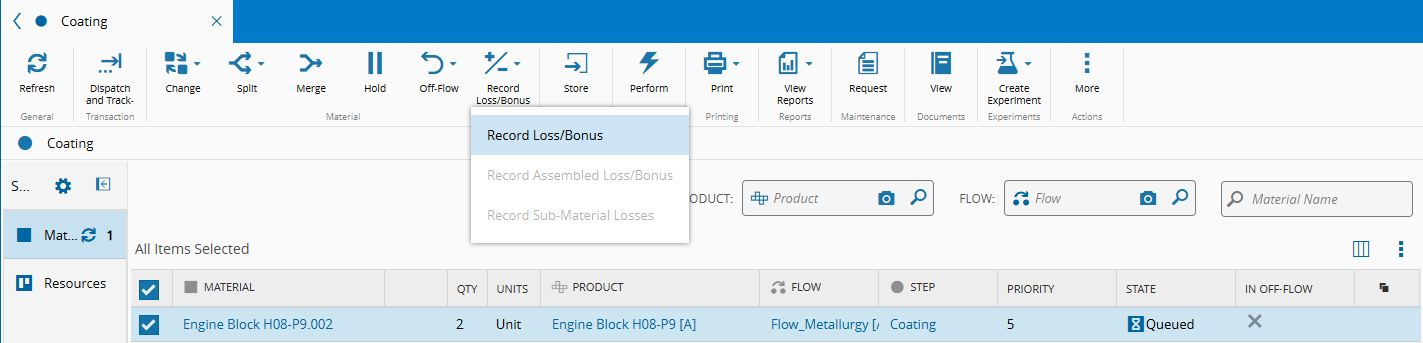
- Open the
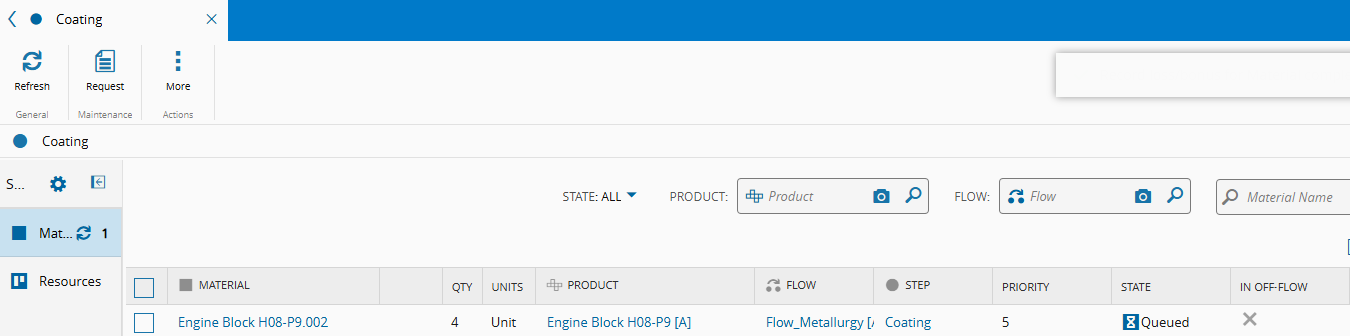
CoatingStep view and select theEngine Block H08-P9.002Material. -
Select Record Loss/Bonus.
-
In the wizard, open the Bonus tab, enter a bonus quantity of
2, and select Record.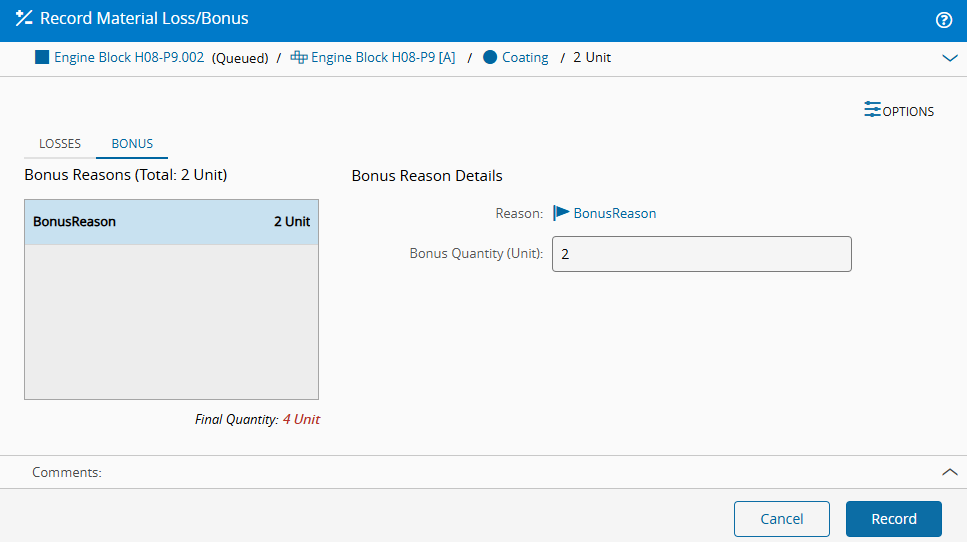
-
Confirm that the Material quantity increases by
2.
-
Review the resulting information in the following areas:
- Material History
- Traceability
- History Report
- Quality Information and Scrap Information in the Business Intelligence navigation pane
Next page: Hold Reason.