Off-Flow Reason#
An Off-Flow Reason, also called a Rework Reason, sends a Material to an alternative Flow path outside the standard production Flow. Use it for rework, repair, or special processing cases.
Off-Flow Reasons let a Material:
- Leave the main production Flow temporarily.
- Follow an alternative processing path.
- Return to the main Flow at a defined point.
- Record why it deviated from the standard route.
| Type | Description | Return Behavior |
|---|---|---|
| Rework | The Material enters a rework Flow and then returns to the main Flow. | Returns to a specified Step |
| Temporary Off-Flow | The Material leaves the Flow temporarily for special processing. | Returns to the departure point |
Configure an Off-Flow Reason#
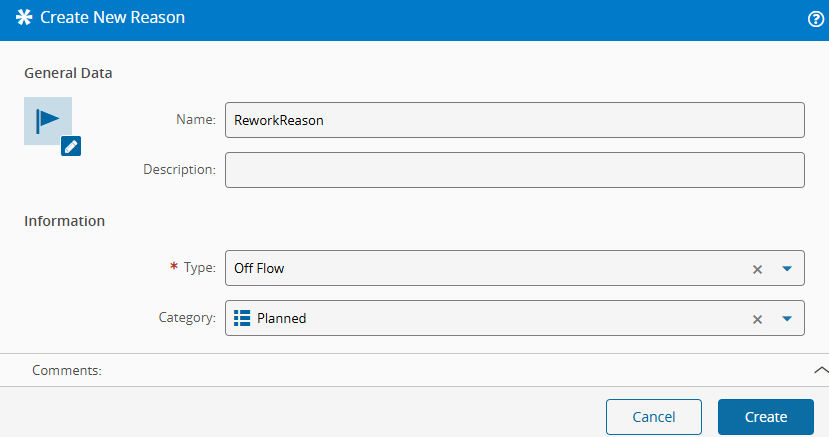
- Open the Reason module and create a new Reason.
- Select the Off Flow type.
-
Optionally select a category from ReasonCategory.
-
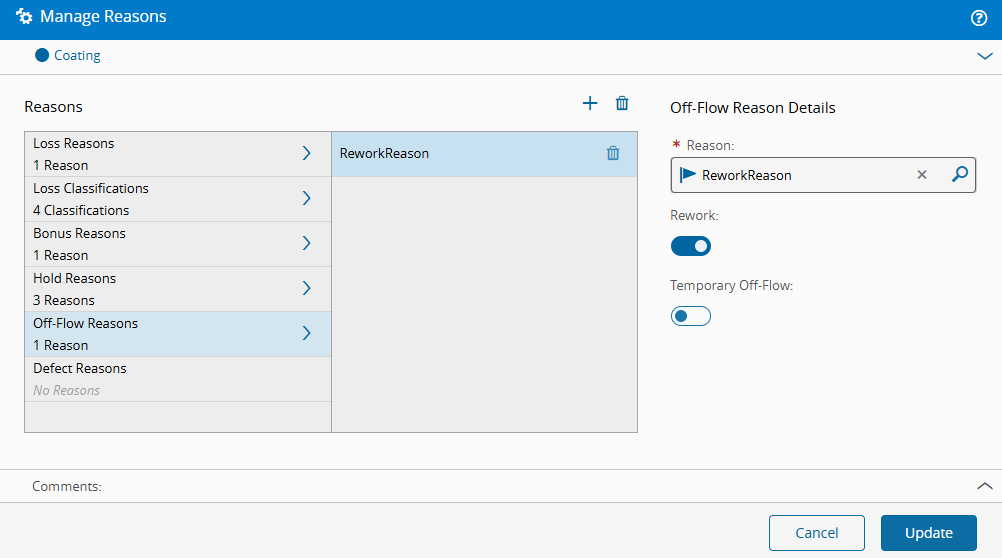
Assign the Off-Flow Reason to the
CoatingStep. - Define whether the reason is valid for:
- Rework only
- Temporary Off-Flow only
- Both
Scenario 1: Rework a Material#
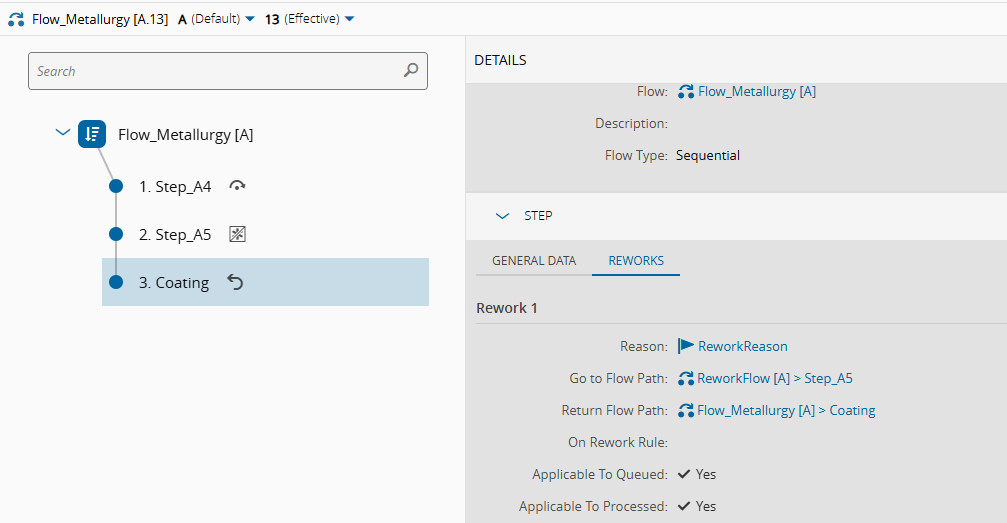
For this scenario, use the rework Flow provided through the master data. For more information about the standard behavior, see Rework Material.
-
In the
CoatingStep view, select theEngine Block H08-P9.002Material and choose Off-Flow > Rework.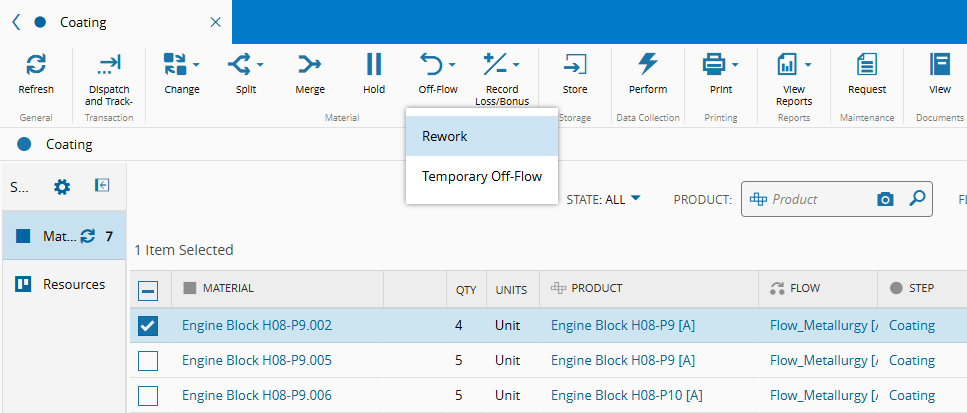
-
Select the Reason that sends the Material to rework.
-
Confirm that, while the Material is in rework:
- An icon is shown in the Step View, Resource View, and Material details page.
- The In Off-Flow property is set to
true.
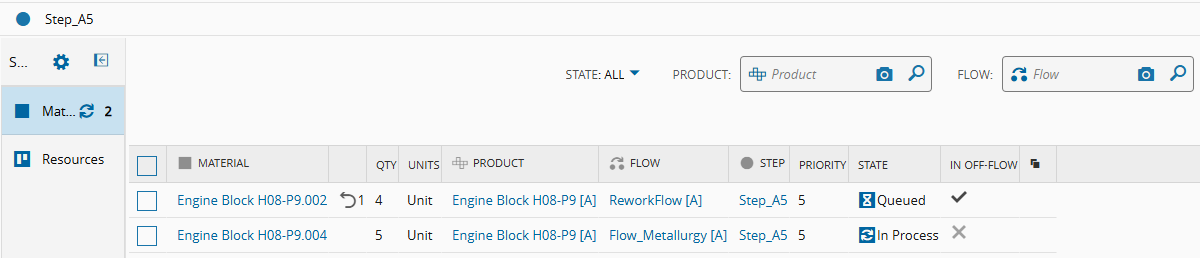
-
Execute the rework Flow operations and confirm that the Material returns to defined Flow path.
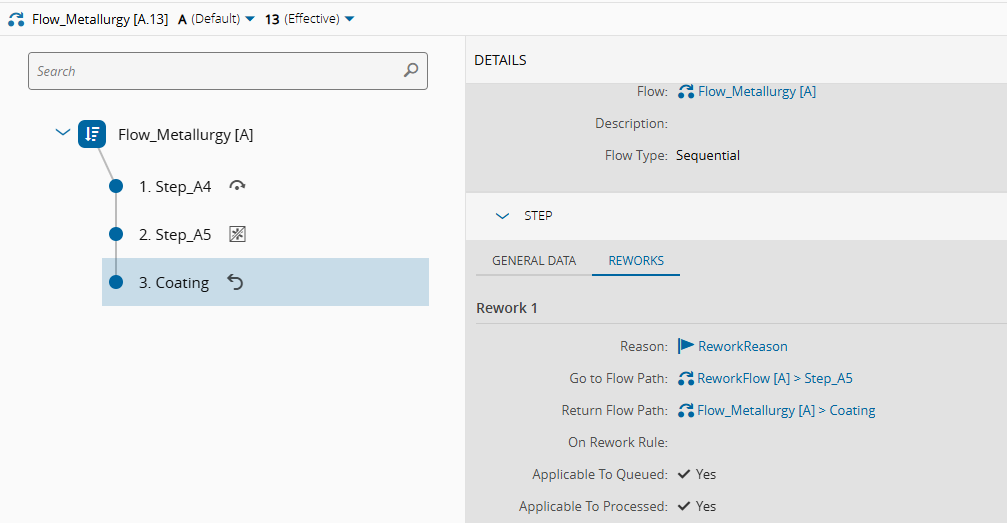
-
Review the rework information on the Material page under Holds / Off-Flows / Reworks. This information is visible while the Material is in the
InReworkprocess.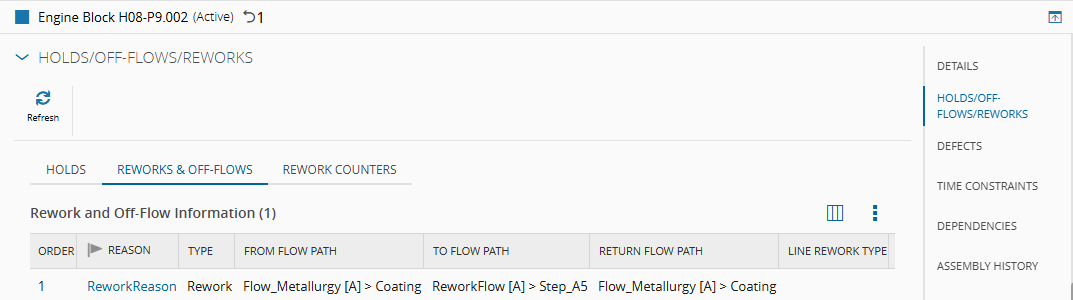
Scenario 2: Use Temporary Off-Flow#
For this scenario, use the temporary Off-Flow setup provided through the master data.
- In the
CoatingStep view, select theEngine Block H08-P9.005Material and perform Track In and Track Out.
This step is optional, but it shows that the Material returns to the same state afterward.
-
When the Material is in the
Processedstate, select Off-Flow > Temporary Off-Flow.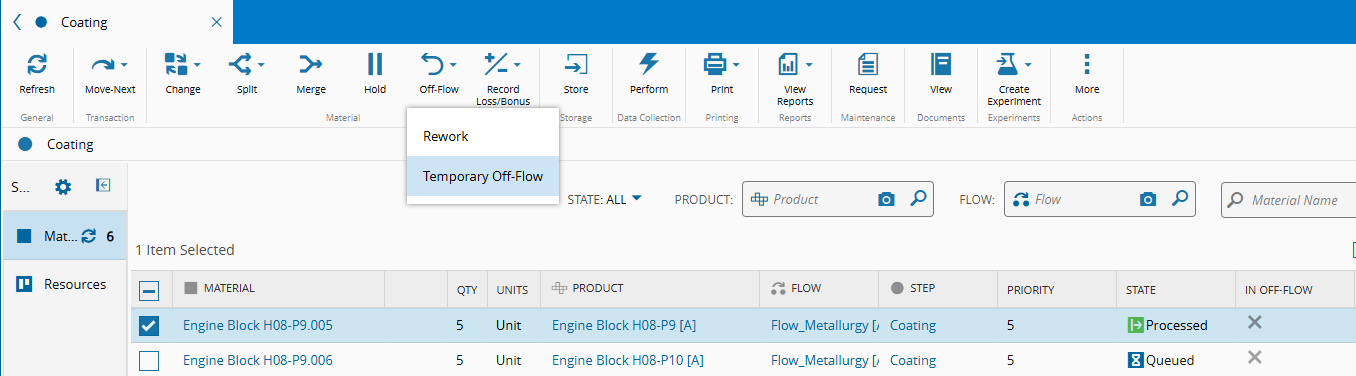
-
Select the Reason, the Flow path, and the Step to which the Material should be sent.
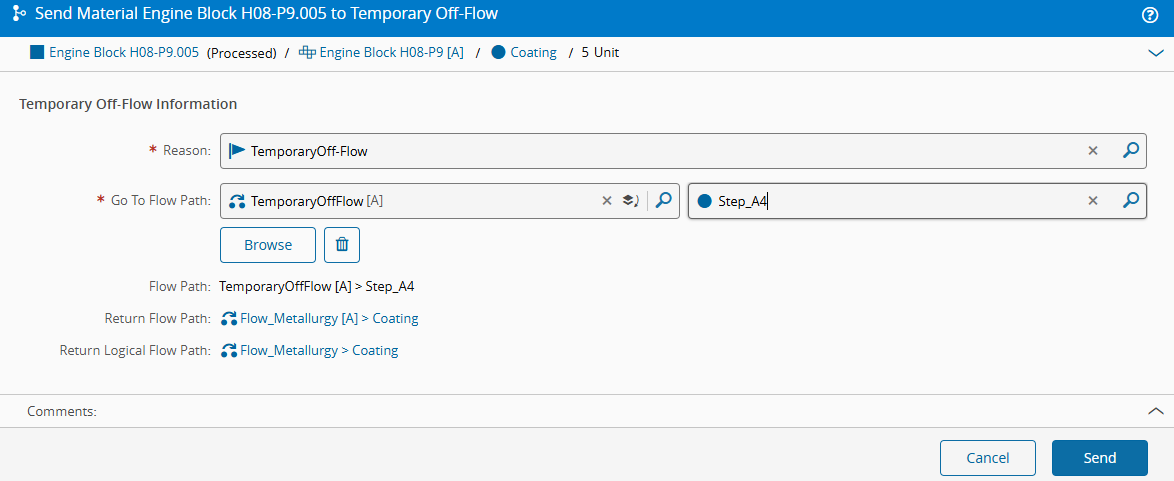
-
Confirm that the Off-Flow property is set to
truewhile the Material is in the temporary off-flow process.
-
Execute the temporary off-flow operations and confirm that the Material returns to the departure point.
-
Review the temporary off-flow information on the Material page under Holds / Off-Flows / Reworks. This information is visible while the Material is in the temporary process.

Next page: Defect Reason.