AI#
 AI.AskAI
Overview#
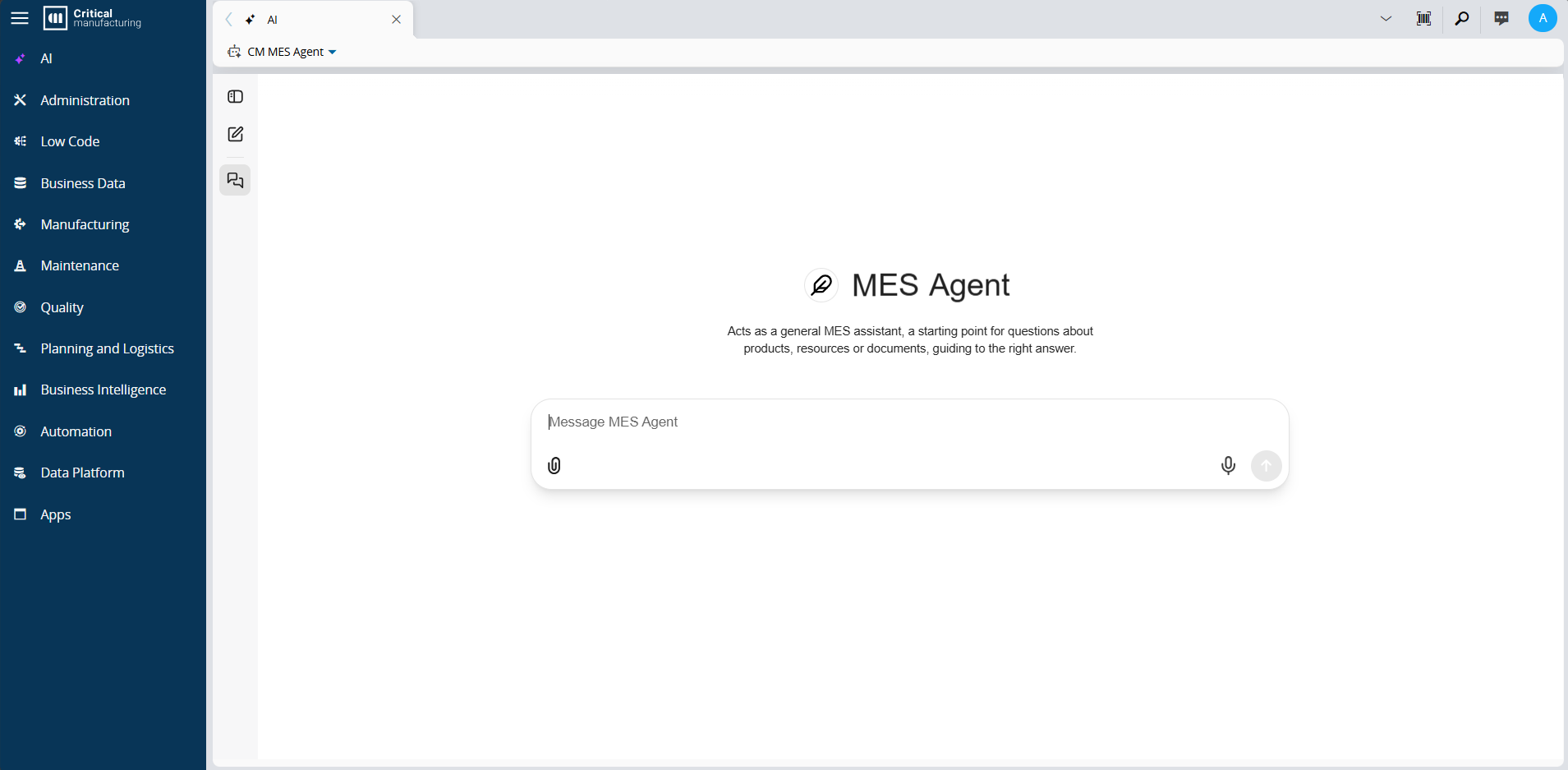
AI is a dedicated workspace where you can start conversations with available AI Agents. Select an Agent, enter a prompt, and use the response to support your work.
The available AI Agents and their capabilities depend on the configuration of your MES environment.
A standard MES installation provides CM MES Agent as the default agent. It helps you find and understand MES entities, documents, attachments, and manufacturing data.
Before You Start#
Make sure that:
- The Generative AI Infrastructure is deployed and configured in the MES environment.
- You have access to the
AI.AskAIsecurity feature. - At least one AI Agent is available in the environment.
For more information about access and setup, see AI and AI Security Features.
Start a Conversation#
- From the main navigation menu, select AI.
- Select an available AI Agent from the agent selector.
- Enter a prompt that describes the information or assistance that you need.
-
Select Send to start the conversation.
Provide the relevant context in the prompt. For example, you can ask the AI Agent to:
- Summarize the points that you provide for an operator handover.
- Draft a concise procedure from the steps that you provide.
- Explain a procedure excerpt or an attached document.
Manage Conversations#
Use New Chat to start a separate conversation. Select a conversation from the history to continue it. You can attach files to a conversation when you need to provide additional context.
Specialized AI Experiences#
Some MES pages provide an AI experience tailored to a specific workflow. For example, a supported Grafana-based Analytics View can provide AI to generate or refine dashboards.
For more information, see Generate Dashboards with AI.
Related Features#
- Using AI - use Ask AI, Compare, and View Summary from supported entity pages.
- Generate UI Pages with AI - generate an initial UI Page structure from a prompt.
- Generate Shift Handover Summary - generate a handover summary for a Shift Logbook.