Synchronize Automation Tasks Library#
 AutomationTasksLibrary.Create
Overview#
This operation allows you to create one or several new Automation Tasks Library in the system.
Setup#
The Synchronize menu shows the packages that are currently in the Automation Repository and that are eligible to be imported as Automation Task Libraries. You can then import a selection of those packages to the system.
When the wizard opens, it runs a discovery step: it queries the repository for the matching packages and, depending on the RepositoryType, inspects their contents to confirm they can be imported as Automation Task Libraries.
The list contents and the default selection depend on the RepositoryType configured under /Cmf/System/Configuration/ConnectIoT/RepositoryType:
| RepositoryType | List Contents | Default Selection | Validation |
|---|---|---|---|
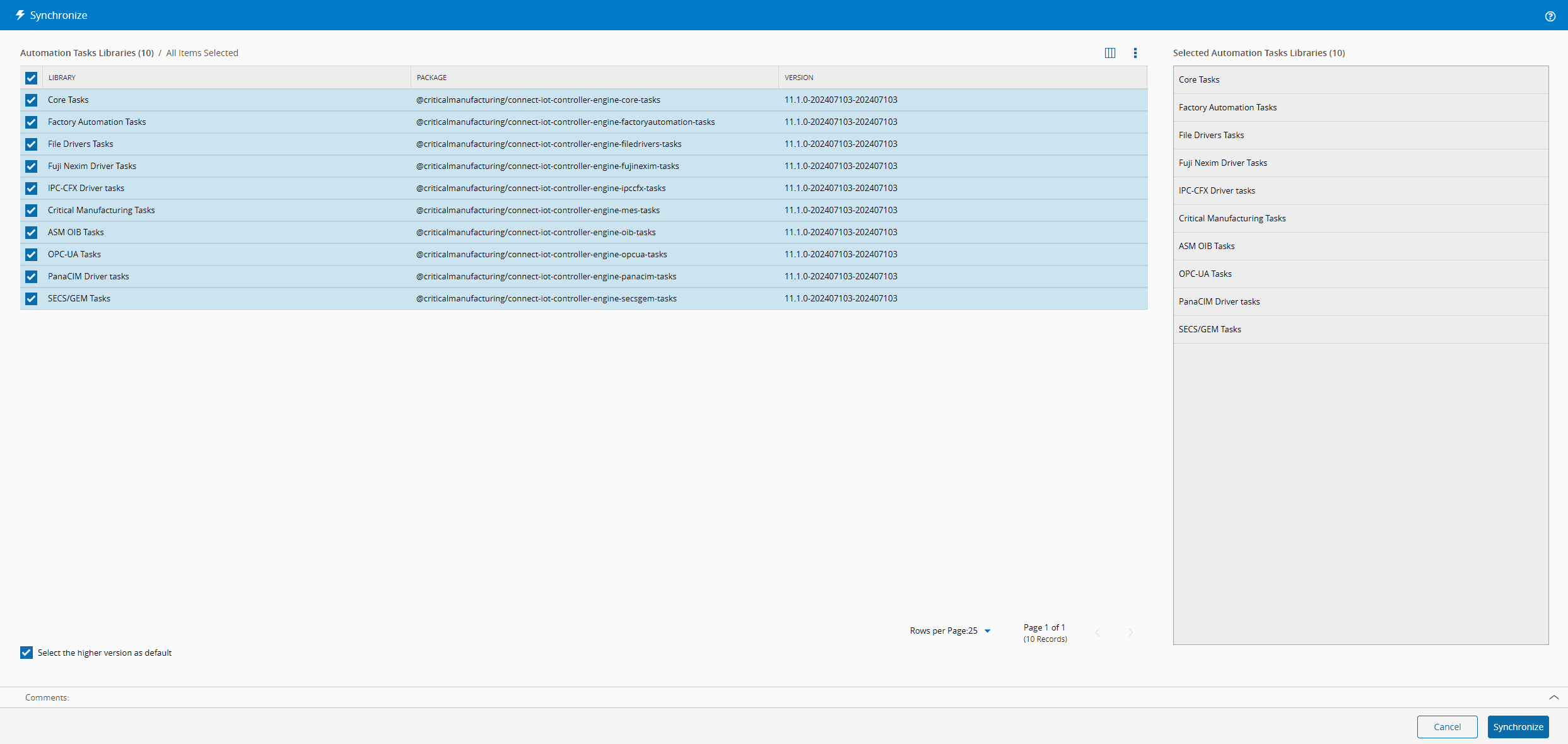
Directory | Packages matching TasksLibraryPackageNameFilter that are confirmed to contain an Automation Tasks Library. Every matching package is inspected upfront, which is acceptable because a directory repository typically holds few packages. | All listed packages are pre-selected. | Each package is validated during discovery. |
NPM | Packages matching TasksLibraryPackageNameFilter. Contents are not inspected during discovery, since an NPM registry (for example, Nexus) can hold many matching packages and downloading them all is expensive. | No package is pre-selected. You must select the libraries to synchronize before proceeding. | Runs only for the packages you select, when the synchronize operation is executed. The wizard shows a reminder at the top. |
Table: Synchronize behavior by RepositoryType
Note
Package/version pairs already imported are filtered out of the list.
Preconditions#
- The Connect IoT module is properly licensed in the system.
Sequence of Steps#
Step 1: General Data#
- From the list, select the libraries to synchronize.
- Optionally, check Select the higher version as default to override any previous task library marked as default for the same package name.
- Select Synchronize to continue the operation.
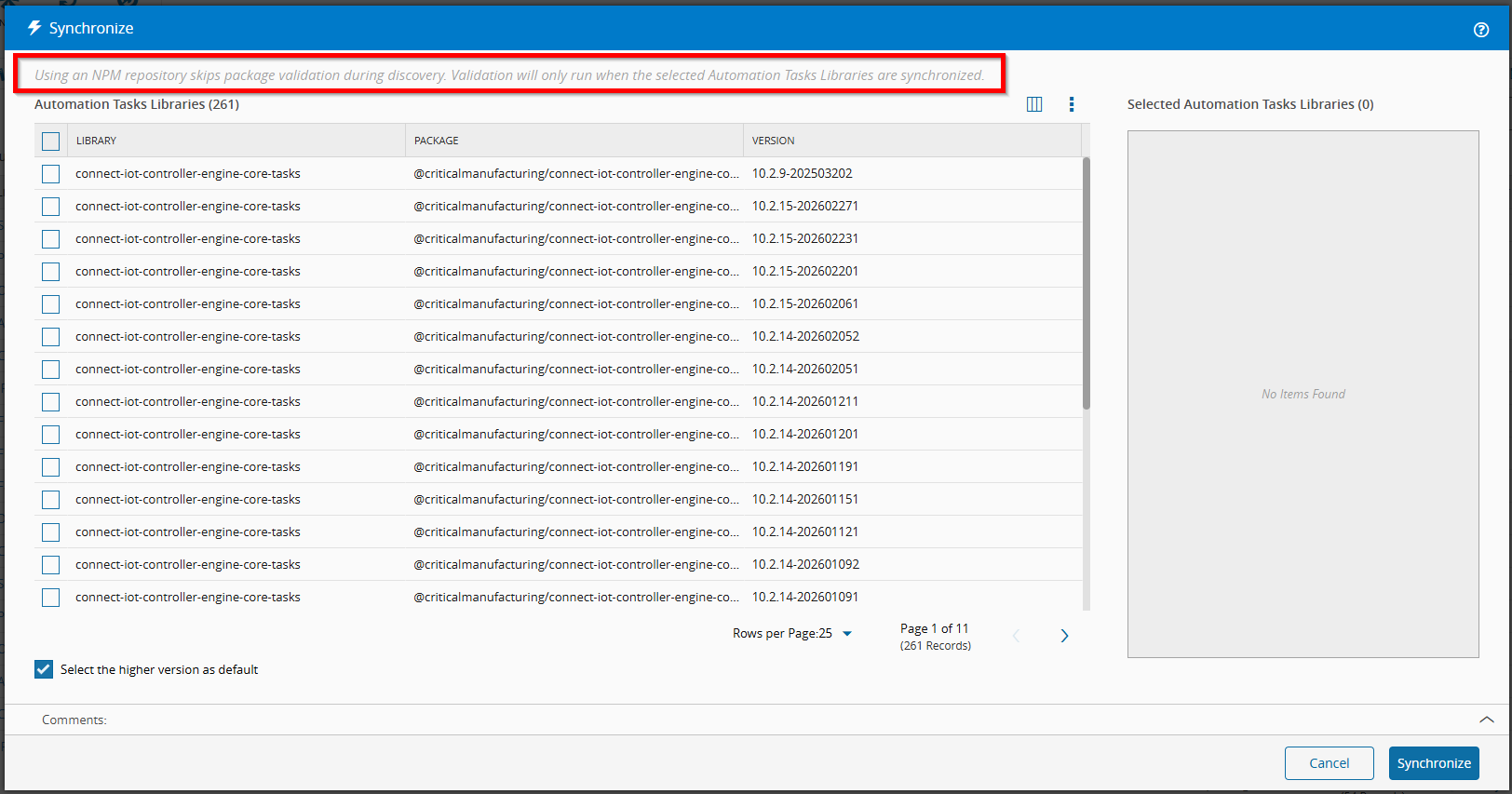
When you synchronize, each selected package is validated. If a package cannot be loaded as an Automation Tasks Library (for example, metadata is missing or invalid), that package is reported as failed and the remaining ones still proceed.