Export and Import Operations#
This section covers how to export and import extendable controllers, including the different options available and their specific use cases.
Export Options#
When exporting an extendable controller, you have three options:
1. Single Controller Export#
- Exports only the selected controller
- Maintains dependency links to parent controllers
- Contains only elements specific to the exported controller
- Requires parent controllers to exist in the target system for import
2. Full Tree Export#
- Exports the entire controller hierarchy
- Includes all parent controllers in the inheritance chain
- Maintains the hierarchical structure
- Can be imported into systems without existing parent controllers
3. Merged Export#
- Exports all controllers merged into a single controller
- No parent dependencies in the exported file
- Contains all workflows, drivers, and protocols from the entire chain
- Creates a standalone controller with no inheritance links
Export Process#
1.Open the Extended Controller and select the Details view.
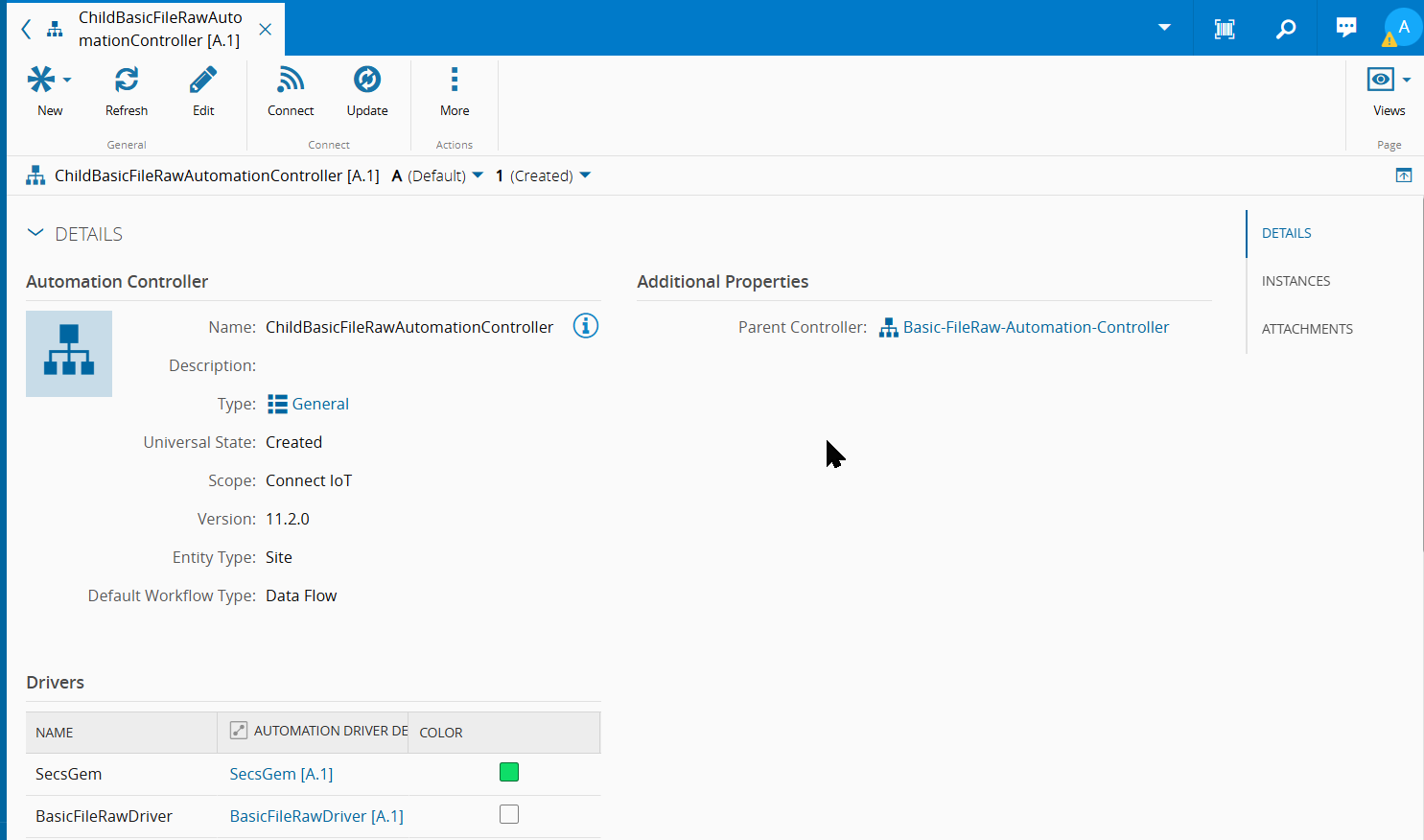
-
Access Export > Data to File wizard

-
Fill the wizard with the file information (name, write mode) requested by the wizard;
- Select the output file format (XML or JSON)
-
Choose extendable hierarchy export mode (Single, Full Tree, or Merged)

-
Click the Export button to generate and download the export file
Import Process#
The import of an Extendable Controller can be done using the Master Data Packages page import functionality.
The following subsections present important considerations and requirements when importing extendable controller packages to MES.
Importing Single Controllers#
When importing a single controller, the system performs these tasks:
-
Dependency Checks
- System verifies parent controllers exist in the target system
- Parent controllers must be in Active or Effective state
- If parent doesn't exist, import will fail
-
Controller Creation
- Creates new controller if it doesn't exist
- Creates new revision if controller exists with different revision
- Creates new version for existing controllers
-
Element Import
- Imports all workflows, driver definitions, and protocols
- Links to existing parent controllers
- Maintains inheritance relationships
Importing Full Tree#
When importing multiple linked controllers, the system performs these tasks:
-
Tree Analysis
- System analyzes the entire controller hierarchy
- Starts with controllers that have no dependencies
- Processes up the dependency chain
-
Controller Processing
- Creates or updates each controller in dependency order
- Ensures all parent-child relationships are maintained
- Creates new versions for all controllers in the tree
-
Element Linking
- Imports all elements for each controller
- Maintains inheritance links between controllers
- Ensures consistency across the entire hierarchy