---
alias: user-guide-automation-task-core-resolvetable
tags:
- automation tasks
description: "This task retrieves data from a table, specifying input keys or filter values"
---
# Resolve Table
:iot-generictable-lg:{style="font-size:100px"}
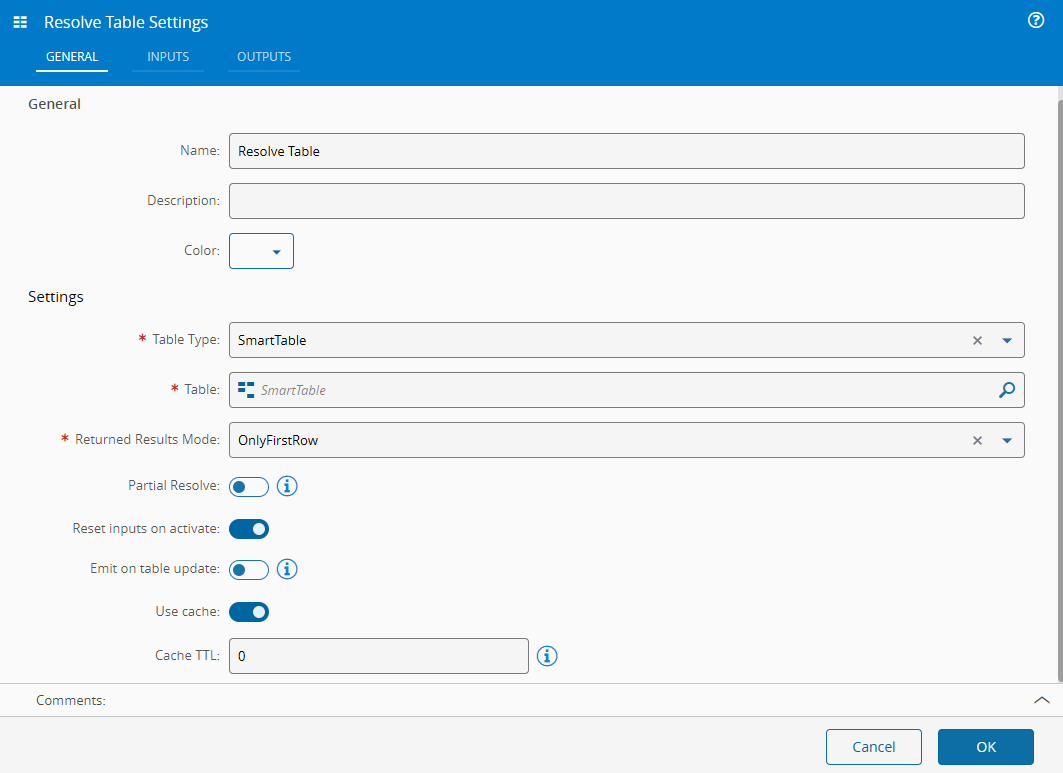
The **Resolve Table** Task retrieves data from a specific Generic/Smart table.
![resolveTable_parameters][resolveTable_parameters]
## Details
| Fields | Details |
| ----------------- | ---------------------------------------------------------------------------------- |
| Scope | Connect IoT
Data Platform
Enterprise Integration
Factory Automation |
| Workflow | Data flow
Control flow |
| `IsProtocol` flag | :material-close:{ style="color:#EF5350" } |
## Inputs
| Name | Data Type | IsTrigger | Description |
|----------|-----------|-----------|--------------------|
| Activate | `any` | Yes | Activates the task |
Table: Resolve Table inputs
## Outputs
| Name | Data Type | Description |
|---------|-----------|--------------------------------------------------|
| Rows | `any` | Rows retrieved from the table |
| Success | `Boolean` | Triggered when the task is executed with success |
| Error | `Error` | Triggered when the task failed for some reason |
Table: Resolve Table outputs
## Settings
| Name | Data Type | Value | Default | Description |
|--------------------------|------------------------------------|----------------------------------|----------------|----------------------------------------------------------------------------------------------------------|
| Table Type | `enum` | `GenericTable`
`SmartTable` | `SmartTable` | Type of table to use mode |
| Table | **SmartTable** or **GenericTable** | | | Table to use as a source for the data |
| Returned Results Mode | `enum` | `OnlyFirstRow`
`AllMatches` | `OnlyFirstRow` | How the returned dataset should be generated |
| Partial Resolve | `Boolean` | | `false` | Uses 'partial resolve' for smart table resolution (empty key values resolve to any value) |
| Reset inputs on activate | `Boolean` | | `true` | Resets the inputs after being triggered |
| Emit on table update | `Boolean` | | `false` | Emits the task when the table is updated |
| Use cache | `Boolean` | | `true` | Uses cache to load values |
| Cache TTL | `Integer` | | `0` | Number of seconds until the values stored in cache expire. If equal to 0, the cache is never invalidated |
Table: Resolve Table settings
{% include-markdown 'includes/pages/iot_tasks_retries_settings.md' %}
## Behavior
In the settings, define the type and name of the table to retrieve data. The input values should be, in case of smart tables, the keys to resolve. In the case of generic tables, the column values to use as filters.
[resolveTable_parameters]: ../images/resolvetable_parameters.png