---
alias: user-guide-automation-task-core-getconfigurations
tags:
- automation tasks
description: "This task retrieves configuration entry values, utilizing configurable settings and dynamic path replacements"
---
# Get Configurations
:iot-configuration-lg:{style="font-size:100px"}
The `Get Configurations` Task allows retrieving configuration entries values.
![getconfigurations_parameters][getconfigurations_parameters]
## Details
| Fields | Details |
| ----------------- | ---------------------------------------------------------------------------------- |
| Scope | Connect IoT
Data Platform
Enterprise Integration
Factory Automation |
| Workflow | Data flow
Control flow |
| `IsProtocol` flag | :material-close:{style="color:#EF5350"} |
## Inputs
| Name | Data Type | Description |
|----------|-----------|--------------------|
| Activate | `any` | Activates the task |
## Outputs
| Name | Data Type | Description |
|---------|-----------|--------------------------------------------------|
| Success | `Boolean` | Triggered when the task is executed with success |
| Error | `Error` | Triggered when the task failed for some reason |
## Settings
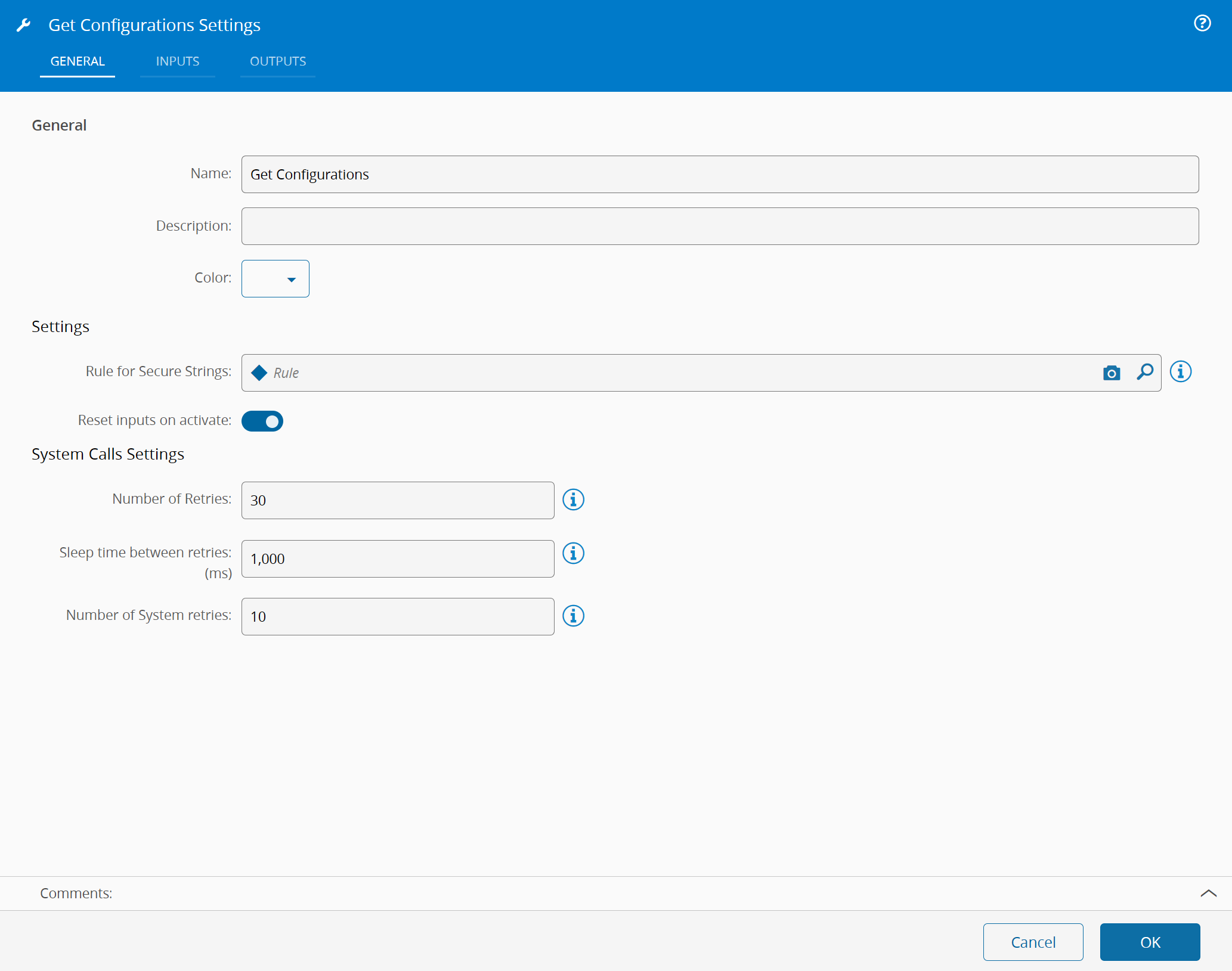
On the `General` Tab, there are the following settings:
| Name | Data Type | Default | Description |
|----------------------------------|-----------|-------|--------------------------------------------------------------------------------------------------|
| Rule for Secure Strings | **Rule** | | Selected rule for decrypting SecureString Configs |
| Number of Retries | `Integer` | 30 | Number of retries until a good answer is received from System |
| Sleep Time Between Retries: (ms) | `Integer` | 1000 | Number of milliseconds to wait between retries. It only applies when the previous call fails. |
| Reset inputs on activate | `Boolean` | `true` | Resets the inputs after being triggered |
{% include-markdown 'includes/pages/iot_tasks_retries_settings.md' %}
## Behavior
Set an output for each configuration entry to retrieve using the field fullPath to reference it. It is possible to define tokens in the path to be replaced by input values. The name of the input should match the name of the token. As an example:
* fullPath: `/Cmf/System/Configuration/FactoryAutomation/OIB/${line}/LinesToHandle`
!!! note
An input with name "line" would replace the token `${line}` in the path before retrieving the config.
!!! note
For deciphering configs of type SecureString it's necessary to provide a Rule/DeeAction. You can see an example of one such DEE below:
```csharp
UseReference("System.Data.dll", "System.Data");
UseReference("%MicrosoftNetPath%System.Xml.dll", "");
UseReference("", "System.Threading");
UseReference("", "Cmf.Foundation.Common");
UseReference("Cmf.Navigo.BusinessObjects.dll", "Cmf.Navigo.BusinessObjects");
var output = new Dictionary();
foreach (var (configName, configObject) in Input)
{
if (configObject is IConfig config && config.ValueType == "System.Security.SecureString")
{
var decryptedValue = config.GetDecryptedConfigValue();
output.Add(configName, decryptedValue);
}
}
return output;
```
[getconfigurations_parameters]: ../images/getconfigurations_parameters.png