Move#

When activated, the move task will move a given file or directory (source) to a different location (destination). The source and destination, can be provided either by the input port or in the task settings.

Inputs#
| Name | Description | |
|---|---|---|
| source | String | Source file/directory |
| destination | String | Destination file/directory |
| overwrite | Boolean | Overwrite existing file or directory |
| attempts | Integer | Number of attempts to perform this operation. Default is 1 attempt |
| sleepBetweenAttempts | Integer | Interval of time between the attempts. Default is 1000ms |
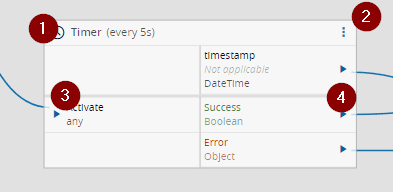
| Activate | any | Activate the task |
Outputs#
| Name | Data Type | Description |
|---|---|---|
| Success | Boolean | Triggered when the task is executed with success |
| Error | Error | Triggered when the task failed for some reason |
Settings#
On the General tab, you have the usual settings and the following settings:
| Name | Data Type | Values | Default | Description |
|---|---|---|---|---|
| Source | String | Source file/directory | ||
| Destination | String | Destination file/directory | ||
| Overwrite | Boolean | False | Overwrite existing file or directory | |
| Number of attempts | Integer | 1 | Number of attempts to perform this operation. | |
| Sleep Between Attempts | Integer | 1000 | Interval of time between the attempts. |
For the Source and Destination settings you can use tokens as represented below:
Available tokens:
  ${path} - Watched path
  ${archive} - Archive path
  ${temp} - Temporary directory of the user
  ${id} - DriverId ("\" chars replaced with "_")

Examples:
  ${path}\subdir\file.txt
  ${temp}\files\${id}\file.txt
  c:\destination\file.txt
  c:\source\file.txt
Behavior#
In this task you choose a driver when dropping it into the workflow (if you have more than one driver associated with the controller).
Upon activation, will send a Move command to the driver where it will try to move the source location (file or directory) into the destination location. If it fails, will retry attempts times, waiting sleepBetweenAttempts milliseconds each time.
When the operation is executed with success, both Success and result outputs emit their respective values. In case of the task , for some reason, is not able perform the operation, an Error is emitted.
Remarks#
There is no particular remark to be made.