---
alias: user-guide-automation-task-filedrivers-readfile
tags:
- automation tasks
description: "This task reads a file and outputs its content, handling errors and retries automatically"
---
# Read File

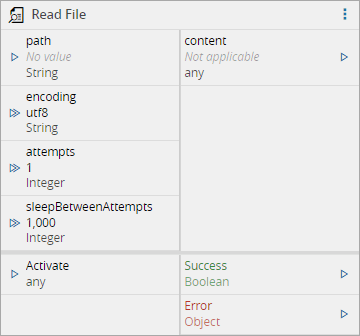
When activated, the `read file` task reads a given file and outputs its content. The file `path` can be provided either by the input port or in the task settings.
## Inputs
| Name | | Description |
|----------------------|-----------|--------------------------------------------------------------------|
| path | `String` | File path |
| encoding | `String` | File content encoding |
| attempts | `Integer` | Number of attempts to perform this operation. Default is 1 attempt |
| sleepBetweenAttempts | `Integer` | Interval of time between the attempts. Default is 1000ms |
| Activate | `any` | Activate the task |
## Outputs
| Name | Data Type | Description |
| ------ | --------- | --------- |
| content | Buffer \| String | Triggered when the task is executed. To output the file content |
| Success | `Boolean` | Triggered when the task is executed with success |
| Error | `Error` | Triggered when the task failed for some reason |
## Settings
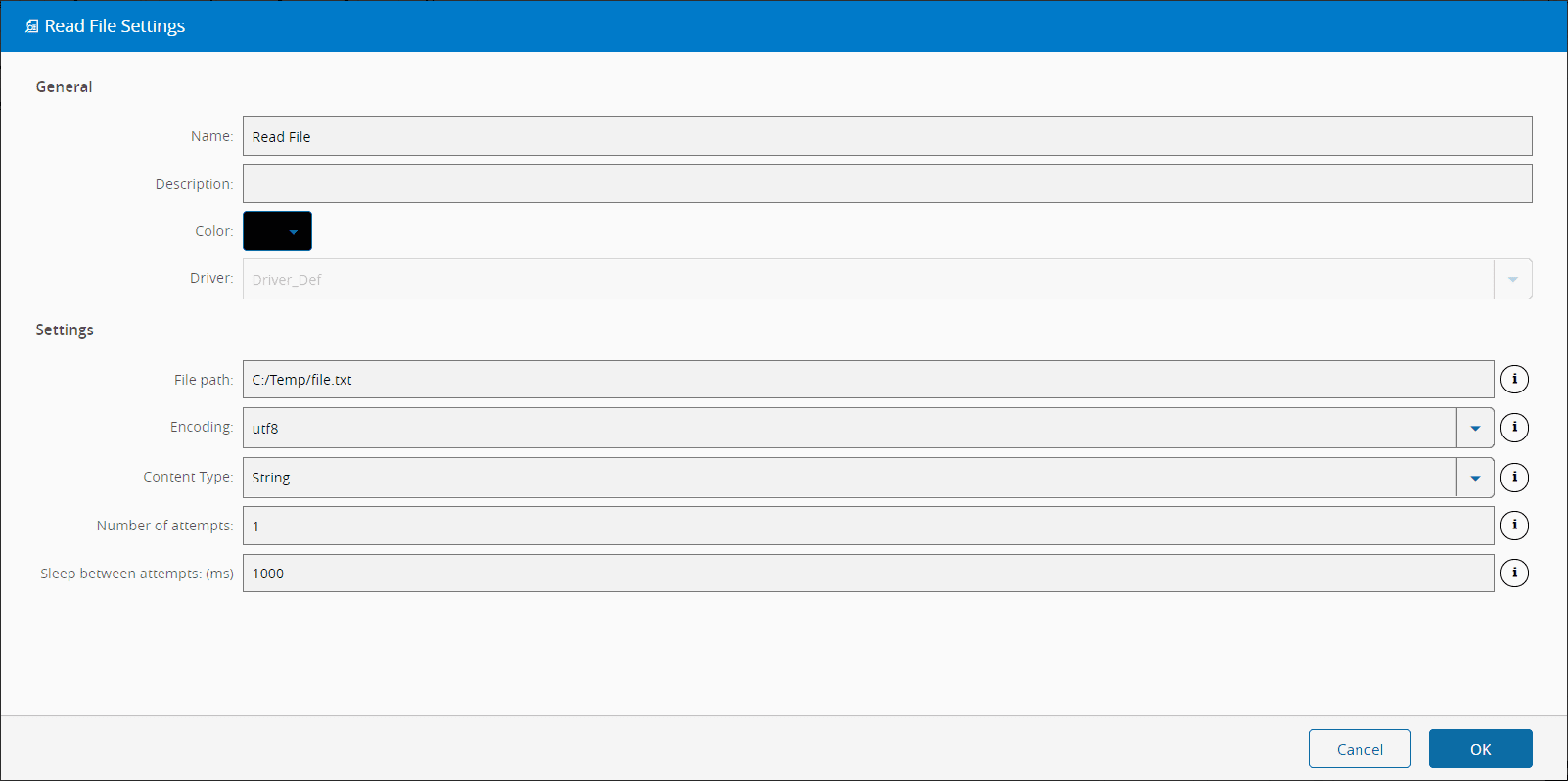
On the `General` tab, you have the usual settings and the following settings:
| Name | Data Type | Values | Default | Description |
| ------ | --------- | --------- | --------- | --------- |
| File path | `String` | | | File path |
| Encoding | `Enum` | `utf8`
`ucs2`
`utf16le`
`latin1`
`binary`
`base64`
`ascii`
`hex` | `utf8` | File content encoding |
| Content Type | `Enum` | `Buffer`
`String` | `String` | Type of the content to be emitted |
| Number of attempts | `Integer` | | 1 | Number of attempts to perform this operation. |
| Sleep Between Attempts | `Integer` | | 1000 | Interval of time between the attempts. |
For the `File path` you can use tokens as represented below:
```bash
Available tokens:
${path} - Watched path
${archive} - Archive path
${temp} - Temporary directory of the user
${id} - DriverId ("\" chars replaced with "_")
Examples:
${path}\subdir\newFile.txt
${temp}\files\${id}\Recipe\File.csv
c:\source\Result\OK.bin
```
## Behavior
In this task you choose a driver when dropping it into the workflow (if you have more than one driver associated with the controller).
Upon activation, will send a `ReadFile` command to the driver where it will try to read the contents of the file in the `path` location. If it fails, will retry `attempts` times, waiting `sleepBetweenAttempts` milliseconds each time.
When the operation is executed with success, both `Success` and `content` outputs emit their respective values. In case of the task , for some reason, is not able perform the operation, an `Error` is emitted.
## Remarks
There is no particular remark to be made.