---
alias: user-guide-automation-task-oib-boardproducedrequest
tags:
- automation tasks
description: "This documentation details a board production event with associated data and status updates"
---
# Board Produced Request
This event occurs when the panel will exit the equipment with the interlocking enabled. This event awaits for the reply `BoardProducedRequestResult`.
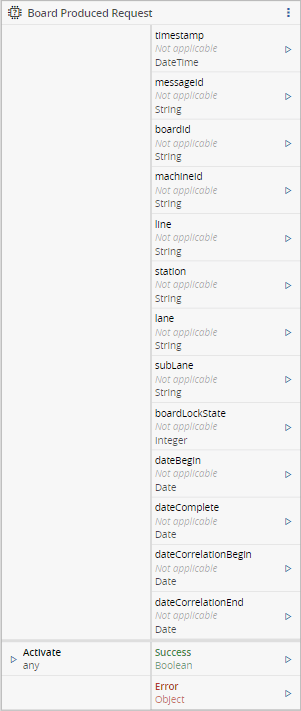
## Inputs
| Name | Data Type | Description |
| -------- | --------- | ------------------------------- |
| Activate | `Any` | Activates the task subscription |
## Outputs
| Name | Data Type | Description |
| ------- | --------- | ------------------------------------------------ |
| timeStamp | `DateTime` | Timestamp when the event was received |
| messageId | `String` | Message Id from Oib. Might be needed to provide a reply if interlocking is active and if using a command |
| boardId | `String` | The Board ID or Barcode |
| machineId | `String` | The ID of the producing Station |
| line | `String` | Information regarding in which Line the event occurred. Example: 'OIB Training\\Line 1' |
| station | `String` | Information regarding in which Station the event occurred. Example: 'Station 1 - TX1' |
| lane | `String` | Conveyor. This is an enum value which will be serialized as string and is defined as follows:
`Unknown` (0) unknown conveyor
`Right` (1) the right sub-conveyor
`Left` (2) the left sub-conveyor |
| subLane | `String` | Sub-Conveyor (allows future quad-lane support). This is an enum value which will be serialized as string and is defined as follows:
`None` (0) no sub-conveyor;
`Right` (1) the right sub-conveyor;
`Left` (2) the left sub-conveyor |
| boardLockState | `String` | The lock state of the board:
`0` "Unknown" - Unknown board state or the Parameter BoardLockState is not supported by TraceService
`1` "Locked" - station or conveyor is waiting for MES response how to proceed with the board (interlocking = on)
`2` "Unlocked" - interlocking is disabled, the board will automatically be transported if the next machine or conveyor is ready |
| dateBegin | `DateTime` | Date / time stamp for the start of processing given as UTC |
| dateComplete | `DateTime` | Date / time stamp for the end of processing given as UTC |
| dateCorrelationBegin | `DateTime` | Correlation begin date for partially correlated order files given as UTC |
| dateCorrelationEnd | `DateTime` | Correlation end date for partially correlated order files given as UTC |
| Success | `Boolean` | Triggered when the task is executed with success |
| Error | `Error` | Triggered when the task failed for some reason |
## Settings
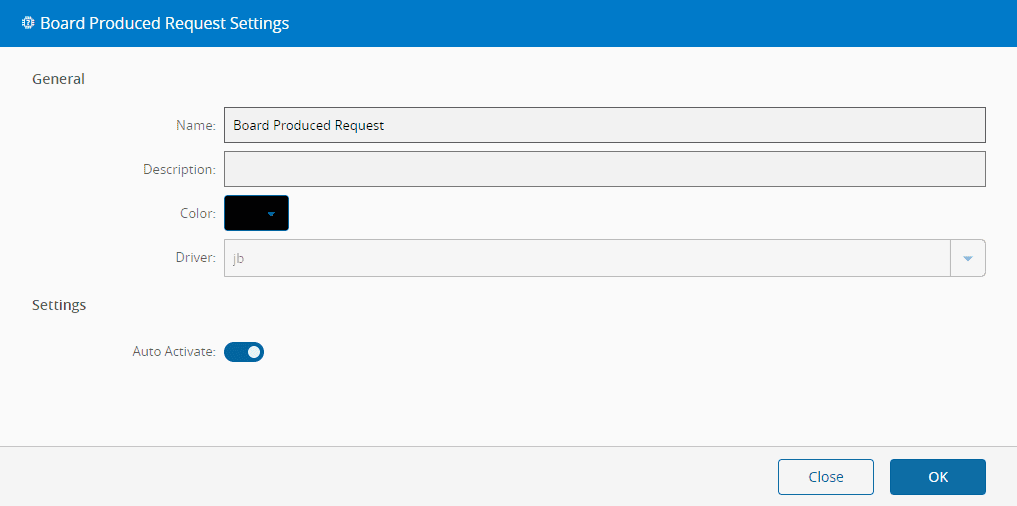
On the `General` tab, you have the usual settings.
## Remarks
None.